VirusTotal
The goal of this post is to obtain unobfuscated source code from the initial delivered setup executable.
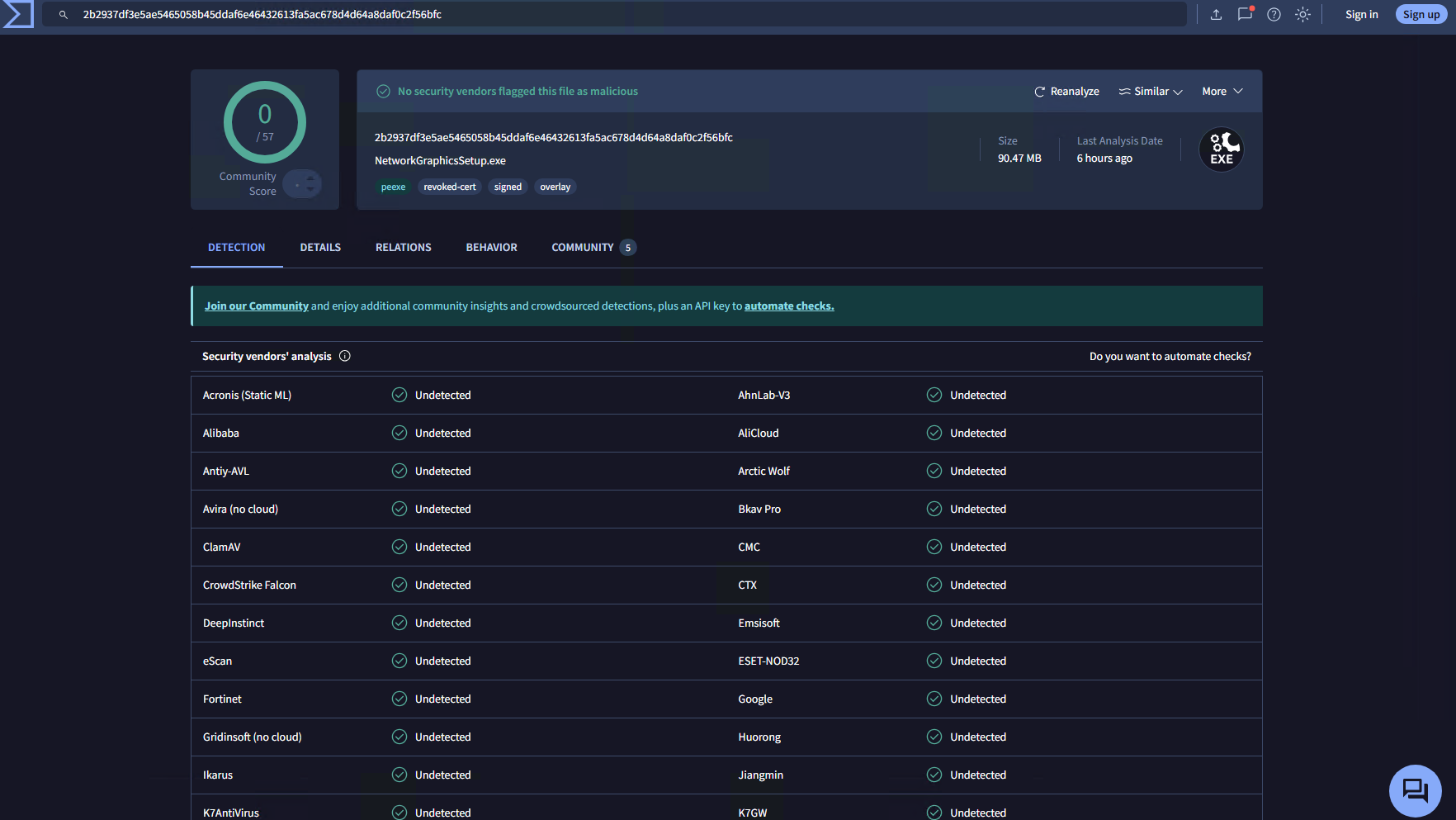
We are dealing with a TamperedChef payload, currently at 0 static detections on VirusTotal.
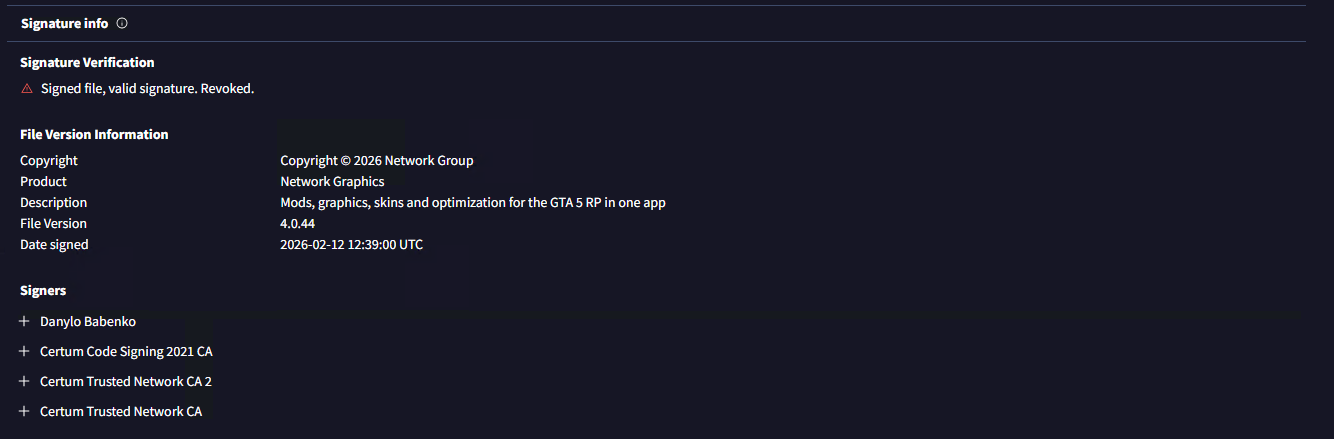
Good thing is the digital certificate was already revoked thanks to @Squiblydoo on X.
Detect It Easy
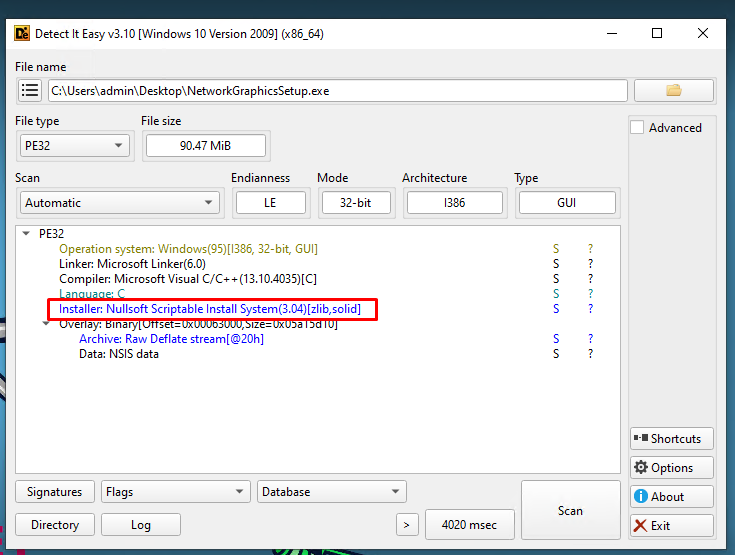
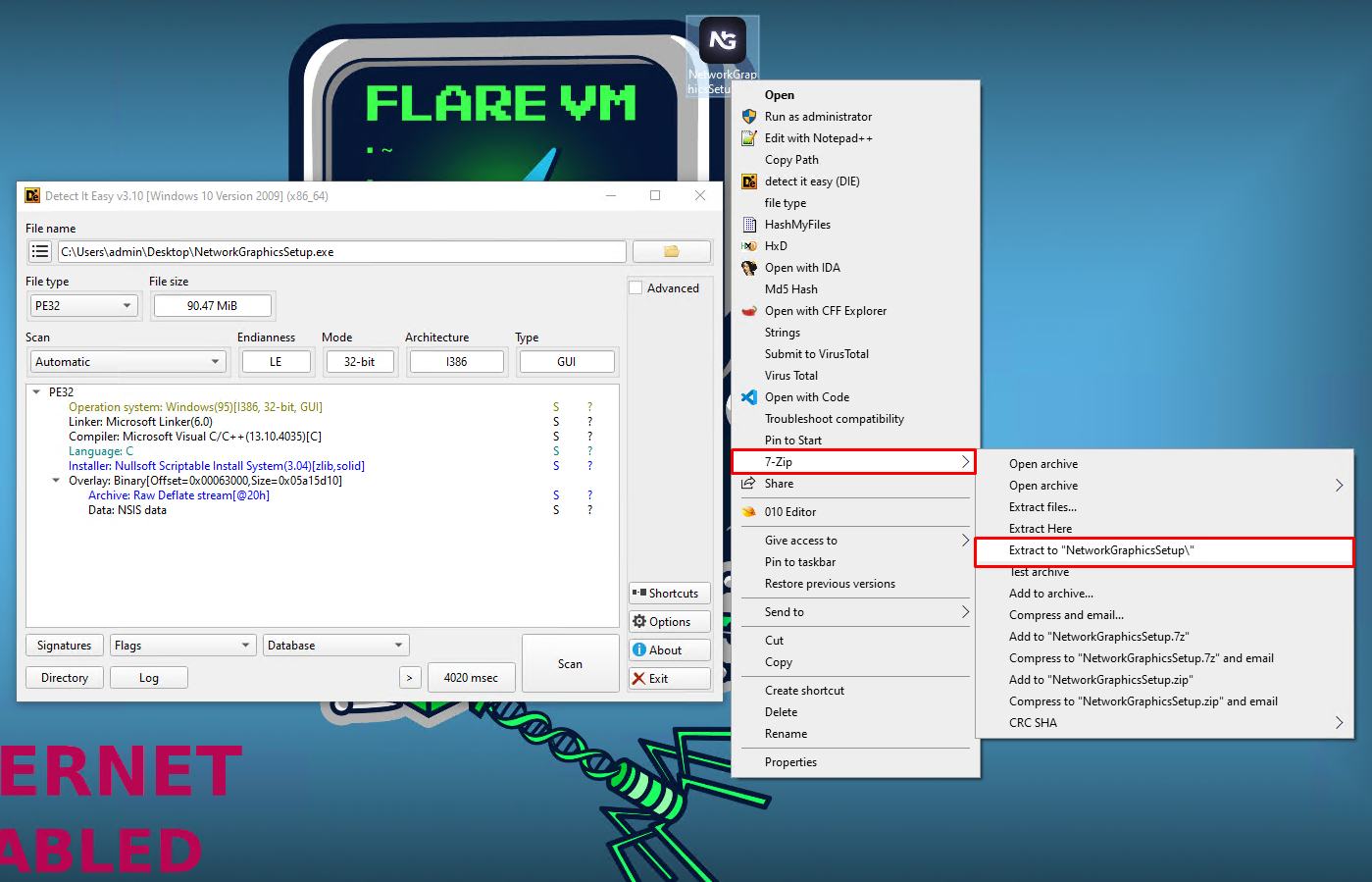
We will start the analysis by inspecting the executable in DetectItEasy (GitHub). We can see the installer was identified and for NSIS the process is simple because we can open/extract it in a folder using 7-Zip.
NSIS archive extraction
I extracted the executable and we got this file tree:
Inspecting extracted NSIS archive
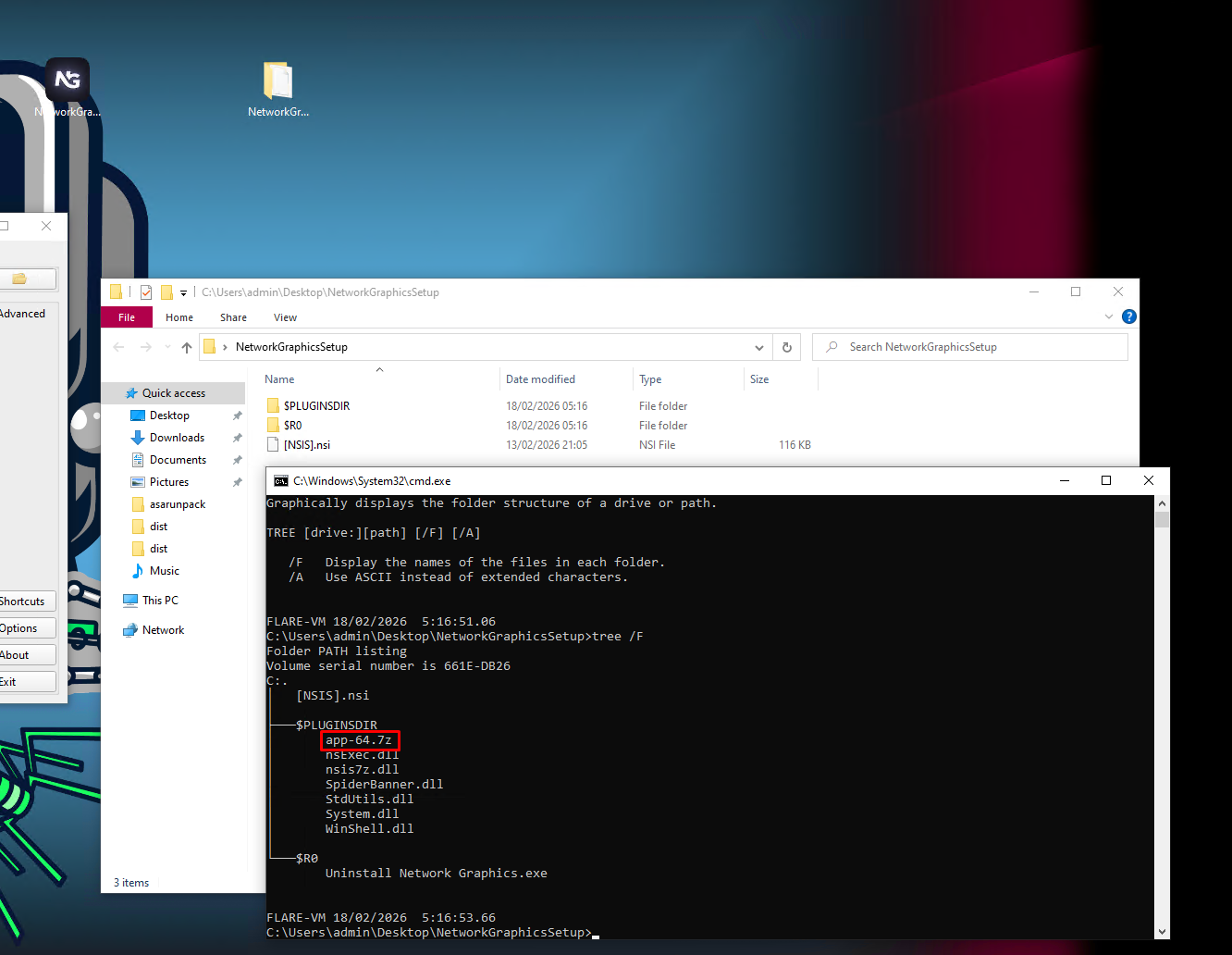
$PLUGINSDIR- temporary folder that contains plugins, used for example when the author wants to download remote files or any more advanced function in general$R0- this is a register folder, contains usually executable files and the main file can control what happens with what is inside of the register folder[NSIS].nsi- the main file that controls the installation process; contains for example language variants for message boxes, what shortcuts will be created during the installation process, checks whether it is already running or not
The Uninstall Network Graphics.exe is another NSIS installer and it is just a set of another [NSIS].nsi commands without any other payloads. It's only function is to actually uninstall the software but it does not do a very good job and leaves traces behind, such as invalid shortcuts, invalid scheduled tasks and invalid registry keys.
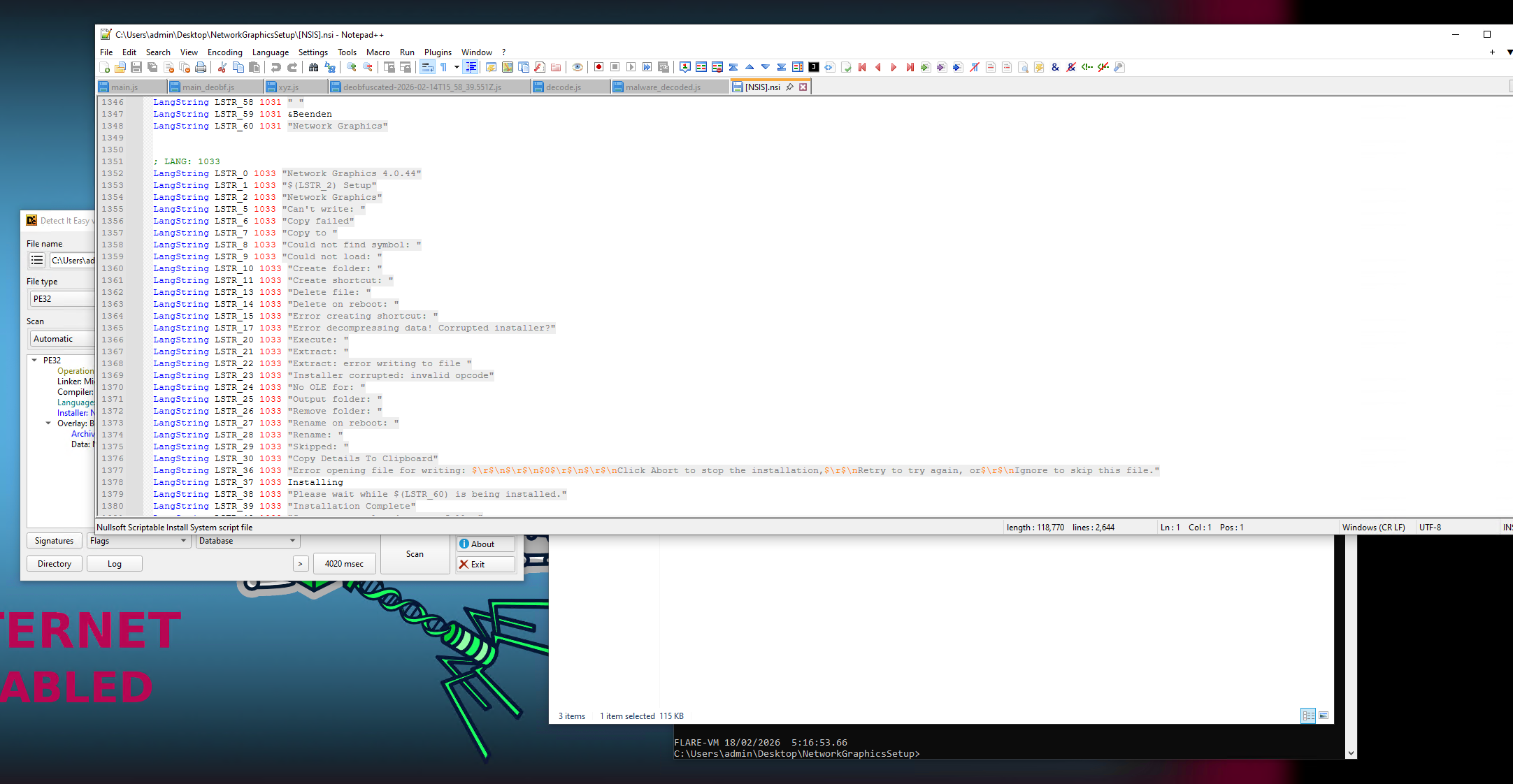
label_698:
  StrCpy $_39_ 64
The variable $_39_ is defined to 64 by the command StrCpy $_39_ 64, so now we have app-64.7z as the filename and $PLUGINSDIR\nsis7z.dll is a NSIS plugin used for archive extraction.
This part seems interesting enough:
label_704:
  Push $OUTDIR
  CreateDirectory $PLUGINSDIR\7z-out
  ClearErrors
  SetOutPath $PLUGINSDIR\7z-out
  nsis7z::Extract $PLUGINSDIR\app-$_39_.7z
    ; Call Initialize_____Plugins
    ; SetOverwrite off
    ; File $PLUGINSDIR\nsis7z.dll
    ; SetDetailsPrint lastused
    ; Push $PLUGINSDIR\app-$_39_.7z
    ; CallInstDLL $PLUGINSDIR\nsis7z.dll Extract
  Pop $R0
  SetOutPath $R0
  StrCpy $R1 0
We can see here that we have:
- Creation of directory
$PLUGINSDIR\7z-out - Extracting zip folder from
$PLUGINSDIR\app-64_.7z
We can head to the $PLUGINSDIR\app-64_.7z and inspect what is inside.
Inspecting Electron application
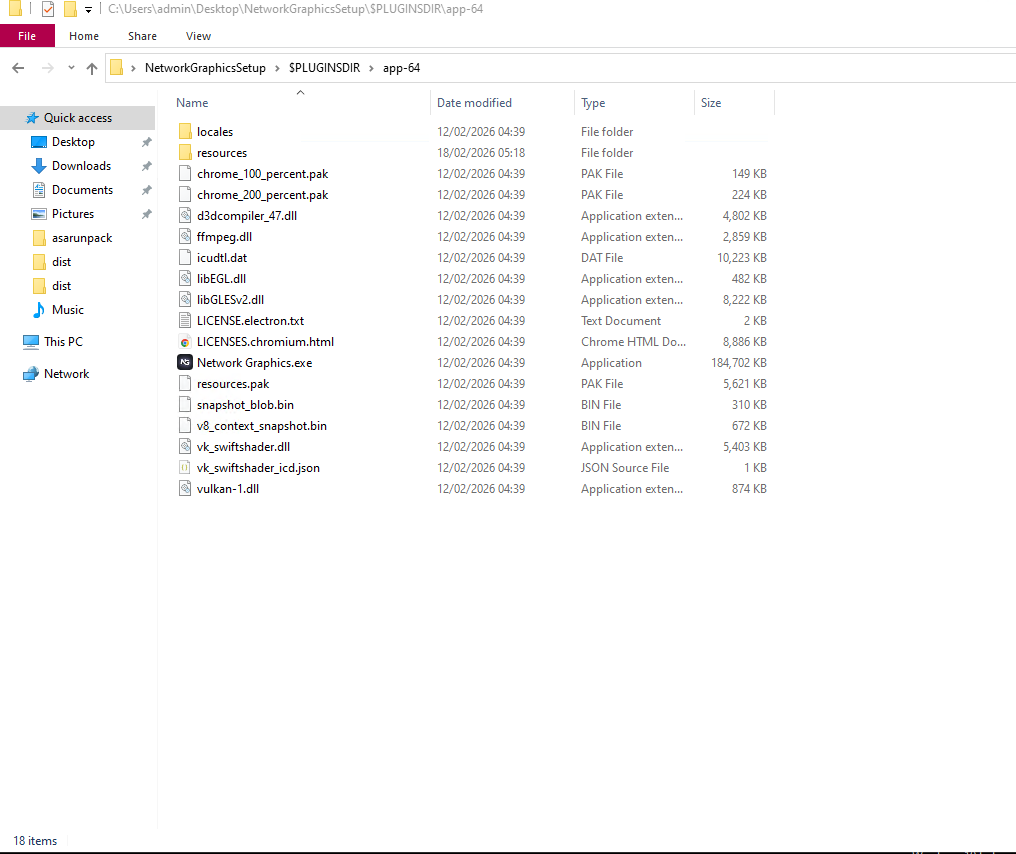 This is a classic structure of an Electron app. Electron is a way to run Javascript apps standalone on traditional desktop environments. You can basically use all your web development skills to make a Windows or other desktop app.
Extracting source code from Electron application
You can get the source code of an Electron app by extracting the app.asar archive located in resources\app.asar. I like to use the Asar7z plugin to extract it just like any other archive with 7-Zip but ultimately it comes down to preference as there are many other ways to extract the archive.
If you try to extract it without the plugin, you'll get an error.
You can get Asar7z here along with the detailed installation process.
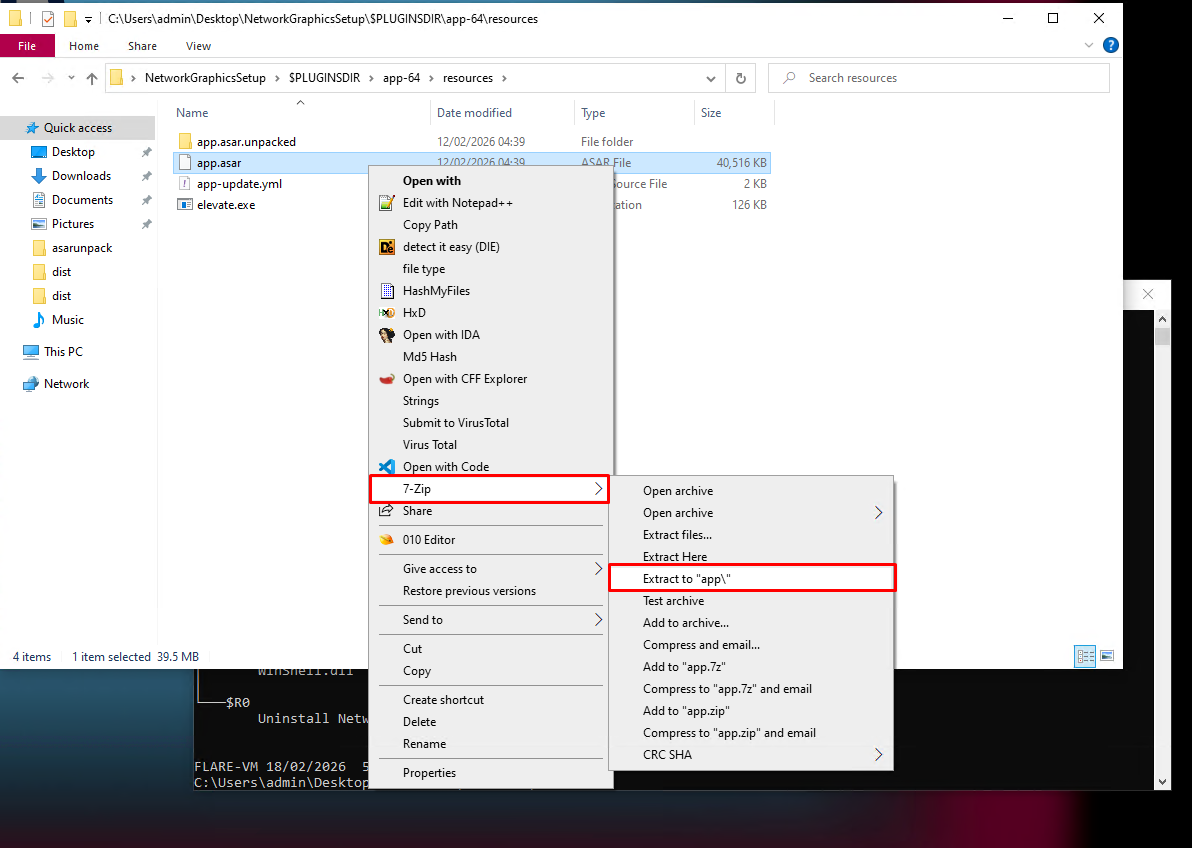
Inspecting extracted Electron source code
So, we've extracted it and it's time to run tree /f to see the file structure now.
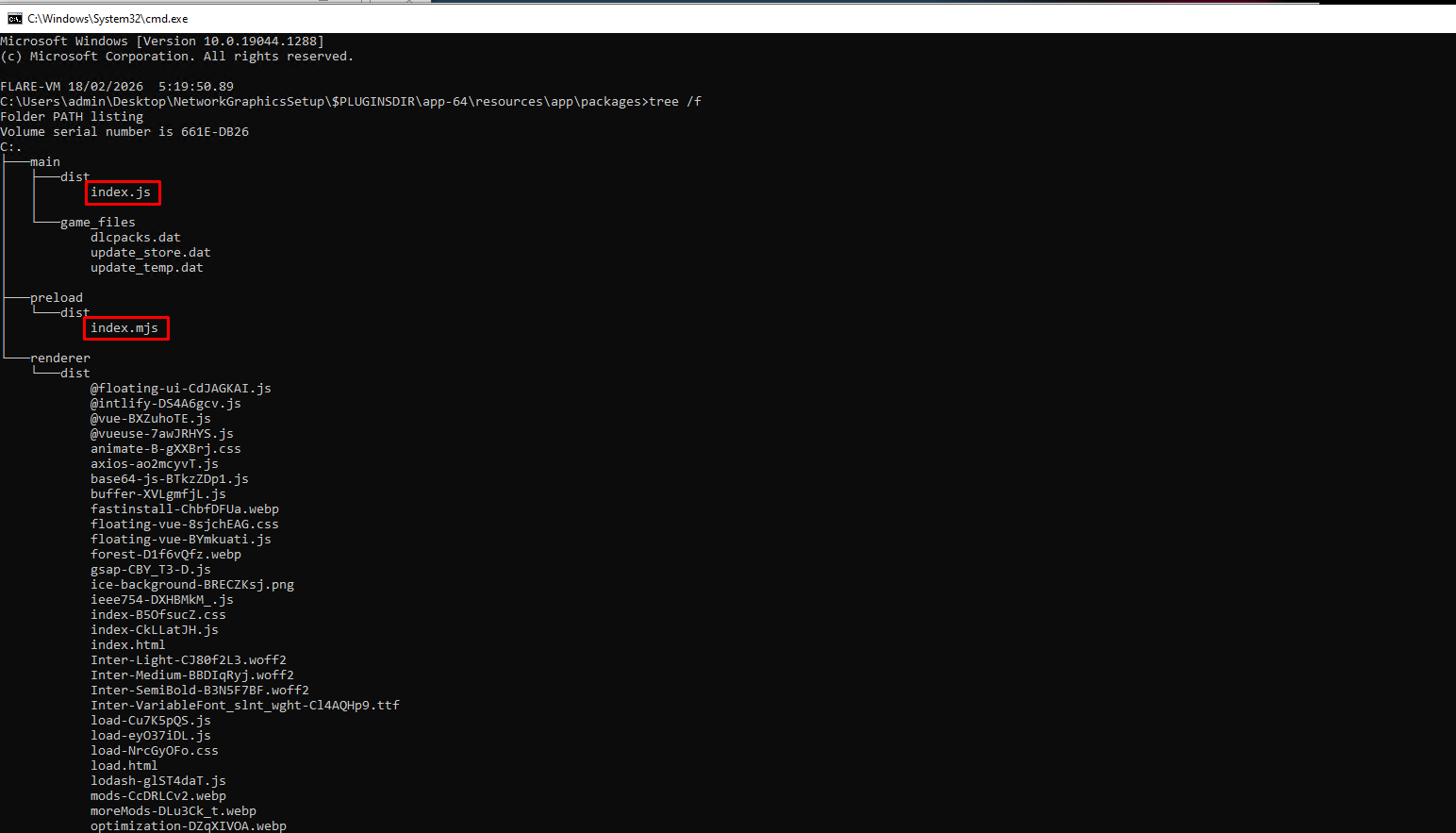
The files located in renderer\dist are scripts that are responsible for the proper GUI display, so for our purposes they are irrelevant but we found 2 files that we like to see: index.js and index.mjs
Deobfuscating index.js
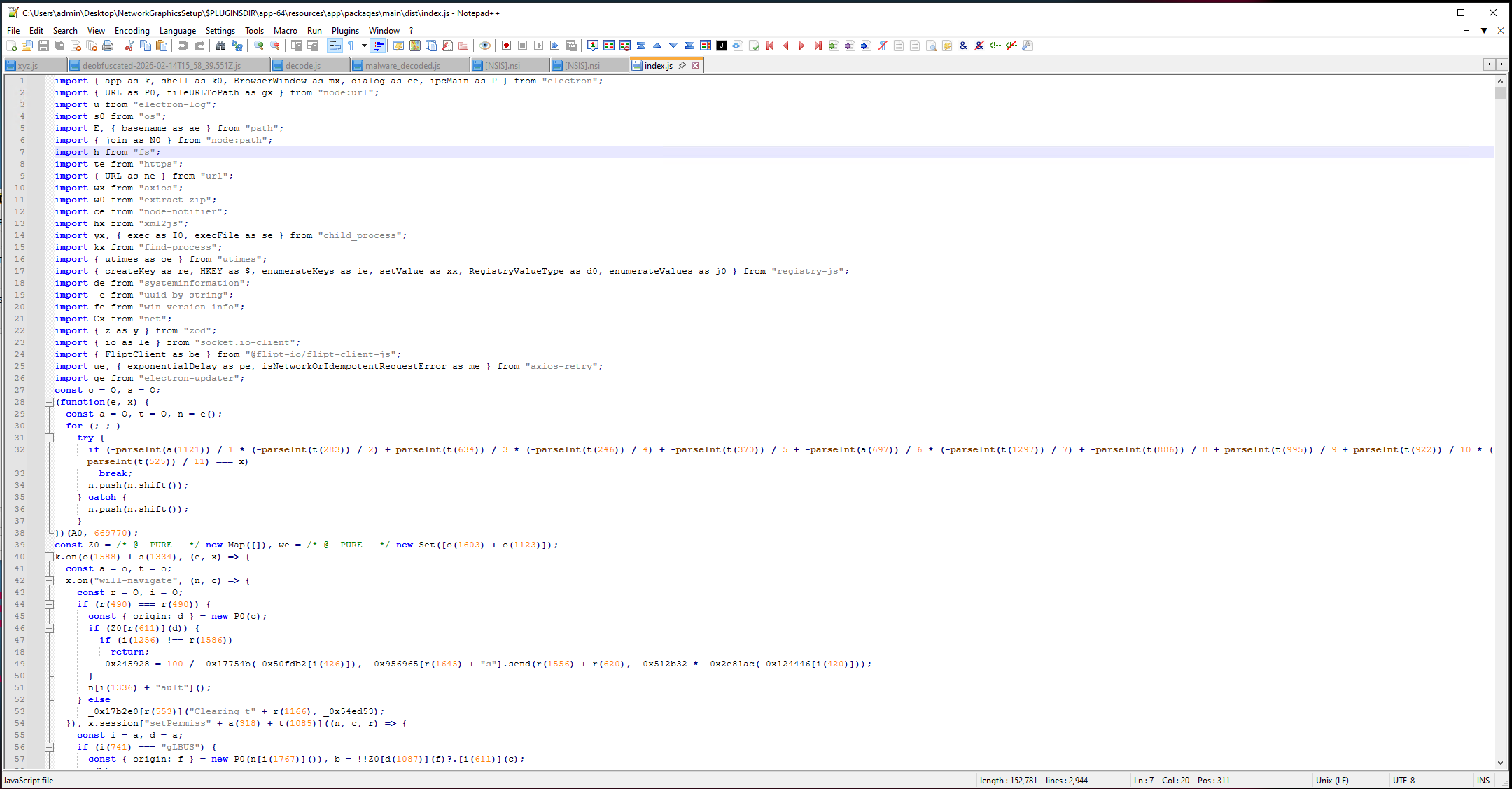
Let's open the index.js file in Notepad++. It's obfuscated; you can see the source code just does not make sense. The variables are all randomly named and they are made from various mathematical operations, which is just unreadable.
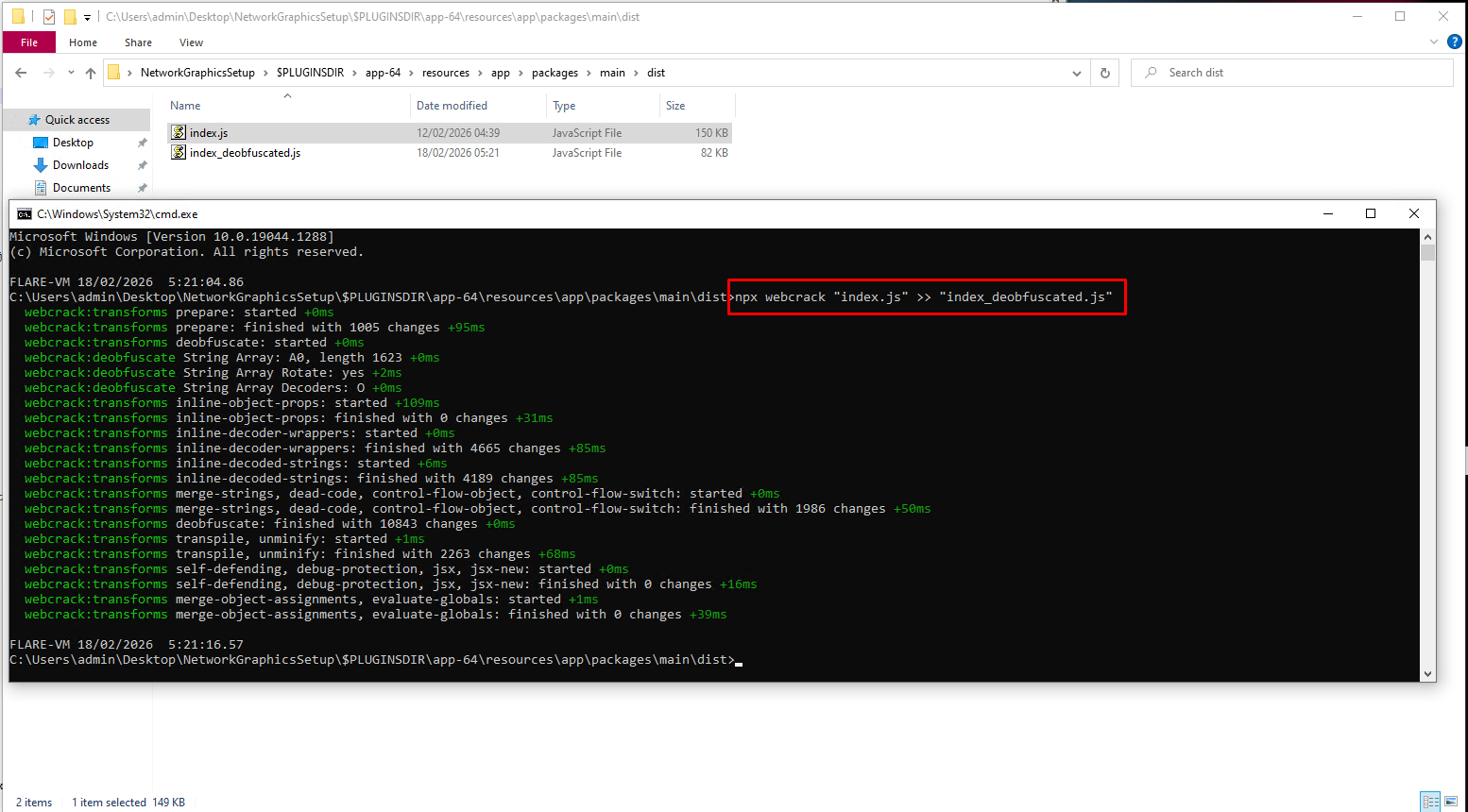
We can use webcrack - a tool for reverse engineering obfuscated javascripts. Let's see how the deobfuscated script looks like:
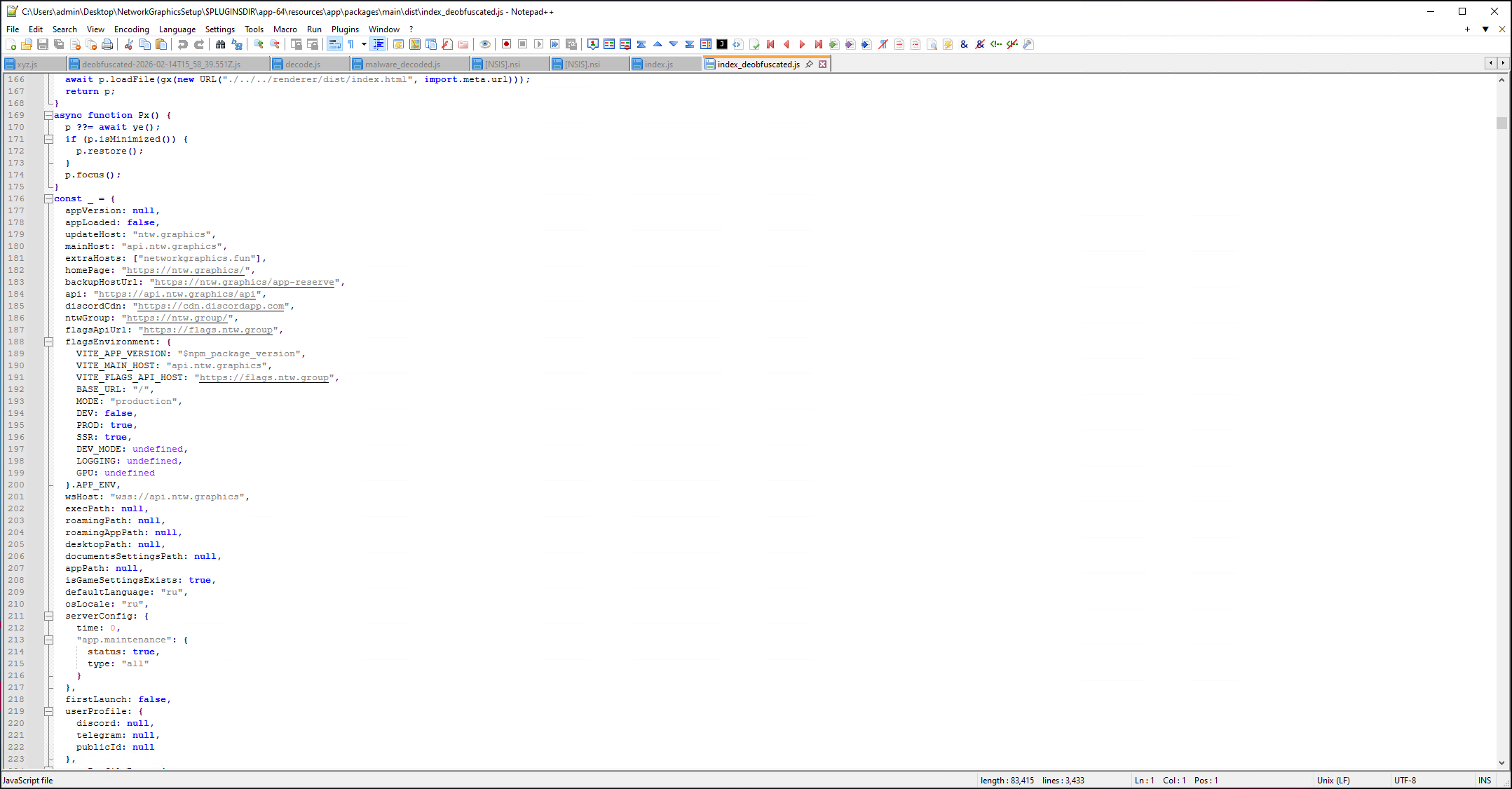
Looks better! Some of the variables are still just 1-3 random character strings but we can beautify that either by using an LLM or by doing it ourselves.
import { app as k, shell as k0, BrowserWindow as mx, dialog as ee, ipcMain as P } from "electron";
import { URL as P0, fileURLToPath as gx } from "node:url";
import u from "electron-log";
import s0 from "os";
import E, { basename as ae } from "path";
import { join as N0 } from "node:path";
import h from "fs";
import te from "https";
import { URL as ne } from "url";
import wx from "axios";
import w0 from "extract-zip";
import ce from "node-notifier";
import hx from "xml2js";
import yx, { exec as I0, execFile as se } from "child_process";
import kx from "find-process";
import { utimes as oe } from "utimes";
import { createKey as re, HKEY as $, enumerateKeys as ie, setValue as xx, RegistryValueType as d0, enumerateValues as j0 } from "registry-js";
import de from "systeminformation";
import _e from "uuid-by-string";
import fe from "win-version-info";
import Cx from "net";
import { z as y } from "zod";
import { io as le } from "socket.io-client";
import { FliptClient as be } from "@flipt-io/flipt-client-js";
import ue, { exponentialDelay as pe, isNetworkOrIdempotentRequestError as me } from "axios-retry";
import ge from "electron-updater";
And after we beautify it:
import { app, shell, BrowserWindow, dialog, ipcMain } from "electron";
import { URL, fileURLToPath } from "node:url";
import log from "electron-log";
import os from "os";
import path, { basename } from "path";
import { join } from "node:path";
import fs from "fs";
import https from "https";
import { URL as LegacyURL } from "url"
import axios from "axios";
import extractZip from "extract-zip";
import notifier from "node-notifier";
import xml2js from "xml2js";
import childProcess, { exec, execFile } from "child_process";
import findProcess from "find-process";
import { utimes } from "utimes";
import { createKey, HKEY, enumerateKeys, setValue, RegistryValueType, enumerateValues } from "registry-js";
import systemInformation from "systeminformation";
import getUuid from "uuid-by-string";
import winVersionInfo from "win-version-info";
import net from "net";
import { z } from "zod";
import { io } from "socket.io-client";
import { FliptClient } from "@flipt-io/flipt-client-js";
import axiosRetry, { exponentialDelay, isNetworkOrIdempotentRequestError } from "axios-retry";
import electronUpdater from "electron-updater";
And by doing this and replacing the variable names in the whole javascript file, we will get the fully deobfuscated source code.
Deobfuscating index.mjs
It's important we don't forget about the second index.mjs that we found. It is similiarly obfuscated just like index.js so let's run webcrack on it again.
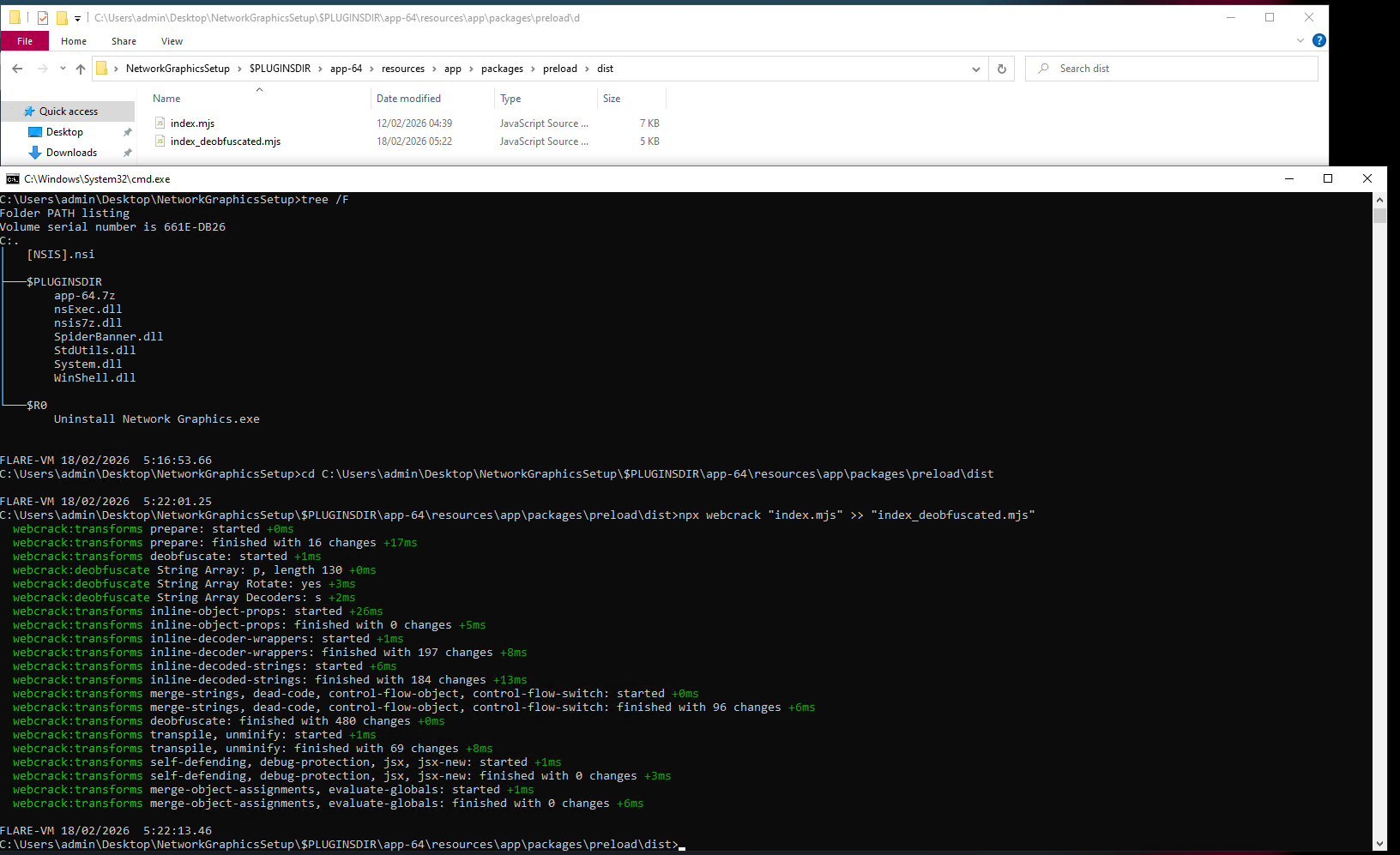
Let's check it out in Notepad++:
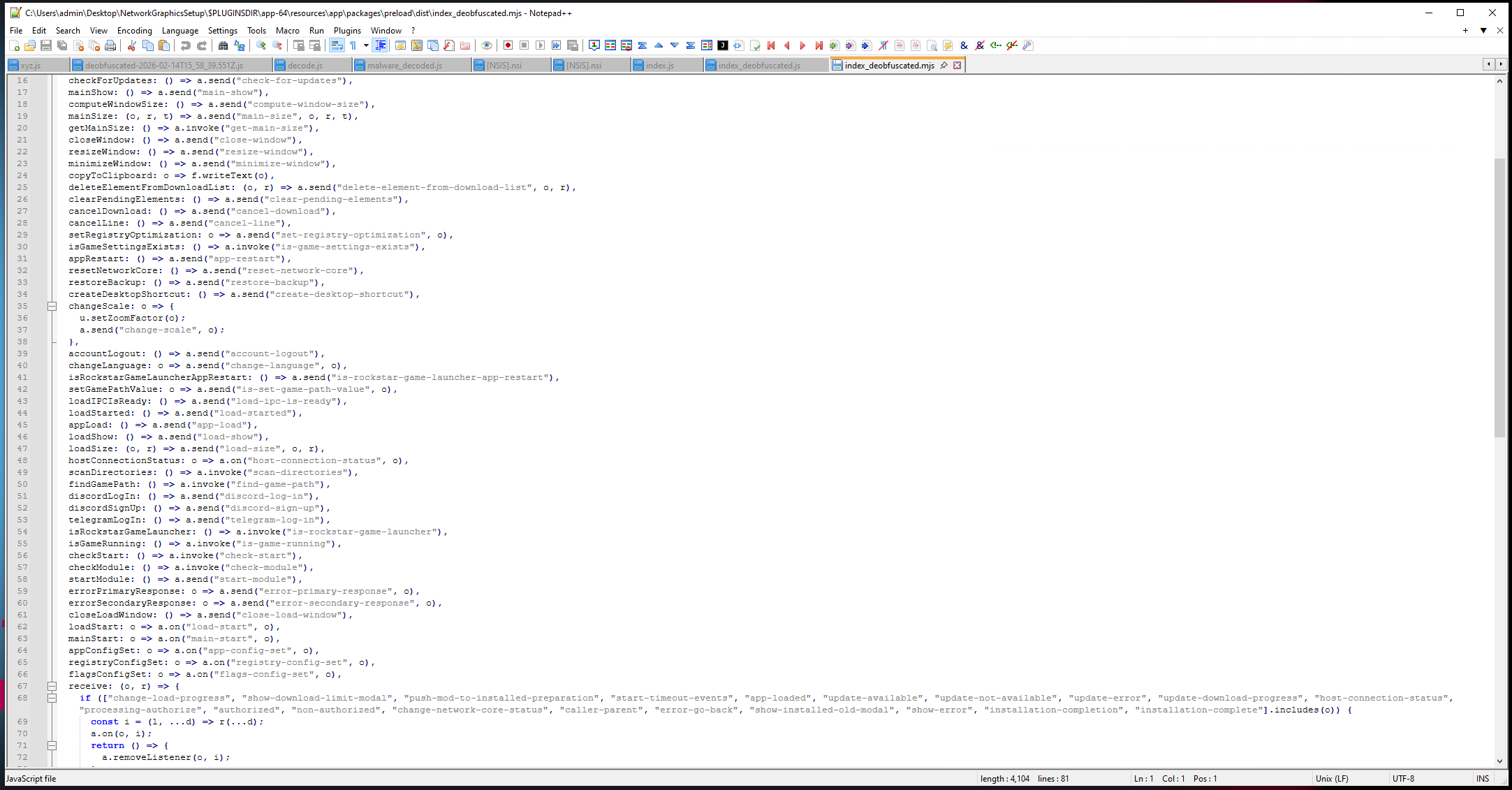
And just like before, we have to rename the variables from:
import { contextBridge as b, ipcRenderer as a, clipboard as f, webFrame as u } from "electron";
import { createHash as m } from "node:crypto";
import { versions as g } from "node:process";
import { versions as v } from "node:process";
function h(o) {
  return m("sha256").update(o).digest("hex");
}
to:
import { contextBridge, ipcRenderer, clipboard, webFrame } from "electron";
import { createHash } from "node:crypto";
import { versions as processVersions } from "node:process";
function generateSha256Hash(data) {
  return createHash("sha256").update(data).digest("hex");
}
and we also need to replace the variables in the whole script, otherwise the script will become broken because the variables we renamed on top wouldn't be used.
For example, this is how a code snippet looks like now:
contextBridge.exposeInMainWorld("electronAPI", {
  electronLog: (msg, level) => ipcRenderer.send("electron-log", msg, level),
  openSupport: () => ipcRenderer.send("open-support"),
  handleUrl: (url) => ipcRenderer.send("handle-url", url),
  pushToDownloadList: (item) => ipcRenderer.send("push-to-download-list", item),
  pushModToInstalledPreparation: (mod, arg2, arg3) => ipcRenderer.send("push-mod-to-installed-preparation", mod, arg2, arg3),
  checkForUpdates: () => ipcRenderer.send("check-for-updates"),
  mainShow: () => ipcRenderer.send("main-show"),
  computeWindowSize: () => ipcRenderer.send("compute-window-size"),
  mainSize: (width, height, arg3) => ipcRenderer.send("main-size", width, height, arg3),
  getMainSize: () => ipcRenderer.invoke("get-main-size"),
  closeWindow: () => ipcRenderer.send("close-window"),
  resizeWindow: () => ipcRenderer.send("resize-window"),
  minimizeWindow: () => ipcRenderer.send("minimize-window"),
  copyToClipboard: (text) => clipboard.writeText(text),
  deleteElementFromDownloadList: (id, arg2) => ipcRenderer.send("delete-element-from-download-list", id, arg2),
  clearPendingElements: () => ipcRenderer.send("clear-pending-elements"),
  cancelDownload: () => ipcRenderer.send("cancel-download"),
  cancelLine: () => ipcRenderer.send("cancel-line"),
  setRegistryOptimization: (settings) => ipcRenderer.send("set-registry-optimization", settings),
  isGameSettingsExists: () => ipcRenderer.invoke("is-game-settings-exists"),
  appRestart: () => ipcRenderer.send("app-restart"),
  resetNetworkCore: () => ipcRenderer.send("reset-network-core"),
  restoreBackup: () => ipcRenderer.send("restore-backup"),
  createDesktopShortcut: () => ipcRenderer.send("create-desktop-shortcut"),
  changeScale: (factor) => {
    webFrame.setZoomFactor(factor);
    ipcRenderer.send("change-scale", factor);
  },
We are now at the end. The goal was to obtain the source code but not to analyze whether it is malicious or not.
If you're curious about the outcome of this, you can read Struppigel's reply that explains the functionality and that it is indeed malicious.
Hope you learned something!