Introduction to SimpleUtilities
Thanks to user @s1dhy on X for discovering this sample and sharing it.
SystemUtilities seems to be a classic PC optimizer. You may realize at some point that sometimes utilities like registry cleaners/optimizers cause more harm than good and that they often deserve the potentially unwanted/unsafe application detection.
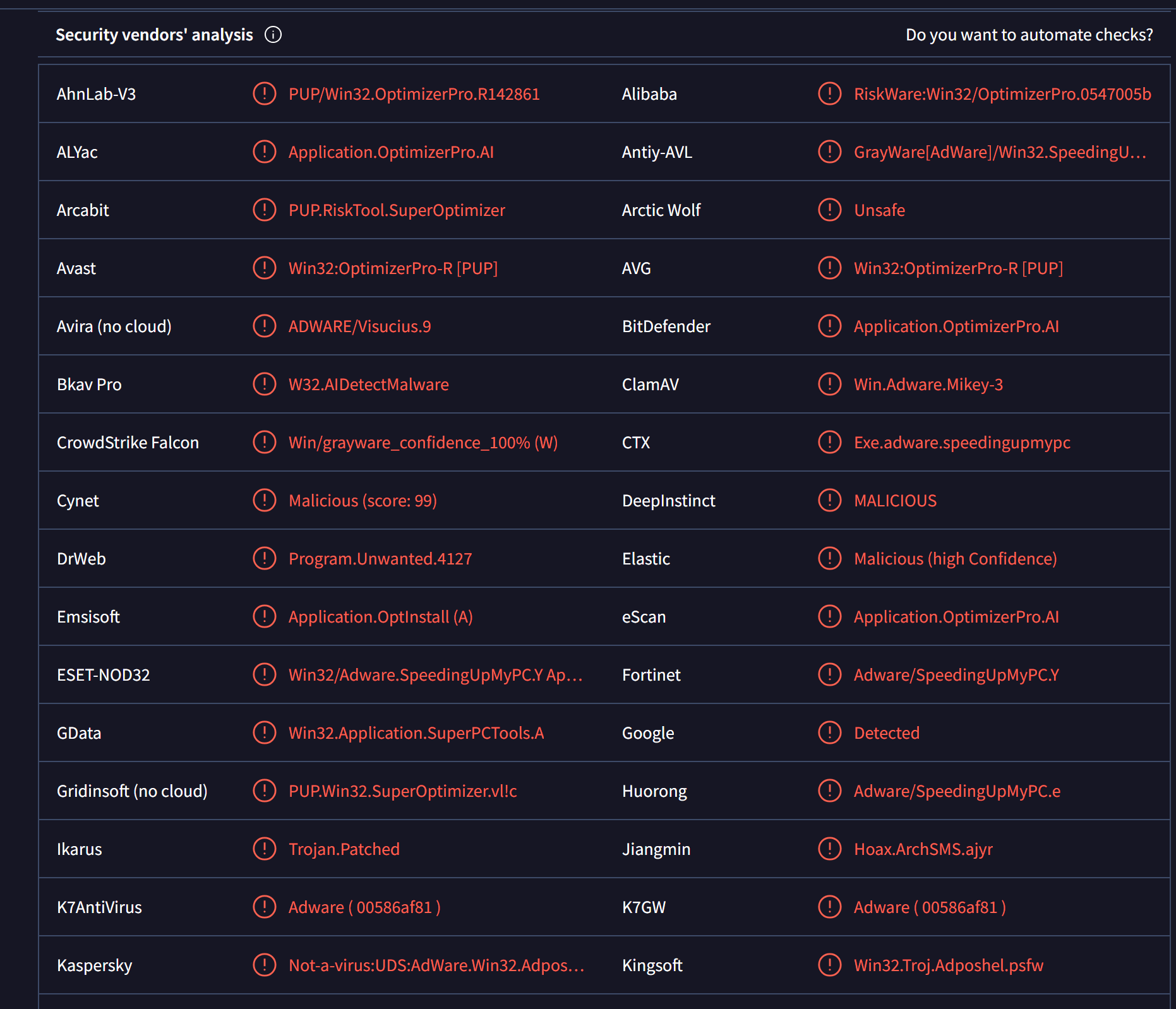
Here is an example of a VirusTotal scan of your average, optimizing/speeding up application:
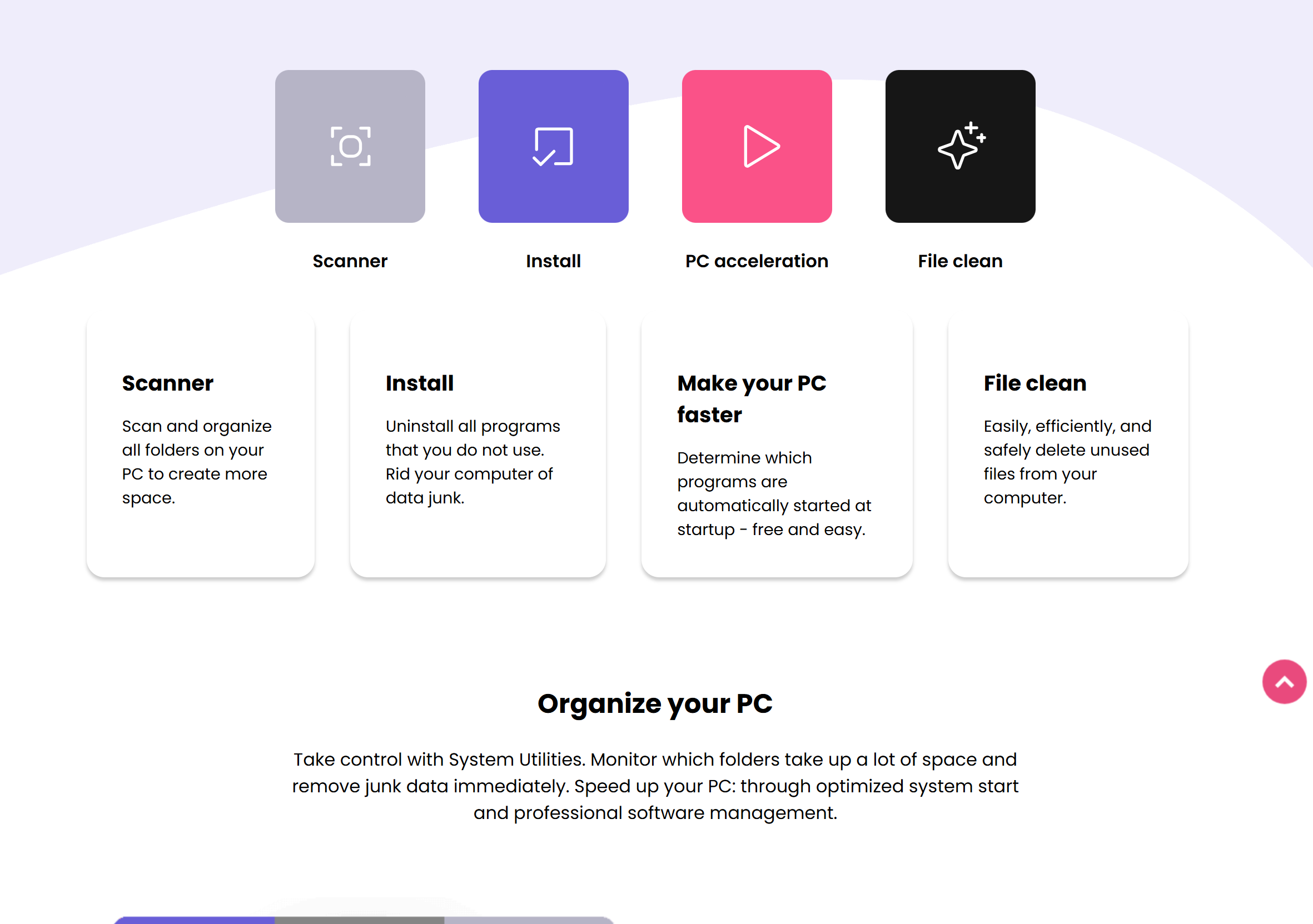
SystemUtilities is no different. It offers a crazy amount of improvements all for the price of... nothing! Seems like an undeclineable offer, am I right?
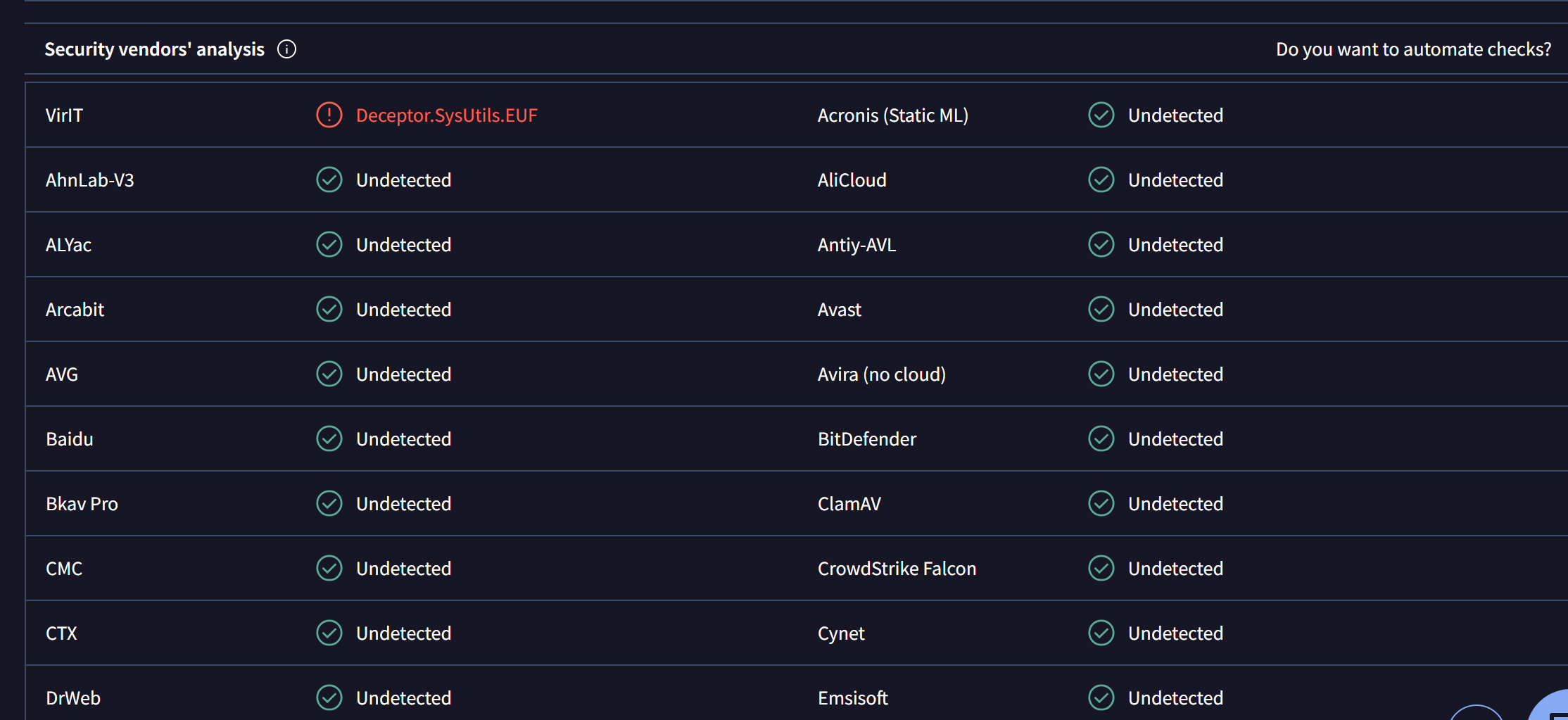
As of now, SystemUtilities has only 1 detection for being a deceptor on VirusTotal by VirIT.
Is it correctly flagged as a PUP?
Let's look at AppEsteem's Deceptor list. Some of the most popular antivirus software vendors follow this list and add detection rules according to it.
Let's search System Utilities and open their detection:
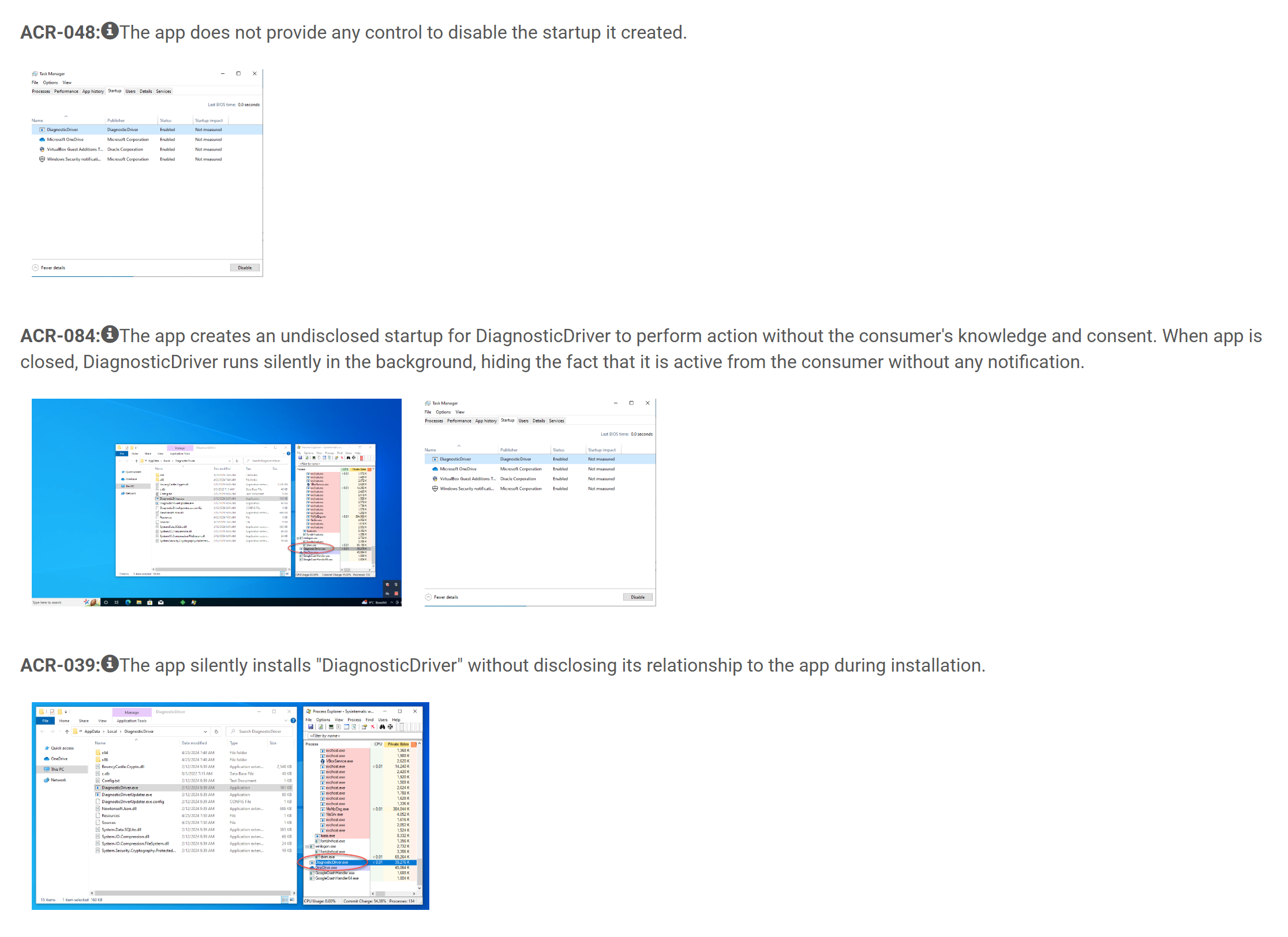
The first malicious pattern is making it seem like a regular PUP. However, let's pay attention to the last 2 malicious patterns that say:
ACR-084: The app creates an undisclosed startup for DiagnosticDriver to perform action without the consumer's knowledge and consent. When app is closed, DiagnosticDriver runs silently in the background, hiding the fact that it is active from the consumer without any notification.
and
ACR-039: The app silently installs "DiagnosticDriver" without disclosing its relationship to the app during installation.
So, now we have a DiagnosticDriver that we do not know what it does, how is it affected with SystemUtilities and we also know that it runs persistently on each boot without our consent and knowledge. This alone seems very suspicious, almost malware-like.
That being said, the PUP detection is 100% correct.
Note before decompilation
Please note that I have already done an analysis of this malware family available at anyPDF decompilation - a highly evasive, fully undetected, signed PDF editor bundled with AdClicker Trojan and Spyware. This System Utilities sample still caught my attention because:
- We are going to be discussing the border between a PUP and malware
- The whole software purpose is different from anyPDF
- A different digital signature
- Unlike anyPDF (as of writing this report 2 days later) and even though they share alot of technical similarities, it is still undetected to most AV software
- The file structure differs
I will be trying to keep the most important things in this report that are also in anyPDF report, so you may already know some tactics of this malware and then try to showcase and explain something new that wasn't mentioned in the previous analysis. That being said, consider this a report where you will learn some additional, interesting information about this yet unknown family.
LessMSI extraction
For this static analysis, we are going to be using a network isolated Windows 10 FlareVM. You can find FlareVM here.
We have an MSI, therefore we can use LessMSI to extract the MSI packages content.
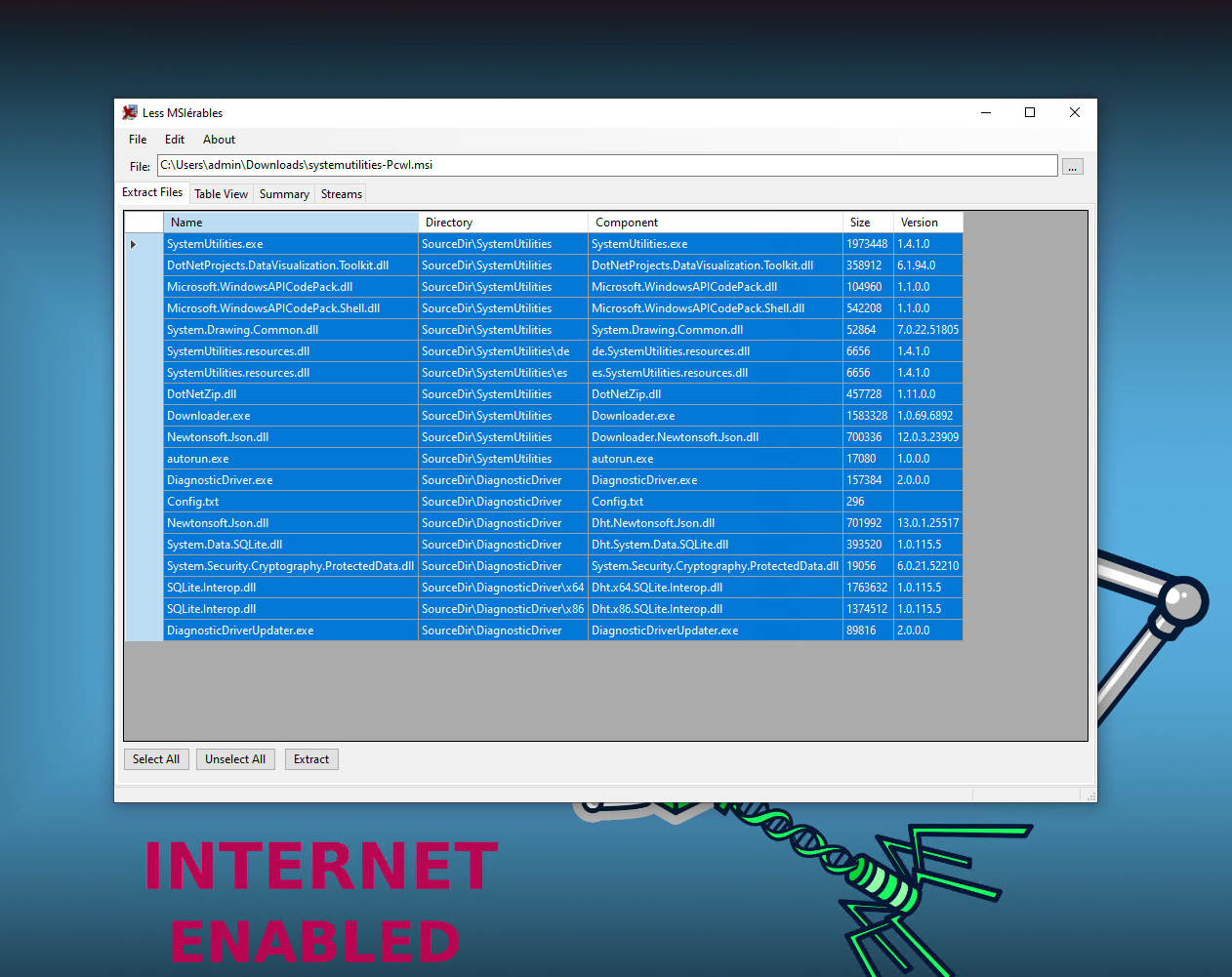
Extracted folders analysis
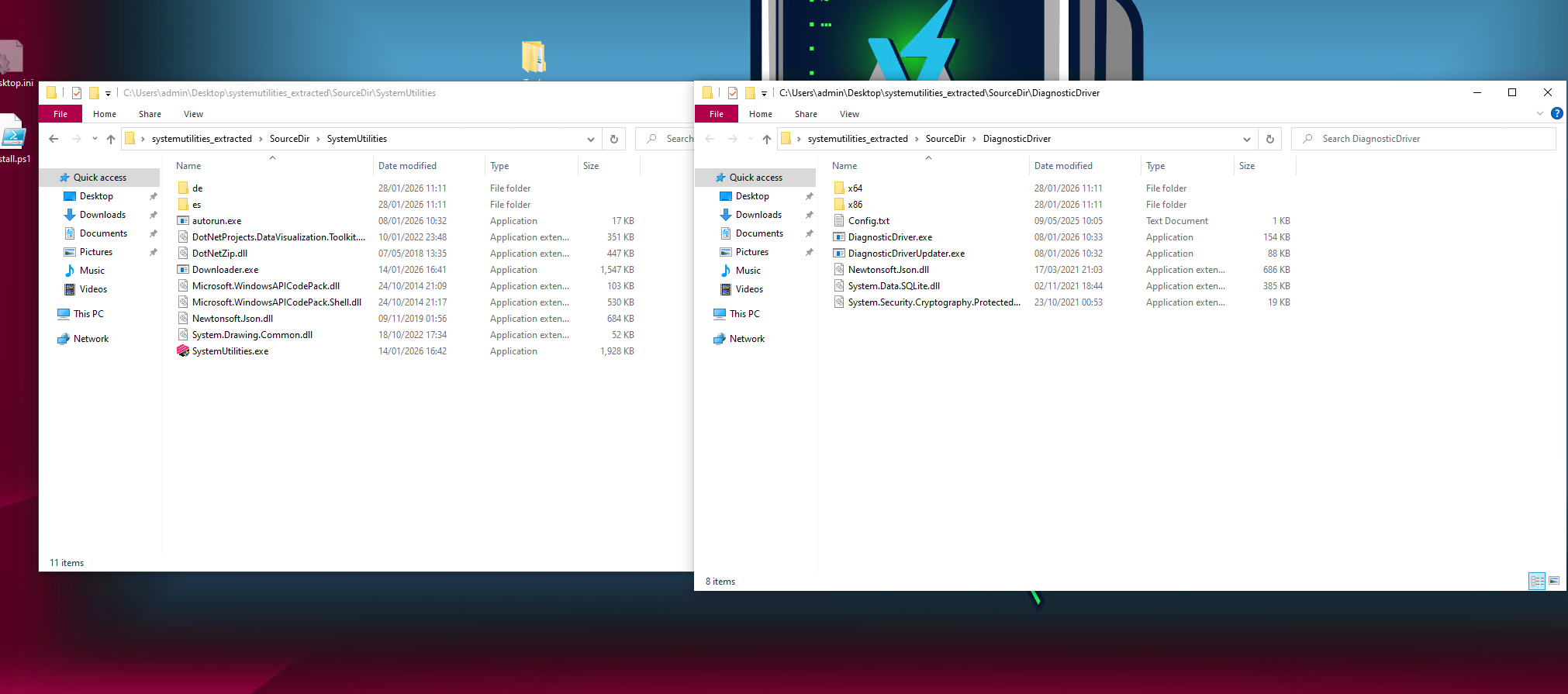
Only the Downloader.exe returned 3 generic flags on VirusTotal as of writing this report.
| Filename | SHA256 Hash | VirusTotal |
|---|---|---|
| SystemUtilities\autoruns.exe | 46ef73f7c28e58da75c30aa6ae7cf87c8802e9d03f16b727517b1a5f187e3484 |
Link |
| SystemUtilities\Downloader.exe | ca58cd97efc7865c81137d9ab5bb2d31fec7a736da874c3a53d6a5d3f6f8fadc |
Link |
| SystemUtilities\SystemUtilities.exe | 3e4c6a39e2302ee42a1d51ce6093d8325839581ff8b4ad77ce12d2e9326fc839 |
Link |
| DiagnosticDriver\DiagnosticDriver.exe | ce2f4094704b579018e2e8ba4f2c1f14d9072f3c405298e42df6c4eb6a1bed37 |
Link |
| DiagnosticDriver\DiagnosticDriverUpdater.exe | b172d7a7593e0a1d596413bd3e24071fd0fa85168268b52c45c7f7540787216e |
Link |
All files also have a valid digital signature from Centaurus Media Limited as seen on VT. Sigcheck confirms it.
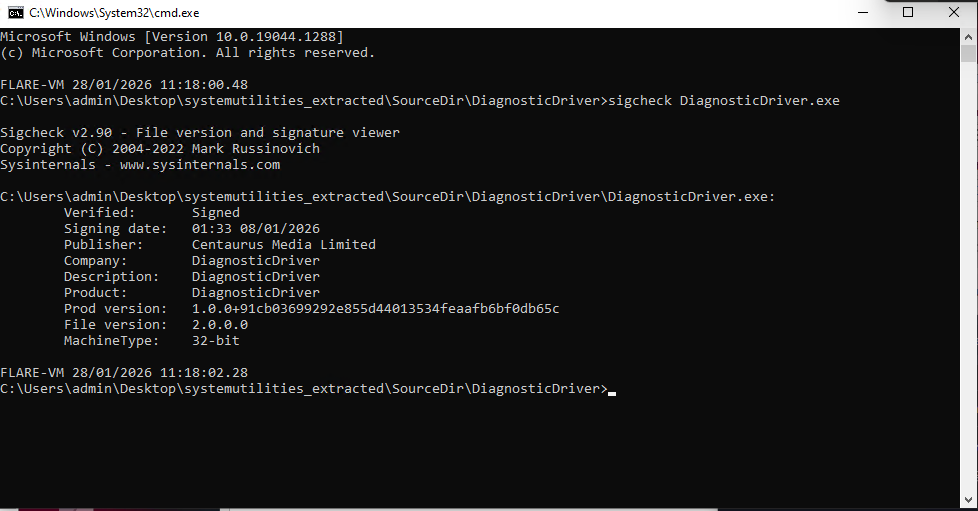
A one specific file also sparked my interest - DiagnosticDriver\Config.txt. If we inspect it in Notepad, we can see some Base64 encoded strings:
U3lzdGVtVXRpbGl0aWVz
c3lzdGVtLXV0aWxpdGllcy5jb20=
dm9sLnN5c3RlbS11dGlsaXRpZXMuY29t
dGFnLnN5c3RlbS11dGlsaXRpZXMuY29t
eWFzdXByby5uZXQ=
eWFzdXByby5uZXQvZXJvYw==
eWFzdXByby5uZXQvYWNjZXB0
eWFzdXByby5uZXQvYXBp
VUEtMjQ3MjAyMzg1LTE=
RHJpdmVySUQ=
ZWY1OGQ3YTgtZmE0NC00NWU3LWI1YjctN2ZkZDE2ZjdjNmIz
If we decode them:
U3lzdGVtVXRpbGl0aWVz - SystemUtilities
c3lzdGVtLXV0aWxpdGllcy5jb20= - system-utilities.com
dm9sLnN5c3RlbS11dGlsaXRpZXMuY29t - vol.system-utilities.com
dGFnLnN5c3RlbS11dGlsaXRpZXMuY29t - vol.system-utilities.com
eWFzdXByby5uZXQ= - yasupro.net
eWFzdXByby5uZXQvZXJvYw== - yasupro.net/eroc
eWFzdXByby5uZXQvYWNjZXB0 - yasupro.net/accept
eWFzdXByby5uZXQvYXBp - yasupro.net/api
VUEtMjQ3MjAyMzg1LTE= - UA-247202385-1
RHJpdmVySUQ= - DriverID
ZWY1OGQ3YTgtZmE0NC00NWU3LWI1YjctN2ZkZDE2ZjdjNmIz - ef58d7a8-fa44-45e7-b5b7-7fdd16f7c6b3
We encounter a new URL - hxxps://yasupro[.]net. This may be useful to us later as these look like it could be it's hardcoded C2 servers.
DetectItEasy
Let's open the executables in DetectItEasy (GitHub). DIE is an awesome tool for malware analysis purposes to identify the filetype, packer, obfuscator.
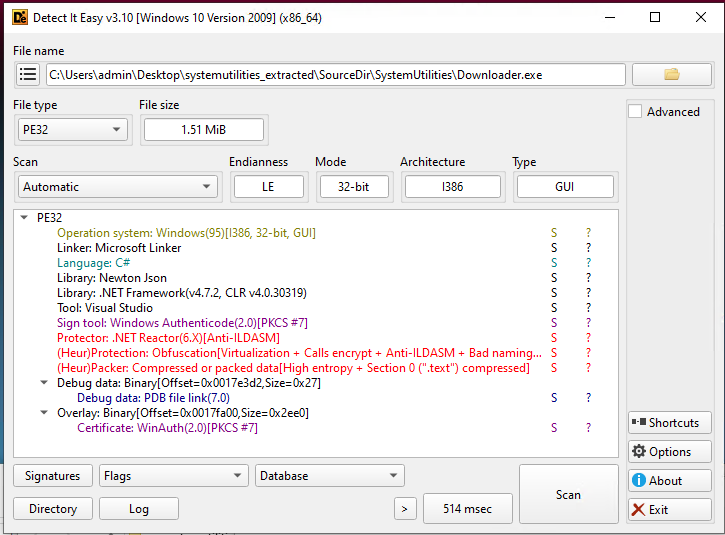
Most of the files returned this:
Protector: .NET Reactor(6.X)[Anti-ILDASM]
(Heur)Protection: Obfuscation[Virtualization + Calls encrypt + Anti-ILDASM + Bad namings + Fake .cctor name + Math mutations]
(Heur)Packer: Compressed or packed data[High entropy + Section 0 (".text") compressed]
However, autoruns.exe returned a different result:
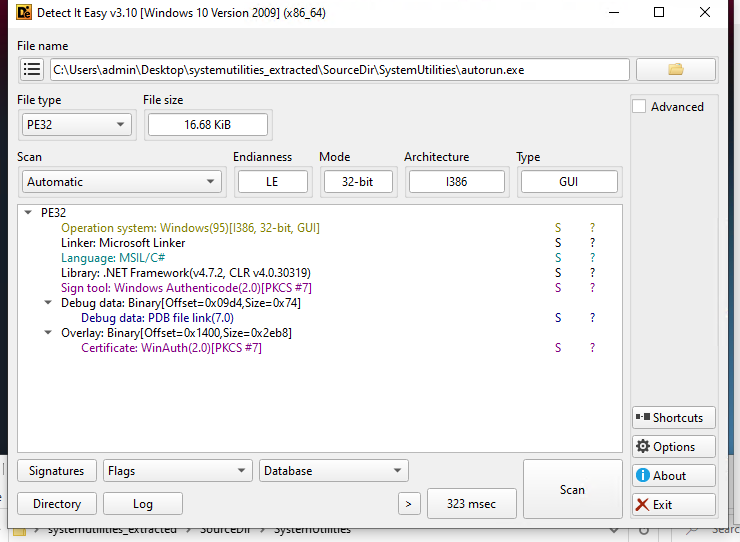
It means that there is no protection or obfuscation to it. That being said, we can simply open it in dnSpy and inspect the source code.
dnSpy is a debugger and .NET assembly editor (GitHub).
autoruns.exe - dnSpy decompilation
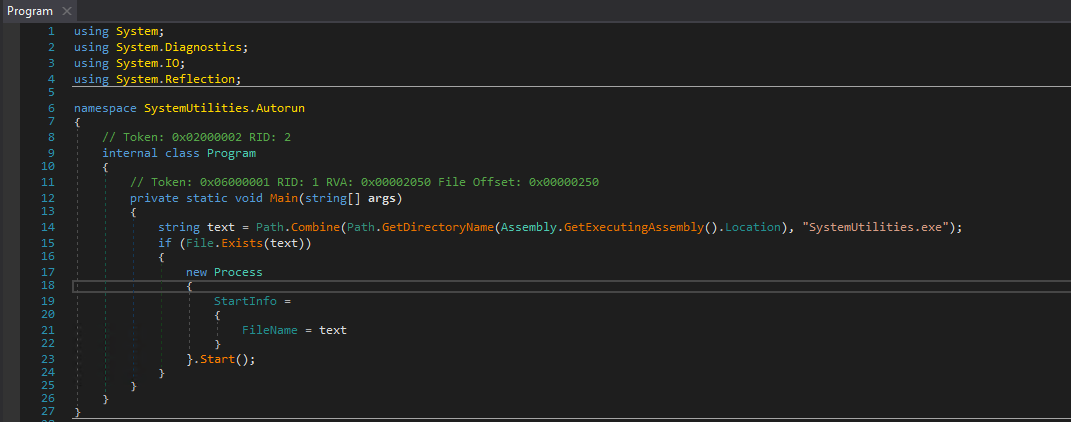
The autoruns.exe file is a very primitive application. Keep in mind that based on the images we know that SystemUtilities.exe is in the same folder as autoruns.exe.
- Checks it's execution directory
- Creates a combination of execution directory +
SystemUtilities.exe - Checks whether execution directory +
SystemUtilities.exeexists - If exists, executes the combination of execution directory +
SystemUtilities.exe
This is the application that is most likely set to ran persistently on boot.
Other executables decompilation
Decompiling autoruns.exe was simple, we just threw it in dnSpy and we could see it's source code just fine. But we noticed that other files returned that they are protected & packed.
If we try to open some of the other files in dnSpy, we get a bunch of unreadable code and obfuscated methods:
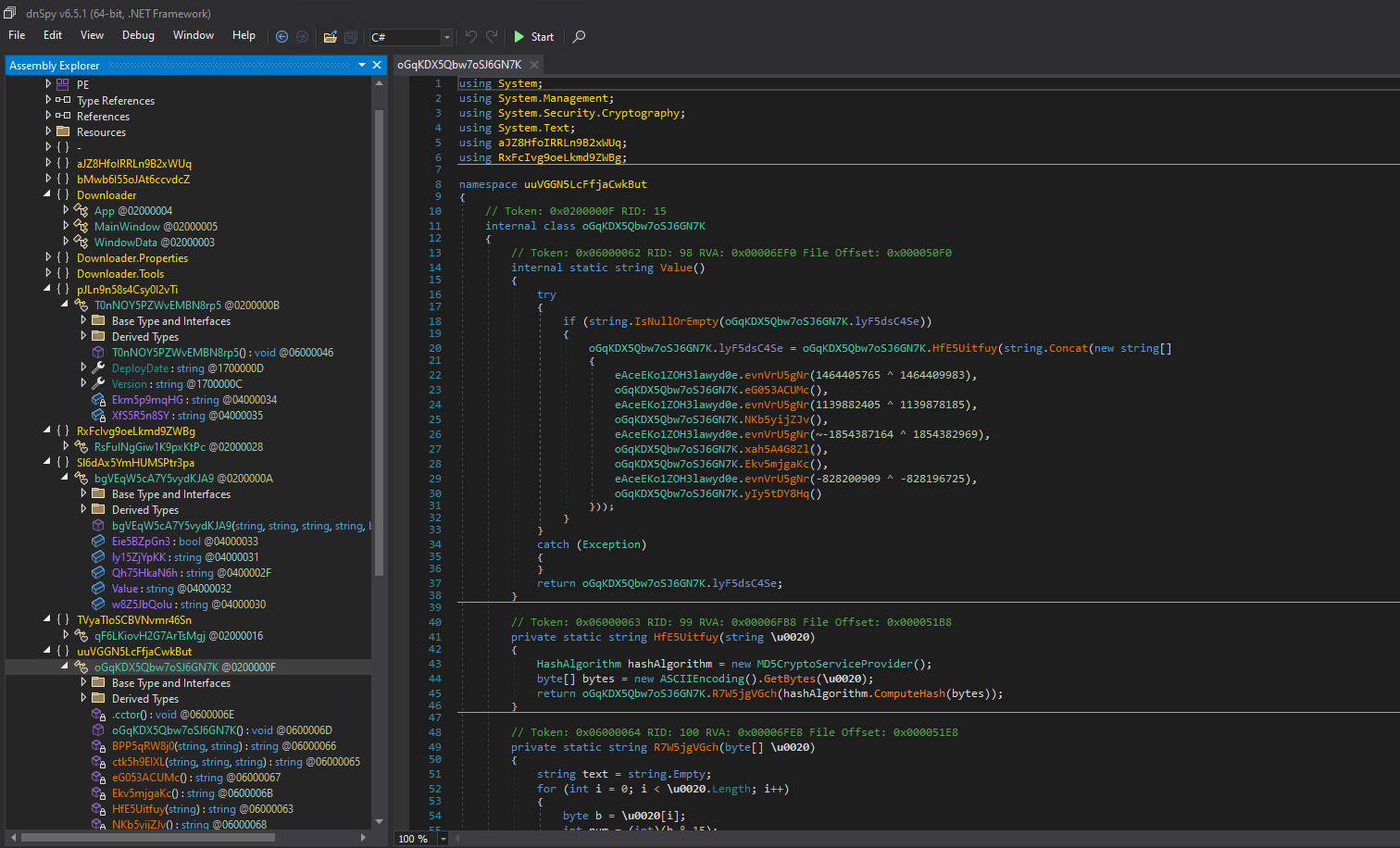
That is where .NET Reactor Slayer comes in.
.NET Reactor Slayer
We can reverse these protections by using an open-source tool called .NET Reactor Slayer (GitHub).
Let's start with DiagnosticDriver\DiagnosticDriver.exe:
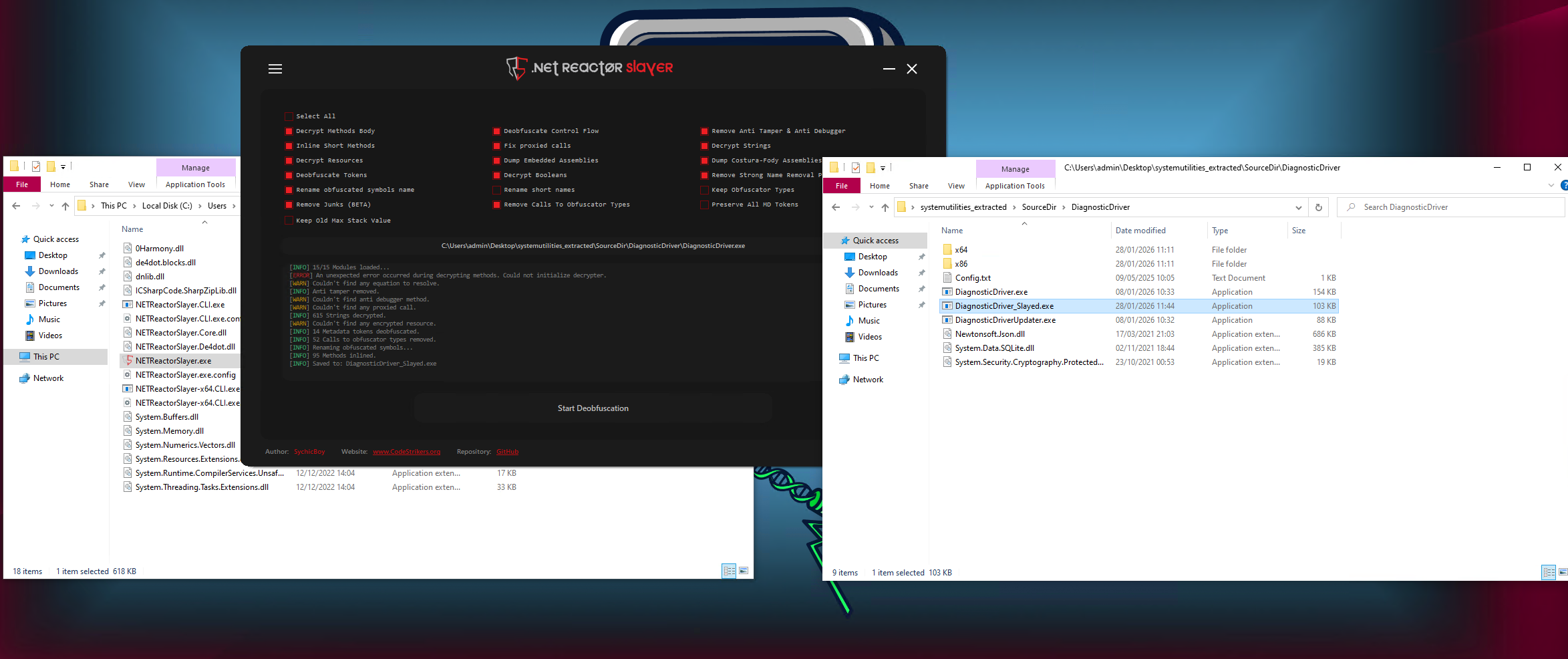
We will do this process for every file.
DiagnosticDriver.exe - dnSpy decompilation
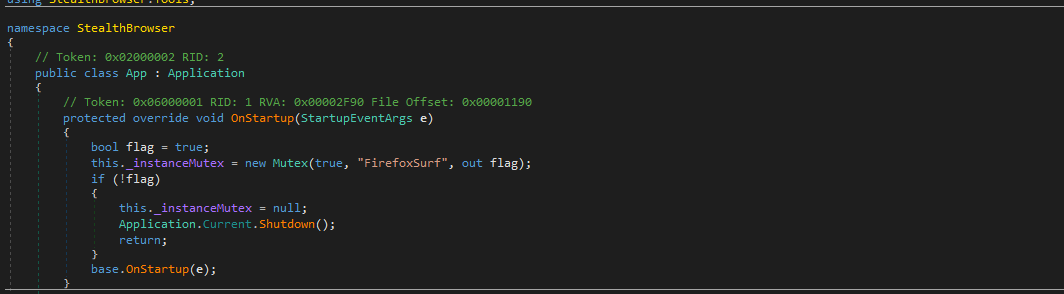
Let's open it after deobfuscating with dnSpy. Right after opening, we can see the unobfuscated methods and this does not really look like a system optimizer related tool.
In the first few lines, we can see it sets a mutex. Mutex is an object that verifies only single instance of the executable runs. If you have 2 instances of same executable accessing the same resources, files and more, it is, of course, going to cause issues and that is why if it detects it's own mutex it shuts down the application.
I will pin point a several of the most interesting methods and explain how they work.
Legitimate functionality
Let's first talk about the legitimate components:
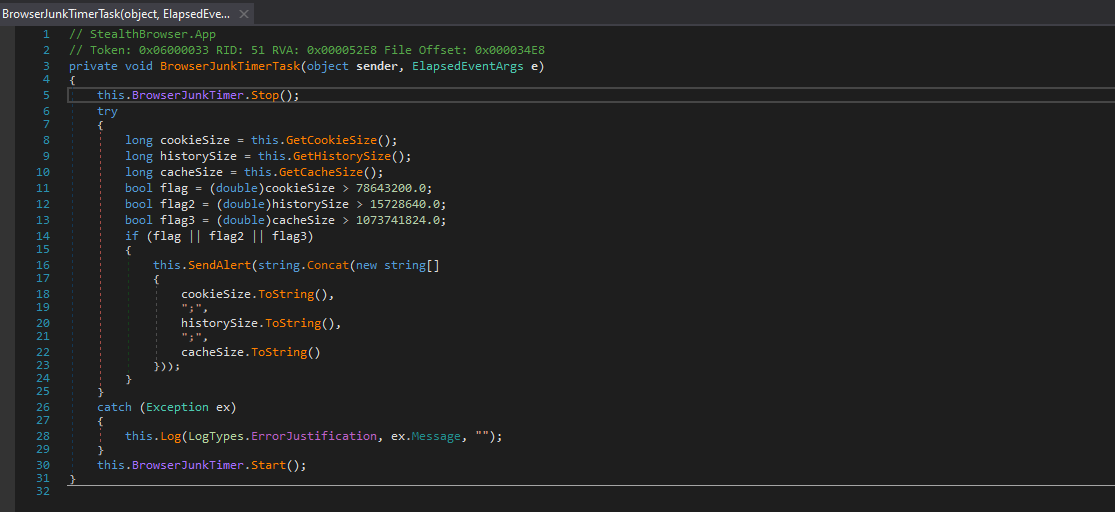
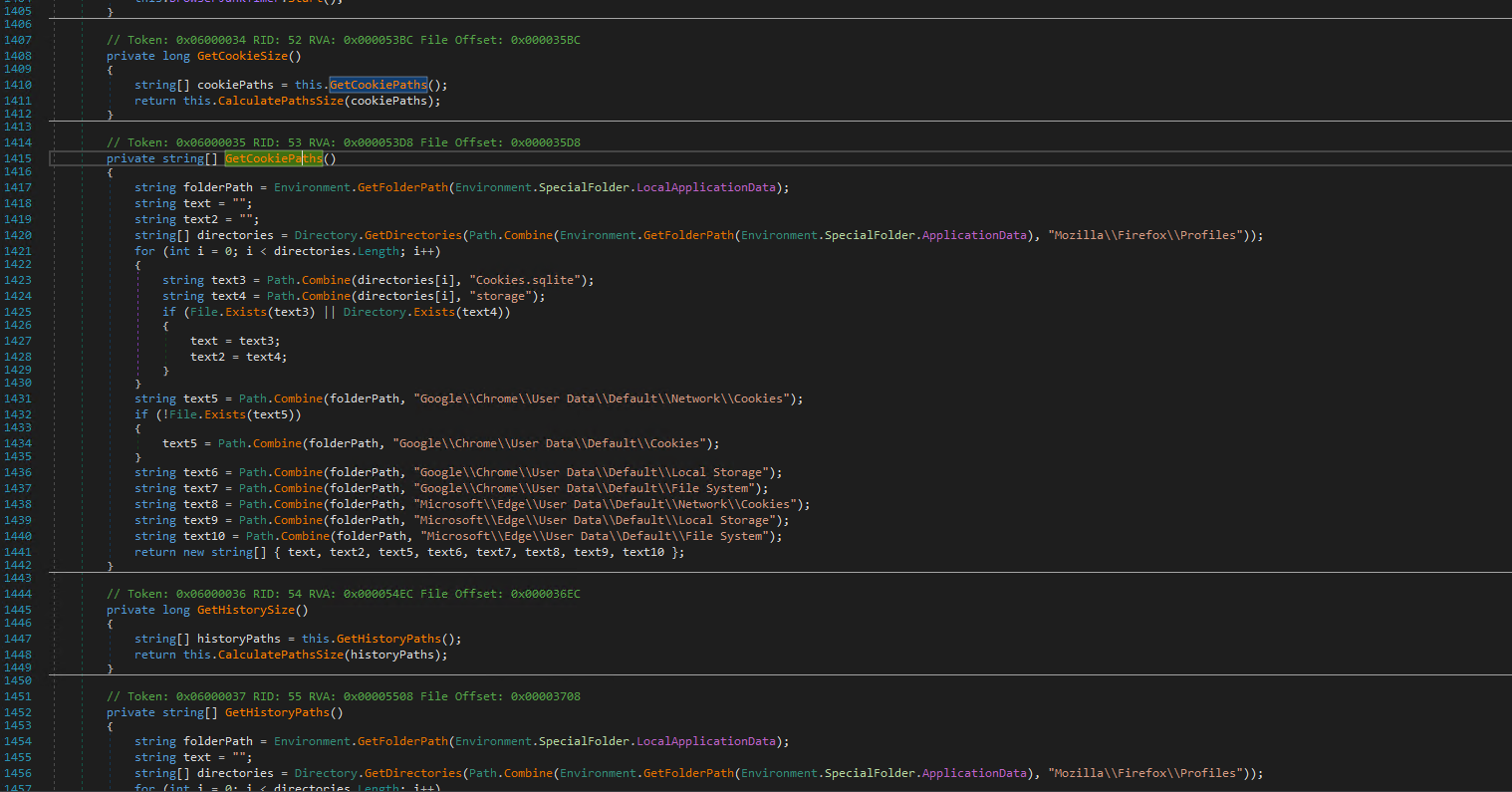
This part of the code checks for sizes of cookies, cache and history by it's methods called GetCookieSize, GetHistorySize and GetCacheSize. I will not be going over the full functionality of these methods as they aren't as relevant as other methods. They do exactly what they are named, nothing less, nothing more.
The BrowserJunkTimerTask method is executed every 15 minutes and proactively checks whether history/cookies/cache sizes exceed a predefined limit:
bool  flag  =  (double)cookieSize  >  78643200.0;
bool  flag2  =  (double)historySize  >  15728640.0;
bool  flag3  =  (double)cacheSize  >  1073741824.0;
The cookie size is set for around 75MB, history for 15MB and cache for around 1GB.
If it does exceed the limit, it calls a method called SendAlert that sends it using a pipe called SystemUtilities. The main user interface SystemUtilities\SystemUtilities.exe uses this pipe to communicate with the application and to display the cookie/history/cache sizes in the main menu.
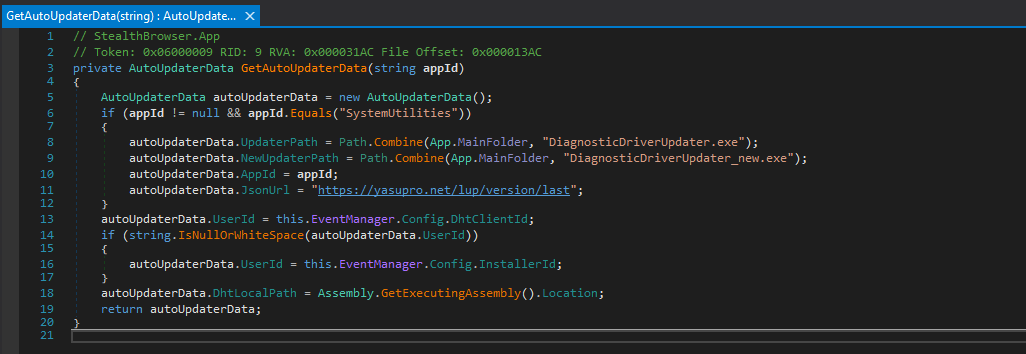
Let's take a look at the GetAutoUpdaterData method. As the name indicates, this is the method responsible for the automatic updates of the application.
If we head to the url, it returns:
{
    "logs": [
        {
            "count": "2.0.0.0",
            "fallback": "https[:]//yasupro.net/lup/version/current/diagnosticDriver_2_0_0_0.zip"
        }
    ],
    "status": 200,
    "content": "Pending"
}
The link leads to a password-less ZIP archive that contains the DiagnosticDriver.exe and to DiagnosticDriverUpdater.exe executables.
Malicious functionality
Malicious functionality compared to the legitimate one will be a little longer. Let's try with the execution checks and keep in mind, all these have to be met in order to start the malicious activity.
IsAppBeingRunByProUser
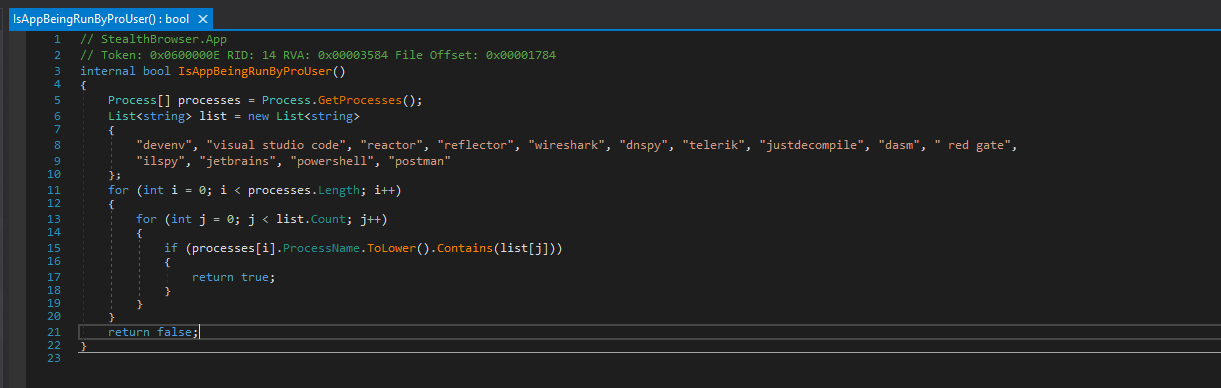 This method checks whether the app is being ran along with some malware analysis tool. Some examples are PowerShell, Postman, Wireshark, dnSpy or Visual Studio Code.
IsAppInstalledTwoWeeksAgo
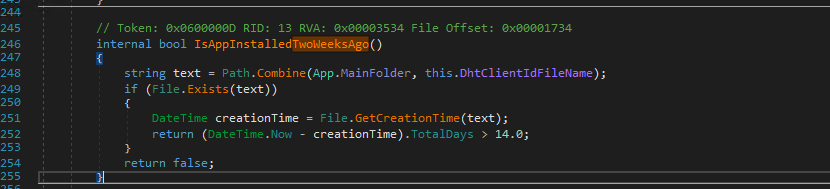 This method checks whether the executable is present on the machine for longer than 2 weeks.
IsAppRunningInVirtualMachine
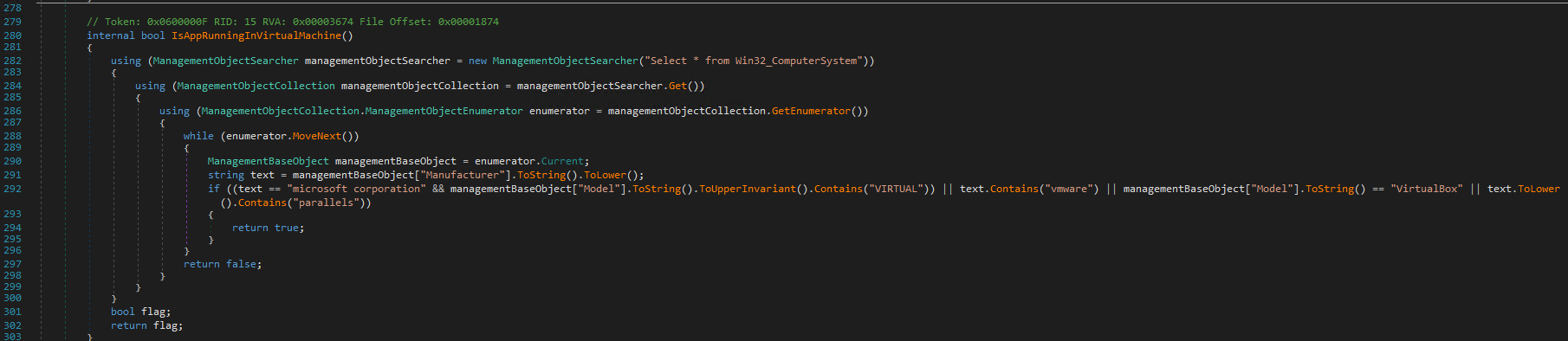 This method checks if it is being ran in some of the popular VM environments - for example VMware, VirtualBox and Hyper-V would not pass this check.
IsUserBlocked
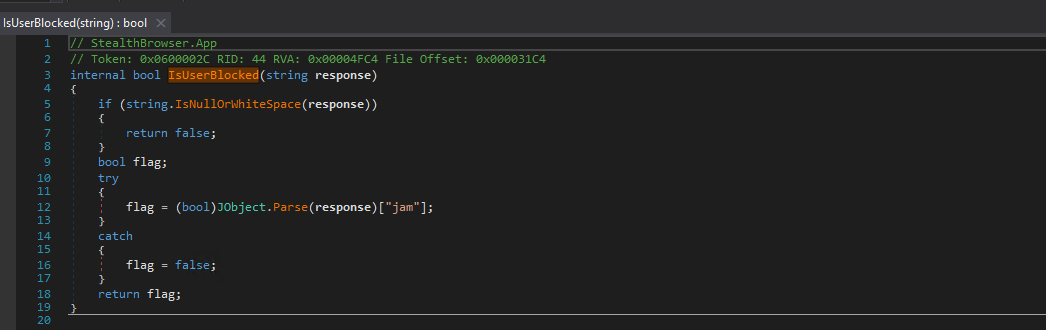 This method checks whether the user hardware unique identificator is blocked or not. We will talk about a way how to get blocked a little later.

Now that we have talked about these 4 "is..." checks we will talk about why they are there; they are there to filter the users that will not face any malicious activity from the software.
The timeline of the main malicious activity if all the conditions are met:
- Runs
CopyDefaultBrowserHistoryto copy the browser history to a defined path - Runs
AnalyseBrowserHistoryon the copied browser history to figure out whether the user visited a domain set asProxyDomain(in our case yasupro[.]net based on theConfig.txtfile) - Runs
ProcessValidUrlto contact C2 server and receives the actual ad URL - If the C2 server correctly sent an ad URL back, runs
OpenAdUrlInHiddenBrowser OpenAdUrlInHiddenBrowserruns a hidden browser window with special arguments to run it hidden, without extensionsOnWindowDetectedMethodis triggered and using the Windows API it makes the window transparent and removes it from Alt+Tab and taskbar- The window is killed after a certain defined time and the malware waits
- The whole process is restarted
Code snippets are available at the previous report at anyPDF decompilation - a highly evasive, fully undetected, signed PDF editor bundled with AdClicker Trojan and Spyware
CheckIfAnyAdUrlWasCalledTwice
Checks if any hidden ad was called twice; if the ad URL has more than 1 call in the history, it likely means the user is investigating the suspicious browser behavior, and this blocks the user device, therefore the AdClicker payload will not execute anymore

OverrideBrowserCrashReport
Replaces content of prefs.js for Firefox, Preferences for Chrome/Edge to not display crash reports and then removes the folder with crash reports

DiagnosticDriverUpdater.exe - dnSpy decompilation
Same for the DiagnosticDriver.exe, we will run it through .NET Reactor Slayer. This is a very primitive program and offers only basic functionality such as checking for update according to a JSON file, extracting and replacing files with answering to C2 on the update status - whether it was successful, unsuccessful etc.
Downloader.exe - dnSpy decompilation
Downloader.exe works the same as the previous sample variant. It serves as a command line tool. It accepts plenty of arguments and can do various actions, such as:
- downloading files
- executing files
- installing files
- terminating processes
- extracting archives
- modify registry values
- restarting main payload
- deleting files
- moving files
The main danger here is the fact that all of these are controllable through a C2.

Is this still a PUP or a malware?
The point was that this software was detected as a PUP because it fell under the Deceptor category for being a system optimizing software. That is indeed correct and should stay like that.
However, nobody expected or noticed the AdClicker malware and backdoor part, where in this case this should and eventually will be classified as a regular malware because:
-
It isn't mentioned in EULA that they abuse your device and your web browser to generate ad revenue
-
You never agreed/allowed them to abuse your device and your web browser to generate ad revenue
-
It uses advanced evasion tactics such as waiting for 14 days before execution, checks whether it is being reverse engineered/debugged/further analyzed and because it does not allow execution in virtual environment
-
There is a functionality for remote manipulation with your device
How did AV vendors miss that this was a malware?
A day before writing this report I had a talk with Struppigel - a malware researcher at G DATA who also helped with reporting the previous abused digital certificate and he mentioned that when PUP checks are being disputed, nobody really checks for malware. You can read about it at https://www.gdatasoftware.com/blog/2025/08/38257-appsuite-pdf-editor-backdoor-analysis.
All that is checked is the functionality itself and compared to the Deceptor practics that we have mentioned previously. There were cases where threat actors were able to send dispute to AV vendors for PUP signatures and managed to get it removed.
Sandboxes won't detect this either as the malicious behavior only started after the 14 day period.
Final verdict
System Utilities is an Adclicker Trojan, Backdoor and a PUP - displays hidden ads on your device and simulates ad presses to generate revenue to the attackers. It has the capability to receive commands to manipulate with files (downloading, executing, terminating, moving, deleting), modify registry and more. System Utilities also meets several deceptor tactics from AppEsteem.
It is a highly evasive sample protected with .NET Reactor that deploys various virtual environment checks, checks whether it is being debugged/analyzed/reverse engineered and most notably a 14 day timer before it starts the malicious activity.
System Utilities as of now has been only classified as a potentially unwanted application by some antivirus vendors when in reality it should be classified as a regular malware.
NOTE: Early in the morning today System Utilities application was classified as MSIL/DiagnosticDriver.A Potentially Unwanted Application by ESET, now classified as MSIL/Adware.DHT.A Application - same signature as anyPDF.
IoC
Files
| Filename | SHA256 Hash | VirusTotal |
|---|---|---|
| SystemUtilities\autoruns.exe | 46ef73f7c28e58da75c30aa6ae7cf87c8802e9d03f16b727517b1a5f187e3484 |
Link |
| SystemUtilities\Downloader.exe | ca58cd97efc7865c81137d9ab5bb2d31fec7a736da874c3a53d6a5d3f6f8fadc |
Link |
| SystemUtilities\SystemUtilities.exe | 3e4c6a39e2302ee42a1d51ce6093d8325839581ff8b4ad77ce12d2e9326fc839 |
Link |
| DiagnosticDriver\DiagnosticDriver.exe | ce2f4094704b579018e2e8ba4f2c1f14d9072f3c405298e42df6c4eb6a1bed37 |
Link |
| DiagnosticDriver\DiagnosticDriverUpdater.exe | b172d7a7593e0a1d596413bd3e24071fd0fa85168268b52c45c7f7540787216e |
Link |
URL's
| URL | Description |
|---|---|
| system-utilities[.]com | Main infection source, download URL, legitimate looking website |
| yasupro[.]net/lup/version/last | Updater URL for main payload (DiagnosticsDriver.exe) |
| vol[.]system-utilities[.]com | Voluum URL - ad tracking website |
| vol[.]system-utilities[.]com | Tracker URL |
| yasupro[.]net/api | C2 |
| yasupro[.]net/accept | C2 |
| ev[.]system-utilities[.]com/twa | C2 |
File paths
| File path | Description |
|---|---|
| %LocalAppData%\DiagnosticDriver | Main payload file structure path |
| %LocalAppData%\SystemUtilities | Main System Utilities actual application file structure path |
Pipes
| Pipe | Description |
|---|---|
| \.\pipe\SystemUtilities | Pipe used for communication between main payload and System Utilities GUI |
Certificates
| Name | Description |
|---|---|
| Centaurus Media Limited | Suspicious certificate abused by System Utilities |
| Sol Digital Solutions Limited | Suspicious certificate abused by System Utilities |